Zavedení
This manual provides comprehensive instructions for the safe and efficient use of your SUNMI M2 MAX Industrial Tablet, model TF700. Please read this manual thoroughly before operating the device and retain it for future reference.

Obrázek 1: Přední strana view of the SUNMI M2 MAX Industrial Tablet, showing its display with various application icons.
Nastavení
1. Rozbalení a počáteční kontrola
Opatrně vyjměte všechny součásti z obalu. Zkontrolujte, zda jsou všechny níže uvedené položky přítomny a nepoškozené:
- SUNMI M2 MAX Industrial Tablet (TF700)
- Napájecí adaptér
- Kabel USB typu C
- Hand Strap (optional, if included with your model)
2. Nabíjení zařízení
Before first use, fully charge the tablet. Connect the USB Type-C cable to the tablet's charging port and the other end to the power adapter. Plug the power adapter into a wall outlet. The charging indicator will illuminate.
The tablet is equipped with an 8360mAh non-removable lithium polymer battery. A full charge can provide over 12 hours of continuous operation.
3. Installing SIM Card and MicroSD Card (Optional)
The device supports MicroSIM or NanoSIM cards (Config 1) and an eSIM (Config 2). It also supports MicroSD cards up to 128GB for expanded storage.
- Vyhledejte slot pro kartu SIM/MicroSD na boku tabletu.
- K otevření zásuvky použijte dodaný nástroj pro vysunutí SIM karty (pokud je k dispozici) nebo malou kancelářskou sponku.
- Carefully place the SIM card(s) and/or MicroSD card into the tray according to the diagram on the tray.
- Jemně zatlačte zásobník zpět do slotu, dokud nezacvakne na místo.

Obrázek 2: Zadní view of the SUNMI M2 MAX, highlighting the camera, pogo pin charging interface, and the location of the SIM/MicroSD card slot.
4. Attaching the Hand Strap (Optional)
If your model includes a hand strap, attach it to the designated points on the back of the tablet for secure handling during mobile operations.
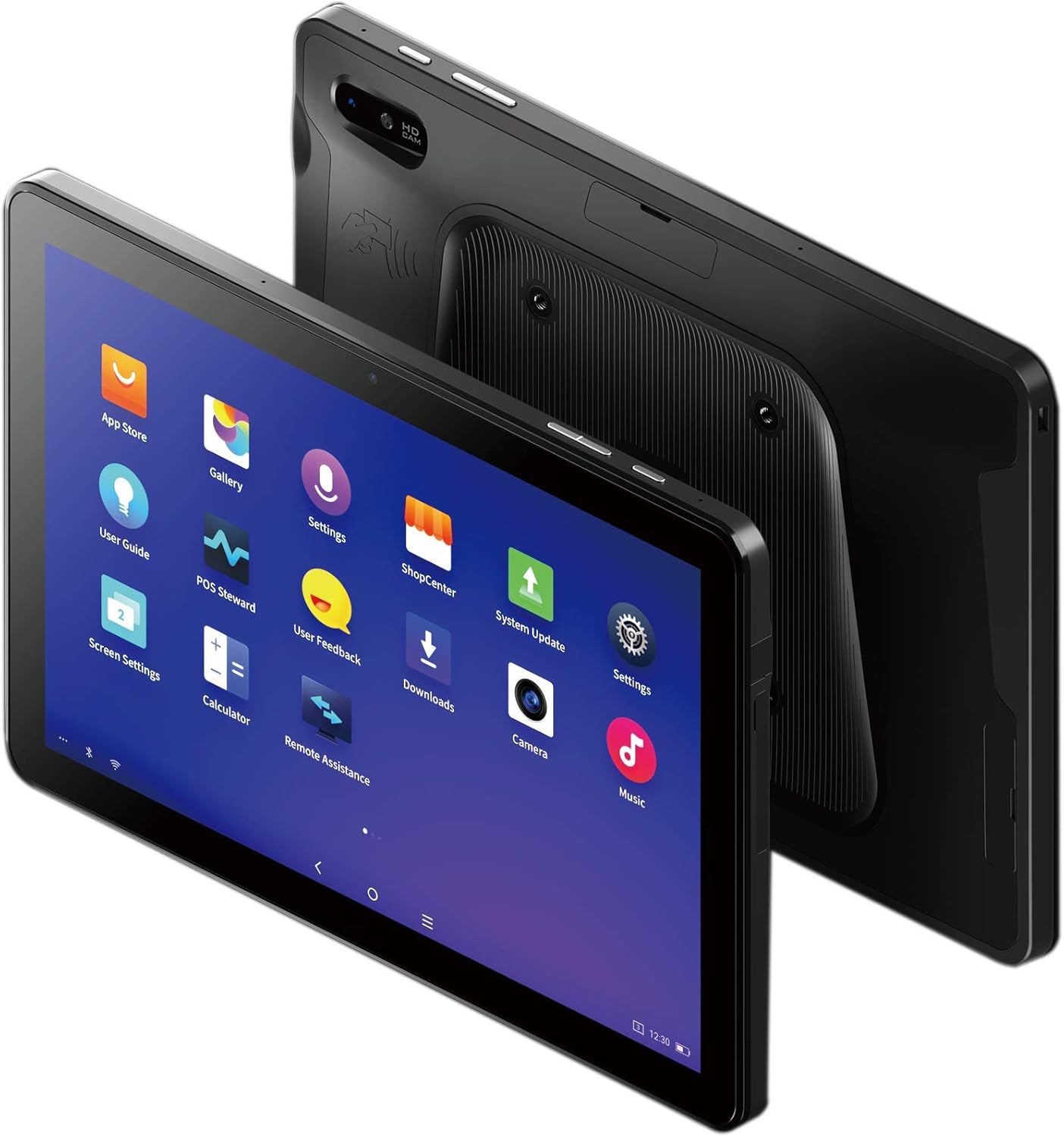
Figure 3: The SUNMI M2 MAX Industrial Tablet being held with an optional hand strap, demonstrating enhanced portability and secure grip.
Obsluha zařízení
1. Zapnutí/vypnutí
- Zapnutí: Press and hold the Power button (located on the side) until the SUNMI logo appears on the screen.
- Vypnout: Stiskněte a podržte tlačítko napájení, dokud se nezobrazí nabídka vypnutí. Vyberte „Vypnout“ a potvrďte.
- Restartovat: V nabídce vypnutí vyberte možnost „Restartovat“ pro restartování zařízení.
2. Základní navigace
The SUNMI M2 MAX runs on the Android operating system. Navigation is primarily touch-based:
- Klepněte na: Výběr položky nebo otevření aplikace.
- Výpad: Procházení seznamů nebo přepínání mezi obrazovkami.
- Přiblížení roztažením/roztažením prstů: Pro přiblížení nebo oddálení obrázků nebo web stránky.
- Tlačítko Domů: Vrátí se na domovskou obrazovku.
- Tlačítko Zpět: Vrátí se na předchozí obrazovku.
- Tlačítko Nedávné aplikace: Zobrazuje nedávno použité aplikace.
3. Připojení k sítím
The tablet supports Wi-Fi (2.4GHz/5GHz, 802.11 a/b/g/n/ac) and cellular networks (2G, 3G, 4G).
- Wi-Fi: Přejít na Nastavení > Síť a internet > Wi-FiZapněte Wi-Fi, vyberte požadovanou síť a v případě potřeby zadejte heslo.
- Mobilní data: Ensure a valid SIM card is inserted. Go to Nastavení > Síť a internet > Mobilní síť to enable mobile data and configure APN settings if necessary.
- Bluetooth: Přejít na Nastavení > Připojená zařízení > Bluetooth to pair with Bluetooth devices (supports Bluetooth 5.0).
4. Using NFC
The SUNMI M2 MAX is equipped with NFC (Near Field Communication) for contactless transactions and data exchange. To use NFC, ensure it is enabled in settings and hold the tablet near a compatible NFC reader or device.
5. Obsluha kamery
The tablet features a 13 MP rear camera with flash and autofocus, and a 5 MP front camera. Open the "Camera" application to capture photos or record videos.
Údržba
1. Čištění zařízení
Použijte měkký hadřík, který nepouští vlákna dampened with water or a screen cleaner to wipe the display and exterior. Avoid using harsh chemicals, abrasive cleaners, or excessive moisture.
2. Péče o baterie
- Avoid exposing the tablet to extreme temperatures (below -20°C or above 70°C).
- Nedovolte, aby se baterie často úplně vybila.
- Use only the original or certified compatible power adapter and cable.
3. Aktualizace softwaru
Pravidelně kontrolujte a instalujte aktualizace systému, abyste zajistili optimální výkon a zabezpečení. Přejděte na Nastavení > Systém > Aktualizace systému.
4. Ochrana životního prostředí
The SUNMI M2 MAX is designed with IP68 protection and a 1m drop specification, making it suitable for demanding environments. However, avoid intentional drops or prolonged submersion in water.
Odstraňování problémů
| Problém | Možná příčina | Řešení |
|---|---|---|
| Zařízení se nezapne. | Slabá baterie; havárie softwaru. | Nabíjejte zařízení alespoň 30 minut. Stiskněte a podržte tlačítko napájení po dobu 10–15 sekund pro vynucení restartu. |
| Nelze se připojit k Wi-Fi. | Incorrect password; Wi-Fi disabled; router issue. | Verify password. Ensure Wi-Fi is enabled in settings. Restart router. Forget and reconnect to the network. |
| Dotykový displej nereaguje. | Dočasná softwarová závada. | Vynuťte restart zařízení podržením tlačítka napájení. |
| Applications crashing. | Insufficient RAM; app bug. | Close background apps. Clear app cache/data (Settings > Apps). Update the app. |
Specifikace
The following table outlines the key technical specifications of the SUNMI M2 MAX Industrial Tablet (Model: TF700).

Figure 4: Comprehensive technical specifications for the SUNMI M2 MAX Industrial Tablet.
- Model: TF700
- Operační systém: Android 9.0 (SUNMI OS)
- Procesor: Kryo-260, Octa-core 2.2GHz (Qualcomm)
- Paměť: 3GB RAM + 32GB ROM (eMMC)
- Zobrazit: 10.1-inch FHD, 1920x1200, Capacitive multitouch, Corning Gorilla Glass 3
- Kamery: Front: 5MP FF; Rear: 13MP AF + Flashlight, supports 1D/2D barcode recognition
- NFC: Type-A&B card, Mifare card, Felica card, ISO/IEC 14443 and ISO/IEC 15693 compliant
- Reproduktor/mikrofon: 1W Speaker, 2x MIC
- Slot karty PSAM: 1x PSAM
- Slot pro SIM kartu: 1x MicroSD (TF), 1x MicroSIM or 1x NanoSIM (TF700 Config 1), eSIM (TF700 Config 2)
- Síť: 2G & 3G & 4G
- Wi-Fi: 2.4GHz/5GHz, 802.11 a/b/g/n/ac
- Bluetooth: Supports Bluetooth 2.1/3.0/4.2/5.0 (BLE)
- GPS: Supports AGPS, GPS, GLONASS, Beidou (Config 2)
- Senzor: Gravity sensor, light sensor, compass, Hall
- tlačítka: 1x Power (lock screen), 2x Volume (+/-)
- Porty: 1x Type-C (supports OTG), 1x Audio Jack, 1x MicroSD (up to 128GB expansion)
- Baterie: Non-removable Lithium Polymer battery, 8360mAh
- Napájecí adaptér: Input: AC 100-240V, Output: DC 5V/2A
- Rozměry (DxŠxV): 249.8 x 160 x 9.9 mm (0.39 x 6.3 x 9.84 palce)
- Celková hmotnost: 673 g (1.48 liber)
- Ochrana: IP68, 1m drop spec
- Provozní teplota: -20 °C až 55 °C
- Skladovací teplota: -40 °C až 70 °C
Záruka a podpora
For warranty information and technical support, please refer to the documentation provided with your purchase or visit the official SUNMI webUschovejte si doklad o koupi pro případ reklamace.
SUNMI Official Webmísto: www.sunmi.com


