Zavedení
Thank you for choosing the BENGOO KM-1 Wireless Gaming Mouse. This manual provides detailed instructions on how to set up, operate, and maintain your mouse to ensure optimal performance and longevity. The KM-1 mouse features a lightweight honeycomb shell, 2.4G wireless technology, adjustable DPI settings, and customizable RGB lighting, designed for a comfortable and responsive gaming experience.
Obsah balení
- Bezdrátová herní myš BENGOO KM-1
- USB přijímač
- USB nabíjecí kabel
Nastavení
1. Připojení myši
- Vyhledejte USB přijímač, který je obvykle uložen v přihrádce na spodní straně myši.
- Plug the USB receiver into an available USB port on your computer (PC, Laptop, Mac).
- Turn on the mouse using the ON/OFF switch located on the underside. The mouse will automatically connect to the receiver.
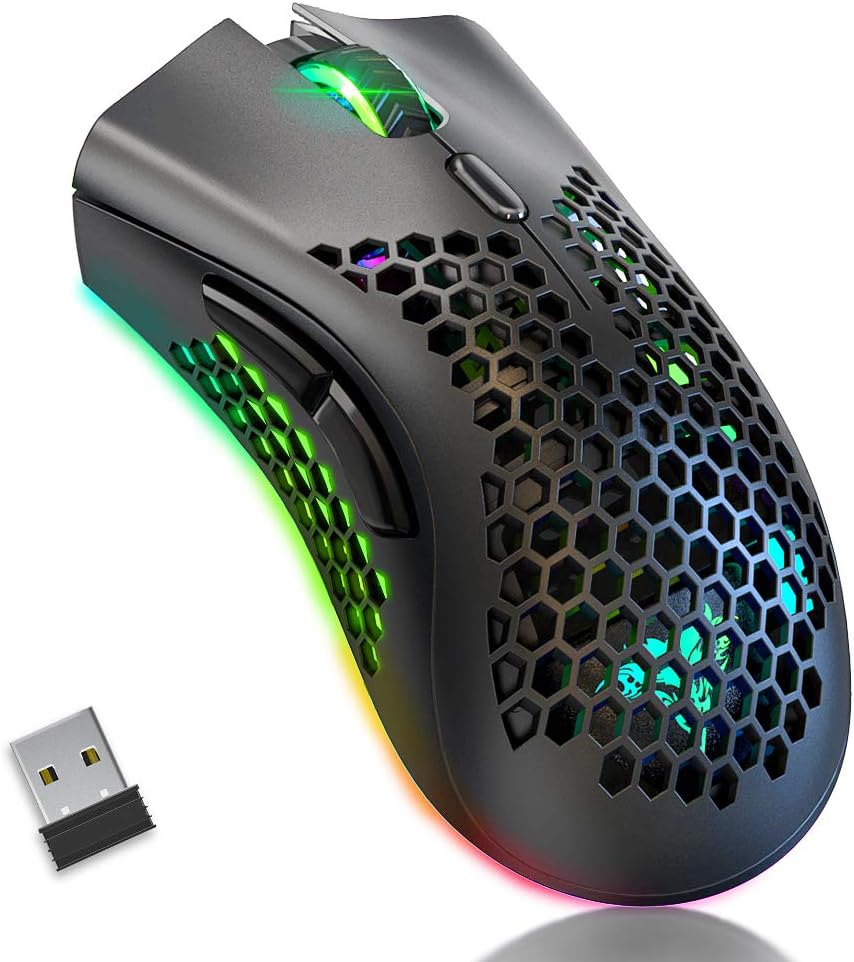
Image: The BENGOO KM-1 Wireless Gaming Mouse shown alongside its compact USB receiver, ready for connection.
The 2.4G wireless technology provides a stable connection with a range of up to 10 meters, ensuring no delays or interference during use.
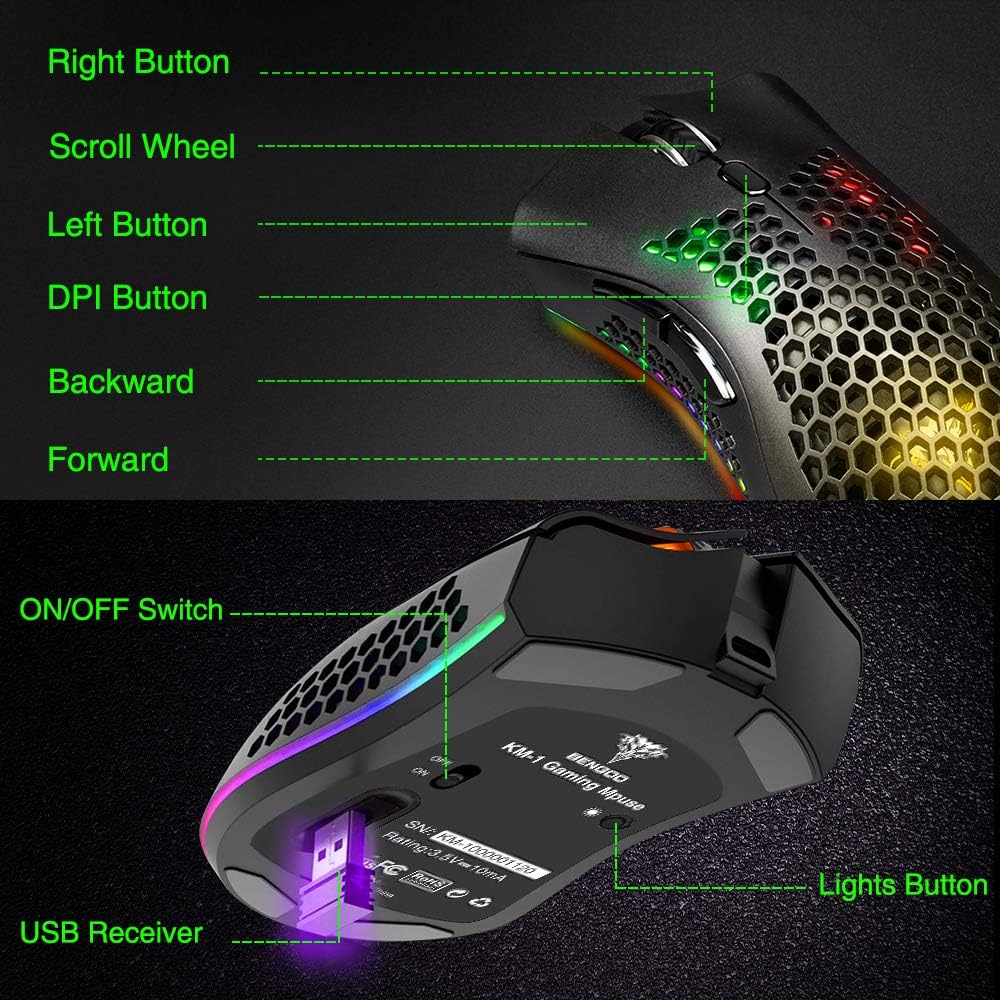
Image: A visual representation illustrating the 10-meter wireless operating range of the mouse from a computer.
2. Nabíjení myši
The KM-1 mouse is rechargeable. When the battery is low, the mouse cursor may move slowly, unstably, or stop moving. Connect the included USB charging cable to the mouse and a USB power source to charge. The mouse can be used while charging.
Image: The BENGOO KM-1 mouse connected to a USB cable, indicating its rechargeable capability.
Návod k obsluze
1. Funkce tlačítek
The KM-1 mouse is equipped with six programmable buttons for enhanced control:
- Levé tlačítko: Standardní funkce levého kliknutí.
- Pravé tlačítko: Standardní funkce kliknutí pravým tlačítkem myši.
- Rolovací kolečko: Scrolls pages up and down; can also be pressed for middle-click functionality.
- Tlačítko DPI: Upravuje citlivost myši (DPI).
- Tlačítko vpřed: Naviguje vpřed web prohlížeče popř file průzkumníci.
- Tlačítko Zpět: Naviguje zpět web prohlížeče popř file průzkumníci.

Image: A detailed diagram highlighting and labeling each of the six buttons on the BENGOO KM-1 Wireless Gaming Mouse.
2. Nastavení DPI
The mouse features 3 adjustable DPI (Dots Per Inch) settings for precise control. Press the DPI button to cycle through the following sensitivities:
- 800 DPI
- 1600 DPI
- 3200 DPI

Image: A visual demonstrating the adjustable DPI settings (800-1600-3200) for the BENGOO KM-1 mouse, allowing users to customize cursor speed.
3. Ovládání RGB osvětlení
The KM-1 mouse features Chroma RGB lighting. To activate the lights, ensure the mouse is turned on. Press the LED button (located on the underside near the ON/OFF switch) repeatedly to cycle through different lighting effects:
- Rainbow Mode
- Režim streamu
- Režim dýchání
- Pure Mode (Solid Color)
- Světla vypnuta

Image: A display of the various RGB lighting modes available on the BENGOO KM-1 mouse, including Rainbow, Stream, Breathing, and Pure modes.
4. Ergonomický design
The mouse features a lightweight honeycomb shell design, which provides a comfortable grip and promotes airflow, keeping the palm cool during extended use. This design contributes to a soft feeling and excellent gaming experience.

Obrázek: Detailní záběr view of the BENGOO KM-1 mouse, emphasizing its unique lightweight honeycomb shell design.
Údržba
Čištění
K čištění myši použijte měkký, suchý hadřík. V případě odolných nečistot lehceampen the cloth with water. Avoid using harsh chemicals or abrasive materials, as these can damage the mouse's surface or internal components. Ensure no liquid enters the honeycomb perforations.
Péče o baterie
To prolong battery life, avoid fully discharging the mouse frequently. Charge the mouse when the low battery indicator appears or when performance degrades. Store the mouse in a cool, dry place when not in use for extended periods.
Odstraňování problémů
- Myš nereaguje:
- Ujistěte se, že je USB přijímač bezpečně zapojený do funkčního USB portu.
- Check if the mouse is turned on using the ON/OFF switch.
- Pokud je baterie slabá, nabijte myš.
- Ujistěte se, že myš je v dosahu bezdrátového signálu 10 metrů od přijímače.
- Cursor moves slowly or erratically:
- This often indicates a low battery. Charge the mouse fully.
- Ujistěte se, že je senzor myši čistý a bez nečistot.
- Zkuste upravit nastavení DPI.
- RGB světla nefungují:
- Ujistěte se, že je myš zapnutá.
- Press the LED button to cycle through the lighting modes.
- Zkontrolujte stav baterie.
- Problémy s kompatibilitou:
- The mouse is compatible with Windows (98/2000/ME/NT/XP/VISTA/7/8/10/11) and macOS. No specific drivers are required.
If you encounter issues not listed here, please refer to the manufacturer's support resources.
Specifikace
| Funkce | Detail |
|---|---|
| Značka | BENGOO |
| Model | KM-1 |
| Technologie připojení | 2.4G Wireless, USB (for charging) |
| Detekce pohybu | Optický |
| Nastavitelný DPI | 800 / 1600 / 3200 |
| Tlačítka | 6 (doleva, doprava, kolečko, DPI, vpřed, vzad) |
| Speciální funkce | Lightweight Honeycomb Shell, RGB LED Lights, Rechargeable, Ergonomic Design |
| Kompatibilita | Windows, macOS |
| Hmotnost položky | 12.3 unce |
| Rozměry produktu | 13.78 x 13.78 x 7.87 palce |
| Zdroj napájení | Napájení z baterie |
Záruka a podpora
For warranty information and customer support, please refer to the documentation included with your product or visit the official BENGOO webmísto. Uschovejte si doklad o koupi pro případ záručních reklamací.
Oficiální videa produktů
No relevant official product videos with 'creator_type':'Seller' were found in the provided data to embed in this manual.


