Zavedení
Welcome and thank you for choosing the Umax Webcam W5. This manual provides essential information for setting up, operating, maintaining, and troubleshooting your webcam. Please read it carefully before use to ensure proper functionality and longevity of your device.
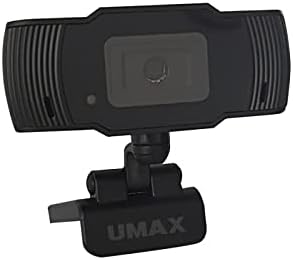
Obrázek: Přední strana view of the Umax W5 Webcam. This image displays the main unit of the webcam, highlighting its lens and overall design.
1. Nastavení
1.1 Obsah balení
- Umax W5 Webvačka
- Zrcadlo
1.2 Systémové požadavky
Umax W5 Webcam is compatible with most operating systems that support standard USB webcams, including Windows, macOS, and Linux distributions.
1.3 Připojení Webvačka
- Rozbalte webcam's integrated clip/stand.
- Umístěte webcam securely on top of your monitor, laptop screen, or a flat surface.
- Connect the USB cable from the webkameru do volného portu USB na vašem počítači.
- The webcam should be automatically recognized by your operating system. No additional drivers are typically required for basic functionality.
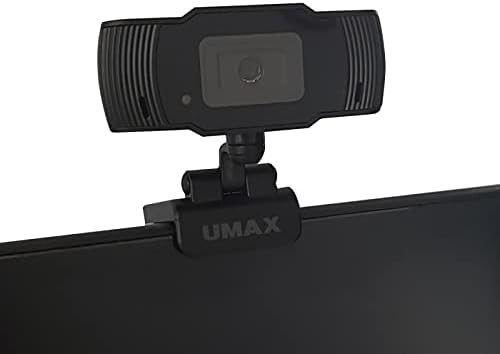
Image: Umax W5 Webcam mounted on top of a computer monitor. This image shows the webcam securely positioned on the upper edge of a computer monitor, demonstrating its typical mounting configuration.
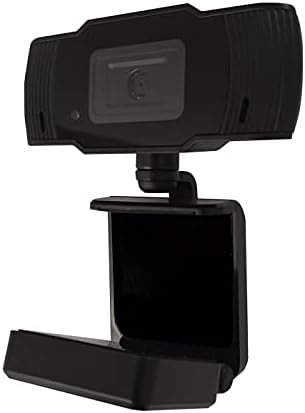
Image: Umax W5 Webcam with its adjustable clip/stand unfolded. This image displays the webcam with its integrated clip fully extended, illustrating how it can be adjusted to fit various monitor thicknesses or stand independently on a flat surface.
2. Obsluha Webvačka
2.1 Základní funkce
Once connected, the Umax W5 Webcam is ready for use with various video conferencing applications, streaming software, and other programs that utilize a webvačka.
2.2 Používání s aplikacemi
- Open your desired application (e.g., Zoom, Skype, OBS Studio).
- Navigate to the application's settings or preferences menu.
- Select "Umax W5 Webcam" as your primary video input device.
- Adjust video settings such as resolution or frame rate within the application if these options are available.
2.3 Manual Focus
Umax W5 Webcam features manual focus. To adjust the focus, gently rotate the lens ring located around the camera lens until the image displayed on your screen appears clear and sharp.
3. Údržba
3.1 Čištění objektivu
To ensure optimal image quality, periodically clean the webvačková čočka.
- Use a soft, lint-free cloth specifically designed for optical surfaces.
- Avoid abrasive materials or harsh chemical cleaners, as these can damage the lens coating.
- Jemným otřením objektivu krouživými pohyby odstraňte prach nebo šmouhy.
3.2 Skladování
Pokud nepoužíváte, uložte webcam in a clean, dry place away from extreme temperatures, high humidity, and direct sunlight to prevent damage.
4. Řešení problémů
4.1 WebKamera nebyla detekována
- Ujistěte se, že je kabel USB bezpečně připojen k oběma webcam and an active USB port on your computer.
- Zkuste připojit webkameru k jinému USB portu na vašem počítači.
- Restartujte počítač.
- Check your operating system's Device Manager (Windows) or System Information (macOS) to see if the webkamera je uvedena.
4.2 Špatná kvalita obrazu
- Adjust the manual focus ring on the webcam until the image is clear.
- Ensure adequate lighting in your environment. Poor lighting can significantly affect image quality.
- Vyčistěte webcam lens as described in the Maintenance section.
- Check the video settings within your application (e.g., resolution, frame rate) to ensure they are set appropriately.
5. Specifikace
| Funkce | Detail |
|---|---|
| Značka | Umax |
| Název modelu | W5 |
| Číslo modelu položky | W5 |
| Barva | Černý |
| Rozměry balení | 6.18 x 3.43 x 1.89 palce |
| Hmotnost položky | 5.6 unce |
| Typ objektivu | Přiblížení |
| Typ zaměření | Manuální ostření |
| Stabilizace obrazu | Žádný |
| Baterie | Jsou potřeba 2 AA baterie. (v ceně) |
| Zahrnuté komponenty | Zrcadlo |
| Datum první dostupnosti | 14. září 2020 |
| Výrobce | Umax |
6. Záruka a podpora
For warranty information and technical support, please refer to the official Umax webnebo se obraťte přímo na jejich zákaznický servis. Doporučuje se uschovat si účtenku jako doklad o koupi pro případné reklamace.
Výrobce: Umax
Datum první dostupnosti: 14. září 2020


