1. Úvod
This manual provides instructions for the EBTOOLS Ultra Slim Bluetooth Keyboard with Touchpad. This device is designed for portability and compatibility with various operating systems, enhancing productivity across multiple devices.
2. Konec produktuview
2.1 Obsah balení
- EBTOOLS Ultra Slim Bluetooth Keyboard with Touchpad
- USB nabíjecí kabel
- Uživatelská příručka (tento dokument)
2.2 Klíčové vlastnosti
- Ultra tenký design: Measures 6.2mm (0.24 inches) thick for enhanced portability.
- Integrovaný touchpad: Provides mouse functionality for navigation.
- Široká kompatibilita: Supports Android, iOS, and Windows operating systems.
- Dlouhá výdrž baterie: Built-in 280mAh rechargeable Li-polymer battery offers up to 90 hours of continuous working time on a full charge.
- Efektivní rozsah: Operates wirelessly up to 10 meters (33 feet) via Bluetooth 3.0.
- "X" Scissor Switch Mechanism: Designed for quiet and comfortable typing with responsive keys.
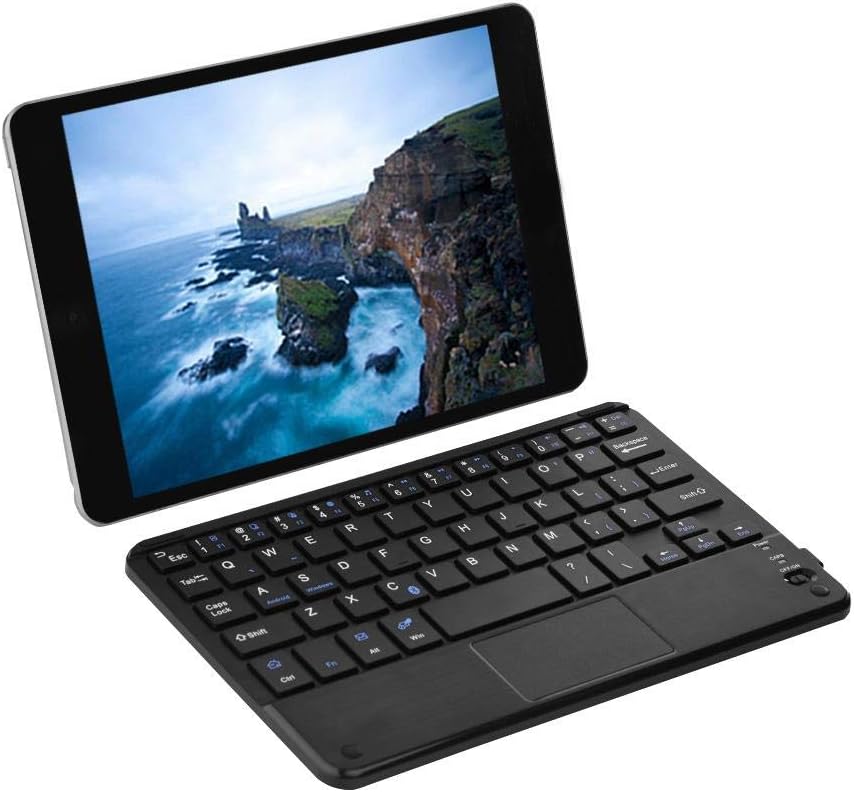
Figure 1: EBTOOLS Ultra Slim Bluetooth Keyboard paired with a tablet.
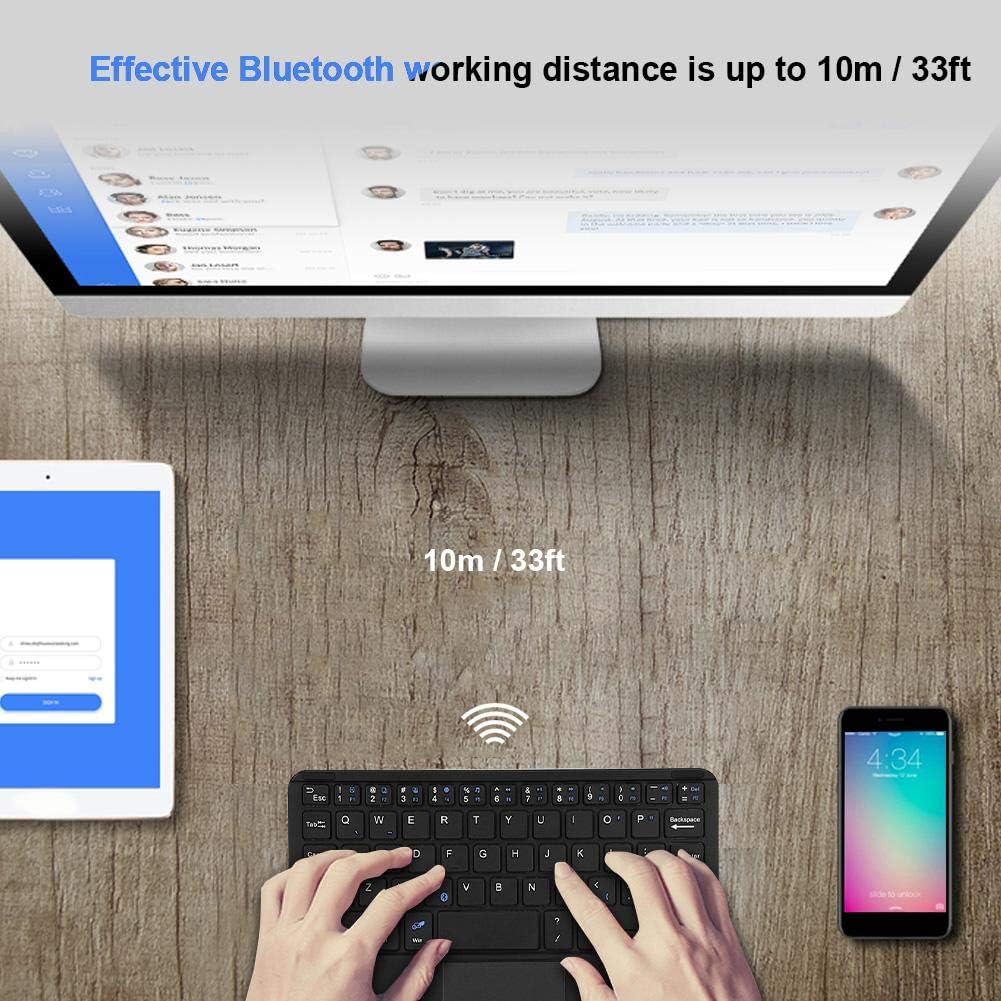
Obrázek 2: Shora dolů view of the EBTOOLS Bluetooth keyboard, highlighting the layout and integrated touchpad.

Obrázek 3: Strana view of the EBTOOLS Bluetooth keyboard showing its ultra-thin 6.2mm profile.
3. Nastavení
3.1 Nabíjení klávesnice
- Locate the micro USB charging port on the keyboard.
- Connect the provided USB charging cable to the keyboard and a USB power source (e.g., computer USB port, USB wall adapter).
- The charging indicator light will illuminate. Once fully charged, the light will typically change color or turn off.
- Plné nabití poskytuje přibližně 90 hodin nepřetržitého používání.
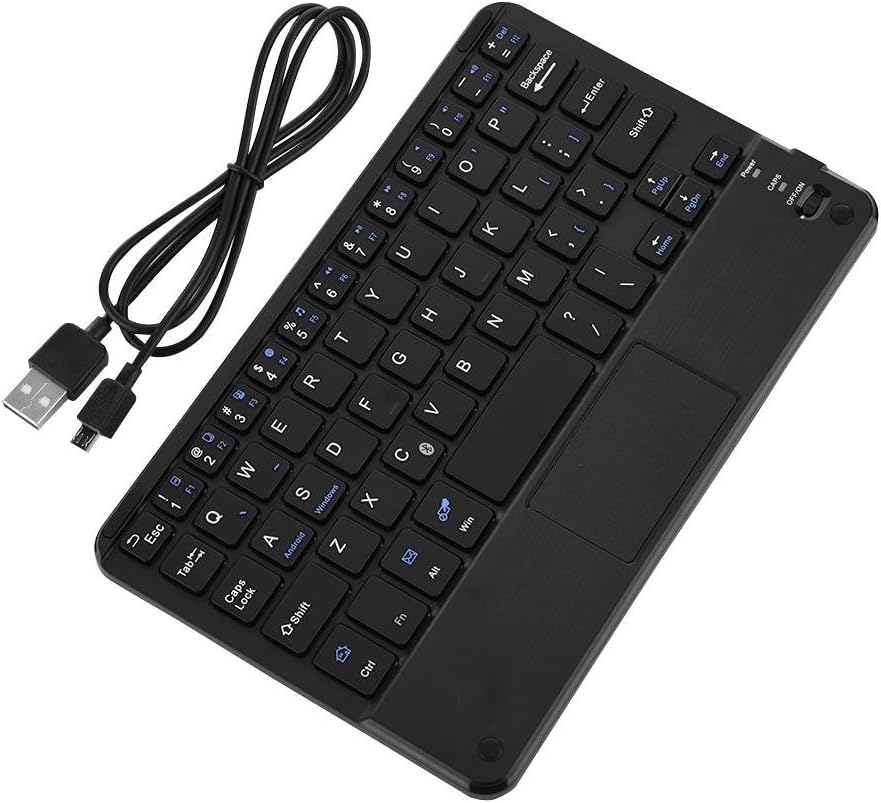
Figure 4: Keyboard battery and charging indication.
3.2 Párování Bluetooth
Follow these steps to pair your EBTOOLS Bluetooth Keyboard with your device:
- Zapnutí: Slide the power switch on the keyboard to the 'ON' position. The power indicator light will turn on briefly.
- Vstupte do režimu párování: Stiskněte tlačítko Fn+C keys simultaneously. The Bluetooth indicator light will start blinking, indicating the keyboard is in pairing mode.
- Povolte Bluetooth na svém zařízení: On your PC, tablet, or smartphone, go to the Bluetooth settings and ensure Bluetooth is enabled.
- Hledat Zařízení: Your device will scan for available Bluetooth devices. Look for 'Bluetooth Keyboard' or a similar name in the list.
- Připojit: Select the keyboard from the list. Your device may prompt you to enter a pairing code displayed on your screen. Type this code on the EBTOOLS keyboard and press Vstupte.
- Potvrzení: Once successfully paired, the Bluetooth indicator light on the keyboard will stop blinking and turn off, and your device will show the keyboard as connected.

Figure 5: Keyboard in use, demonstrating effective Bluetooth range.
4. Návod k obsluze
4.1 Základy psaní
The keyboard functions like a standard QWERTY keyboard. Simply type as you would on any other keyboard.
4.2 Použití touchpadu
The integrated touchpad allows for cursor control. Use standard gestures for navigation:
- Klepnutí jedním prstem: Levé kliknutí.
- Klepnutí dvěma prsty: Right-click (functionality may vary by operating system).
- Posouvání dvěma prsty: Přejděte nahoru nebo dolů.
4.3 funkčních kláves
The keyboard includes function keys (F1-F12) and multimedia keys. To activate the secondary functions printed in blue on the keys, press and hold the Fn a poté stiskněte požadovanou funkční klávesu.
4.4 Přepínání systémů
The keyboard supports multiple operating systems. To optimize key functions for your specific OS, use the following combinations:
- Fn + Android: Pro zařízení s Androidem.
- Fn + Windows: For Windows devices.
- Fn + iOS: For iOS devices (iPad, iPhone).

Figure 6: Compatibility with various operating systems and devices.
5. Specifikace
| Funkce | Specifikace |
|---|---|
| Číslo modelu | EBTOOLSrua15pxtdg |
| Technologie připojení | Bluetooth 3.0 |
| Provozní vzdálenost | Až 10 metrů (33 stop) |
| Typ baterie | Dobíjecí Li-polymer |
| Kapacita baterie | 280 XNUMX mAh |
| Nepřetržitá pracovní doba | Přibližně 90 hodiny |
| Kompatibilní systémy | Android, iOS, Windows |
| Rozměry produktu | 7.87 x 4.96 x 0.24 palce (20 x 12.6 x 0.62 cm) |
| Hmotnost položky | 6.6 unce (187 gramů) |
| Materiál | Plast |
6. Řešení problémů
6.1 Klávesnice se nepřipojuje
- Zkontrolujte napájení: Ujistěte se, že je klávesnice zapnutá a má dostatečně nabitou baterii.
- Znovu vstoupte do režimu párování: Turn off the keyboard, then turn it on and press Fn+C pro opětovné spuštění režimu párování.
- Bluetooth zařízení: Ověřte, zda je na vašem zařízení povoleno rozhraní Bluetooth a zda je zařízení viditelné.
- Zapomenout zařízení: If previously paired, try 'forgetting' or 'unpairing' the keyboard from your device's Bluetooth settings and then re-pair.
- Vzdálenost: Ensure the keyboard is within the 10-meter operating range of your device.
6.2 Klávesy nereagují
- Úroveň baterie: The battery might be low. Charge the keyboard fully.
- Opětovné připojení: Odpojte a znovu připojte připojení Bluetooth.
- Systémový režim: Ensure the correct system mode (Android, Windows, iOS) is selected using Fn + OS key.
6.3 Touchpad Not Working
- Kompatibilita systému: Touchpad functionality can sometimes be limited or behave differently on certain operating systems or applications.
- Restartovat: Try restarting both the keyboard and the connected device.
7. Údržba
- Čištění: K čištění povrchu klávesnice použijte měkký, suchý hadřík. V případě odolných nečistot lehceamphadřík vodou nebo jemným čisticím roztokem. Zabraňte nadměrné vlhkosti.
- Skladování: Klávesnici skladujte na chladném a suchém místě mimo dosah přímého slunečního záření a extrémních teplot.
- Vyhněte se tekutinám: Do not expose the keyboard to liquids, as this can cause damage.
- Zacházejte opatrně: Zabraňte pádu klávesnice na zem nebo jejímu vystavení silným nárazům.
8. Záruka a podpora
EBTOOLS products are designed for reliability and performance. For any questions, technical support, or warranty inquiries, please refer to the contact information provided with your purchase or visit the official EBTOOLS webstránky. Uschovejte si prosím doklad o koupi pro případ reklamace.