1. Úvod
This manual provides detailed instructions for the OMAIC Universal Replacement Remote Control, designed for use with various Bose Soundbar Touch Wave Music Radio Systems. Please read this manual thoroughly before using the remote control to ensure proper operation and to maximize your user experience.

Obrázek 1.1: Přední a zadní strana view of the OMAIC Universal Replacement Remote Control.
2. Kompatibilita
This remote control is a universal replacement specifically designed for the following Bose Soundbar Touch Wave Music Radio Systems:
- Bose Wave Music System - 1st Generation
- Bose Wave Music System - 2nd Generation
- Bose Wave Music System - 3rd Generation
- Bose Wave Music System - 4th Generation
Důležitá poznámka: Toto dálkové ovládání je NE compatible with Acoustic Wave Music Systems.

Image 2.1: Visual representation of compatible Bose Music Systems (I, II, III, IV, V) with the OMAIC remote control.
3. Klíčové vlastnosti
- Univerzální kompatibilita: Works with specified Bose Wave Music Systems (1st-4th Gen).
- Není vyžadováno žádné programování: Ready to use directly after battery installation.
- Ergonomický design: Lehký a pohodlný na držení.
- Odolný materiál: Constructed from ABS plastic for longevity.
- Rozšířený rozsah: Operates effectively up to 10 meters from the Bose device.

Image 3.1: Detailed layout of the remote control buttons with their functions labeled.

Image 3.2: Features such as no setup requirement and durable ABS material are highlighted.
4. Nastavení: Instalace baterie
The remote control requires one CR2032 battery (not included). Follow these steps to install the battery:
- Sejměte kryt baterie: Gently slide the battery cover located on the back of the remote control downwards to open the compartment.
- Vložte baterii: Place one CR2032 battery into the compartment with the positive (+) side facing upwards, ensuring it is securely seated.
- Zavřete kryt baterie: Slide the battery cover back into place until it clicks, securing the battery.

Image 4.1: Illustration of removing the battery cover.
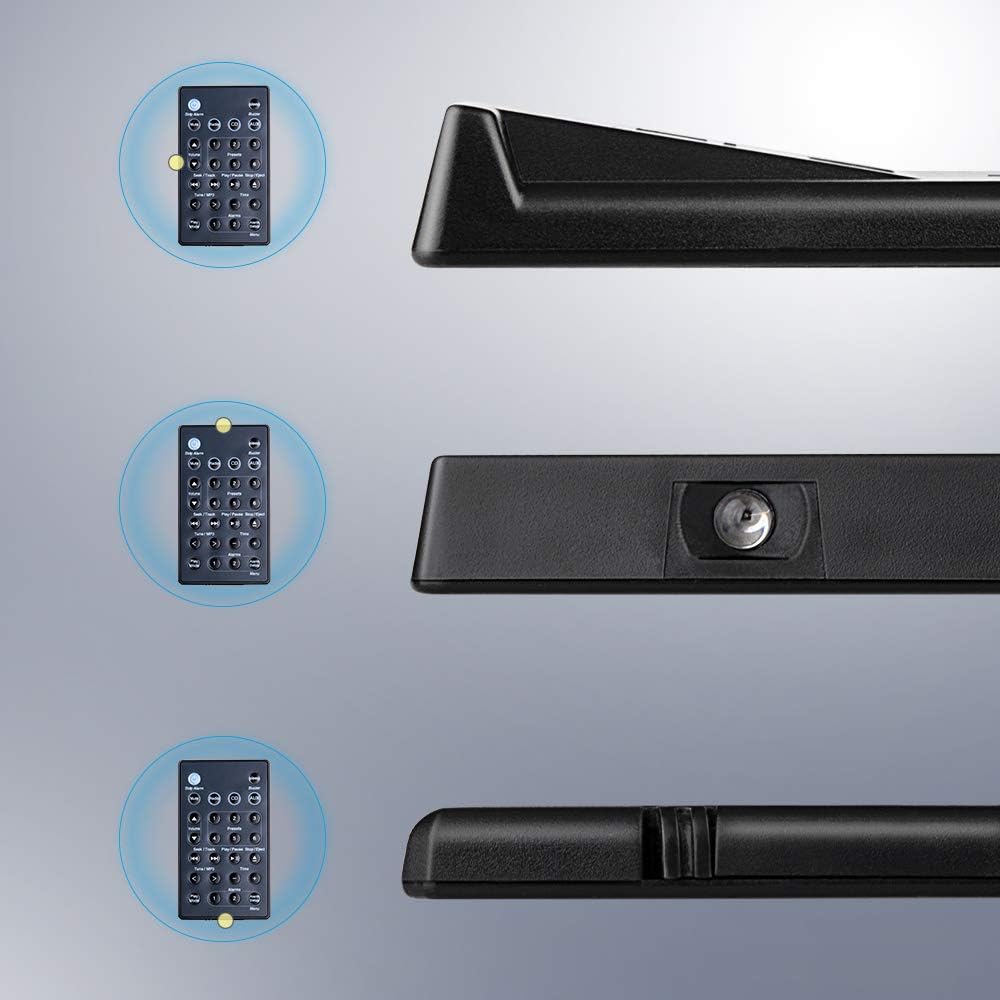
Image 4.2: Illustration of inserting the CR2032 battery.

Image 4.3: Illustration of closing the battery cover.
Once the battery is installed, the remote control is ready for immediate use with your compatible Bose system.
5. Návod k obsluze
The OMAIC replacement remote control provides full functionality for your Bose Soundbar Touch Wave Music Radio System. Refer to Image 3.1 for button identification.
- Zapnutí/vypnutí: Stiskněte tlačítko Moc button (usually indicated by a circle with a vertical line) to turn the system on or off.
- Ztlumit: Stiskněte tlačítko Ztlumit tlačítko pro dočasné ztlumení zvuku. Dalším stisknutím zvuk obnovíte.
- Ovládání hlasitosti: Použijte Zvýšení hlasitosti (▲) a Snížit hlasitost (▼) buttons to adjust the audio level.
- Výběr zdroje:
- Stiskněte Rádio to switch to radio mode.
- Stiskněte CD to switch to CD player mode.
- Stiskněte AUX to select the auxiliary input.
- Předvolby (1–6): In radio mode, use buttons 1 přes 6 to select stored radio presets.
- Seek/Track:
- In radio mode, use Seek/Track tlačítka (⏮ / ⏭) pro vyhledání rozhlasových stanic.
- In CD mode, use Seek/Track tlačítka pro přeskočení na předchozí nebo další skladbu.
- Play/Pause/Stop/Eject: These buttons control CD playback.
- Přehrát/Pozastavit (⏸ / ⏸⏸): Starts or pauses CD playback.
- Zastavit / Vysunout (⏹ / ⏏): Stops CD playback or ejects the CD.
- Tune/MP3: Použijte Tune/MP3 tlačítka (< / >) for fine-tuning radio frequencies or navigating MP3 tracks.
- Čas: Stiskněte tlačítko Čas button to display or adjust the system clock. Use + a - tlačítka pro nastavení času.
- Budíky:
- Budíky 1 a 2: Select or activate alarm presets.
- Alarm Setup/Menu: Access alarm settings or the system menu.
- Zastavit alarm: Silences an active alarm.
- Časovač vypnutí: Stiskněte tlačítko Spát button to activate the sleep timer function.
- Bzučák: Stiskněte tlačítko Bzučák button for specific system functions related to alerts or tones.
- Režim přehrávání: Stiskněte tlačítko Režim přehrávání button to cycle through different playback modes (e.g., repeat, shuffle).

Image 5.1: The OMAIC remote control being used with a Bose Wave Music System.
6. Údržba a péče
- Čištění: Dálkový ovladač otírejte měkkým, suchým hadříkem. Nepoužívejte abrazivní čisticí prostředky ani rozpouštědla.
- Výměna baterie: Replace the CR2032 battery when the remote's range decreases or it stops responding. Ensure correct polarity during installation.
- Skladování: Dálkový ovladač skladujte na chladném a suchém místě mimo dosah přímého slunečního záření a extrémních teplot.
- Vyhněte se kapkám: While durable, avoid dropping the remote control to prevent internal damage.
7. Řešení problémů
| Problém | Možná příčina | Řešení |
|---|---|---|
| Dálkový ovladač nereaguje. | Vybitá nebo nesprávně nainstalovaná baterie. | Vyměňte baterii CR2032 a dbejte na správnou polaritu. |
| Snížený provozní dosah. | Weak battery or obstruction between remote and system. | Replace the battery. Ensure a clear line of sight to the Bose system. |
| Dálkové ovládání funguje přerušovaně. | Weak battery or infrared sensor obstruction. | Replace the battery. Clean the remote's infrared emitter and the system's receiver. |
| Remote does not control specific functions. | Incompatibility with specific Bose system model. | Verify your Bose system model against the compatibility list in Section 2. This remote is not compatible with Acoustic Wave Music Systems. |
8. Specifikace
- Model: BOSE-YQHFBA
- Značka: OMAIC
- Rozměry produktu: 4.18 x 2.18 x 0.48 palce (10.62 x 5.54 x 1.22 cm)
- Hmotnost položky: 0.634 unce (18 gramů)
- Požadavek na baterii: 1 x CR2032 (není součástí balení)
- Materiál: ABS plast
- Speciální vlastnosti: Ergonomic, Lightweight, No Programming Required, Universal
- Barva: Černý
- Kompatibilní zařízení: Bose Soundbar Touch Wave Music Radio System (1st, 2nd, 3rd, 4th Generation)
Image 8.1: Dimensions of the OMAIC Universal Replacement Remote Control, showing length, width, and thickness measurements.
9. Záruka a podpora
For any questions or concerns regarding your OMAIC Universal Replacement Remote Control, please contact the manufacturer's customer support. Refer to your purchase documentation for specific warranty details and contact information.
The manufacturer strives for 100% customer satisfaction and aims to respond to inquiries within 2 hours during the work week.