1. Úvod
Děkuji za nákupasing the Crenova Home Video Projector. This projector is designed to deliver a superior visual experience with its native 1080P Full HD resolution, high contrast ratio, and bright LED lamp. It supports a large image display of up to 200 inches, making it ideal for home theater setups and outdoor movie nights. This manual provides detailed instructions for setup, operation, maintenance, and troubleshooting to ensure optimal performance and longevity of your device.
2. Bezpečnostní informace
- Nedívejte se přímo do objektivu projektoru, když je zapnutýamp je zapnutý, protože jasné světlo může způsobit poškození očí.
- Zajistěte dostatečné větrání kolem projektoru. Neblokujte větrací otvory.
- Používejte pouze napájecí adaptér dodaný s projektorem.
- Avoid placing the projector in areas with high humidity, dust, or extreme temperatures.
- Nepokoušejte se projektor rozebírat ani opravovat sami. Veškerý servis svěřte kvalifikovanému personálu.
- Chraňte projektor před vodou nebo jinými kapalinami.
3. Obsah balení
Po vybalení zkontrolujte obsah balení. Pokud některé položky chybí nebo jsou poškozené, kontaktujte zákaznickou podporu.
- Crenova Home Video Projector (Model A6500)
- Napájecí kabel
- Dálkové ovládání
- HDMI kabel
- Uživatelská příručka
4. Konec produktuview
4.1 Součásti projektoru
Familiarize yourself with the main components of your Crenova projector.
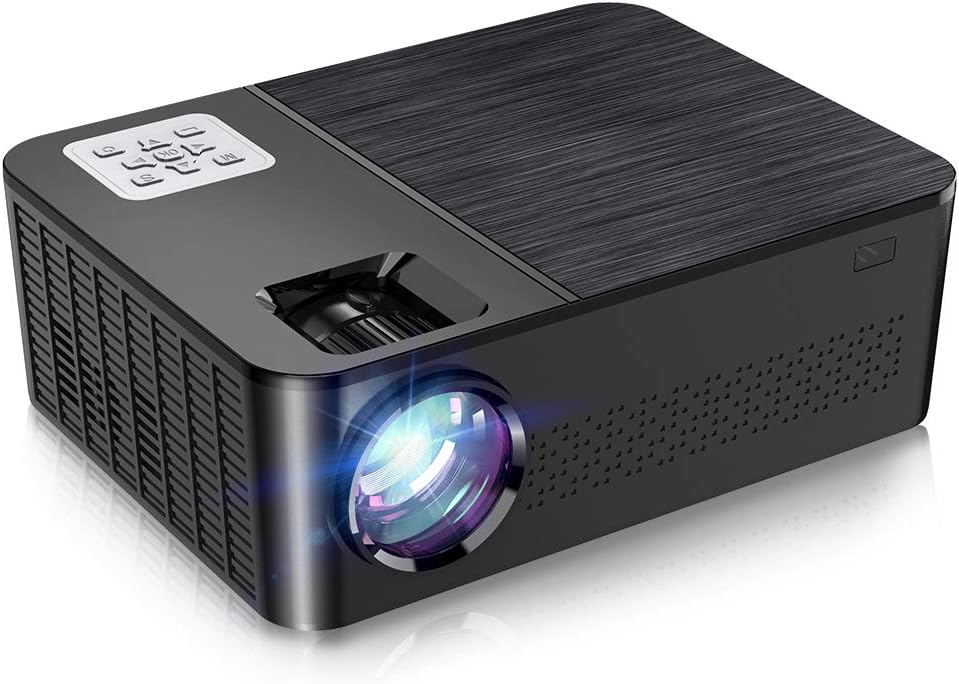
Obrázek 4.1: Přední a horní strana view of the Crenova A6500 Projector, showing the lens and control panel.

Obrázek 4.2: Shora dolů view of the Crenova A6500 Projector surrounded by compatible multimedia devices, highlighting its various input ports.
4.2 Control Panel and Adjustments
The projector features an intuitive control panel on top and adjustment dials for focus and keystone correction.

Obrázek 4.3: Detail view of the Crenova A6500 Projector, illustrating the focus ring and keystone correction dial for image clarity and shape adjustment.
5. Nastavení
5.1 Umístění
Choose a flat, stable surface for the projector. The projection distance will determine the screen size. For optimal viewing, a screen size of 100"-120" is recommended with a projection distance of 10-13 feet (approximately 3-4 meters). The projector supports a wide range of screen sizes from 30" to 200" with projection distances from 1.5m to 6.5m.
5.2 Připojení napájení
- Připojte napájecí kabel ke vstupnímu portu projektoru.
- Zapojte druhý konec napájecího kabelu do elektrické zásuvky.
- Rozsvítí se kontrolka napájení.
5.3 Počáteční zapnutí
Press the power button on the projector or the remote control to turn on the device. The fan will start, and the projector lamp se rozsvítí.
6. Návod k obsluze
6.1 Výběr zdroje
After powering on, use the 'Source' button on the remote control or the projector's control panel to select your desired input source (e.g., HDMI1, HDMI2, USB, AV).
6.2 Navigace v nabídce
Use the arrow keys on the remote control or control panel to navigate through the on-screen menu options. Press 'OK' or 'Enter' to confirm selections and 'Return' or 'Exit' to go back.
7. Konektivita
The Crenova A6500 projector offers multiple connectivity options for various multimedia devices.
- HDMI: Connect your TV Stick, Chromecast, PC, laptop, PS4, Xbox, or other HDMI-enabled devices using an HDMI cable.
- USB: Vložte USB disk pro přehrávání médií files přímo.
- Drátové zrcadlení: The projector supports wired mirroring from multi-media devices. For iPhone, an extra Lightning to HDMI adapter is required (not included). For Android phones, a Micro USB/Type C to HDMI adapter is needed (not included), and the phone must support MHL function.Note: Copyrighted content from services like Hulu and Netflix cannot be mirrored or screencast due to protection protocols.
- TF karta: Insert a TF (MicroSD) card to access media files.

Figure 7.1: Illustration of wired mirroring in use, showing a family enjoying content projected onto a large screen.
8. Image and Sound Adjustment
8.1 Zaostření a korekce lichoběžníkového zkreslení
Soustředit: Otáčejte zaostřovacím kroužkem v blízkosti objektivu, dokud nebude promítaný obraz jasný a ostrý.
Korekce lichoběžníkového zkreslení: Use the keystone correction dial (±15°) to adjust the image shape if it appears trapezoidal. This corrects for projection angles where the projector is not perfectly perpendicular to the screen.
8.2 Funkce zoom
The projector allows you to adjust the screen size from 75% to 100% using the remote control. This is useful for fine-tuning the image size without moving the projector, especially when ceiling mounted or in small rooms.
8.3 Image Quality and Sound
Experience remarkable image quality with native 1080P resolution and a 7000:1 high dynamic contrast ratio. The projector also supports Dolby sound and features a built-in HiFi speaker for an immersive audio experience.

Figure 8.1: Visual comparison demonstrating the superior clarity and detail of 1080P image quality with a higher contrast ratio.
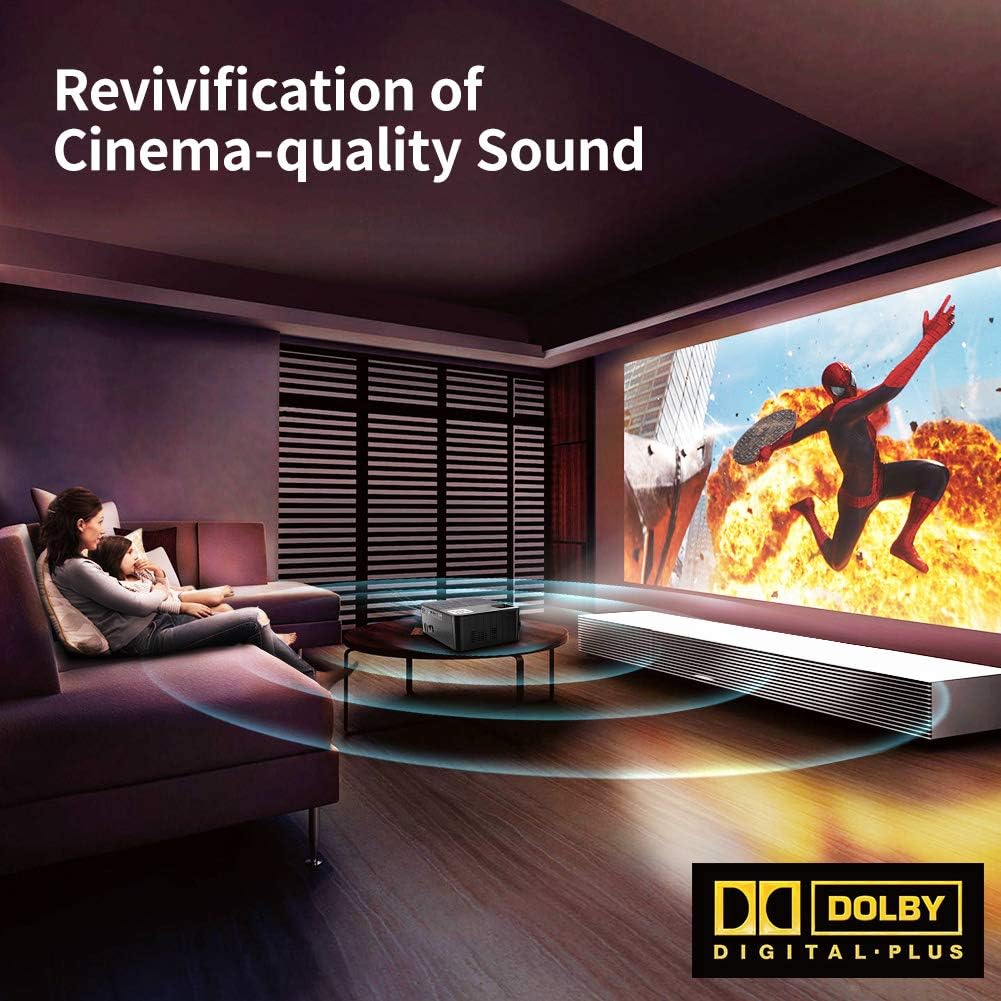
Figure 8.2: Depiction of the projector providing cinema-quality sound with Dolby Digital Plus support in a home environment.

Figure 8.3: An outdoor setting showcasing the projector's capability to display a massive large screen, perfect for outdoor entertainment.
9. Údržba
- Čištění objektivu: K jemnému otření čočky projektoru použijte měkký hadřík bez žmolků, speciálně určený pro optické čočky. Nepoužívejte abrazivní materiály ani agresivní chemikálie.
- Čištění prachového filtru: Regularly check and clean the dust filter to ensure proper airflow and prevent overheating. Refer to the diagram for filter location.
- Větrání: Ensure the projector's ventilation ports are clear of obstructions.
- Lamp Život: LED lamp has a life expectancy of 60,000 hours. No regular lamp Výměna je obvykle nutná při běžném používání.
10. Řešení problémů
| Problém | Možná příčina | Řešení |
|---|---|---|
| Žádný obrázek | Vybrán nesprávný vstupní zdroj; Uvolněné připojení kabelu; Zařízení není zapnuté. | Select the correct input source. Check all cable connections. Ensure connected device is powered on. |
| Žádný zvuk | Volume too low or muted; Audio cable not connected; Source device audio settings. | Increase volume or unmute. Ensure audio cables are securely connected. Check audio output settings on the source device. |
| Obraz je rozmazaný | Není nastavené zaostření; Projektor je příliš blízko/daleko od promítací plochy. | Adjust the focus ring. Adjust projection distance. |
| Obrázek je lichoběžníkový | Lichoběžníkové zkreslení nebylo upraveno. | Upravte kolečko pro korekci lichoběžníkového zkreslení. |
| Projektor se přehřívá nebo vypíná | Zablokované větrání; Dlouhodobé používání v horkém prostředí. | Ensure ventilation ports are clear. Allow projector to cool down. Use in a well-ventilated area. |
11. Specifikace
- Model: A6500
- Nativní rozlišení: 1920 x 1080 (Full HD)
- Kontrastní poměr: 7000:1
- Jas: 7000 lumenů
- Lamp Život: 60,000 hodin
- Velikost projekce: 30" - 200"
- Projekční vzdálenost: 1.5 m - 6.5 m
- Korekce lichoběžníkového zkreslení: ±15° Manuální
- Funkce zoom: 75% - 100% (via remote control)
- Typ reproduktoru: Built-In, Stereo (Dolby Supported)
- Technologie připojení: HDMI, USB, TF Card
- Hmotnost položky: 7.61 libry (přibližně 3.45 kg)
- Rozměry produktu: 14.37 x 6.1 x 13.78 palců (přibližně 36.5 x 15.5 x 35 cm)
12. Záruka a podpora
For detailed warranty information and customer support, please refer to the warranty card included in your package or visit the official Crenova webwebu. Můžete také kontaktovat přímo prodejce a požádat o pomoc.