1. Konec produktuview
The VSYSTO D6RL Motorcycle Dash Cam is a dual-lens recording system designed for motorcycles, offering 1080P HD video capture with a 130° wide-angle view. It features excellent night vision capabilities, an IP67 waterproof wired controller, G-sensor for emergency recording, and loop recording functionality. The system supports WiFi connectivity for easy management via a dedicated mobile application.

Figure 1: VSYSTO D6RL Motorcycle Dash Cam Key Features
2. Co je v krabici
Upon unboxing your VSYSTO D6RL Motorcycle Dash Cam, please ensure all components are present:
- 1x Main Dash Cam Unit
- 2x Cameras with Extension Cables (Front and Rear)
- 1x kabelový ovladač
- 1x napájecí kabel
- 1x USB Test Cable

Obrázek 2: Obsah balení
Video 1: D6RL Motorcycle Dash Camera Unboxing Video. This video demonstrates the unboxing process and shows all included components.
3. Nastavení a instalace
Follow these steps for proper installation of your VSYSTO D6RL Motorcycle Dash Cam. It is recommended to test the recorder's function using the USB test cable before permanent installation on the motorcycle.
3.1 Initial Test and SD Card Insertion
- Insert the storage card into the card slot on the main unit. Ensure correct orientation to prevent damage.
- Connect the wired controller and camera connectors to the main unit.
- Use the USB test cable with a 5V 2A charger or power bank to power on the unit. Observe the indicator light on the wired controller. A slow flashing light indicates normal recording.

Figure 3: Main Unit and Camera Dimensions
3.2 Instalace hlavní jednotky
- Open the motorcycle seat according to your specific model.
- Screw the bracket into the host hole on the main unit. Tighten the turnbuckle.
- Attach the double-sided adhesive to the bracket and secure the main unit in an appropriate position under the seat. For optimal adhesion, allow 24 hours after pasting for it to become more secure.
3.3 Připojení napájecího kabelu
- Connect the black wire of the power cable to the negative pole of the motorcycle battery.
- Connect the red wire of the power cable to the positive pole of the motorcycle battery.
- Identify the ACC power port on your motorcycle. This is a wire that receives power only when the ignition is on. Use a multimeter to test wires; the ACC wire will show voltage when the key is turned on and zero when off.
- Tighten the front end of the yellow wire from the power cable and thread it to the identified ACC port for fixation.
- Turn on the motorcycle power. The power module should light up. Turn off the power, and the light should go out. This confirms correct power cable installation.
Video 2: How to find the ACC line of the motorcycle when installing the driving recorder. This video demonstrates how to locate and connect to the ACC power line.
3.4 Instalace kamery
Install the adhesive tape on the back of each camera bracket. Tear off the adhesive tape on the other side and install the cameras in suitable positions on the front and rear of the motorcycle. Arrange the cables neatly according to the vehicle model.

Figure 4: Front and Rear Camera Placement

Obrázek 5: Přample Installation Locations
3.5 Instalace kabelového ovladače
Stick the adhesive tape on the back of the wired controller. Tear off the adhesive tape on the other side and install it in a suitable position on the front of the motorcycle, typically on the handlebar for easy access.
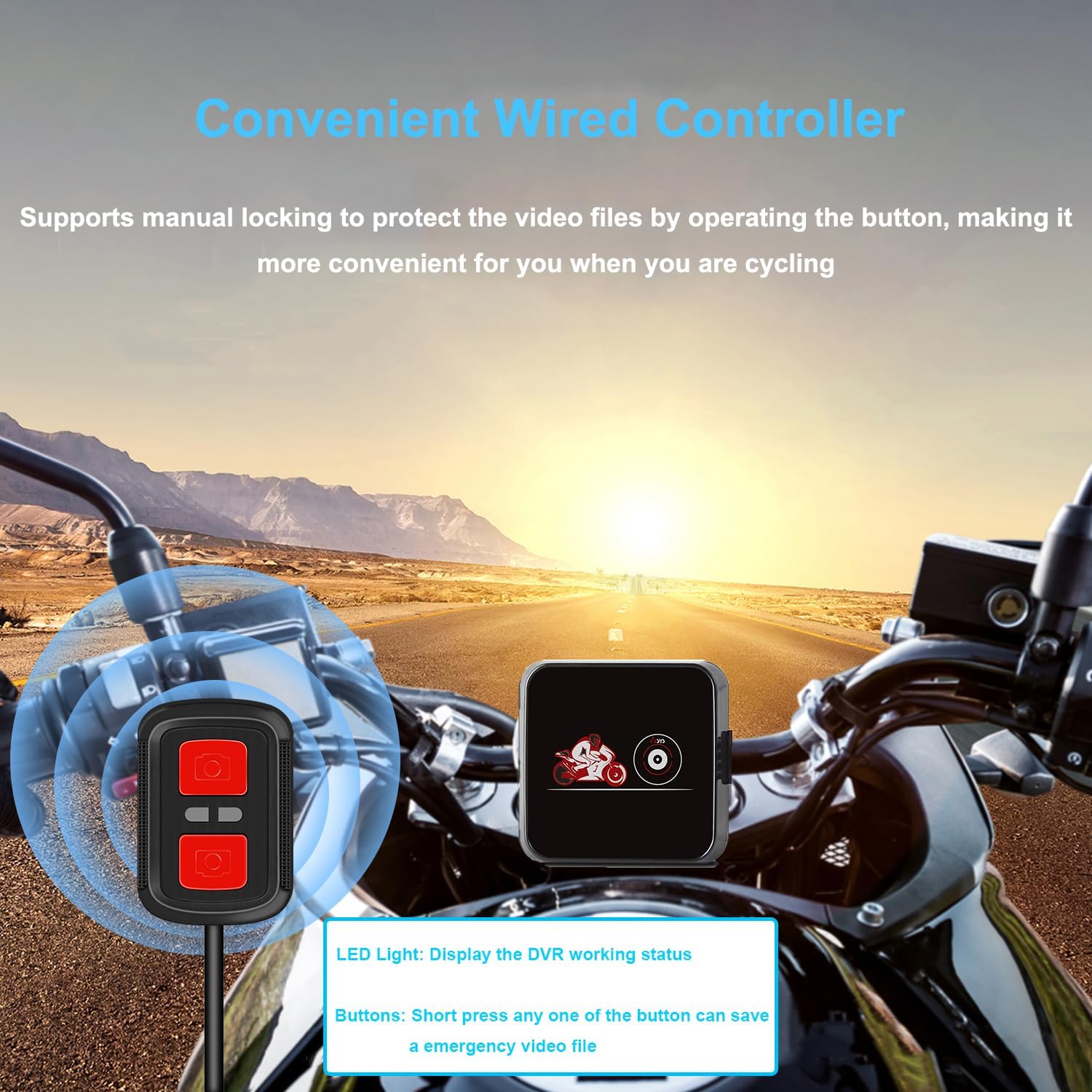
Figure 6: Wired Controller Installation
3.6 Správa kabelů
After connecting all components, arrange the cables neatly and fix them with ties to prevent interference and ensure a clean installation.
Video 3: D6RL Installation Reference Video. This video provides a complete guide to installing the dash cam system on a motorcycle.
4. Návod k obsluze
4.1 Automatický záznam
Once properly installed and connected to the ACC power, the dash cam will automatically start recording when the motorcycle ignition is turned on. The wired controller's indicator light will flash slowly to confirm recording is in progress.
4.2 Nouzové nahrávání (G-senzor)
The built-in G-sensor automatically detects collisions. In the event of an impact, the system will lock the current video file to prevent it from being overwritten, ensuring critical footage is preserved. You can also manually trigger emergency recording by pressing any button on the wired controller.

Figure 7: Emergency Recording and Wired Controller Functionality
4.3 Nahrávání ve smyčce
The dash cam supports loop recording, allowing you to choose video segment lengths of 1, 2, 3, or 5 minutes. When the memory card is full, the oldest unprotected video filebudou automaticky přepsány novými nahrávkami.

Obrázek 8: Funkce smyčkového nahrávání
4.4 WiFi Connectivity and Dedicated App
The dash cam features built-in WiFi, allowing you to connect your smartphone via a dedicated app. Through the app, you can:
- View video v reálném čase footagz obou kamer.
- Přehrát nahraná videa.
- Save and delete video files.
- Share videos with others.
- Adjust settings such as loop recording duration, microphone sensitivity, and format the SD card.

Figure 9: Dedicated Mobile App Interface

Obrázek 10: Kroky připojení aplikace
Video 4: WiFi APP Connection Tutorial. This video guides you through connecting the dash cam to the mobile app via WiFi.
4.5 Noční vidění
The D6RL features Starlight Night Vision, utilizing a 4-layer high-quality glass lens to provide clear video recordings even in low-light conditions at night.

Figure 11: Starlight Night Vision
5. Údržba
5.1 Správa SD karty
Regularly format your SD card through the mobile app settings to ensure optimal performance and prevent data corruption. It is recommended to use a high-quality SD card for reliable recording.
5.2 Čištění
Keep the camera lenses clean for clear video quality. Use a soft, lint-free cloth to gently wipe the lenses. Avoid abrasive materials or harsh chemicals.
6. Řešení problémů
- Bez napájení: Check all power connections, especially the battery terminals and ACC wire. Ensure the motorcycle ignition is on.
- Recording Not Starting: Verify the SD card is inserted correctly and is not full. Check app settings for loop recording configuration.
- Problémy s WiFi připojením: Ensure the dash cam is powered on. On your phone, check if the correct WiFi network (starting with 'MotoDV_D6RL') is selected and the password is correct.
- Nejasné video: Clean the camera lenses. Ensure cameras are securely mounted and not vibrating excessively. Check app settings for video resolution.
- Živá aplikace View Not Centered: Adjust the camera angle physically to correct the image.
7. Specifikace
| Funkce | Specifikace |
|---|---|
| Značka | VSYSTO |
| Název modelu | D6RL |
| Rozlišení videa | 1080p (Dual Lens) |
| Viewúhel | 130 stupňů |
| Technologie připojení | USB, Wi-Fi |
| Speciální funkce | App Control, G-Sensor, Built-in Microphone, Starlight Night Vision, Integrated WiFi |
| Hodnocení voděodolnosti | IP67 (Cameras and Wired Controller) |
| Typ paměti Flash | Secure Digital (SD) |
| Zdroj napájení | 12V-24V Motorcycle Battery |
| Hmotnost položky | 11 grams (Main Unit) |
| Rozměry produktu | 6.2 x 5.8 x 2 cm (hlavní jednotka) |
8. Záruka a podpora
VSYSTO offers a one-year warranty for every product. For any issues or inquiries, please contact our customer service team directly. We aim to respond within 24 hours and provide helpful advice.
For further assistance, visit the official VSYSTO store on Amazon: VSYSTO Store


