1. Přesview
The Google Pixel 5 is an advanced 5G Android smartphone designed for efficient communication and multimedia. It features a durable, water-resistant design, an advanced camera system with Night Sight and an ultrawide lens, and an all-day battery with Extreme Battery Saver capabilities. This device is an unlocked smartphone, offering flexibility in carrier and data plan selection.
1.1 Součásti balení
- Google Pixel 5 Smartphone
- 18W napájecí adaptér USB-C
- Kabel USB-C na USB-C
- Nástroj pro vysunutí SIM karty
- USB-C to USB-A Quick Switch Adapter
- Google Pixel USB-C earbuds (availability may vary by region)
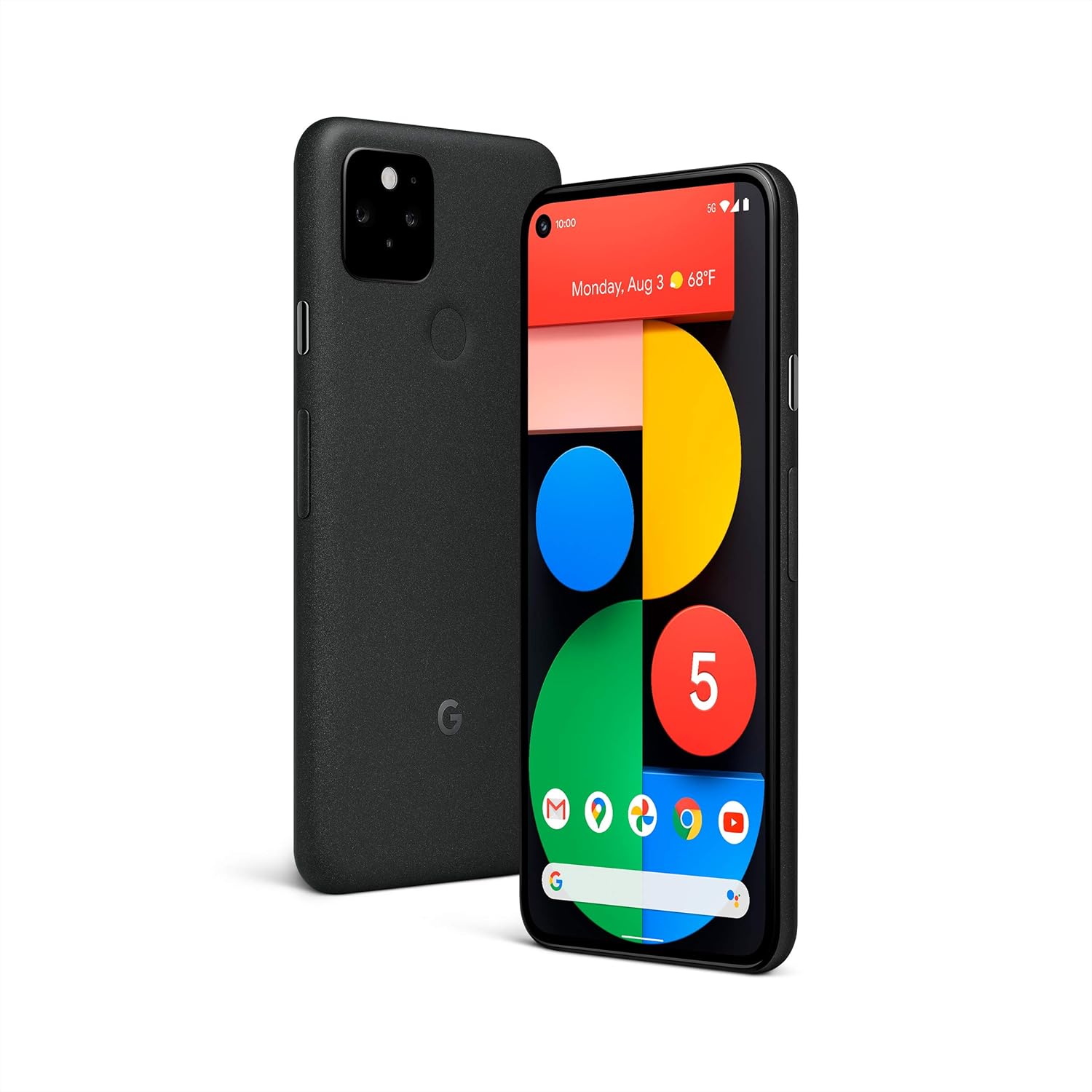
Obrázek: Přední a zadní strana view of the Google Pixel 5 smartphone in Just Black.
2. Nastavení
2.1 Instalace SIM karty
- Vyhledejte držák SIM karty na boku telefonu Pixel 5.
- Vložte nástroj pro vysunutí SIM karty do malého otvoru vedle držáku a pevně zatlačte, dokud držák nevyskočí.
- Vložte kartu nano-SIM do slotu zlatými kontakty dolů.
- Opatrně vložte zásobník zpět do telefonu, dokud nezacvakne na místo.
2.2 Počáteční zapnutí a konfigurace
- Press and hold the power button on the side of the phone until the Google logo appears.
- Postupujte podle pokynů na obrazovce a vyberte jazyk, připojte se k síti Wi-Fi a přihlaste se pomocí svého účtu Google.
- Provedeme vás nastavením bezpečnostních funkcí, jako je odemykání otiskem prstu a zámek obrazovky.
2.3 Data Transfer from an Old Phone
Use the included USB-C to USB-A Quick Switch Adapter to transfer data from your old phone to your new Pixel 5. Connect your old phone to the adapter, and the adapter to your Pixel 5. Follow the on-screen instructions to select the data you wish to transfer.

Image: A Google Pixel 5 connected to an older smartphone using the Quick Switch Adapter for data transfer.
3. Návod k obsluze
3.1 Základní navigace
- Domovská obrazovka: Swipe up from the bottom to access the app drawer. Swipe left or right to navigate between home screens.
- Zadní: Přejeďte prstem z levého nebo pravého okraje obrazovky.
- Nedávné aplikace: Swipe up from the bottom of the screen and hold, then release.
- Oznámení a rychlé nastavení: Přejeďte prstem z horní části obrazovky dolů.
3.2 Připojení 5G
The Pixel 5 supports 5G networks, enabling faster download speeds and smoother streaming. A 5G data plan and compatible network coverage are required for 5G service. Performance may vary based on carrier, location, and network conditions.

Image: A Google Pixel 5 screen showing a video streaming, illustrating the speed of 5G connectivity.
3.3 Funkce fotoaparátu
The Pixel 5 camera includes advanced features for various lighting conditions:
- Noční vidění: Captures clear and vibrant photos in low-light environments.
- Ultraširokoúhlý objektiv: Allows for a wider field of view, ideal for landscapes and group photos.
- Portrait Light: Adjusts the lighting on subjects in portrait photos for studio-quality results.

Image: A man's face illuminated by soft light, showcasing the camera's ability to capture detail in challenging lighting conditions.

Image: A wide landscape photo, demonstrating the ultrawide lens capability of the Google Pixel 5.
3.4 Wireless Charging and Battery Share
The Pixel 5 supports Qi-compatible wireless charging. Place the phone on a compatible wireless charger to begin charging. Additionally, the Pixel 5 can wirelessly charge other Qi-certified devices using Battery Share. To activate Battery Share, navigate to Settings > Battery > Battery Share.

Image: A Google Pixel 5 wirelessly charging a pair of Pixel Buds on its rear surface.
3.5 Správa baterie
The Pixel 5 features an all-day battery. For extended battery life, enable Extreme Battery Saver mode, which can extend usage up to 48 hours by limiting active apps to essential functions. Access this feature in Settings > Battery.

Image: A family taking a selfie with a Google Pixel 5, symbolizing the phone's long-lasting battery for extended use.
3.6 Bezpečnostní funkce
The Pixel 5 incorporates the Titan M security chip to protect your operating system and sensitive data. The device receives guaranteed Android OS and security updates for at least three years from its initial release.

Image: A man interacting with his Google Pixel 5, representing the device's integrated security features.
3.7 Call Screen and Google Duo
- Prověření volajícího: Google Assistant can filter out detected spam calls and provide information about unrecognized callers before you answer. This feature is available in the US and English only.
- Google Duo Screen Sharing: Share your screen during HD video calls to read articles, watch live sports, or browse content with friends and family. Requires Wi-Fi or 5G internet connection.
4. Údržba
4.1 Čištění vašeho zařízení
To clean your Pixel 5, use a soft, lint-free cloth. For stubborn marks, slightly dampen the cloth with water. Avoid using harsh chemicals, abrasive cleaners, or compressed air, as these can damage the device's finish or internal components.
4.2 Odolnost proti vodě a prachu
The Pixel 5 has an IP68 dust and water protection rating under IEC standard 60529, meaning it can withstand submersion in up to 1.5 meters of fresh water for 30 minutes. This resistance is not a permanent condition and may decrease over time with normal wear and tear, repair, disassembly, or damage. Chargers and accessories are not water or dust resistant. Avoid exposing the phone to saltwater, chlorinated water, or other liquids.

Obrázek: Detailní záběr ze strany view of the Google Pixel 5 with water droplets on its surface, demonstrating its water resistance.
4.3 Aktualizace softwaru
Your Pixel 5 will automatically receive the latest Android OS and security updates. Ensure your device is connected to Wi-Fi and has sufficient battery charge to download and install updates.
5. Řešení problémů
5.1 Běžné problémy a řešení
- Zařízení nereaguje: Stiskněte a podržte tlačítko napájení po dobu přibližně 30 sekund pro vynucení restartu.
- Slabá výdrž baterie: Check for background apps consuming power (Settings > Battery). Enable Extreme Battery Saver. Reduce screen brightness.
- Problémy s připojením (Wi-Fi/mobilní síť): Toggle Wi-Fi or cellular data off and on. Restart the device. Check network settings.
- Pád aplikace: Vymažte mezipaměť aplikace (Nastavení > Aplikace > [Název aplikace] > Úložiště a mezipaměť > Vymazat mezipaměť). Pokud problém přetrvává, odinstalujte a znovu nainstalujte aplikaci.
5.2 Obnovení továrního nastavení
Pokud problémy přetrvávají, může být nutné provést obnovení továrního nastavení. Varování: Tímto smažete všechna data v telefonu. Před pokračováním si zálohujte důležitá data. Přejděte do Nastavení > Systém > Možnosti resetování > Smazat všechna data (obnovení továrního nastavení).
6. Specifikace
| Funkce | Detail |
|---|---|
| Číslo modelu | GA01316-US |
| Operační systém | Android 11.0 (při uvedení na trh) |
| Velikost displeje | 6 palce |
| Rezoluce | 1080 x 2340 pixelů |
| BERAN | 8 GB |
| Kapacita paměti | 128 GB |
| Model CPU | Qualcomm Snapdragon 765G |
| Kapacita baterie | 4080 miliamp hodiny |
| Rozměry produktu | 5.7 x 2.8 x 0.3 palce |
| Hmotnost položky | 5 unce (143 gramů) |
| Voděodolnost | IP68 |
| Bezdrátové nabíjení | Kompatibilní s Qi |

Image: A comparison chart highlighting key features like 5G, water resistance, wireless charging, and camera specifications across Pixel 5, Pixel 4a with 5G, and Pixel 4a models.
7. Záruka a podpora
7.1 Záruka na produkt
For detailed warranty information regarding your Google Pixel 5, please refer to the official Google support webwebu nebo v záručním listu, který byl přiložen k vašemu nákupu. Záruční podmínky se mohou lišit v závislosti na regionu.
7.2 Zákaznická podpora
If you require further assistance or encounter issues not covered in this manual, please visit the official Google Pixel Help Center online or contact Google customer support directly. Contact information can typically be found on the Google support webmísto.
8. Oficiální produktová videa
Žádné oficiální video o produktu URLs were provided in the product data for embedding in this manual.


