1. Úvod
Welcome to the user manual for your new Taurus Homeland Laser Robot Vacuum Cleaner. This intelligent cleaning device is designed to provide efficient and thorough cleaning for your home, utilizing advanced ElegantLaser technology for precise navigation and mapping. Please read this manual carefully before using the product to ensure proper operation, maintenance, and safety.
Bezpečnostní informace
Vždy dodržujte následující bezpečnostní pokyny:
- Do not allow children to operate the robot vacuum cleaner.
- Ensure the charging base is placed on a flat, stable surface against a wall, with no obstacles within 1 meter in front and 0.5 meters on either side.
- Keep the robot away from water or wet surfaces to prevent electric shock.
- Do not use the robot to clean liquids, burning objects, or large, sharp debris.
- Regularly check and clean the brushes and sensors to maintain optimal performance.
- Používejte pouze originální napájecí adaptér a nabíjecí základnu dodané s produktem.
- Pokud je napájecí kabel poškozen, musí být vyměněn výrobcem nebo kvalifikovaným servisním zástupcem.
2. Konec produktuview
Familiarize yourself with the components of your Taurus Homeland Laser Robot Vacuum Cleaner.
Obsah balení
- Taurus Homeland Laser Robot Vacuum Cleaner
- Nabíjecí základna
- Napájecí adaptér
- Dálkové ovládání
- Boční kartáče (2 páry)
- Hlavní kartáč
- Popelnice
- Nádrž na vodu s mopem
- Nástroj na čištění
- Uživatelská příručka
Komponenty robota


3. Nastavení
Vybalení a počáteční umístění
- Opatrně vyjměte všechny součásti z obalu.
- Choose a suitable location for the charging base. It should be placed against a wall on a hard, level surface. Ensure there are no obstacles within 1 meter (3.3 feet) in front of the base and 0.5 meters (1.6 feet) on either side to allow the robot to dock easily.
- Connect the power adapter to the charging base and plug it into a wall outlet. Ensure the indicator light on the charging base illuminates.
Instalace bočních kartáčů
Turn the robot over. Align the side brushes with the corresponding slots (L and R) on the bottom of the robot and press them down until they click into place.
Počáteční nabíjení
Place the robot onto the charging base, ensuring the charging contacts on the robot align with those on the base. The robot will begin charging automatically. For first-time use, it is recommended to fully charge the robot before its initial cleaning cycle (approximately 4-5 hours).
Nastavení aplikace a připojení k Wi-Fi
To unlock the full potential of your robot, download the dedicated mobile application.

- Hledat the 'Taurus Homeland' app in your smartphone's app store (Google Play Store for Android or Apple App Store for iOS).
- Stáhněte a nainstalujte aplikaci.
- Follow the in-app instructions to create an account and connect your robot vacuum cleaner to your home Wi-Fi network. Ensure your Wi-Fi network is 2.4GHz.
- Po připojení můžete robota ovládat, plánovat úklid a view cleaning maps from your smartphone.
4. Návod k obsluze
Zapnutí/vypnutí
- Zapnutí: Press and hold the power button on the robot or the remote control until the indicator lights illuminate.
- Vypnout: Press and hold the power button on the robot or the remote control until the indicator lights turn off.
Spuštění čisticího cyklu
Press the power button on the robot or the 'Clean' button on the remote control/app to start an automatic cleaning cycle. The robot will begin mapping and cleaning your home using its ElegantLaser navigation.


Režimy čištění
The robot offers 10 different cleaning modes, accessible via the remote control or the mobile app:
- Auto: Standard cleaning mode, the robot intelligently navigates and cleans the entire area.
- Select Room: Clean specific rooms identified on the app's map.
- Obvod: Čistí podél stěn a hran nábytku.
- Spirála: Čistí koncentrovanou oblast spirálovitě.
- Manuální: Control the robot's movement manually using the remote control or app.
- Návrat domů: Robot se vrací do nabíjecí základny.
- Maximální výkon: Zvyšuje sací výkon pro důkladnější čištění.
- Omezená zóna: Define areas on the app map that the robot should avoid.
- Restricted Wall: Create virtual walls on the app map to block off areas.
- Bodové čištění: Intenzivně čistí specifickou malou oblast.
Pomocí mobilní aplikace
The app provides comprehensive control and customization options:

- Mapování: The robot creates a real-time map of your home, which is displayed in the app.
- Zone Restriction: Draw virtual boundaries or no-go zones on the map to prevent the robot from entering certain areas.
- Plánování: Set daily or weekly cleaning schedules for automated cleaning.
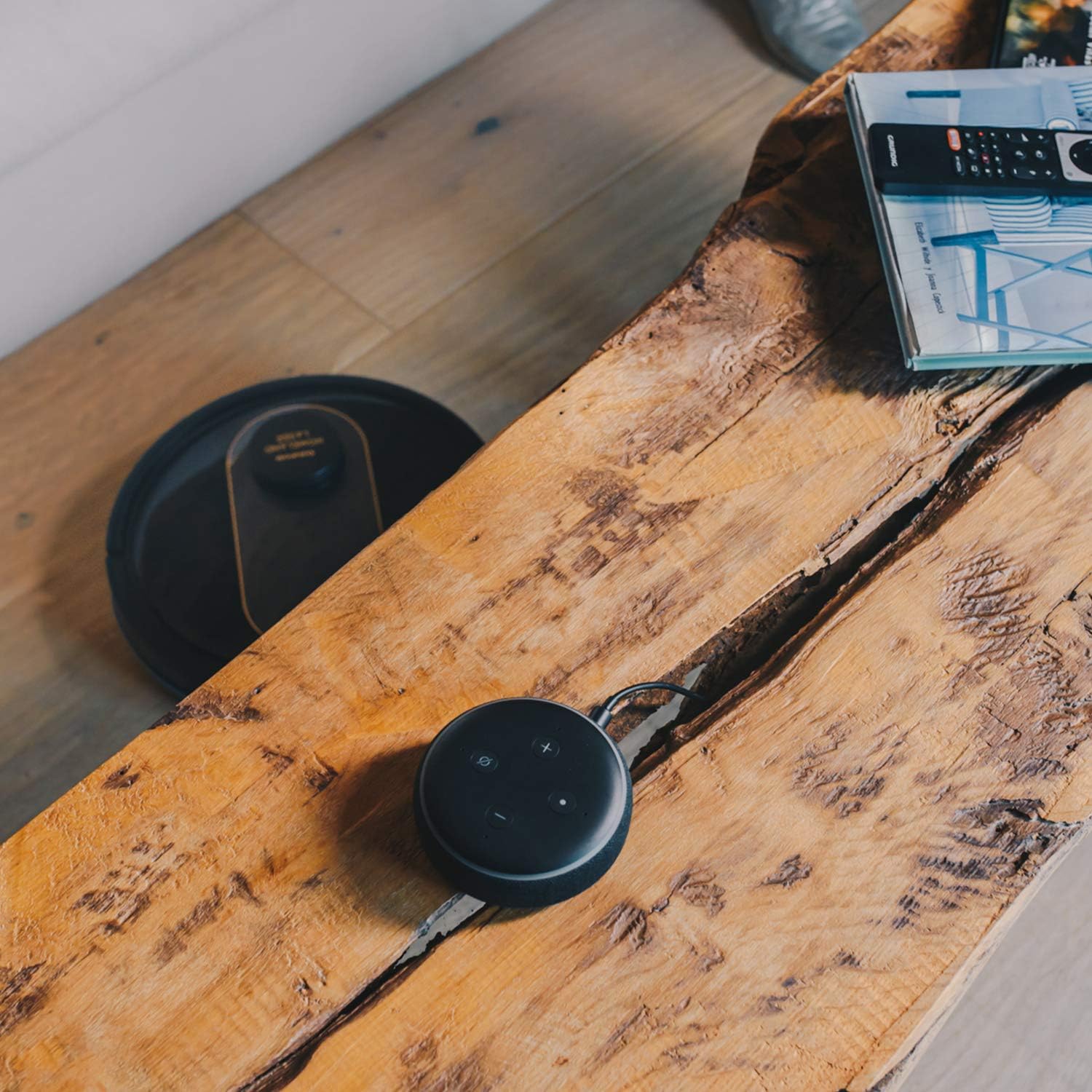
- Hlasové ovládání: Compatible with Alexa and Google Assistant for convenient voice commands (e.g., "Alexa, start cleaning").
Funkce Mopping
To use the mopping function, fill the water tank with clean water and attach the mop cloth. Insert the water tank into the robot. The robot will then vacuum and mop simultaneously. Do not use detergents or harsh chemicals in the water tank.
5. Údržba
Pravidelná údržba zajišťuje optimální výkon a prodlužuje životnost vašeho robotického vysavače.
Vyprazdňování popelnice
The dustbin should be emptied after each cleaning cycle or when the 'dustbin full' indicator (if available) illuminates. Press the dustbin release button, pull out the dustbin, open its lid, and discard the debris.
Čištění filtru
The HEPA filter should be cleaned weekly. Remove the filter from the dustbin and tap it gently over a trash can to remove dust. Do not wash the HEPA filter with water; if it becomes heavily soiled, replace it.
Čisticí štětce
- Hlavní kartáč: Remove the main brush cover and lift out the main brush. Use the provided cleaning tool to remove hair and debris tangled around the brush. Clean the brush compartment.
- Boční kartáče: Periodically check the side brushes for tangled hair or debris. If necessary, remove them and clean them. Replace worn or damaged side brushes.
Čištění senzorů a nabíjecích kontaktů
Wipe the cliff sensors (located on the bottom of the robot), wall sensors (on the front bumper), and charging contacts (on the robot and charging base) with a clean, dry cloth. This ensures proper navigation and charging.
Čištění nádrže na vodu a mopu
After mopping, empty any remaining water from the tank. Remove the mop cloth and wash it thoroughly. Allow both the tank and cloth to air dry completely before reassembling.
6. Řešení problémů
Pokud se s robotickým vysavačem setkáte s problémy, podívejte se na následující běžné problémy a jejich řešení:
| Problém | Možná příčina | Řešení |
|---|---|---|
| Robot se nezapne. | Slabá baterie; Tlačítko napájení nebylo správně stisknuto. | Place robot on charging base; Press and hold power button for a few seconds. |
| Robot se nenabíjí. | Charging contacts are dirty; Power adapter not connected. | Clean charging contacts on robot and base; Ensure power adapter is securely plugged in. |
| Robot se často zasekává. | Příliš mnoho překážek; znečištěné senzory proti srázu. | Odstraňte překážky z čisticí cesty; Vyčistěte senzory proti převýšení. |
| Špatný čisticí výkon. | Plný odpadkový koš; Zamotané kartáče; Ucpaný filtr. | Vyprázdněte nádobu na prach; Vyčistěte hlavní a boční kartáče; Vyčistěte nebo vyměňte filtr. |
| Problémy s připojením aplikace. | Nesprávné heslo k Wi-Fi; Router je příliš daleko; Síť Wi-Fi 5 GHz. | Znovu zadejte heslo k Wi-Fi; Přesuňte robota blíže k routeru; Ujistěte se, že používáte Wi-Fi s frekvencí 2.4 GHz. |
| Robot vydává neobvyklé zvuky. | Nečistoty v kartáčích nebo kolech; Ucpání ventilátoru. | Inspect and clean main brush, side brushes, and wheels; Check for obstructions in the suction path. |
If the problem persists after trying these solutions, please contact Taurus customer support.
7. Specifikace
Key technical specifications for the Taurus Homeland Laser Robot Vacuum Cleaner:
| Funkce | Specifikace |
|---|---|
| Značka | Býk |
| Název modelu | Homeland Laser |
| Číslo modelu | 948895000 |
| Barva | Černá/Zlatá |
| Rozměry (D x Š x V) | 32L x 32W x 10H cm (approx. 7.6 cm height for cleaning under furniture) |
| Hmotnost položky | 2.7 kg |
| svtage | 240 voltů |
| Materiál | Plast |
| Sací výkon | 1800 PA |
| Typ baterie | Lithium-iontová |
| Životnost baterie | Až 120 minut |
| Typ filtru | HEPA |
| Konektivita | Wi-Fi (2.4GHz), Smartphone App, Alexa & Google Assistant compatible |
| Režimy čištění | 10 (Auto, Select Room, Perimeter, Spiral, Manual, Return to Home, Max Power, Restricted Zone, Restricted Wall, Spot Cleaning) |
8. Záruka a podpora
Your Taurus Homeland Laser Robot Vacuum Cleaner comes with a manufacturer's warranty. Please refer to the warranty card included in your product packaging for specific terms and conditions, including the warranty period and coverage details.
Zákaznická podpora
For technical assistance, troubleshooting beyond this manual, or warranty claims, please contact Taurus customer support. Contact information can typically be found on the official Taurus webna webu nebo na obalu vašeho produktu.
We recommend registering your product on the Taurus webweb pro získávání aktualizací a podpory.


