1. Úvod
This manual provides detailed instructions for the safe and effective use of your Phomemo D30 Bluetooth Mini Label Maker. Please read this manual thoroughly before operating the device to ensure proper function and longevity.

Image 1.1: The Phomemo D30 Label Maker, a compact thermal printer designed for various labeling needs.
2. Obsah balení
Ověřte, zda jsou v balení přítomny všechny položky:
- 1 x Phomemo D30 Label Maker
- 1 x Uživatelská příručka
- 1 x USB kabel
- 80-PCS Label Tape 12x40mm (1 roll)

Image 2.1: Visual representation of the items included in the Phomemo D30 package.
3. Konec produktuview
3.1 Klíčové vlastnosti
- Kompaktní a přenosné: Half the weight and size of traditional label makers.
- Technologie tepelného tisku: Inkless printing, eliminating the need for ink, toner, or ribbons.
- High Print Clarity: Equipped with a German thermal print head, offering 25% increased DPI for clear and smooth printing.
- Bezdrátové připojení: Bluetooth connection for printing from mobile devices.
- Versatile Label Support: Compatible with continuous and fixed-length label tapes, supporting sizes from 0.24 to 0.47 inches (6mm to 12mm).
- Ovládání aplikací: Utilizes a dedicated mobile application for label design with various templates, symbols, frames, and fonts.
3.2 Komponenty
The Phomemo D30 Label Maker consists of the following main components:
- Vypínač: Used to turn the device on/off and initiate certain functions.
- Kontrolka: Displays device status (e.g., charging, connected, printing).
- Výstupní slot pro štítky: Kde se objevují tištěné etikety.
- Label Compartment: Houses the label roll.
- USB nabíjecí port: For connecting the USB cable to charge the device.
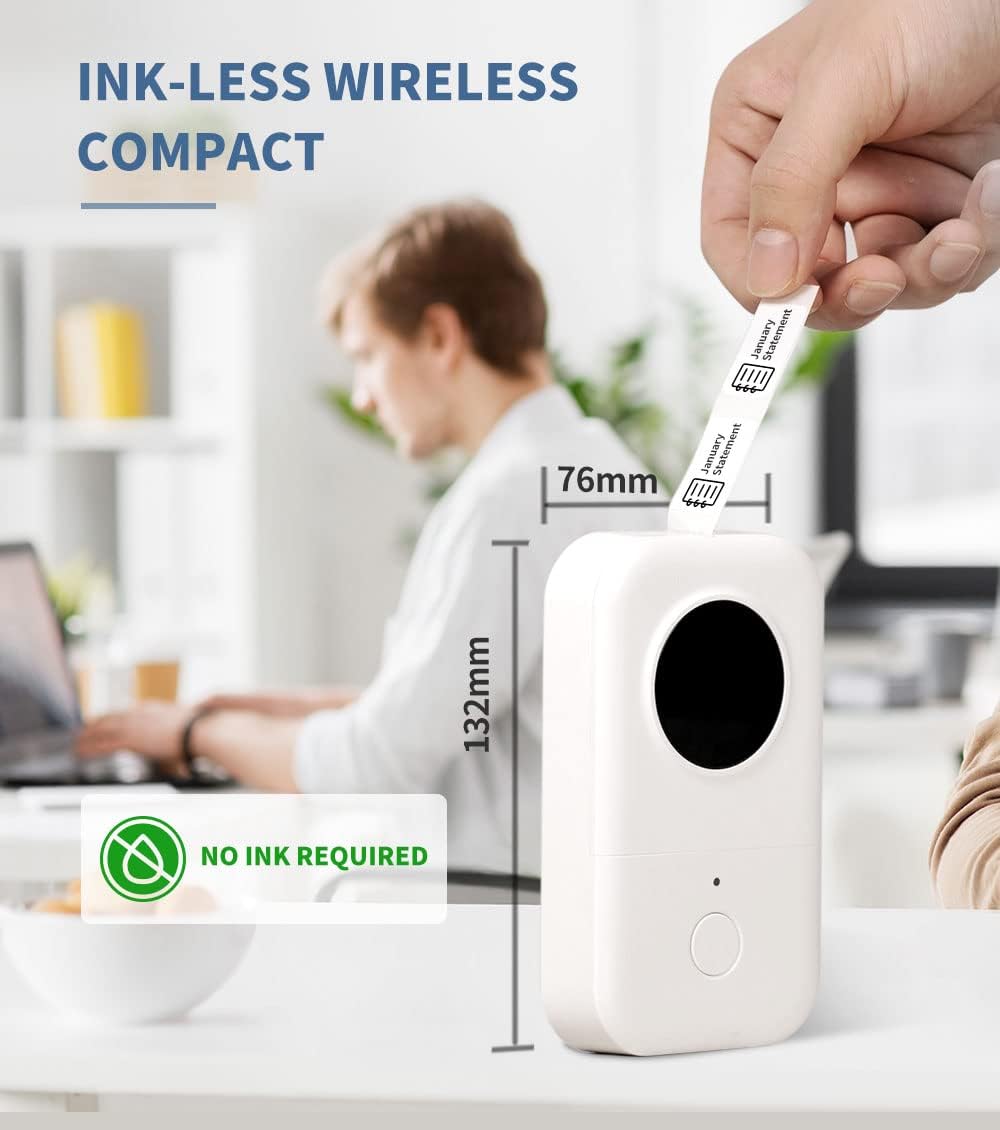
Image 3.1: The compact design of the Phomemo D30, highlighting its ink-less thermal printing technology.

Image 3.2: The Phomemo D30 supports multiple label widths, including 6mm, 12mm, 14mm, and 15mm.
4. Nastavení
4.1 Nabíjení zařízení
- Connect the provided USB cable to the charging port on the label maker.
- Zapojte druhý konec kabelu USB do kompatibilního napájecího adaptéru USB (není součástí balení) nebo do portu USB počítače.
- The indicator light will show charging status. A full charge typically takes 2-3 hours.
4.2 Vkládání štítků
- Otevřete kryt přihrádky na štítky.
- Insert the label roll with the printing surface facing upwards, ensuring it aligns correctly within the compartment.
- Pull a small portion of the label tape out through the output slot.
- Bezpečně zavřete kryt přihrádky na štítky.
4.3 Instalace aplikace a připojení Bluetooth
- Download the "Print Master" app from your device's app store (iOS or Android).
- Turn on the Phomemo D30 Label Maker by pressing and holding the power button. The indicator light will illuminate.
- Povolte na svém mobilním zařízení Bluetooth.
- Open the "Print Master" app and follow the on-screen instructions to connect to your D30 device. The app will typically detect nearby Phomemo devices automatically.

Image 4.1: The Phomemo D30 connects wirelessly via Bluetooth to a smartphone running the "Print Master" app.
5. Návod k obsluze
5.1 Creating Labels with the App
- Open the "Print Master" app on your connected mobile device.
- Vyberte šablonu nebo začněte s novým návrhem štítku.
- Utilize the app's features to add text, icons, borders, and adjust fonts. The app offers a wide variety of customization options.
- Předview your label design to ensure accuracy before printing.

Image 5.1: The "Print Master" app provides extensive customization options for label creation, including fonts, icons, and borders.

Image 5.2: The app supports a variety of label styles and patterns for diverse applications.
5.2 Tisk štítků
- Once your label design is complete, tap the print button within the app.
- The label maker will feed and print the label.
- Carefully tear off the printed label from the output slot.

Image 5.3: The D30 supports high-quality batch printing for pre-cut paper, ensuring clear and consistent results.
5.3 Label Types and Applications
The D30 supports both pre-cut and continuous label tapes, suitable for various uses:
- Předřezané štítky: Ideal for individual items, such as food date marking, price tags, or personal item identification.
- Průběžné štítky: Suitable for longer labels like cable identification, file classification, or gift labels.

Image 5.4: The Phomemo D30 supports both pre-cut labels for individual items and continuous labels for longer applications.

Image 5.5: The Phomemo D30 is a versatile tool for organizing files, labeling food, marking items, and creating gift labels.

Image 5.6: The D30 label maker is suitable for a wide range of applications, from personal organization to small business use.
6. Údržba
6.1 Čištění tiskové hlavy
Pro zachování kvality tisku pravidelně čistěte tiskovou hlavu:
- Turn off the label maker and disconnect it from any power source.
- Otevřete přihrádku na štítky.
- Jemně otřete tiskovou hlavu vatovým tamponem, lehceampzakončené isopropylalkoholem.
- Před zavřením krytu a použitím zařízení nechte tiskovou hlavu zcela vyschnout.
6.2 Péče o baterii
- Charge the device regularly, even if not in frequent use, to prolong battery life.
- Nevystavujte zařízení extrémním teplotám.
- Pokud zařízení nebudete delší dobu používat, nabijte jej před uskladněním přibližně na 50 %.
6.3 Skladování
Store the label maker in a cool, dry place away from direct sunlight and excessive dust. Ensure the label compartment is closed to protect the print head and internal mechanisms.

Image 6.1: Phomemo label tapes are designed for durability, offering resistance to water, abrasion, and oil, and can be removed without leaving residue.
7. Řešení problémů
7.1 Běžné problémy a řešení
| Problém | Možná příčina | Řešení |
|---|---|---|
| Zařízení se nezapne | Slabá baterie nebo problém s napájením. | Charge the device using the provided USB cable. Ensure the power button is pressed and held correctly. |
| Nelze se připojit přes Bluetooth | Bluetooth je vypnutý, zařízení je mimo dosah nebo je problém s aplikací. | Ensure Bluetooth is enabled on your phone and the label maker is on. Move the devices closer. Restart the app and the label maker. |
| Špatná kvalita tisku | Dirty print head, incorrect label roll insertion, or low battery. | Clean the print head (refer to Section 6.1). Re-insert the label roll correctly. Charge the device. |
| Labels not feeding | Label roll jammed or incorrectly loaded. | Open the compartment and check for any jams. Re-load the label roll, ensuring it is properly aligned. |
| Aplikace padá nebo zamrzá | Softwarová chyba nebo zastaralá verze aplikace. | Restart the app. Check for app updates in your device's app store. Restart your mobile device. |
8. Specifikace
- Značka: Phomemo
- Model: D30
- Technologie tisku: Tepelný
- Technologie připojení: Bluetooth
- Maximální velikost média: 15 mm
- Maximální rozlišení černobílého tisku: 203 dpi
- Maximální rychlost černobílého tisku: 40 ppm
- Kompatibilní zařízení: Chytré telefony (iOS, Android)
- Moc: 1 lithium-polymerová baterie (součástí balení)
- Hmotnost položky: 6.3 unce (180 gramů)
- Rozměry produktu: 4.72 x 3.15 x 1.97 palce (12 x 8 x 5 cm)
- UPC: 789371387780
9. Záruka a podpora
The Phomemo D30 Label Maker comes with a limited warranty. For specific details regarding warranty coverage and duration, please refer to the warranty card included in your product packaging or contact Phomemo customer support.
For technical support, troubleshooting assistance, or inquiries about replacement parts and accessories, please visit the official Phomemo website or contact their customer service department. Contact information can typically be found on the product packaging or the Phomemo brand store online.


