1. Konec produktuview
The ASUS USB-BT500 is a compact Bluetooth 5.0 USB adapter designed to provide wireless connectivity for a wide range of devices. It upgrades your system to the latest Bluetooth 5.0 technology, offering enhanced speed and range compared to previous Bluetooth versions. This adapter is backward compatible with Bluetooth 2.1, 3.x, and 4.x devices, ensuring broad compatibility.

Image: The ASUS USB-BT500 Bluetooth 5.0 USB Adapter, a small black and gold device.
2. Klíčové vlastnosti
- Bluetooth 5.0 for Faster, Further Coverage: Experience data transfer speeds up to twice as fast and a range up to four times greater in Bluetooth Low Energy (BLE) mode.
- Wireless Connection, Free of Limitation: Enables seamless wireless communication with various Bluetooth-enabled devices.
- Plná kompatibilita: Backward compatible with Bluetooth 2.1, 3.x, and 4.x standards.
- Power Saving for Devices: Utilizes Bluetooth Low Energy technology for efficient and energy-saving wireless connectivity.
- Ultra-small Design: Highly portable and easy to use, with a compact form factor.

Image: A diagram showing 'up to 2X Faster Data Transfer Rate' and 'up to 4X Wider Data Transfer Range' with Bluetooth Low Energy Mode.
3. Co je v krabici
Po otevření balíčku byste měli najít následující položky:
- USB-BT500 Adapter
- Záruční list
4. Průvodce nastavením
4.1 Instalace hardwaru
- Vyhledejte volný USB port na stolním počítači nebo notebooku.
- Carefully insert the ASUS USB-BT500 adapter into the USB port. Ensure it is fully seated.

Image: The ASUS USB-BT500 adapter shown inserted into the USB port of a laptop.
4.2 Instalace ovladače
For most modern operating systems (Windows 10/11), the necessary drivers for the ASUS USB-BT500 will be installed automatically upon connecting the device. Please ensure your computer is connected to the internet during the initial setup to allow for automatic driver download and installation.
If automatic installation does not occur or if you experience issues, you may need to manually install drivers:
- Navštivte oficiální podporu ASUS website for the USB-BT500 model.
- Download the latest drivers compatible with your operating system.
- Dokončete instalaci ovladače podle pokynů na obrazovce.
Důležitá poznámka: If your computer has existing built-in Bluetooth functionality, it is recommended to disable it in your system's Device Manager before installing the ASUS USB-BT500 to prevent potential conflicts.
5. Návod k obsluze
5.1 Párování zařízení Bluetooth
Once the adapter is installed and drivers are active, you can pair your Bluetooth devices:
- Ensure the Bluetooth adapter is plugged into your computer.
- Go to your computer's Bluetooth settings (e.g., in Windows: Settings > Devices > Bluetooth & other devices).
- Zapněte Bluetooth, pokud již není povolen.
- Put your Bluetooth device (headphones, speaker, keyboard, mouse, controller, etc.) into pairing mode. Refer to your device's manual for specific instructions on how to do this.
- On your computer, click "Add Bluetooth or other device" and select "Bluetooth".
- Select your device from the list of discovered devices and follow any on-screen prompts to complete the pairing process.
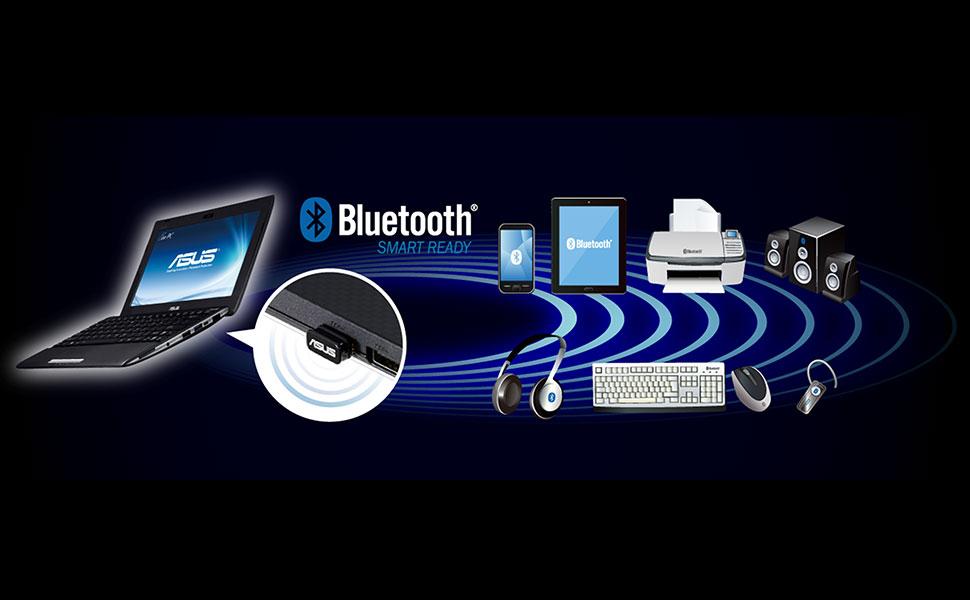
Image: A laptop with the ASUS USB-BT500 adapter wirelessly connected to multiple Bluetooth devices.
5.2 Obecné tipy pro použití
- Rozsah: While Bluetooth 5.0 offers extended range, obstacles like walls and other electronic devices can affect signal strength. For optimal performance, keep paired devices within reasonable proximity.
- Rušení: Other wireless devices operating on the 2.4 GHz frequency (e.g., Wi-Fi routers, cordless phones) can cause interference. Try to minimize such interference for stable connections.
- Více zařízení: The adapter supports connecting to multiple Bluetooth devices simultaneously, though performance may vary depending on the type and number of connected devices.
6. Údržba
The ASUS USB-BT500 adapter requires minimal maintenance:
- Udržujte adaptér čistý a bez prachu. K čištění používejte měkký, suchý hadřík.
- Nevystavujte adaptér extrémním teplotám, vlhkosti nebo přímému slunečnímu záření.
- Nepokoušejte se adaptér rozebírat ani opravovat sami, jinak ztratíte záruku.
- Pokud adaptér nepoužíváte, uložte jej na bezpečném místě, abyste zabránili jeho fyzickému poškození.
7. Řešení problémů
7.1 Adapter Not Recognized
- Zkuste zapojit adaptér do jiného USB portu na počítači.
- Restartujte počítač.
- Check Device Manager (Windows) to see if the Bluetooth adapter is listed and if there are any error indicators. If so, try updating or reinstalling the drivers.
7.2 Cannot Pair or Connect to Devices
- Ujistěte se, že je vaše zařízení Bluetooth v režimu párování a v dosahu.
- Turn off and then turn on Bluetooth on your computer.
- Remove the device from your computer's Bluetooth settings and try pairing again.
- Check if there are other wireless devices causing interference.
- Ujistěte se, že operační systém vašeho počítače je aktuální.
7.3 Connection is Unstable or Choppy
- Zmenšete vzdálenost mezi adaptérem a připojeným zařízením Bluetooth.
- Remove any physical obstructions between the adapter and the device.
- Ensure there are no strong sources of interference nearby.
- Update the adapter's drivers to the latest version from the ASUS webmísto.
8. Specifikace
| Číslo modelu | USB-BT500 |
| Hardwarové rozhraní | Bluetooth, USB |
| Verze Bluetooth | 5.0 (Backward compatible with 2.1/3.x/4.x) |
| Data Link Protocol | Bluetooth |
| Rychlost přenosu dat | Up to 4 Megabits Per Second |
| Rozměry produktu | 0.59 x 0.28 x 0.69 palce (1.5 x 0.7 x 1.75 cm) |
| Hmotnost položky | 0.16 unce (4.54 g) |
| Barva | Černý |
| Kompatibilní zařízení | Desktop, Headphone, Laptop, Speaker, etc. |
| UPC | 192876476772 |
9. Záruka a podpora
9.1 Informace o záruce
This product comes with a warranty provided by ASUS. Please refer to the included warranty card for specific terms, conditions, and duration of the warranty. Keep your proof of purchase for warranty claims.
9.2 Zákaznická podpora
Pro technickou pomoc, stažení ovladačů nebo další podporu navštivte oficiální stránky podpory ASUS. website. You can typically find FAQs, troubleshooting guides, and contact information for customer service there.
9.3 Právní prohlášení
Skutečná propustnost dat a pokrytí WiFi se budou lišit v závislosti na síťových podmínkách a faktorech prostředí, včetně objemu síťového provozu, stavebních materiálů a konstrukce a režijních nákladů sítě, což má za následek nižší skutečnou propustnost dat a bezdrátové pokrytí.


