1. Úvod
Thank you for choosing the Eonon GA2185 Android 10.0 Double Din Car Stereo. This advanced car multimedia system features a 10.1-inch IPS display, Octa Core processor, 4GB RAM, and 64GB ROM, providing a powerful and versatile in-car entertainment and navigation experience. This manual provides detailed instructions for installation, operation, and maintenance to ensure optimal performance and user satisfaction.
2. Bezpečnostní informace
Please read all safety warnings and instructions carefully before installing and operating the device. Failure to follow these instructions may result in injury or damage to the unit or vehicle.
- Doporučená profesionální instalace: Vzhledem ke složitosti systémů autorádia se důrazně doporučuje profesionální instalace.
- Napájení: Ujistěte se, že je jednotka připojena k 12V stejnosměrnému napájení se záporným uzemněním.
- Zapojení: Do not modify or cut any wires. Incorrect wiring can cause damage or fire.
- Bezpečnost jízdy: Neobsluhujte jednotku způsobem, který by vás rozptyloval od řízení. Vždy upřednostňujte bezpečnost silničního provozu.
- Teplota: Nevystavujte jednotku extrémním teplotám nebo přímému slunečnímu záření po delší dobu.
3. Co je v krabici?
Po vybalení zkontrolujte, zda jsou všechny komponenty přítomny:

Obrázek: Overview of the Eonon GA2185 package contents, including the main unit, GPS antenna, power cable, audio/AUX harnesses, external microphone, USB adapter cables, Wi-Fi antenna, fuse, disassembly tool, screws, and user manual.
- Eonon GA2185 Head Unit
- GPS anténa
- Napájecí kabel
- Audio Output Harness
- AUX Input Harness
- Externí mikrofon
- Adaptérový kabel USB (x2)
- Wi-Fi anténa
- Pojistka 15A
- Nástroj pro demontáž
- šrouby (4x)
- Uživatelská příručka
Note: Double Din installation kits may need to be purchased separately depending on your vehicle model.
4. Konec produktuview
4.1 Přední panel a displej

Image: The Eonon GA2185 head unit, showcasing its 10.1-inch IPS touchscreen display with a clean Android interface and various application icons.
The GA2185 features a large 10.1-inch IPS touchscreen with a resolution of 1024 x 600 pixels, offering clear visuals and wide viewing angles. The screen is designed for optimal visibility and responsiveness.

Image: Illustration demonstrating the adjustable viewing angles of the Eonon GA2185 display, allowing for tilt adjustments of up to 18 degrees horizontally and 15 degrees vertically for optimal viewIng.
4.2 Zadní připojení

Image: A comprehensive diagram of the rear panel of the Eonon GA2185, detailing all input and output ports with corresponding numbered labels for easy identification during installation.
- Wi-Fi anténa
- Port ISO
- Vstup pro zadní kameru
- Osvětlení
- KEY 1 (Steering Wheel Control 1)
- Ovládání řazení brzd
- GND (zem)
- KEY 2 (Steering Wheel Control 2)
- Obrátit Ctrl
- AMP Ctrl
- Přední audio výstup L
- Přední audio výstup R
- Zadní audio výstup L
- Zadní audio výstup R
- Výstup subwooferu
- Video výstup 1
- Video výstup 2
- USB Input (x2)
- Externí mikrofon
- Video vstup
- N/A
- Vstup AUX Audio R
- AUX audio vstup L
- GPS anténa
4.3 Core Components

Obrázek: Interní view highlighting the key specifications of the Eonon GA2185: Android 10.0 operating system, PX5 Octa-core ARM Cortex-A53 MPcore processor up to 1.3GHz, 4GB RAM, and 64GB ROM.
- Operační systém: Android 10.0
- Procesor: PX5 Octa-core ARM Cortex-A53 MPcore processor (up to 1.3GHz)
- Paměť: 4GB RAM + 64GB ROM
- Zobrazit: 10.1-inch IPS Touchscreen, 1024 x 600 Resolution, 178° Viewúhly
- Zvuk: Built-in DSP (Digital Sound Field Processing) with 16-band graphic equalizer
- Konektivita: Wi-Fi, Bluetooth, USB, HDMI
5. Instalační příručka
This section provides general guidelines for installing the Eonon GA2185. Specific vehicle models may require additional adapters or modifications. It is recommended to consult a professional installer if you are unsure about any steps.
5.1 Kontroly před instalací
- Před zahájením jakýchkoli elektrických prací odpojte záporný pól baterie vozidla.
- Ensure you have the correct double din installation kit for your vehicle.
- Familiarize yourself with your vehicle's existing wiring harness.
5.2 Zapojení kabeláže
Refer to the rear connection diagram in Section 4.2 for port identification. Connect the provided power cable, audio harnesses, and other accessories according to the diagram and your vehicle's wiring.
- Moc: Connect the main power harness to your vehicle's power supply (constant 12V, accessory 12V, and ground).
- Řečníci: Connect the speaker wires from the ISO port to your vehicle's speaker wiring.
- GPS anténa: Namontujte anténu GPS na místo s volným view oblohy (např. palubní deska, prostor pod čelním sklem).
- Wi-Fi anténa: Connect the Wi-Fi antenna to the designated port.
- Externí mikrofon: Pro lepší kvalitu hovoru připojte externí mikrofon.
- Zadní kamera: If installing a rear camera, connect its video output to the "Rear Camera Input" and its power to the reverse light circuit.
- Ovládání na volantu: Connect KEY1 and KEY2 wires to your vehicle's steering wheel control wires, if applicable.
5.3 Screen Disassembly Steps (if needed)
The screen can be detached from the main unit for easier installation or maintenance. Follow these steps:

Image: A visual guide detailing the five steps to safely disassemble the screen from the Eonon GA2185 head unit, involving pulling clips, removing screws, and unplugging cables.
- Pull the two clips (A&B) on the back of the screen to both sides.
- Remove the screen from the main unit.
- Remove the cable fixing clip after removing the screws that fix it.
- Stiskněte spony směrem ke středu a odpojte kabel.
- Demontáž dokončena.
6. Počáteční nastavení
After successful installation, reconnect the vehicle's negative battery terminal and power on the unit.
6.1 First Boot and Language Selection
Upon first boot, the system may guide you through initial setup steps, including language selection. Follow the on-screen prompts.
6.2 Network Configuration (Wi-Fi)
To access online features, connect the unit to a Wi-Fi network:
- Přejít na Nastavení > Síť a internet > Wi-Fi.
- Zapněte Wi-Fi a vyberte ze seznamu požadovanou síť.
- Zadejte heslo, pokud se zobrazí výzva, a připojte se.
6.3 Párování Bluetooth
Pair your mobile device for hands-free calling and audio streaming:
- Přejít na Nastavení > Připojená zařízení > Bluetooth.
- Ensure Bluetooth is enabled on both the head unit and your mobile device.
- Hledat available devices on your mobile phone and select "Eonon GA2185" (or similar name).
- Potvrďte párovací kód na obou zařízeních.
6.4 Connecting Optional Accessories

Image: A visual guide demonstrating the connection of an A0585 USB dongle to the Eonon GA2185 for enabling Android Auto functionality, with a smartphone connected to the dongle.
The GA2185 supports various optional accessories to enhance its functionality:
- Android Auto: To use Android Auto, you may need to purchase the Eonon A0585 USB dongle separately (ASIN: B08ZSKQBSH). Connect your Android phone to the dongle via USB.
- Záložní kamera: Ensure the backup camera is properly wired and configured in the system settings for automatic display when reversing.
- OBD2 Dongle: Connect an OBD2 Bluetooth dongle (e.g., V0056) to your vehicle's OBD port and pair it via Bluetooth to access vehicle diagnostics.
7. Návod k obsluze
7.1 Navigace v uživatelském rozhraní
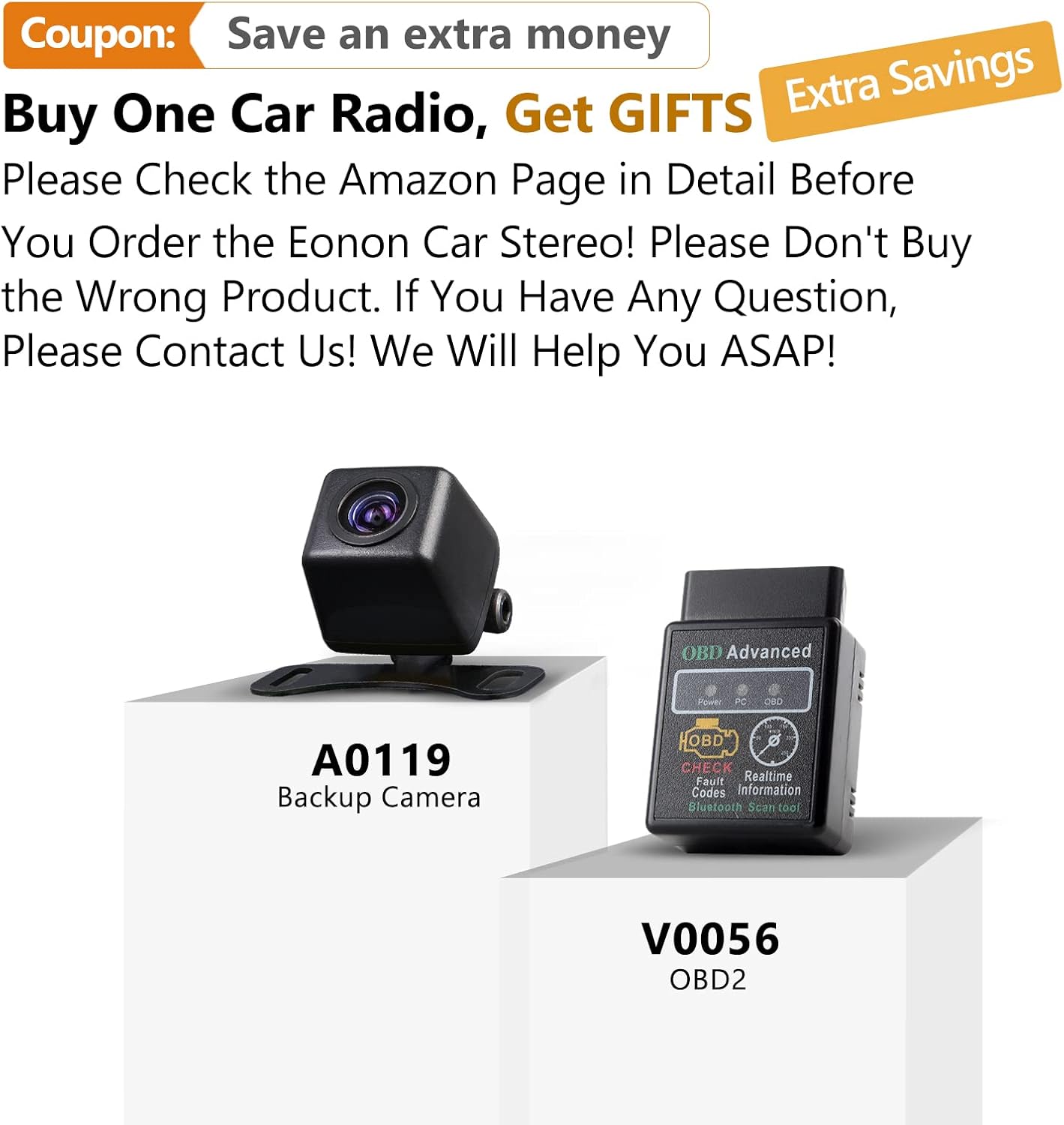
Image: The main user interface of the Eonon GA2185, displaying a grid of application icons for easy access to functions such as clock, file manager, email, Spotify, Google Play Store, Google Maps, and Netflix.
The unit operates on an Android platform, providing a familiar and intuitive interface. Swipe left/right to navigate between home screens, tap icons to open applications, and use the navigation bar at the bottom for quick access to home, back, and recent apps.
7.2 Audio Settings and DSP

Image: The audio settings interface of the Eonon GA2185, featuring a 16-band graphic equalizer for precise sound tuning and options to choose the optimal sound field, including driver, co-driver, rear, and center positions.
The built-in DSP (Digital Sound Field Processing) allows for extensive audio customization:
- Ekvalizér: Access the 16-band graphic equalizer to adjust frequency levels for different music genres or personal preference.
- Zvukové pole: Optimalizace zvukutage by selecting driver, co-driver, rear, or center positions to focus the audio.
- Bass Boost/Filter: Adjust bass levels and apply filters for enhanced low-frequency response.
7.3 GPS navigace
The unit comes with pre-installed GPS navigation capabilities for North America. Ensure the GPS antenna is properly connected and positioned.
- Otevřete Mapy application (e.g., Google Maps).
- Zadejte cíl a postupujte podle hlasových pokynů.
- The system supports offline maps if downloaded previously.
7.4 Apple CarPlay a Android Auto
The unit supports both Apple CarPlay (built-in) and Android Auto (requires A0585 dongle).
- Apple CarPlay: Connect your iPhone via USB to activate CarPlay.
- Android Auto: Connect your Android phone to the A0585 dongle (if purchased) via USB to activate Android Auto.
- These features allow seamless integration of your smartphone's apps, navigation, and communication features onto the car stereo display.
7.5 Přehrávání médií
Přehrávání zvuku a videa files from various sources:
- USB: Connect USB drives to the USB input ports.
- Bluetooth audio: Stream music from your paired mobile device.
- Rádio: Access FM/AM radio with RDS support and save predefined stations.
- Online streamování: Use Wi-Fi to access streaming apps like Spotify, YouTube, Netflix, etc.
7.6 Ovládání na volantu
If properly wired, you can configure the unit to respond to your vehicle's steering wheel controls for functions like volume, track change, and mode selection. Refer to the system settings for mapping these controls.
8. Údržba
Proper maintenance ensures the longevity and performance of your Eonon GA2185.
- Čištění obrazovky: Dotykovou obrazovku jemně otřete měkkým hadříkem, který nepouští vlákna. V případě odolných šmouh dampen the cloth slightly with water or a screen-safe cleaner. Avoid harsh chemicals or abrasive materials.
- Aktualizace softwaru: Periodically check for system software updates via Wi-Fi in the settings menu to ensure optimal performance and access to new features.
- Větrání: Ujistěte se, že ventilační otvory jednotky nejsou zablokované, aby nedošlo k jejímu přehřátí.
9. Řešení problémů
Tato část se zabývá běžnými problémy, se kterými se můžete setkat. Pokud problém přetrvává, kontaktujte zákaznickou podporu.
| Problém | Možná příčina | Řešení |
|---|---|---|
| Jednotka se nezapne. | Nesprávné zapojení; Spálená pojistka; Uvolněné připojení napájení. | Check all power connections; Inspect and replace fuse if necessary; Ensure proper grounding. |
| Žádný zvuk. | Příliš nízká hlasitost; Aktivováno ztlumení; Nesprávné zapojení reproduktorů; Ampproblém s lifikátorem. | Increase volume; Check mute setting; Verify speaker connections; Check external amplifier if used. |
| Signál GPS ztracen nebo nepřesný. | GPS antenna improperly placed or disconnected; Obstruction. | Ensure GPS antenna has clear sky view; Check antenna connection. |
| Nestabilní připojení Bluetooth. | Interference; Device out of range; Software glitch. | Move device closer; Restart both devices; Re-pair the device. |
| Dotykový displej nereaguje. | System freeze; Dirt on screen. | Restart the unit (press reset button if available); Clean the screen. |
| Apple CarPlay/Android Auto not working. | Incorrect USB cable; Phone not compatible; Dongle issue (for Android Auto). | Use original or certified USB cable; Check phone compatibility; Ensure Android Auto dongle is correctly connected and functioning. |
10. Specifikace
| Funkce | Specifikace |
|---|---|
| Číslo modelu | Standard Android 10.0-GA2185US |
| Operační systém | Android 10.0 |
| Procesor | Octa Core (PX5 ARM Cortex-A53, up to 1.3GHz) |
| BERAN | 4 GB |
| ROM | 64 GB |
| Velikost displeje | 10.1 palce |
| Rezoluce | 1024 x 600 |
| Typ zobrazení | IPS dotykový displej |
| Režim zvukového výstupu | Stereo, Built-in DSP |
| Konektivita | Bluetooth, Wi-Fi, USB, HDMI |
| GPS Map Type | Severní Amerika |
| Speciální funkce | Apple CarPlay integration, DSP audio processing, Customizable display, Radio with RDS, Predefined stations |
| Napájení | 12V DC (záporné uzemnění) |
| Rozměry (balík) | 34.29 x 29.21 x 19.51 cm |
| Hmotnost (balíku) | 3.01 kg |
11. Záruka a podpora
Eonon is committed to providing high-quality products and customer satisfaction.
11.1 Informace o záruce
Please refer to your purchase documentation or the Eonon official website for specific warranty terms and conditions. Typically, products come with a limited warranty covering manufacturing defects.
11.2 Zákaznická podpora

Image: Visual representation of Eonon's commitment to professional after-sales support, featuring icons for service, customer support, and email contact.
For technical assistance, troubleshooting, or warranty claims, please contact Eonon customer support through the following channels:
- Eonon Official Webmísto: Visit the support section for FAQs, drivers, and contact forms.
- Podpora prodejce Amazon: If purchased through Amazon, you can contact the seller directly via your order history for assistance.
- E-mailová podpora: Refer to the Eonon website for the official support email address.
When contacting support, please have your product model number (GA2185) and purchase details readily available.


