Zavedení
The Altec Lansing Ergonomic RGB Wired Gaming Mouse (GM300) is designed to enhance your gaming experience with high accuracy, consistent responsiveness, and customizable features. This manual provides detailed instructions to help you set up, operate, and maintain your gaming mouse.
Altec Lansing has been connecting people to sound since 1927, and has expanded its gaming accessories to offer quality products for both casual gamers and enthusiasts.
Obsah balení
- 1 x Altec Lansing Ergonomic RGB Wired Gaming Mouse (GM300)
- 1 x Cord Organizer
Nastavení
Systémové požadavky
- PC s volným USB portem
- Operating System: Windows XP/Vista/7/8/10, Mac OS, Linux
Připojení myši
- Vyhledejte v počítači volný port USB.
- Plug the USB connector of the Altec Lansing Gaming Mouse into the USB port.
- The mouse is plug-and-play and should be automatically recognized by your operating system. No additional drivers are typically required.

Image: The Altec Lansing GM300 Gaming Mouse connected via its braided USB cable, featuring the included cord organizer.
Ovládání myši
Základní funkce
The Altec Lansing GM300 mouse features standard left and right click buttons, a scroll wheel, and additional programmable buttons for enhanced gaming control.
Úprava DPI
The mouse is equipped with a precision optical sensor and two dedicated DPI buttons, allowing you to quickly switch between four sensitivity levels:
- 1200 DPI
- 2400 DPI
- 4800 DPI
- 7200 DPI
Press the DPI buttons located near the scroll wheel to cycle through these settings and find the optimal sensitivity for your game or task.

Obrázek: Detail view of the mouse highlighting the DPI adjustment buttons and the four available DPI settings.

Image: The underside of the mouse, illustrating the precision optical sensor and its role in tracking movement.
RGB Multicolor Lighting
The Altec Lansing GM300 features advanced RGB LED lighting that illuminates the mouse with vibrant colors. This lighting enhances the aesthetic appeal of your gaming setup and provides visual feedback.

Image: The gaming mouse showcasing its dynamic RGB multicolor lighting effects.
Ergonomic Design and Durability
The mouse is designed with an ergonomic shape for comfortable long-term use, helping to reduce fatigue during extended gaming sessions. It features 7 buttons with a 5 million click lifespan, ensuring durability and reliability.
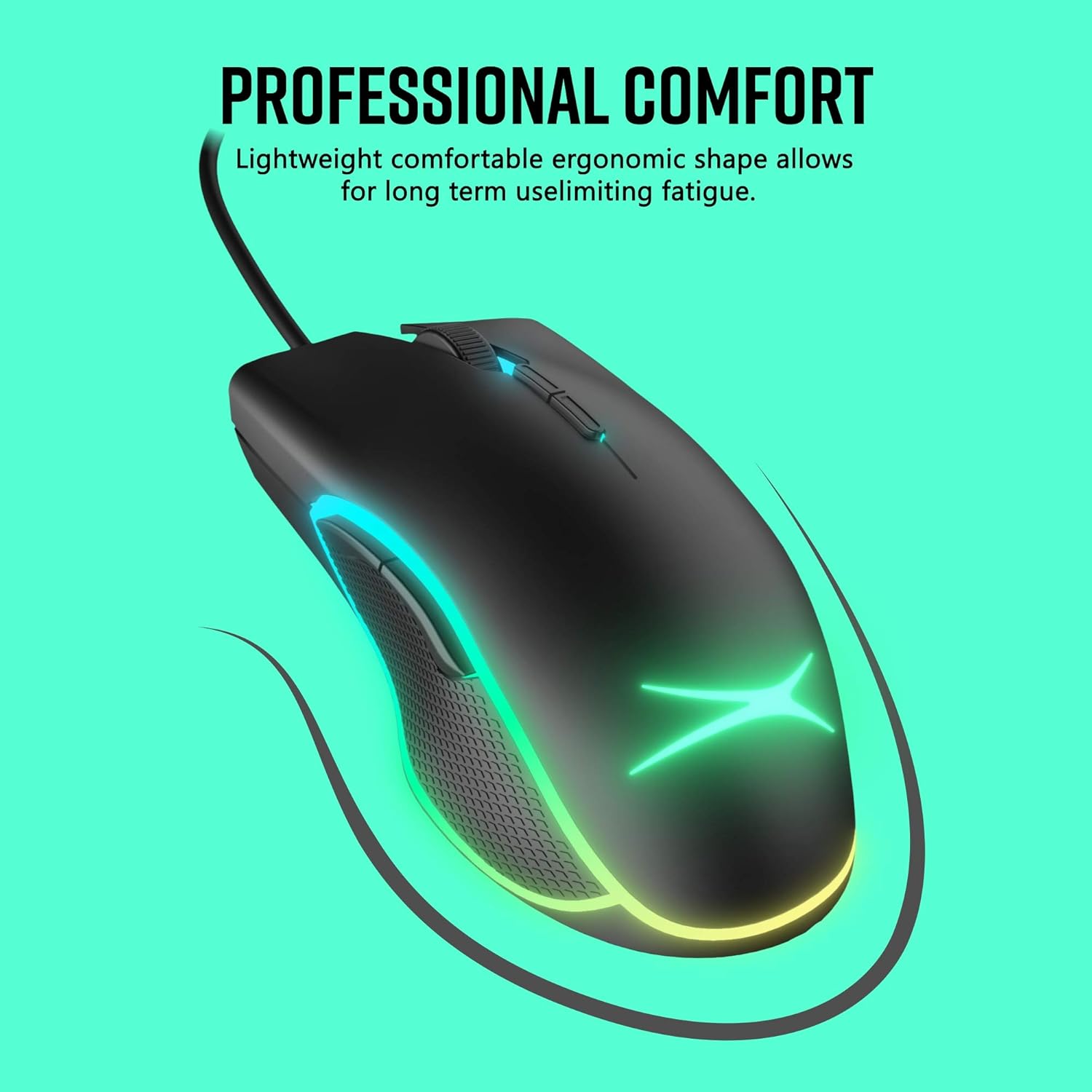
Obrázek: Boční view of the mouse highlighting its ergonomic shape for comfortable grip.

Image: Illustration of the mouse's durability, indicating 5,000,000 keystroke tests and 7 buttons with a 5 million click lifespan.
Kompatibilita
The Altec Lansing GM300 Gaming Mouse offers wide compatibility with various operating systems, including Windows XP, 7, 8, and 10, as well as Linux and Mac.

Image: The mouse displayed with icons representing its compatibility across Windows, Linux, and Mac operating systems.
Údržba
Čištění
- To clean the mouse, gently wipe its surface with a soft, dry cloth.
- Pro odolnou špínu lehceampnavlhčete hadřík vodou nebo jemným neabrazivním čisticím prostředkem.
- Nepoužívejte agresivní chemikálie nebo abrazivní materiály, protože by mohly poškodit povrch myši.
- Zajistěte, aby se do vnitřních součástí myši nedostala žádná tekutina.
Správa kabelu
The included cord organizer can be used to manage the mouse cable, preventing tangles and increasing the durability of the cable. Simply wrap excess cable around the organizer and secure it.
Odstraňování problémů
Myš nereaguje
- Zkontrolujte připojení USB: Ujistěte se, že je kabel USB bezpečně zapojený do funkčního portu USB v počítači. Zkuste jiný port USB.
- Restartujte počítač: Někdy může problémy s připojením vyřešit jednoduchý restart.
- Test na jiném počítači: If possible, test the mouse on another computer to determine if the issue is with the mouse or your system.
DPI se nemění
- Press DPI Buttons Firmly: Ensure you are pressing the DPI buttons firmly.
- Kontrola softwarových konfliktů: If you have other mouse software installed, it might be interfering. Try disabling or uninstalling it temporarily.
RGB světla nefungují
- Zkontrolujte napájení z USB: Ensure the USB port is providing sufficient power. Try a different port.
- Restart Mouse: Unplug the mouse and plug it back in.
Specifikace
| Funkce | Detail |
|---|---|
| Název modelu | Gaming Mouse Wired RGB (GM300) |
| Číslo dílu | AMZ-ALM02 |
| Konektivita | Kabelové (USB) |
| Nastavení DPI | 1200/2400/4800/7200 |
| Tlačítka | 7 (with 5 million click lifespan) |
| Osvětlení | RGB LED |
| Orientace rukou | Obouruký |
| Materiál | Plast |
| Hmotnost položky | 8.8 gramů |
| Rozměry položky (DxŠxV) | 1 x 6 x 8 palce |
Oficiální video produktu
Video: Oficiální video s produktemasing the Altec Lansing Gaming Mouse, highlighting its features and design.
Záruka a podpora
Informace o záruce
Tento produkt je dodáván s a 1 roky záruka výrobceUschovejte si prosím doklad o koupi pro případ reklamace.
Zákaznická podpora
For further assistance, technical support, or warranty inquiries, please visit the official Premier Accessory Group website or contact their customer service department. Refer to the product packaging or manufacturer's webstránky s nejaktuálnějšími kontaktními informacemi.


