Zavedení
This manual provides comprehensive instructions for the installation, operation, and maintenance of your Ring Video Doorbell Wired. Please read this manual thoroughly before installation and use to ensure proper functionality and safety.
Co je zahrnuto
Your Ring Video Doorbell Wired package includes the following items:
- Drátová jednotka videozvonku Ring
- Instalační nástroje a šrouby
- Uživatelská příručka (tento dokument)
- Průvodce rychlým startem
- Bezpečnostní nálepky
Nastavení a instalace
The average installation time for the Ring Video Doorbell Wired is approximately 15 minutes. This device requires hardwiring to an existing doorbell system, a Ring plug-in adapter, or a compatible transformer.
Požadavky:
- Standard doorbell system, Ring plug-in adapter, or transformer with 10-24 VAC, 40VA max, 50/60Hz or 24VDC, 0.5A, 12W.
- Vysokorychlostní připojení k internetu.
- Wi-Fi připojení 802.11 b/g/n na frekvenci 2.4 GHz.
Kroky instalace:
- Vypnout napájení: Než začnete, ujistěte se, že je napájení vašeho stávajícího systému zvonku vypnuto jističem.
- Demontáž stávajícího zvonku: Disconnect and remove your old doorbell button.
- Connect Ring Doorbell: Connect the wires from your existing doorbell system to the terminals on the back of the Ring Video Doorbell Wired. Ensure a secure connection.
- Namontujte zvonek: Secure the Ring Video Doorbell Wired to your wall using the provided screws and tools.
- Obnovení napájení: Znovu zapněte napájení na jističi.
- Nastavení v aplikaci: Download the Ring app on your smartphone or tablet and follow the on-screen instructions to connect your doorbell to your Wi-Fi network and complete the setup process.

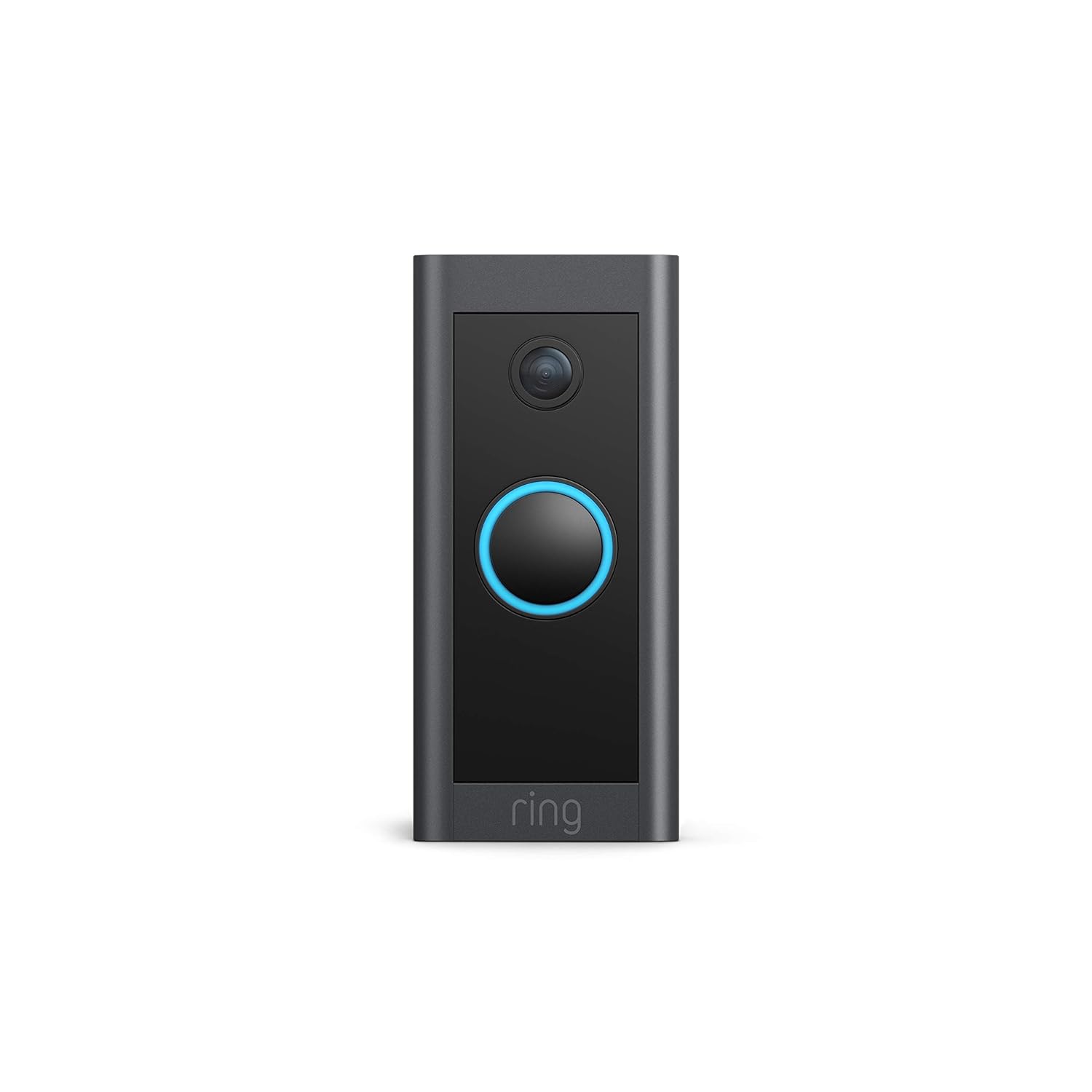
Návod k obsluze
The Ring Video Doorbell Wired offers various features to enhance your home security and communication.
Klíčové vlastnosti:
- 1080p HD video: Provides clear, high-definition video with Live View and Night Vision for monitoring your front door.
- Obousměrný rozhovor: Communicate with visitors at your door from anywhere using the Ring app. Features noise cancellation for clear audio.
- Pokročilá detekce pohybu: Customizable motion zones allow you to receive alerts when motion is detected in specific areas.
- Upozornění v reálném čase: Get instant notifications on your phone when someone rings the doorbell or motion is detected.
- Noční vidění: Zajišťuje jasnou viditelnost i za zhoršených světelných podmínek.
- Integrace Alexa: Connects with Alexa-enabled devices to hear alerts or view a live feed on screens.


Používání aplikace Ring:
The Ring app is essential for managing your Video Doorbell. Through the app, you can:
- View živý video přenos.
- Engage in two-way talk with visitors.
- Customize motion detection settings and zones.
- Access recorded videos (with a Ring Protect subscription).
- Manage device settings and privacy options.
Údržba
Pro zajištění optimálního výkonu a dlouhé životnosti vašeho kabelového videozvonku Ring zvažte následující tipy pro údržbu:
- Čištění: Pravidelně otírejte objektiv kamery a vnější část zvonku měkkým hadříkem.amp hadříkem k odstranění prachu a nečistot. Nepoužívejte abrazivní čisticí prostředky.
- Aktualizace softwaru: Ensure your Ring app and doorbell firmware are always up to date. Updates often include performance improvements and security enhancements.
- Connectivity Check: Regularly check your Wi-Fi signal strength in the Ring app to ensure a stable connection.
- Podmínky prostředí: The doorbell is weather-resistant, designed to operate between -20°C to 50°C (-5°F to 120°F). Ensure it is not exposed to conditions outside this range.
Odstraňování problémů
If you encounter issues with your Ring Video Doorbell Wired, try the following troubleshooting steps:
- Žádné napájení/nezapnutí:
- Ověřte, zda je jistič připojen k vašemu zvonkovému systému.
- Zkontrolujte připojení kabelů, abyste se ujistili, že jsou bezpečná.
- Ověřte, zda váš zdroj napájení splňuje požadované specifikace (10–24 V AC, max. 40 VA, 50/60 Hz nebo 24 V DC, 0.5 A, 12 W).
- Poor Video Quality/Offline:
- Check your Wi-Fi connection and signal strength in the Ring app.
- Ensure your internet service is active and stable.
- Restartujte Wi-Fi router.
- Vyčistěte čočku fotoaparátu.
- Problémy s detekcí pohybu:
- Adjust motion sensitivity and customize motion zones in the Ring app.
- Ujistěte se, že v pohybu senzoru nejsou žádné překážky. view.
- Two-Way Talk Problems:
- Check your device's microphone and speaker settings in the Ring app.
- Ujistěte se, že máte na smartphonu nastavenou hlasitost.
- Verify a stable internet connection.
For further assistance, refer to the support section or contact Ring customer service.
Specifikace
| Funkce | Detail |
|---|---|
| Průměrná doba instalace | ~15 minut |
| Video | 1080p HD video, živě View, Noční vidění |
| Pole View | 155 ° vodorovně, 90 ° svisle |
| Detekce pohybu | Pokročilá detekce pohybu s přizpůsobitelnými zónami pohybu |
| Zvuk | Obousměrný zvuk s potlačením hluku |
| Moc | Pevné připojení (10–24 V AC, max. 40 VA, 50/60 Hz nebo 24 V DC, 0.5 A, 12 W) |
| Požadavky na internet | Vysokorychlostní internet |
| Konektivita | Wi-Fi připojení 802.11 b/g/n @ 2.4 GHz |
| Provozní podmínky | -20°C to 50°C (-5°F to 120°F), weather resistant |
| Dostupné barvy | Černý |
| Rozměry | 101 mm x 45.7 mm x 22.4 mm (3.98 palce x 1.81 palce x 0.88 palce) |
| Generace | Drátový videozvonek Ring 1. generace – vydání 2021 |
Záruka a podpora
Záruka: The Ring Video Doorbell Wired comes with a 1-year limited warranty. Use of the Ring Video Doorbell is subject to the terms found on the official Ring webmísto.
Podpora: For more information and assistance, please visit the official Ring Video Doorbell Wired support page. You can typically find this by searching for "Ring Video Doorbell Wired support" on the Ring website or your preferred search engine.


