1. Přesview
The GOBOULT ProBass Thunder headphones are designed to deliver a powerful and immersive audio experience. Featuring advanced Bluetooth 5.0 connectivity, these over-ear headphones provide deep bass, clear audio, and comfortable wear for extended periods. They are equipped with a built-in microphone for calls and support voice assistant commands, making them versatile for various activities.
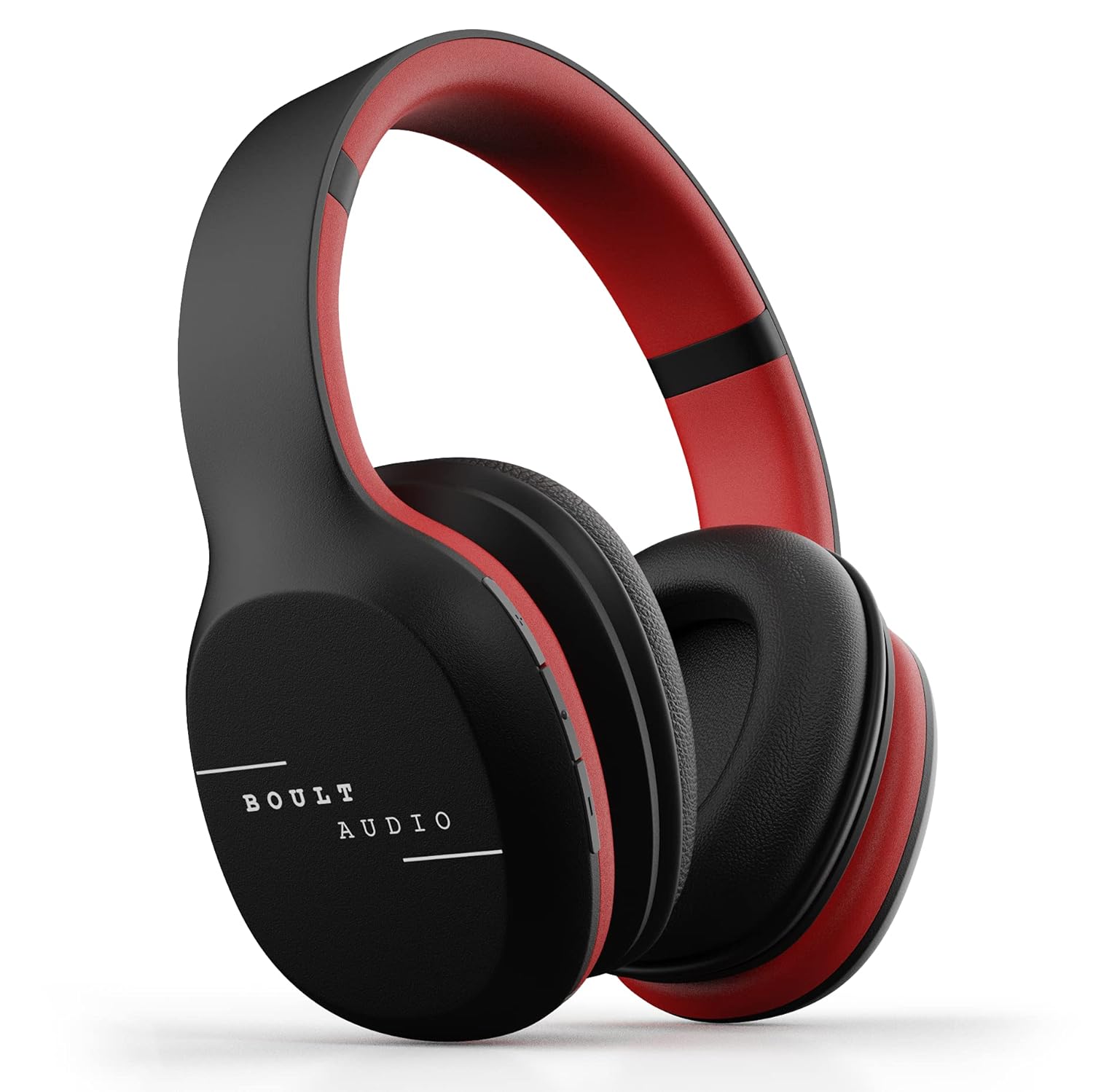
Image: GOBOULT ProBass Thunder Over-Ear Wireless Bluetooth Headphones.
2. Co je v krabici
Your GOBOULT ProBass Thunder package includes the following items:
- GOBOULT ProBass Thunder Over-Ear Wireless Bluetooth Headphones
- Micro-USB nabíjecí kabel
- 3.5mm Auxiliary (AUX) Cable
- Návod k použití
Video: An unboxing video demonstrating the contents of the Boult Audio ProBass Thunder headphone package, including the headphones, cables, and user manual.
3. Nastavení
3.1 Nabíjení sluchátek
Before initial use, fully charge your headphones. Use the provided Micro-USB charging cable.
- Connect the Micro-USB end of the charging cable to the charging port on the headphone (typically on the right earcup).
- Připojte konec kabelu USB-A ke kompatibilnímu zdroji napájení USB (např. portu USB počítače, síťovému adaptéru).
- The LED indicator on the headphone will illuminate during charging and change color or turn off when fully charged.
Note: The charging cable is approximately 40-45cm long.
3.2 Párování Bluetooth
Bezdrátové připojení sluchátek:
- Ujistěte se, že jsou sluchátka nabitá a vypnutá.
- Press and hold the power button on the headphone until the LED indicator flashes blue and red, indicating pairing mode.
- Na smartphonu nebo audio zařízení povolte Bluetooth a vyhledejte dostupná zařízení.
- Select "Boult Audio ProBass Thunder" from the list.
- Po připojení bude LED indikátor obvykle svítit nepřerušovaně modře nebo pomalu modře blikat.
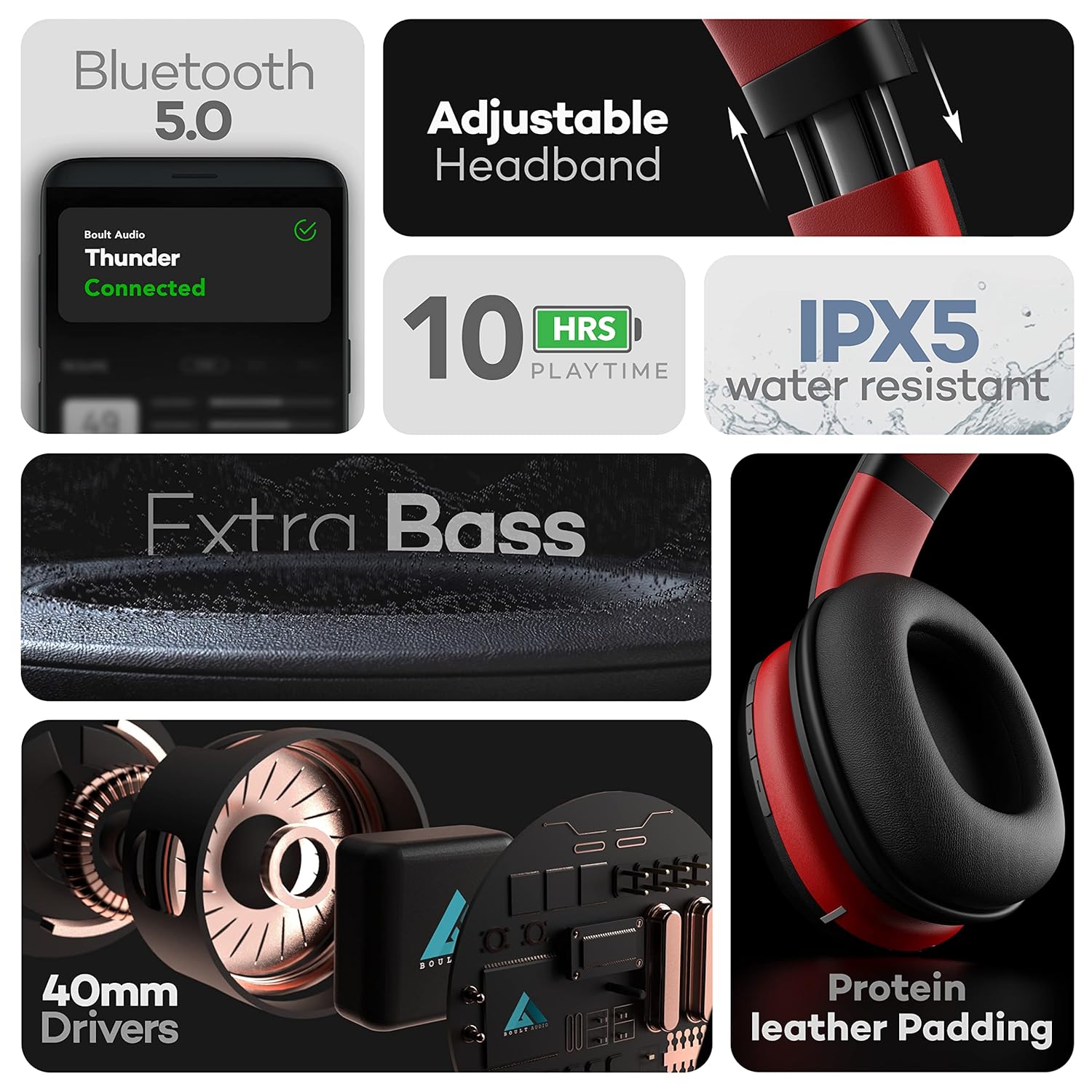
Image: Features of the headphones, including Bluetooth 5.0 connectivity.
Video: A tutorial video demonstrating how to connect the Boult Audio ProBass Thunder S07 headphones via Bluetooth to a mobile device.
3.3 Kabelové připojení (režim AUX)
For a wired connection, use the provided 3.5mm auxiliary cable.
- Plug one end of the 3.5mm AUX cable into the AUX port on the headphone.
- Druhý konec zapojte do 3.5mm audio konektoru na vašem audio zařízení.
- Sluchátka se automaticky přepnou do kabelového režimu.

Image: Headphones showing dual mode connectivity with Bluetooth and Aux-in cable.
4. Ovládání sluchátek
4.1 Zapnutí/vypnutí
- Zapnutí: Press and hold the multi-function button (usually the center button on the right earcup) for a few seconds until the LED indicator lights up.
- Vypnout: Press and hold the multi-function button for a few seconds until the LED indicator turns off.
4.2 Ovládání zvuku
The inline controls on the right earcup allow you to manage your audio playback and calls:
- Přehrát/pozastavit: Krátce stiskněte multifunkční tlačítko.
- Zvýšit hlasitost: Krátce stiskněte tlačítko „+“.
- Snížit hlasitost: Krátce stiskněte tlačítko '-'.
- Další skladba: Dlouze stiskněte tlačítko „+“.
- Předchozí skladba: Dlouze stiskněte tlačítko '-'.
4.3 Správa hovorů
- Přijmout/ukončit hovor: Krátce stiskněte multifunkční tlačítko.
- Odmítnout hovor: Dlouze stiskněte multifunkční tlačítko.
4.4 Hlasový asistent
Activate your device's voice assistant (Siri, Google Assistant) directly from the headphones:
- Aktivovat Voice Assistant: Stiskněte tlačítko napájení na 2 sekundy.

Image: Voice Assistant activation and inline controls on the headphones.
5. Údržba
5.1 Čištění
- Sluchátka otřete měkkým, suchým hadříkem.
- Vyhněte se používání agresivních chemikálií, čisticích rozpouštědel nebo silných čisticích prostředků.
- Neponořujte sluchátka do vody.
5.2 Voděodolnost
The headphones are IPX5 water-resistant, meaning they can withstand splashes and sweat. This makes them suitable for workouts or light rain. However, they are not designed for swimming or submersion in water.
5.3 Skladování
When not in use, store the headphones in a cool, dry place away from direct sunlight and extreme temperatures. Avoid placing heavy objects on them.
6. Řešení problémů
If you encounter any issues with your GOBOULT ProBass Thunder headphones, refer to the following common solutions:
- Bez napájení: Ujistěte se, že jsou sluchátka plně nabitá. Připojte je ke zdroji napájení pomocí kabelu micro-USB.
- Nelze spárovat přes Bluetooth:
- Make sure the headphones are in pairing mode (LED flashing blue/red).
- Ensure Bluetooth is enabled on your device and it is within the 20m transmission range.
- Zapomeňte na předchozí párování v zařízení a zkuste to znovu.
- Restartujte sluchátka i zařízení.
- No Sound (Bluetooth):
- Zkontrolujte úroveň hlasitosti na sluchátkách i na připojeném zařízení.
- Ensure the headphones are correctly selected as the audio output device on your phone/computer.
- No Sound (Wired AUX):
- Ensure the 3.5mm AUX cable is fully inserted into both the headphone and the audio device.
- Check the AUX cable for any visible damage. Try a different cable if available.
- Špatná kvalita zvuku:
- Přesuňte se blíže k zařízení Bluetooth, abyste předešli rušení.
- Ensure the audio source (music file, streamovací služba) je vysoké kvality.
7. Specifikace
| Název modelu | ProBass Thunder |
| Technologie připojení | Bezdrátové (Bluetooth 5.0), Kabelové (3.5mm AUX) |
| Typ zvukového ovladače | 40mm dynamický ovladač |
| Životnost baterie | 10 Hours Playtime, 48 Hours Standby |
| Úroveň odolnosti proti vodě | IPX5 Voděodolný |
| Typ ovládání | Voice Control, Inline Buttons |
| Hmotnost položky | 200 gramů |
| Rozměry produktu | 16 x 19 x 6.5 cm |
| Kompatibilní zařízení | Android, iOS, Windows |
Video: Oficiální video s produktemasing the key features, design, battery life, and device compatibility of the Boult Audio ProBass Thunder headphones.
8. Záruka a podpora
8.1 Záruka výrobce
The GOBOULT ProBass Thunder headphones come with a 1-letá záruka výrobceUschovejte si prosím doklad o koupi pro případ reklamace.
8.2 Zákaznická podpora
For any support, service, or warranty-related queries, please refer to the contact information provided in the included user manual or visit the official GOBOULT website. You may also find additional support on the product's Amazon detail page.
Manufacturer: Exotic Mile
Importer: Exotic Mile Private Limited, B-67 Wazirpur Industrial Area, Delhi - 110052.
Packer: 9555602502, Exotic Mile Private Limited, B-67 Wazirpur Industrial Area, Delhi - 110052.


