Zavedení
Thank you for choosing the 360 S9 Robot Vacuum and Mop. This intelligent cleaning device is designed to provide efficient and thorough cleaning of your home with advanced navigation and dual cleaning capabilities. Please read this manual carefully before using the product to ensure proper operation and maintenance.

The 360 S9 Robot Vacuum and Mop, showcasing its sleek design and the accompanying mobile application for control.
Bezpečnostní informace
Abyste snížili riziko zranění nebo poškození, pečlivě si přečtěte tyto bezpečnostní pokyny a uschovejte si je pro budoucí použití.
- Tento spotřebič mohou používat děti ve věku 8 let a starší a osoby se sníženými fyzickými, smyslovými nebo duševními schopnostmi nebo nedostatkem zkušeností a znalostí, pokud jsou pod dohledem nebo jsou poučeny o používání spotřebiče bezpečným způsobem a chápou související nebezpečí. .
- Děti si se spotřebičem nesmějí hrát. Čištění a uživatelskou údržbu nesmějí provádět děti bez dozoru.
- Používejte pouze originální napájecí adaptér dodaný výrobcem.
- Nepoužívejte robota v prostředí s otevřeným ohněm nebo křehkými předměty.
- Před prvním použitím se ujistěte, že je robot plně nabitý.
- Do not expose the robot to direct sunlight or extreme temperatures.
- Udržujte vlasy, volné oblečení, prsty a všechny části těla v dostatečné vzdálenosti od otvorů a pohyblivých částí.
Obsah balení
Please check if all components are included in the package:
- 360 S9 Robot Vacuum and Mop
- Nabíjecí dok
- Napájecí adaptér
- Nádrž na vodu
- Mop hadřík
- Boční kartáče (2x)
- Nástroj na čištění
- Uživatelská příručka
Konec produktuview
Familiarize yourself with the different parts of your 360 S9 Robot Vacuum and Mop.
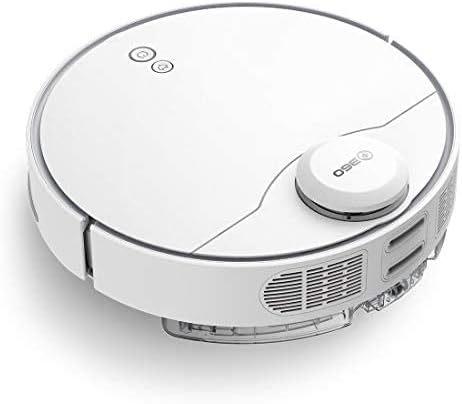
Strana view of the 360 S9, highlighting the dustbin and side brush assembly.

Detailní strana view of the 360 S9, illustrating its wheels and various sensors.
Nahoru View
- LDS Laser Navigation Sensor: For precise mapping and navigation.
- Power/Clean Button: Start/pause cleaning.
- Recharge Button: Send robot back to charging dock.
- Dustbin Compartment: Houses the dustbin and water tank.
Dno View
- Side Brush: Sweeps debris into the main brush path.
- Main Brush: Collects dust and debris.
- Driving Wheels: For movement across various surfaces.
- Cliff Sensors: Prevents the robot from falling down stairs.
- Charging Contacts: For connecting with the charging dock.
Nastavení
1. Umístění nabíjecí stanice
Place the charging dock against a wall on a hard, level surface. Ensure there is at least 0.5 meters (1.6 feet) of clear space on both sides and 1.5 meters (4.9 feet) in front of the dock. Connect the power adapter to the dock and plug it into a wall outlet. Ensure the indicator light on the dock is on.
2. Počáteční nabíjení
Place the robot onto the charging dock, ensuring the charging contacts align. The robot will automatically begin charging. For first-time use, fully charge the robot before operation. A full charge takes approximately 4-5 hours.
3. Instalace a připojení aplikace
Download the "360 Robot" app from the App Store (iOS) or Google Play Store (Android). Follow the in-app instructions to connect your robot to your home Wi-Fi network. This will enable advanced features like map management, scheduled cleaning, and remote control.

The 360 Robot app interface, demonstrating various cleaning modes and compatibility with Amazon Alexa and Google Assistant.
Návod k obsluze
Režimy čištění
The 360 S9 offers multiple cleaning modes to suit your needs:
- Automatické čištění: The robot intelligently plans its cleaning route using LDS Lidar and SLAM algorithm to cover the entire area. Press the Power/Clean button on the robot or select "Auto Cleaning" in the app.
- Čištění hran: The robot cleans along the edges of your rooms. Select "Edge Cleaning" in the app.
- Bodové čištění: The robot performs an intensive clean in a specific area. Place the robot in the desired area and select "Spot Cleaning" in the app.
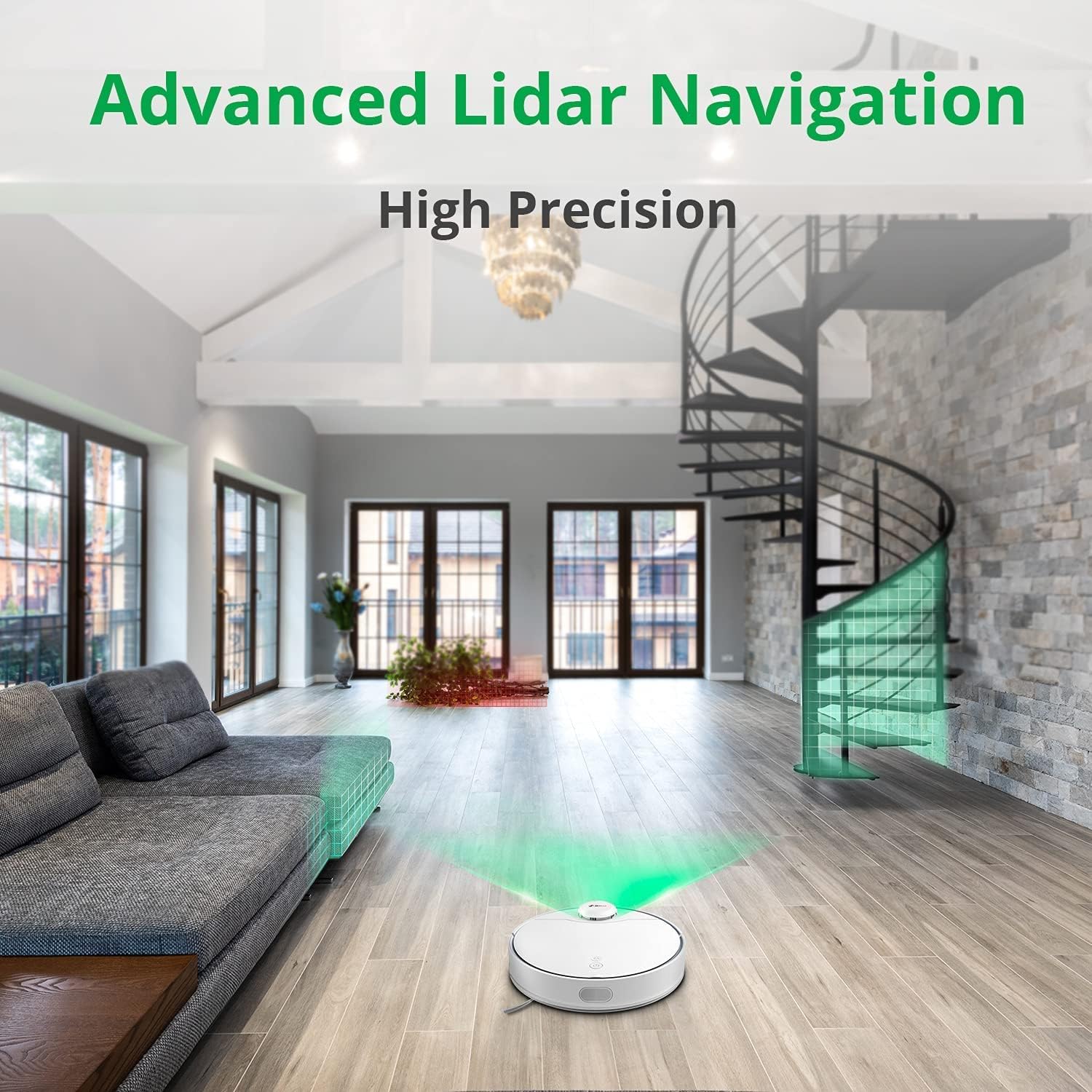
The 360 S9 utilizing its advanced Lidar navigation system for high-precision mapping and cleaning.
Vysávání a vytírání
The S9 can vacuum and mop simultaneously. To use the mopping function:
- Fill the water tank with clean water. Do not use detergents or corrosive liquids.
- Bezpečně připevněte mopovací hadřík k nádržce na vodu.
- Insert the filled water tank into the robot's designated slot. The robot will automatically detect the water tank and switch to sweep+mop mode.

Visual representation of the 360 S9's 2-in-1 vacuuming and mopping function, showing the dustbin (0.42L) and water tank (0.2L) capacities.
The robot features a powerful 2650Pa suction with carpet boost, automatically increasing suction on carpets for deeper cleaning.

The 360 S9 showcasing its 2650Pa powerful suction with automatic carpet boost, effectively cleaning a rug.
No-Go Zones and Virtual Walls
Using the 360 Robot app, you can set up virtual walls or no-go zones to restrict the robot from entering certain areas. This is useful for protecting fragile items or preventing the robot from entering bathrooms while mopping.
Hlasové ovládání
The 360 S9 is compatible with Amazon Alexa and Google Assistant. Link your robot vacuum to your smart home system through the 360 Robot app to control it with voice commands, such as "Alexa, tell 360 Robot to start cleaning" or "Hey Google, ask 360 Robot to go home."
Údržba
Pravidelná údržba zajišťuje optimální výkon a prodlužuje životnost vašeho robotického vysavače.
1. Vyprázdnění popelnice
It is recommended to empty the dustbin after each cleaning cycle. Open the top cover of the robot, remove the dustbin, open its lid, and discard the collected debris. The dustbin capacity is 0.42 Liters.
2. Doplnění nádrže na vodu
For mopping, ensure the water tank is filled with clean water. The water tank capacity is 0.2 Liters. Refill as needed before each mopping session.
3. Čisticí kartáče
- Hlavní kartáč: Remove the main brush cover and lift out the main brush. Use the provided cleaning tool to remove hair and debris tangled around the brush. Clean regularly, especially if pet hair is present.
- Boční kartáče: Check side brushes for tangled hair or debris. If damaged or worn, replace them.
4. Čištění filtrů
The filter inside the dustbin should be cleaned regularly. Tap the filter against a trash can to remove dust. For a more thorough clean, the filter can be rinsed with water, but ensure it is completely dry before reinserting it into the dustbin and robot.
5. Čištění senzorů
Wipe the cliff sensors (on the bottom of the robot), charging contacts (on the robot and dock), and the LDS laser sensor window (on top of the robot) with a clean, dry cloth. This prevents navigation errors and ensures proper charging.
Odstraňování problémů
| Problém | Možná příčina | Řešení |
|---|---|---|
| Robot se nezapne. | Slabá baterie; Vypnuto. | Nabijte robota; Ujistěte se, že je vypínač zapnutý. |
| Robot nemůže najít nabíjecí dok. | Dock is blocked or out of range. | Ensure clear space around dock; Manually place robot on dock. |
| Sací výkon je slabý. | Plná nádoba na prach; ucpaný filtr; zamotaný hlavní kartáč. | Vyprázdněte nádobu na prach; Vyčistěte/vyměňte filtr; Vyčistěte hlavní kartáč. |
| Robot se často zasekává. | Obstacles; Cliff sensors dirty. | Odstraňte překážky; Vyčistěte senzory pro případ srázu. |
| Funkce mopování nefunguje. | Nádrž na vodu je prázdná; Mop není připevněn. | Naplňte nádržku na vodu; správně připevněte mopovací hadřík. |
Specifikace
| Značka | 360 |
| Název modelu | S9 |
| Číslo modelu | 360-S9-WHITE |
| Navigace | LDS Laser, SLAM Algorithm |
| Kapacita baterie | 5200 XNUMX mAh |
| Maximální sací výkon | 2650 Pa |
| Doba běhu | Až 180 minut |
| Kapacita popelnice | 0.42 litrů |
| Kapacita vodní nádrže | 0.2 litrů |
| Úroveň hluku | 53 dB |
| Wi-Fi připojeno | Ano |
| Kontrolní metoda | Aplikace, dálkové ovládání |
| Kompatibilní zařízení | Amazon Echo (Alexa), Asistent Google |
| Rozměry produktu | 13.78 cm D x 13.78 cm Š x 3.94 cm V |
| Hmotnost položky | 8.47 libry |
Záruka a podpora
For warranty information and technical support, please refer to the official 360 webnebo se obraťte na jejich zákaznický servis. Uschovejte si účtenku jako doklad o koupi pro případ reklamace.
Pro další pomoc můžete navštívit stránka produktu na Amazonu or contact 360 Smart Network customer support.


