1. Úvod
Děkuji za nákupasing the HOMPOW Mini Projector. This projector is designed to provide a high-quality viewing experience with its 1080P Full HD support and 6500 lumens brightness. It includes a 100-inch projection screen for immediate use. This manual will guide you through the setup, operation, and maintenance of your new projector.
Obsah balení
- HOMPOW Mini Projector
- 100-inch Projection Screen
- Dálkové ovládání
- HDMI kabel
- Napájecí adaptér
- Uživatelská příručka
2. Bezpečnostní pokyny
Před použitím projektoru si pečlivě přečtěte všechny bezpečnostní pokyny. Nedodržení těchto pokynů může vést k požáru, úrazu elektrickým proudem nebo jiným zraněním.
- Nedívejte se přímo do objektivu projektoru, když je zapnutýamp svítí. Jasné světlo může způsobit poškození očí.
- Neblokujte větrací otvory. Správné proudění vzduchu je nezbytné k zabránění přehřátí.
- Keep the projector away from water or other liquids. Do not operate in wet environments.
- Umístěte projektor na stabilní, rovný povrch, aby nedošlo k jeho pádu.
- Používejte pouze napájecí adaptér dodaný s projektorem.
- Během bouřek nebo pokud projektor delší dobu nepoužíváte, odpojte jej ze zásuvky.
- Nepokoušejte se projektor opravovat sami. Veškerý servis svěřte kvalifikovanému personálu.
3. Konec produktuview
Součásti projektoru
Familiarize yourself with the main parts of your HOMPOW Mini Projector.


Vstupní/Výstupní porty
- Port HDMI: Connect to devices like laptops, gaming consoles (PS3/PS4), Fire TV Stick, and TV boxes.
- USB port: Connect USB drives for media playback or power for streaming devices.
- Slot pro SD kartu: Insert SD cards for direct media playback.
- AV port: Připojte se ke starším zařízením pomocí AV kabelu.
- VGA port: Připojení k počítačům s VGA výstupem.
- Audio výstup (3.5mm jack): Připojte externí reproduktory nebo sluchátka.
- DC vstup: Vstupní napájení projektoru.
4. Nastavení
Počáteční umístění
Place the projector on a stable surface. For optimal viewing, ensure the projector is positioned directly in front of the projection surface (wall or screen). The recommended projection distance is approximately 3 meters for a clear image.
Připojení napájení
- Připojte napájecí adaptér k portu DC In na projektoru.
- Zapojte napájecí adaptér do elektrické zásuvky.
- Stisknutím tlačítka napájení na projektoru nebo dálkovém ovladači jej zapněte.
Připojovací zařízení
The projector supports various input sources. Below are common connection methods:
HDMI Connection (e.g., Fire TV Stick, Laptop, Gaming Console)
- Connect the HDMI output cable from your device (e.g., Fire TV Stick) to the HDMI input port on the projector.
- If using a streaming stick like Fire TV Stick, connect its USB power cable to the projector's USB port for power.
- On the projector's main menu, select the "HDMI" input source.
Smartphone/Tablet Connection
To connect a smartphone or tablet, an HDMI conversion adapter (not included) is required. Connect your device to the adapter, then connect the adapter to the projector's HDMI port.

USB Drive/SD Card Playback
Insert a USB drive into the USB port or an SD card into the SD card slot. Select the corresponding input source from the main menu to browse and play media files.
5. Návod k obsluze
Nastavení zaostření
Rotate the focus ring on the projector lens until the image appears clear and sharp on the screen.
Korekce lichoběžníkového zkreslení
The projector features a ±15-degree keystone correction function. Adjust the keystone dial to correct distorted images (trapezoidal shape) if the projector is not perfectly perpendicular to the screen.
Výběr zdroje
Use the remote control or the buttons on the projector to navigate the main menu and select your desired input source (HDMI, USB, SD, AV, VGA).
Zvukový výstup
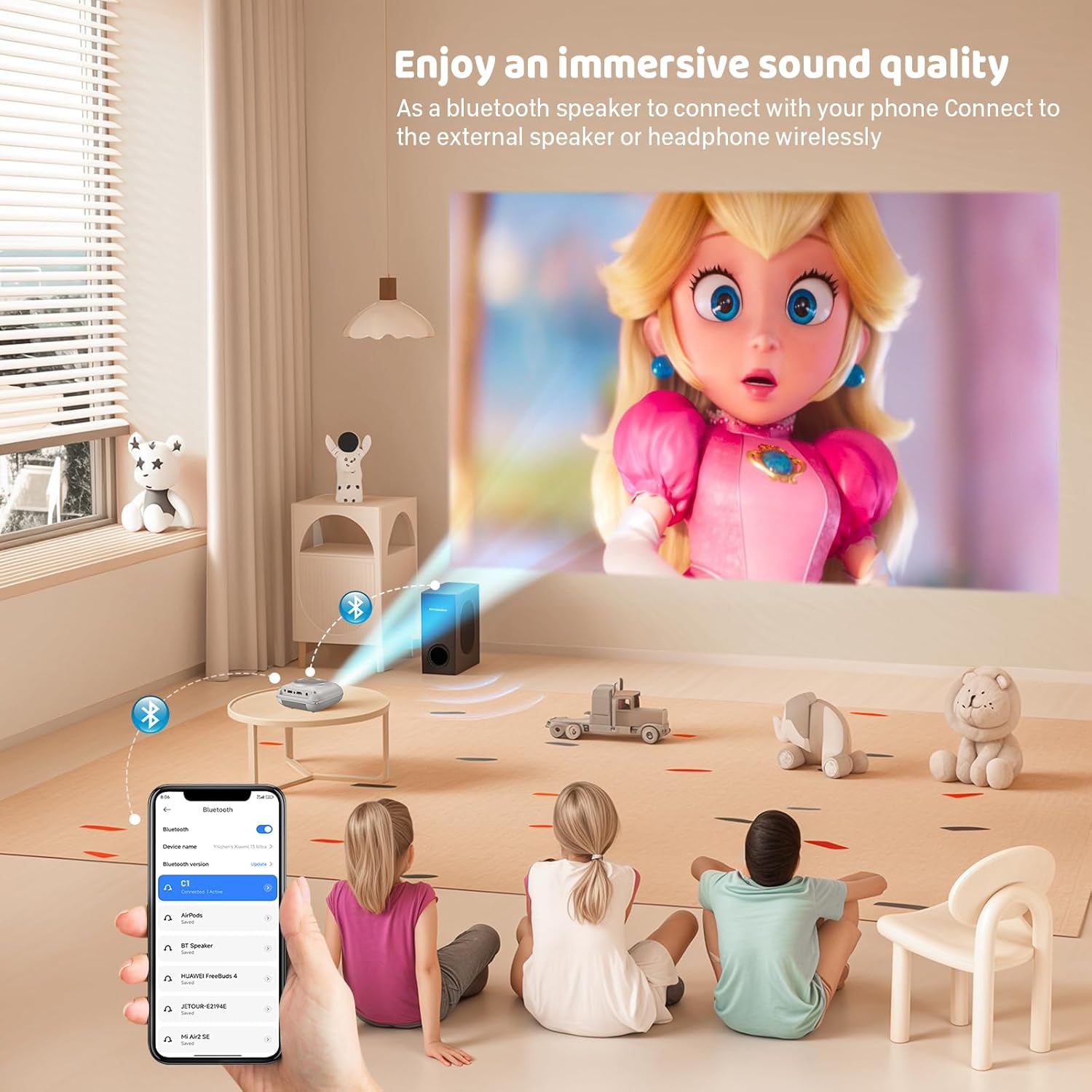
The projector has two built-in speakers for immersive sound. For a different audio experience, you can connect external speakers or headphones via the 3.5mm audio jack.
Zrcadlení obrazovky
The projector supports screen mirroring for compatible devices. Refer to the on-screen instructions or the projector's menu for specific steps to enable screen mirroring from your smartphone or tablet.
6. Údržba
Čištění objektivu
K jemnému otření čočky projektoru použijte měkký hadřík bez žmolků, speciálně určený pro optické čočky. Nepoužívejte abrazivní čisticí prostředky ani hadříky, které by mohly čočku poškrábat.
Cleaning the Projector Body
Vnější povrch projektoru otřete měkkým, suchým hadříkem. Nepoužívejte tekuté čisticí prostředky ani rozpouštědla.
Větrání
Ensure the ventilation openings are clear of dust and debris. The projector features a dual-fan cooling system to maintain optimal operating temperature and extend lamp life. Do not obstruct these vents.
Lamp Život
LED lamp in your HOMPOW projector has a lifespan of approximately 60,000 hours, providing long-term use without frequent lamp nahrazení.
7. Řešení problémů
| Problém | Možná příčina | Řešení |
|---|---|---|
| Žádný obraz nebo rozmazaný obraz | Focus not adjusted; incorrect input source; cable not connected properly. | Adjust the focus ring; select the correct input source; check all cable connections. |
| Žádný zvuk | Volume too low; audio cable not connected; device audio settings. | Increase projector volume; ensure audio cables are connected; check audio output settings on the connected device. |
| Obrázek je lichoběžníkový | Projektor není kolmý k promítací ploše. | Adjust the keystone correction dial or reposition the projector. |
| Dálkové ovládání nefunguje | Batteries low or dead; obstruction between remote and projector. | Vyměňte baterie; zajistěte nerušený výhled na infračervený přijímač projektoru. |
| Projektor se přehřívá | Ventilation ports blocked. | Ensure all ventilation ports are clear and unobstructed. |
8. Specifikace
- Technologie displeje: LCD
- Nativní rozlišení: 1280 x 720 pixelů
- Podporované rozlišení: Až 1080P Full HD
- Jas: 6500 XNUMX lumenů
- Kontrastní poměr: 3000:1
- Lamp Život: 60,000 hodin
- Velikost projekce: 32-176 inches (Recommended: 100 inches)
- Projekční vzdálenost: 1m - 5.2m (Recommended: 3m)
- Korekce lichoběžníkového zkreslení: ±15 degrees manual
- Konektivita: HDMI, USB, SD, AV, VGA
- Zvuk: Built-in dual speakers, 3.5mm audio out
- Spotřeba energie: 48W
- Rozměry produktu: 19 x 15 x 8 cm
- Hmotnost produktu: 1.71 kg
9. Záruka a podpora
The HOMPOW Mini Projector comes with a manufacturer's warranty. Please refer to the warranty card included in your package for specific terms and conditions. For any product inquiries, technical support, or warranty claims, please contact HOMPOW customer service through the contact page on their official website or the platform where you purchased the product. Our customer support team aims to respond promptly during business hours.

