Zavedení
Thank you for choosing the KLIM Discman Portable CD Player. This manual provides essential information to help you set up, operate, and maintain your device. Please read it carefully to ensure proper use and to maximize your listening experience.
Co je v krabici?
Upon unboxing your KLIM Discman, please verify that all the following items are included:
- KLIM Discman CD Player
- Drátová sluchátka KLIM Fusion
- Příslušenství ke sluchátkům
- Nabíjecí kabel USB-C
- 3.5 mm audio jack cable
- Podrobná uživatelská příručka (tento dokument)
- CD player pouch for easy carrying and safety

Konec produktuview
Familiarize yourself with the main components and features of your KLIM Discman:

- Vestavěná dobíjecí baterie: Provides long hours of playtime on a single charge.
- Anti-Skip/Anti-Shock Protection: Ensures uninterrupted music playback by preloading music for up to 100 seconds.
- LCD displej: Zobrazuje číslo skladby, čas a stav přehrávání.
- Ovládací tlačítka: Intuitive buttons for playback, volume, and mode selection.
- 3.5mm AUX výstup: Pro připojení sluchátek nebo externích reproduktorů.
- Nabíjecí port USB-C: Pro pohodlné nabíjení.
Nastavení
1. Nabíjení zařízení
Before first use, fully charge the KLIM Discman. Connect the provided USB-C charging cable to the device's USB-C port and the other end to a compatible USB power adapter (not included) or a computer's USB port.
- Kontrolka nabíjení bude ukazovat stav nabíjení.
- A full charge provides extended hours of listening pleasure.
2. Vložení CD
- Locate the 'OPEN' switch on the side of the Discman.
- Slide the switch to open the CD compartment lid.
- Carefully place a CD (CD, CD-R, CD-RW, MP3, WMA format) onto the spindle, ensuring it clicks into place.
- Close the lid firmly until it latches.

3. Connecting Headphones or External Audio Devices
Plug the KLIM Fusion wired earphones or your preferred 3.5mm audio cable into the AUX output jack on the side of the Discman.
- You can connect the Discman to external speakers or a car audio system using the 3.5mm audio jack cable.
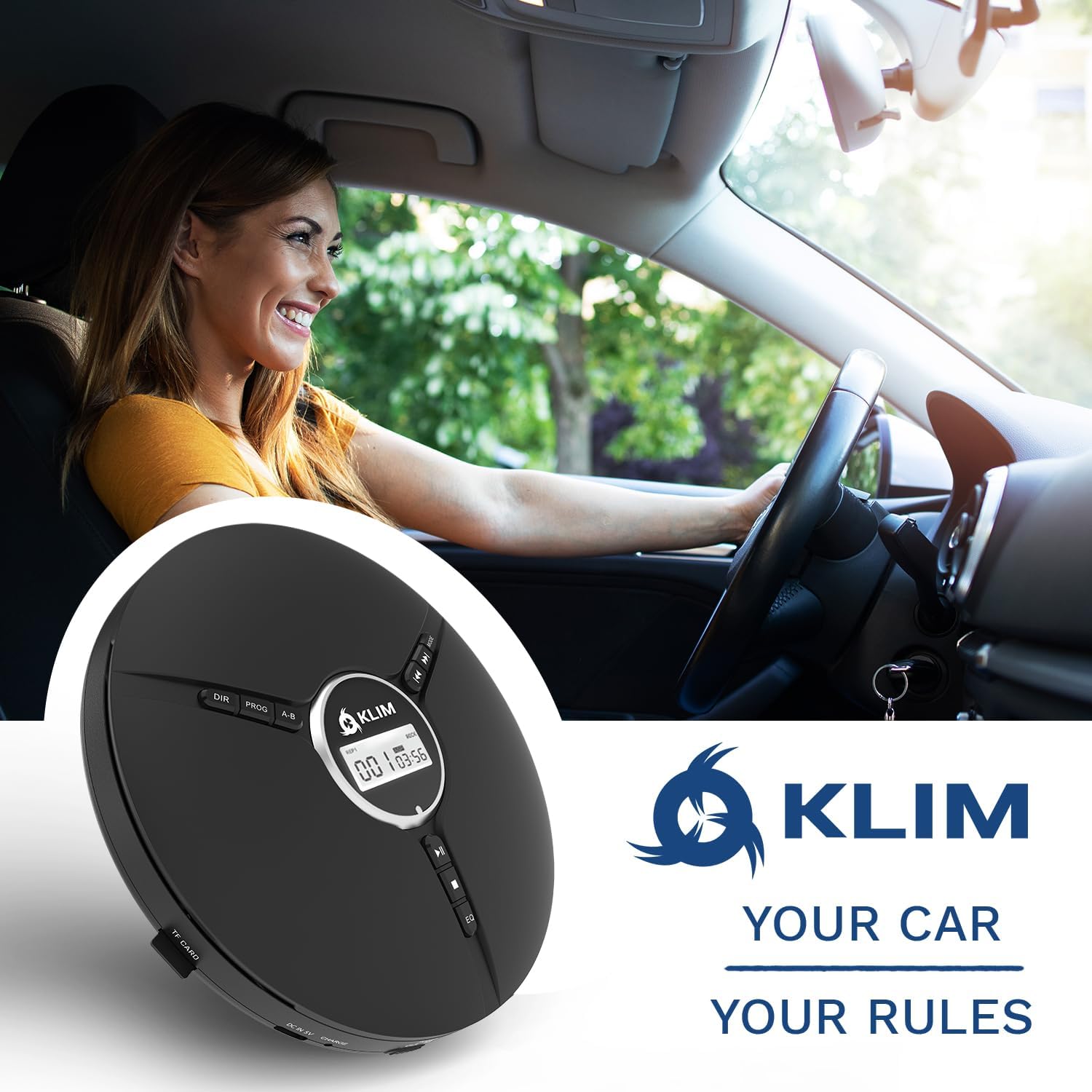
Návod k obsluze
Základní ovládání přehrávání
- Zapnutí/vypnutí: Slide the 'ON/OFF' switch to power the device on or off.
- Play/Pause (►⏸): Stisknutím spustíte nebo pozastavíte přehrávání.
- Zastavit (■): Stisknutím zastavíte přehrávání.
- Předchozí/Přetočení zpět (◀◀): Press once to go to the beginning of the current track. Press multiple times or hold to rewind.
- Další/Rychle vpřed (►►): Press once to skip to the next track. Press multiple times or hold to fast forward.
- Ovládání hlasitosti: Use the dedicated volume dial on the side of the device to adjust the audio level.
- Hold Switch: Slide the 'HOLD' switch to lock all buttons and prevent accidental presses during transport.
Pokročilé funkce
- Ekvalizační efekty: Press the 'EQ' button to cycle through different equalizer presets: BBS (Bass Boost System), POP, JAZZ, ROCK, CLASSIC.
- Režimy přehrávání: Use the 'MODE' button to select playback options such as single loop (repeat one track), shuffle (random playback), or all loop (repeat all tracks).
- Přehrávání programu: The 'PROG' button allows you to program a specific order of tracks to play. Refer to the on-screen instructions for detailed programming steps.
- Opakování AB: The 'A-B' button allows you to repeat a specific section of a track. Press once at the start point (A) and again at the end point (B) to set the loop.

Údržba
Čištění zařízení
- Wipe the exterior of the Discman with a soft, dry cloth.
- Nepoužívejte abrazivní čisticí prostředky nebo rozpouštědla.
- For the optical lens, use a specialized CD lens cleaning kit if necessary, following its instructions carefully. Avoid touching the lens directly.
Péče o baterie
- Chcete-li prodloužit životnost baterie, vyvarujte se častého úplného vybíjení.
- Zařízení pravidelně nabíjejte, i když jej delší dobu nepoužíváte.
- Zařízení skladujte na chladném a suchém místě mimo dosah extrémních teplot.
Péče o CD
- CD manipulujte za hrany, abyste zabránili otiskům prstů a poškrábání.
- CD čistěte měkkým hadříkem, který nepouští vlákna, a otírejte je od středu směrem ven.
- Store CDs in their cases to protect them from dust and damage.
Odstraňování problémů
| Problém | Možná příčina | Řešení |
|---|---|---|
| Zařízení se nezapne. | Low battery; Power switch off; Hold switch engaged. | Charge the device; Ensure 'ON/OFF' switch is 'ON'; Disengage 'HOLD' switch. |
| CD přeskakuje nebo se zastaví přehrávání. | Scratched/dirty CD; Excessive vibration; Disc not seated properly. | Clean or replace CD; Minimize movement; Ensure CD is correctly placed on spindle. |
| Žádný zvuk. | Headphones not connected; Volume too low; Faulty headphones. | Ujistěte se, že jsou sluchátka správně zasunutá; Zvyšte hlasitost; Vyzkoušejte s různými sluchátky. |
| Baterie se nenabíjí. | Vadný kabel/adaptér; problém s nabíjecím portem. | Try a different USB-C cable and power adapter; Contact support if issue persists. |
Specifikace

| Funkce | Detail |
|---|---|
| Rozměry produktu | 5.51 x 5.51 x 1.1 palce |
| Hmotnost položky | 8.8 unce (0.25 kilogramů) |
| Číslo modelu | KLIM Nomad |
| Baterie | 1 lithiová kovová baterie (součástí balení) |
| Životnost baterie | Až 14 hodin |
| Technologie připojení | Aux |
| Kompatibilní zařízení | Sluchátka, Externí reproduktory |
| Podporované formáty disků | CD, CD-R, HDCD, WMA, MP3 (via CDs and TF cards) |
| Výrobce | KLIM |
| Země původu | Čína |
Záruka a podpora
The KLIM Discman is backed by a generous 5letá záruka, guaranteeing reliable performance over time. This commitment reflects the quality and durability of the product's components.
If you encounter any issues or require assistance, please do not hesitate to contact KLIM customer support. Our team of specialists aims to answer within 24 hours.
Kontaktujte nás: www.klimtechs.com/contact-us


