Zavedení
Welcome to the DEERC D50 Drone User Manual. This guide provides essential information for setting up, operating, and maintaining your DEERC D50 drone. The D50 is a feature-rich RC quadcopter designed for adults, equipped with a 2K UHD camera for FPV live video, offering a 120° FOV and 4MP resolution. It includes intelligent flight modes such as Waypoints, Altitude Hold, Headless Mode, Gesture Selfie, and 4 Speed Modes, along with a Gravity Sensor for enhanced control.

Image: The DEERC D50 drone, its remote controller, and two modular batteries, ready for use.
Nastavení a montáž
Rozbalení a komponenty
Carefully unpack all components from the box. Ensure you have the following items:
- DEERC D50 Drone
- Dálkový ovladač
- 2 Modular Batteries
- USB nabíjecí kabel
- Náhradní vrtule
- Kryty vrtule
- Šroubovák
- Uživatelská příručka
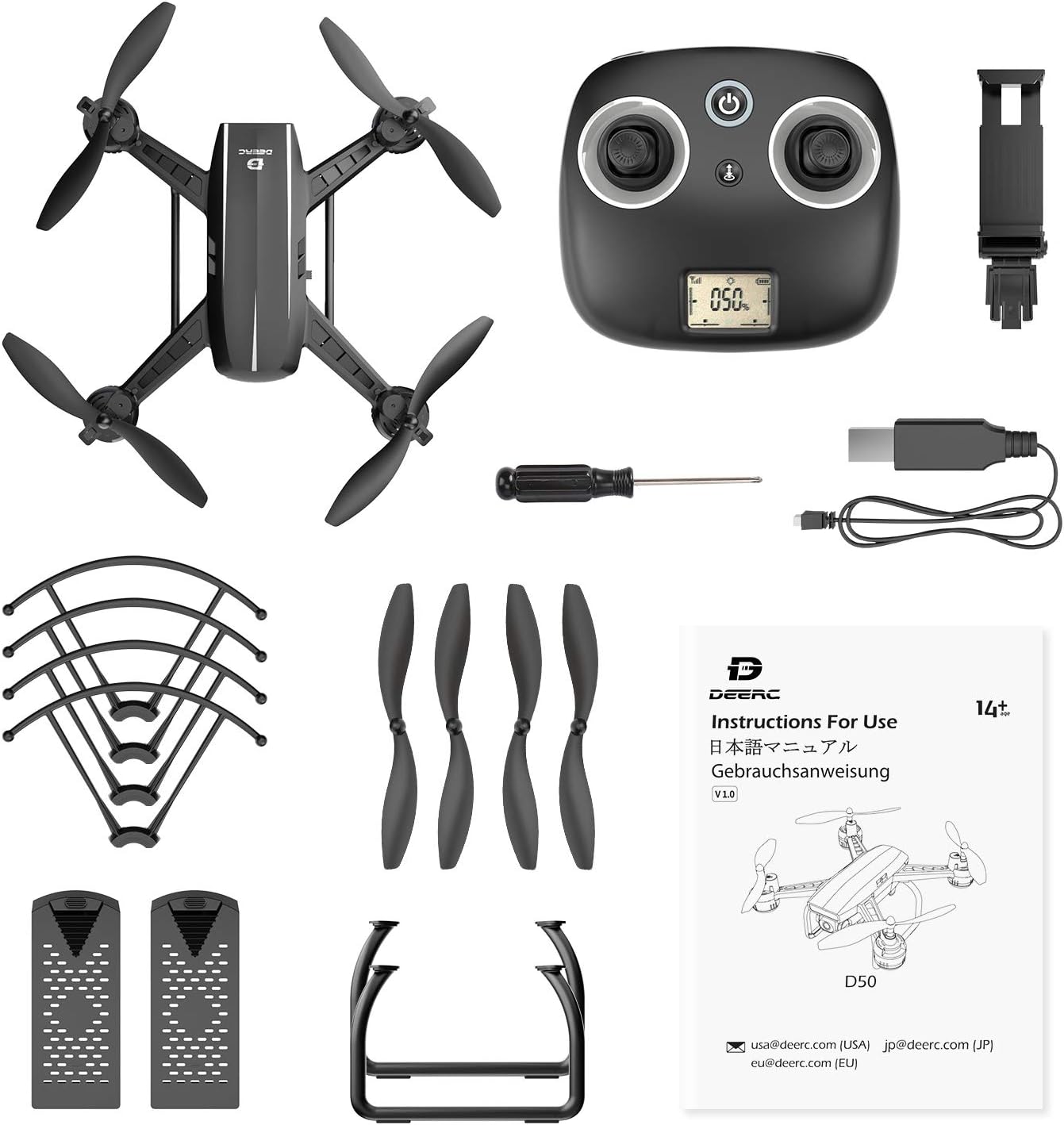
Obrázek: Komplexní view of all items included in the DEERC D50 drone package, including the drone, controller, batteries, and accessories.
Instalace a nabíjení baterie
- Insert the modular batteries into the designated slots on the drone until they click into place.
- Připojte nabíjecí kabel USB k baterii a vhodnému zdroji napájení USB (např. USB port počítače, USB adaptér do zásuvky).
- Allow batteries to fully charge before first use. Charging typically takes less than an hour, providing up to 24 minutes of flight time per battery.
Instalace vrtule
Attach the propeller guards to the drone's arms for added protection, especially for beginners. Ensure propellers are securely fastened according to the markings (A/B) on the propellers and motor arms.
Nastavení ovladače
Install batteries into the remote controller. Extend the phone holder on the controller to securely mount your smartphone for FPV viewa ovládání pomocí aplikace.
Návod k obsluze
Základní ovládání letu
- Start/Přistání jedním klíčem: Tap the dedicated button on the controller or in the app for automatic take-off or landing.
- Držení nadmořské výšky: Dron si udržuje stabilní výšku, což umožňuje snadnější ovládání horizontálního pohybu.
- Bezhlavý režim: Eliminates the need to adjust the drone's position before flight, as the forward direction is relative to the pilot.
- 4 rychlostní režim: Adjust flight speed from beginner to racing mode to suit your skill level and environment.

Image: Visual representation of the D50 drone's user-friendly features: Altitude Hold, Headless Mode, and One Key Start/Landing.
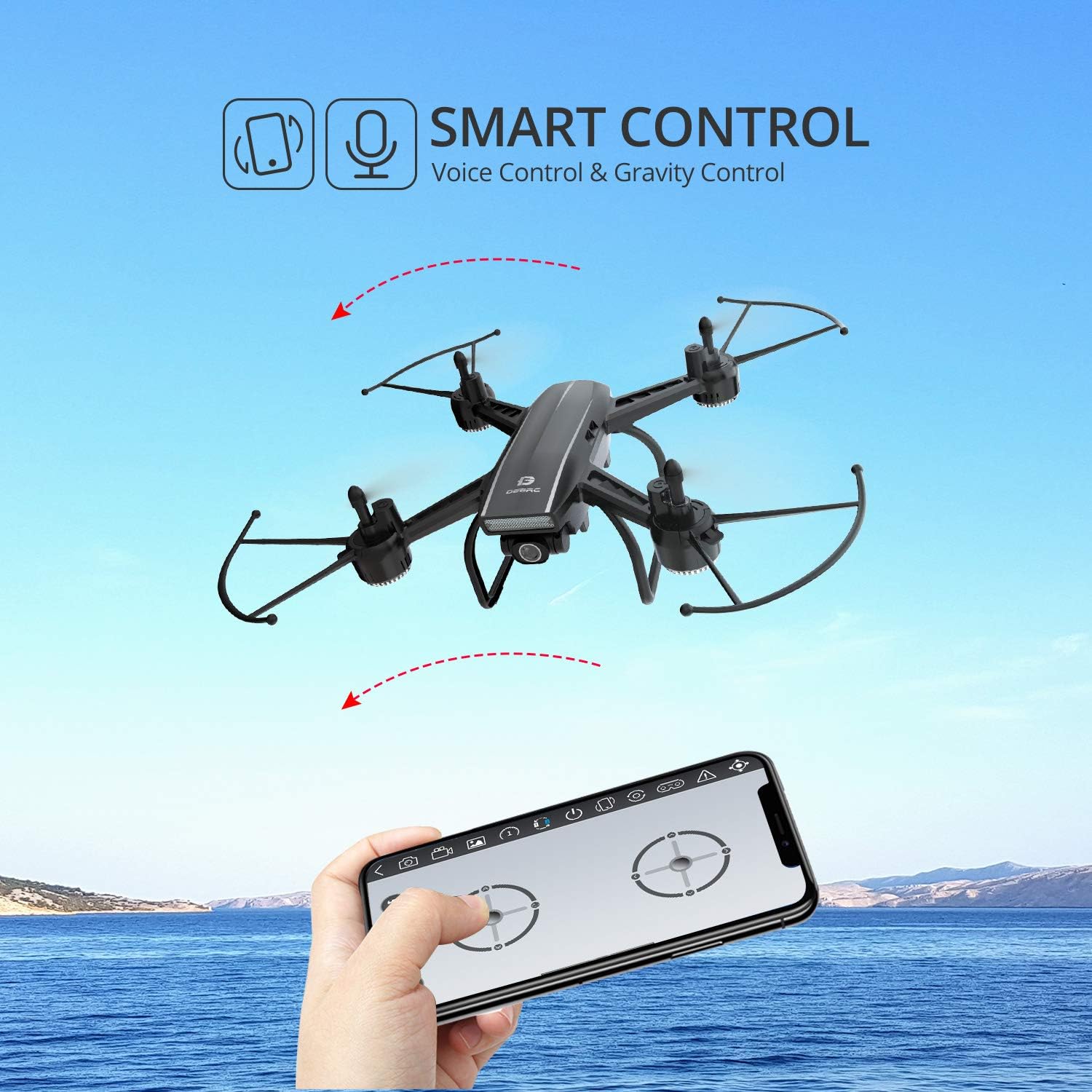
Image: An infographic showing the four distinct speed modes available on the DEERC D50 drone, from beginner to racing.
Pokročilé funkce
- Body trasy: Define a precise flight route on the app's map, and the drone will automatically follow it.
- Selfie gesty: Pose to the camera, and the drone will automatically take a photo or video.
- Hlasové ovládání: Control the drone with simple voice commands like "take off" or "landing."
- Ovládání gravitace: Use your smartphone's gravity sensor to control the drone's flight direction.
- 360° Flips and Rolls: Perform aerial acrobatics with a single button press.

Image: The DEERC D50 drone executing a Waypoints Fly mission, following a green line on a map displayed on a smartphone.

Image: Individuals posing for a photo, demonstrating the Gesture Selfie feature of the DEERC D50 drone.

Image: A smartphone screen displaying the DEERC D50 control interface, highlighting voice and gravity control functionalities.
Provoz kamery
The DEERC D50 is equipped with a 2K Ultra HD camera, offering a 120-degree field of view and an adjustable angle. It captures 2048 x 1152p footage and provides FPV (First Person View) live video directly to your connected smartphone.

Image: A comparison showing the wider and clearer footage captured by the DEERC D50's 2K camera with 120-degree wide angle, contrasted with standard 1080p.
Video: An official product video from DEERC showcasing the D50 drone in flight and demonstrating its features. This video provides a visual guide to the drone's capabilities and ease of use.
Údržba
Regular maintenance ensures the longevity and optimal performance of your DEERC D50 drone.
- Kontrola vrtule: Regularly check propellers for any damage (cracks, bends). Replace damaged propellers immediately using the provided spares.
- Čištění: K čištění těla dronu a objektivu kamery používejte měkký, suchý hadřík. Nepoužívejte agresivní chemikálie ani tekutiny.
- Péče o baterie: Baterie skladujte na chladném a suchém místě. Nepřebíjejte ani nevybíjejte. Pokud je skladujete delší dobu, nabijte je přibližně na 50 % kapacity.
- Kontrola motoru: Ujistěte se, že motory jsou bez nečistot a hladce se otáčejí.
Odstraňování problémů
If you encounter issues with your DEERC D50 drone, refer to the following common troubleshooting tips:
- Drone Drifts: Calibrate the gyroscope and trim the controls using the remote controller or app settings. Ensure propellers are correctly installed and undamaged.
- Žádné připojení: Ensure both the drone and controller are powered on and fully charged. Re-pair the drone and controller according to the quick start guide. Check Wi-Fi connection for FPV.
- Krátká doba letu: Ensure batteries are fully charged before each flight. Battery performance can decrease over time; consider replacing old batteries.
- Motory se netočí: Check for any obstructions around the propellers or motors. Ensure the drone is properly paired and calibrated.
- Problémy s aplikací: Ensure your smartphone's operating system is up to date and the DEERC app is the latest version. Restart the app and drone if issues persist.
Specifikace produktu
| Funkce | Specifikace |
|---|---|
| Značka | DEERC |
| Název modelu | D50 |
| Věkové rozmezí (popis) | Adult (Manufacturer recommended: 14 years and up) |
| Barva | Černý |
| Rozlišení záznamu videa | 2K (2048 × 1152p) |
| Rozlišení výstupu videa | 2K UHD |
| Technologie připojení | Wi-Fi |
| Zahrnuté komponenty | Fotoaparát |
| Úroveň dovedností | Začátečník |
| Hmotnost položky | 6.3 uncí |
| Technologie dálkového ovládání | Wi-Fi |
| Typ ovládání | Dálkové ovládání |
| Typ média | SD (for storage, though app-based saving is primary) |
| Maximální dosah | 400 stop |
| Materiál | Plast |
| Složení článků baterie | Lithium Polymer |
| Baterie jsou součástí dodávky | Yes (2 Lithium Metal batteries required, included) |
| Podporovaný formát obrázku | JPEG |
| Rozměry produktu | 5.31 x 3.86 x 2.09 palce |
Záruka a podpora
DEERC products are designed for reliability and performance. For specific warranty details, please refer to the warranty card included in your product packaging or visit the official DEERC webmísto.
For technical support, troubleshooting assistance, or inquiries regarding your DEERC D50 drone, please contact DEERC customer service through the following channels:
- E-mail: Refer to the contact information provided in your product manual or on the DEERC official webmísto.
- Online podpora: Visit the DEERC brand store on Amazon or their official webweb s nejčastějšími dotazy a zdroji podpory.
Před kontaktováním podpory si prosím připravte číslo modelu (D50) a informace o nákupu.


