Zavedení
This manual provides detailed instructions for using your HTVRONT HTV Heat Transfer Vinyl Bundle. This high-quality PU vinyl is designed for easy cutting, weeding, and heat transfer, making it suitable for a variety of crafting projects. Please read through these instructions carefully before beginning your project to ensure optimal results and product longevity.
Bezpečnostní informace
- Always exercise caution when using heat tools such as heat presses or irons.
- Keep heat transfer vinyl and accessories out of reach of children.
- Ensure proper ventilation when working with heat transfer materials.
Obsah balení
Your HTVRONT HTV Heat Transfer Vinyl Bundle includes:
- 47 sheets of 12" x 10" PU Heat Transfer Vinyl in 33 assorted matte colors.
- 1 Teflon Sheet.
- 1 Weeding Tweezer.
- Návod k použití.
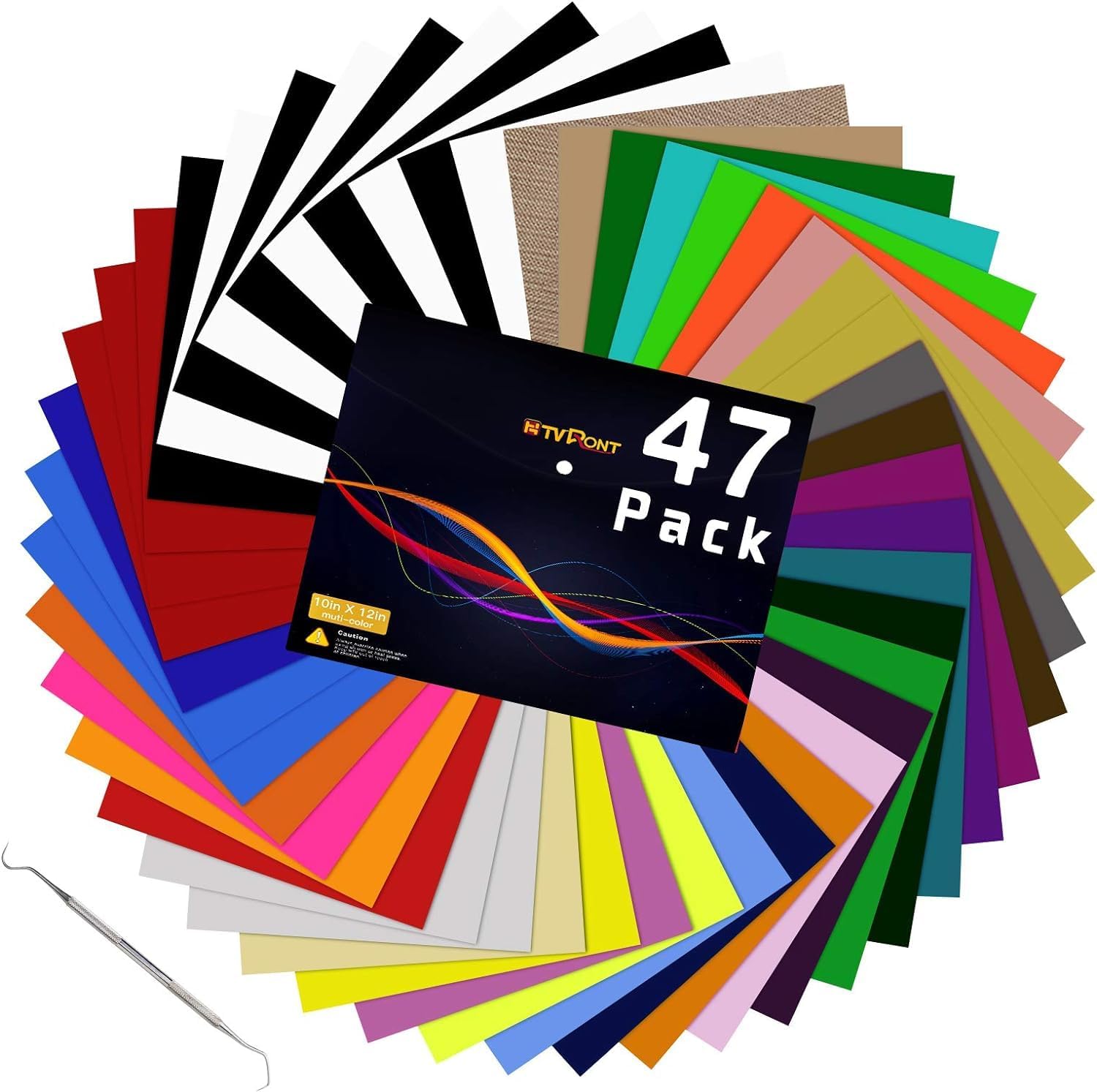
Image: The HTVRONT HTV Heat Transfer Vinyl Bundle, showcasing the variety of colors and included weeding tool.

Image: A visual representation of the 12x10 inch dimensions of the vinyl sheets and a comprehensive color palette.
Nastavení
Preparing Your Design
- Create your design using your preferred cutting machine software (e.g., Cricut Design Space, Silhouette Studio).
- Mirror your design horizontally before cutting. This is crucial for proper application.
- Place the HTV sheet onto your cutting mat with the glossy side (carrier sheet) facing down. The matte, colored side should be facing up.
Cutting Settings
Recommended settings for common cutting machines:
| Stroj | Nastavení |
|---|---|
| Cricut | Blade: Standard, Setting: Iron-on |
| Silhouette Cameo | Blade: 1, Speed: 5, Force: 8, Passes: 2, Material: Smooth |
Always perform a test cut to verify settings before cutting your final design.
Video: This video demonstrates the unboxing, cutting, weeding, and heat pressing process of the HTVRONT Heat Transfer Vinyl Bundle.
Návod k obsluze
1. Weeding
- After cutting, carefully remove the excess vinyl from around your design using the included weeding tweezers or a weeding tool.
- Ensure all small inner pieces of the design are also removed, leaving only the desired image on the clear carrier sheet.

Image: A visual guide demonstrating the weeding process and the subsequent heat transfer application.
Video: This video illustrates the weeding process for HTV Heat Transfer Vinyl, showing how to remove excess material from intricate designs.
2. Heat Transfer Application
Preheat your heat press or iron to the recommended temperature. The HTV is sensitive to temperature and pressure.
- Doporučená teplota: 284~293°F (140~145°C)
- Doporučený čas: 15~30 sekund
Using a Heat Press:
- Pre-press your garment for 5-10 seconds to remove moisture and wrinkles.
- Place your weeded design onto the garment with the clear carrier sheet facing up.
- Cover the design with the included Teflon sheet.
- Apply heat and medium pressure for 15-30 seconds at 284~293°F.
Using a Home Iron:
- Set your iron to the cotton/medium-high setting (no steam).
- Pre-press your garment for 5-10 seconds.
- Place your weeded design onto the garment with the clear carrier sheet facing up.
- Cover the design with the included Teflon sheet.
- Apply firm, even pressure to each section of the design for 10-15 seconds. Ensure all areas receive adequate heat.
Video: This video demonstrates the full process of using HTVRONT heat transfer vinyl, from cutting and weeding to heat pressing and peeling, showcasing its ease of use and durability.
Video: This video provides a concise demonstration on how to use the HTVRONT HTV, focusing on the weeding and heat application steps.
3. Cold Peel
HTVRONT HTV is a cold peel vinyl. This means you must wait for the design to cool completely before removing the clear carrier sheet.
- Allow the garment and design to cool for 15-30 seconds after heat application.
- Gently peel back the clear carrier sheet at a 30-45 degree angle. If the vinyl lifts, re-press the area with the carrier sheet and allow it to cool again before attempting to peel.

Image: A step-by-step visual guide illustrating the ease of use, including heat transfer, weeding, and the cold peel process for HTV.
Péče a údržba
To ensure the longevity of your HTV designs, follow these care instructions:
- Wait 24 hours after application before washing the garment.
- Machine wash garment inside out in cold water with mild detergent.
- Nebělit.
- Tumble dry on low heat or hang dry.
- Nečistěte chemicky.
- If ironing is necessary, iron the garment inside out.

Image: Demonstrates the stretchability and durability of the HTV design on a t-shirt, and shows the garment being washed.
Odstraňování problémů
- Vinyl not sticking: Ensure correct temperature and pressure are applied. Pre-press garment to remove moisture. Make sure you are performing a cold peel.
- Vinyl peeling after washing: Ensure proper care instructions are followed. Re-press the design if necessary.
- Difficulty weeding: Adjust cutting machine settings (blade depth, force, speed) to ensure a clean cut without cutting through the carrier sheet.
Specifikace
- Značka: HTVRONT
- Materiál: Polyurethane (PU), Vinyl
- Velikost listu: 12"D x 10"Š
- Množství: 47 sheets (33 assorted colors)
- Aplikace: Heat transfer (Iron-on)
- Peel Type: Studený peeling
- Kompatibilita: Cricut, Silhouette Cameo, Heat Press Machines, Home Irons
Záruka a podpora
HTVRONT stands by the quality and versatility of its HTV Heat Transfer Vinyl Bundle. For any concerns or support, please refer to the contact information provided in your product packaging or visit the official HTVRONT webVaše spokojenost je naší prioritou.


