Zavedení
Thank you for choosing the MEIZE 10.1 Inch Tablet. This manual provides essential information for setting up, operating, and maintaining your device. Please read it carefully to ensure optimal performance and longevity of your tablet.

Figure 1: MEIZE 10.1 Inch Tablet
This image displays the MEIZE 10.1 Inch Tablet from an angled perspective, showcasing its vibrant display with a variety of application icons and widgets, including a clock, calendar, weather, and common communication apps.
Vlastnosti produktu
The MEIZE 10.1 Inch Tablet is designed for versatile use, offering a blend of performance and connectivity. Key features include:
- Zobrazit: 10.1-inch HD IPS touchscreen with 1280x800 resolution for clear and vibrant visuals.
- Výkon: Powered by a 1.3 GHz Quad-Core processor and 2GB RAM for smooth operation.
- Skladování: 32GB internal storage, expandable up to 128GB via microSD card (not included).
- Konektivita: Dual SIM card slots for 3G phone calls and multi-network connection, Wi-Fi (802.11 b/g/n), Bluetooth 4.0, GPS, and OTG.
- Kamery: Equipped with a 5MP rear camera and a 2MP front camera.
- Baterie: 6000mAh rechargeable lithium battery for extended usage.
- Operační systém: Android 9.0 Pie.

Figure 2: High-Definition IPS Screen
This image highlights the tablet's 1280x800 IPS screen, emphasizing its fast response time and wide 178-degree viewing angle, ideal for immersive visual experiences.

Figure 3: Front and Rear Cameras
This image illustrates the tablet's camera capabilities, featuring a 2MP front camera suitable for video calls and a 5MP rear camera for capturing photos and videos.
Co je v krabici
Po rozbalení byste měli najít následující položky:
- 1 x MEIZE Tablet
- 1 x napájecí adaptér
- 1 x USB kabel
- 1 x Uživatelská příručka
Průvodce nastavením
1. Počáteční nabíjení
Before first use, fully charge your MEIZE tablet. Connect the provided USB cable to the tablet's charging port and the other end to the power adapter. Plug the adapter into a wall outlet. The charging indicator will typically light up.
2. Vložení SIM a SD karet
The tablet supports dual SIM cards for 3G phone calls and a microSD card for expandable storage.
- Na boku tabletu vyhledejte slot pro SIM/SD kartu.
- Carefully open the tray cover.
- Insert your SIM cards (SIM1, SIM2) and/or microSD card into the designated slots, ensuring correct orientation as indicated on the tray.
- Close the tray cover securely.
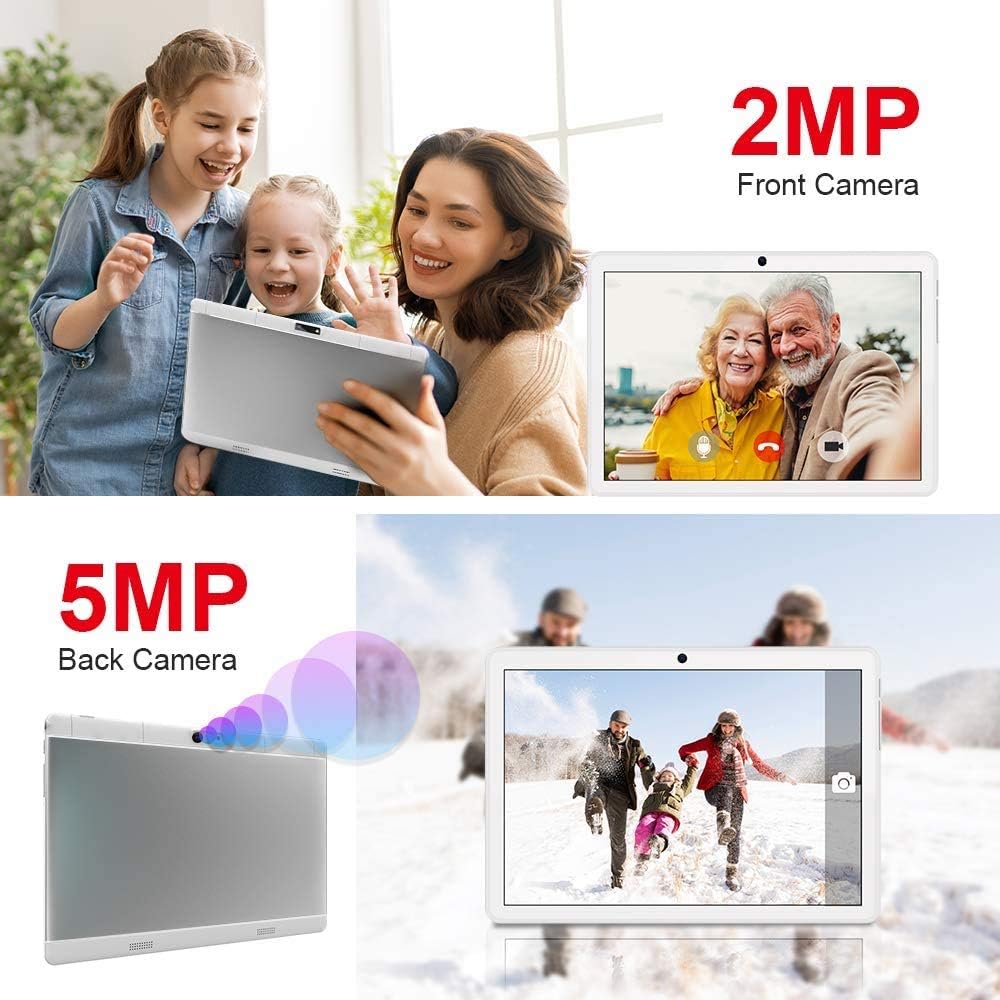
Figure 4: SIM and SD Card Installation
This image demonstrates the location and method for inserting an SD card, SIM1, and SIM2 into the tablet's dedicated slots, highlighting its dual SIM and expandable storage capabilities.
3. Zapnutí/vypnutí
- Zapnutí: Press and hold the Power button until the MEIZE logo appears on the screen.
- Vypnutí: Stiskněte a podržte tlačítko Napájení, dokud se nezobrazí nabídka vypnutí. Vyberte „Vypnout“ a potvrďte.
- Restartovat: V nabídce vypnutí vyberte možnost „Restartovat“.
4. Počáteční nastavení
Po prvním zapnutí vás tablet provede procesem počátečního nastavení. To obvykle zahrnuje:
- Výběr jazyka.
- Připojování k síti Wi-Fi.
- Nastavení účtu Google (volitelné, ale doporučené pro stahování aplikací).
- Nastavení data a času.
- Configuring screen lock options.
Návod k obsluze
1. Základní navigace
The MEIZE tablet uses a capacitive touchscreen for interaction:
- Klepněte na: To open an app, select an item, or press a button.
- Klepnutí a podržení: Pro přístup k kontextovým nabídkám nebo přesun ikon.
- Výpad: Pro procházení stránek, seznamů nebo přepínání mezi domovskými obrazovkami.
- Štípání: Pro přiblížení nebo oddálení obrázků a web stránky.
2. Připojení k Wi-Fi
- Přejít na Nastavení > Síť a internet > Wi-Fi.
- Přepnout Wi-Fi On.
- Vyberte ze seznamu požadovanou síť Wi-Fi.
- Zadejte heslo, pokud se zobrazí výzva, a klepněte na Připojit.
3. Párování Bluetooth
- Přejít na Nastavení > Připojená zařízení > Bluetooth.
- Přepnout Bluetooth On.
- Ensure the device you wish to pair with is in pairing mode.
- Select the device from the "Available devices" list and follow on-screen prompts to complete pairing.
4. Používání GPS
The tablet features built-in GPS for navigation and location-based services. Ensure location services are enabled in Nastavení > Umístění. You can then use pre-installed map applications or download others from the Google Play Store.
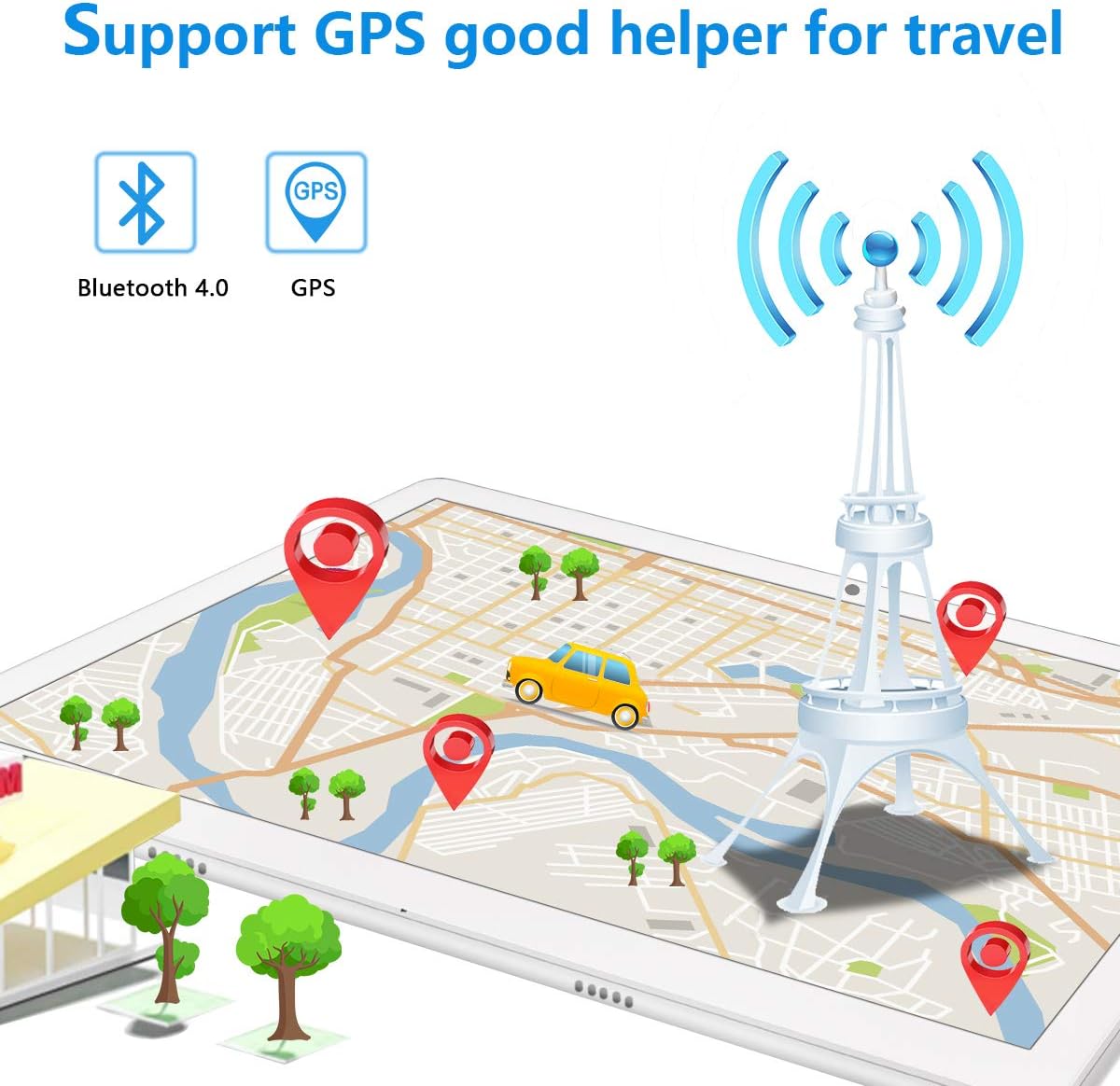
Figure 5: GPS and Bluetooth Functionality
This image illustrates the tablet's integrated GPS and Bluetooth 4.0 capabilities, showing a map with navigation points, indicating its utility for travel and connectivity with external devices.
5. Making Phone Calls (3G)
With a compatible 3G SIM card inserted, you can make and receive phone calls directly from your tablet.
- Otevřete Telefon aplikace.
- Dial the desired number using the on-screen keypad or select a contact.
- Klepnutím na tlačítko volání zahájíte hovor.
6. Použití fotoaparátu
The tablet features a 5MP rear camera and a 2MP front camera for photos and videos.
- Otevřete Fotoaparát aplikace.
- Přepínejte mezi předním a zadním fotoaparátem pomocí ikony přepínače fotoaparátu.
- Klepnutím na tlačítko spouště pořídíte fotografii nebo nahrajete video.
7. Správa úložiště
Your tablet comes with 32GB of internal storage. You can expand this by up to 128GB using a microSD card. To manage storage:
- Přejít na Nastavení > Skladování na view využití úložiště a uvolnění místa.
- Regularly transfer photos and videos to your computer or cloud storage to prevent storage issues.

Figure 6: App and Media Enjoyment
This image showcases the tablet's ability to run various applications and display media, including social media, video streaming, and photo galleries, emphasizing its entertainment capabilities.
Údržba
1. Péče o baterie
Pro maximalizaci výdrže a životnosti baterie:
- Vyhněte se extrémním teplotám.
- Před častým nabíjením nenechte baterii zcela vybít.
- Použijte originální nabíječku a dodaný kabel.
- Pro delší skladování nabijte tablet přibližně na 50 % a vypněte jej.
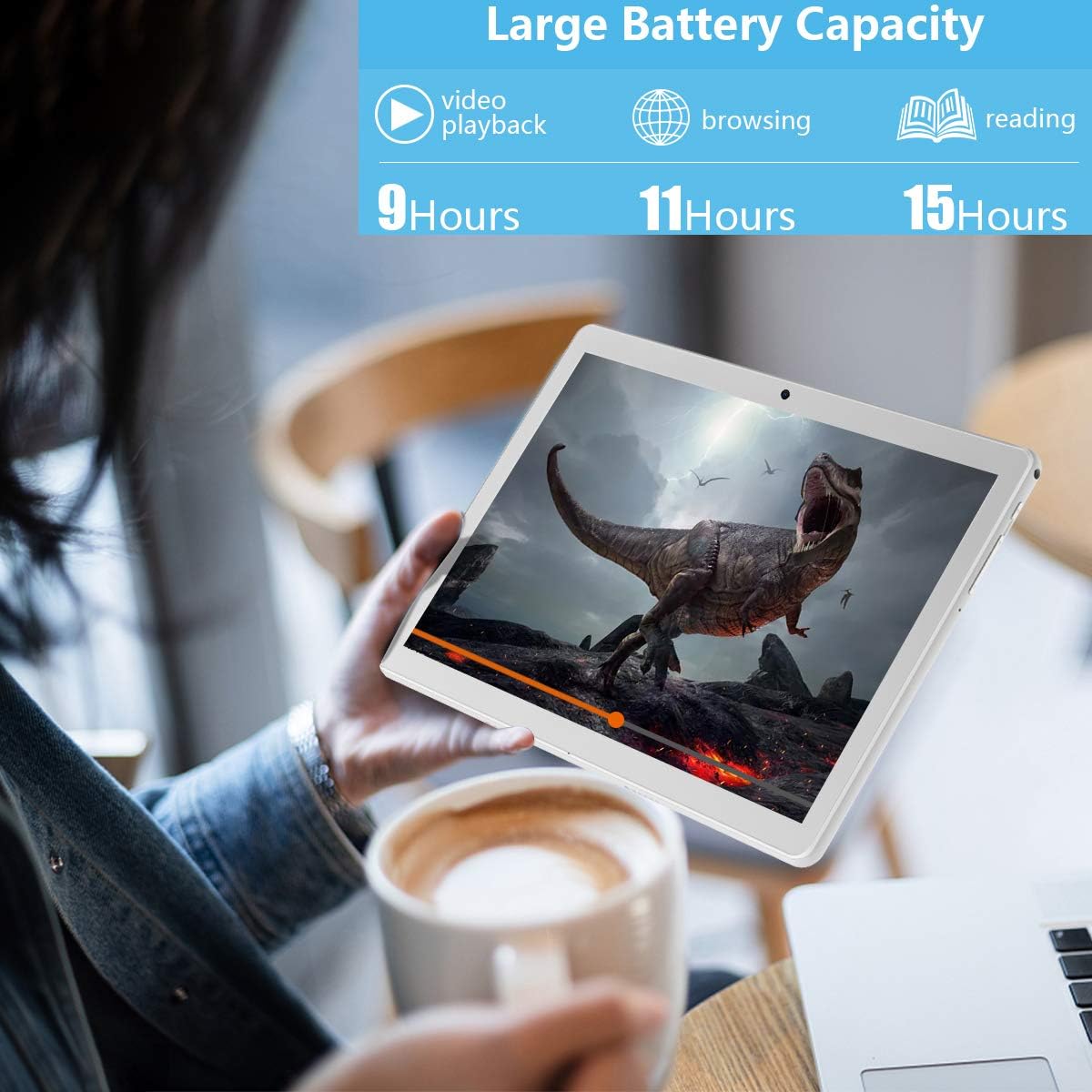
Obrázek 7: Prodloužená životnost baterie
This image highlights the tablet's large battery capacity, indicating approximately 9 hours of video playback, 11 hours of browsing, and 15 hours of reading on a single charge.
2. Čištění
K čištění obrazovky a těla tabletu používejte měkký hadřík, který nepouští vlákna. Nepoužívejte agresivní chemikálie ani abrazivní materiály.
3. Aktualizace softwaru
Pravidelně kontrolujte aktualizace systému, abyste se ujistili, že váš tablet má nejnovější funkce a bezpečnostní záplaty. Přejděte na Nastavení > Systém > Aktualizace systému.
Odstraňování problémů
If you encounter issues with your MEIZE tablet, refer to the following common solutions:
| Problém | Možné řešení |
|---|---|
| Tablet se nezapne. | Ujistěte se, že je baterie nabitá. Před opětovným zapnutím připojte zařízení k nabíječce alespoň na 30 minut. |
| Wi-Fi connection is unstable or drops frequently. | Restartujte Wi-Fi router. Zapomeňte na síť v tabletu a znovu se připojte. Ujistěte se, že jste v dosahu signálu Wi-Fi. |
| Aplikace jsou pomalé nebo padají. | Zavřete aplikace na pozadí. Vymažte mezipaměť aplikací (Nastavení > Aplikace a oznámení > vyberte aplikaci > Úložiště a mezipaměť > Vymazat mezipaměťRestartujte tablet. |
| Tablet is not charging. | Check if the charging cable and adapter are securely connected. Try a different power outlet. Inspect the charging port for any debris. |
| SIM karta nebyla detekována. | Ensure the SIM card is correctly inserted into the tray. Restart the tablet. Verify the SIM card is active with your carrier. |
If the problem persists after trying these solutions, please contact MEIZE customer support.
Specifikace
| Funkce | Detail |
|---|---|
| Značka | MEIZE |
| Název modelu | k105 |
| Operační systém | Android 9 Pie |
| Velikost obrazovky | 10.1 palce |
| Rozlišení obrazovky | 1280 x 800 |
| Procesor | Čtyřjádrový 1.3 GHz |
| BERAN | 2 GB SDRAM DDR3 |
| Interní úložiště | 32 GB |
| Rozšiřitelné úložiště | Až 128 GB (microSD) |
| Rozlišení zadní kamery | 5 MP |
| Rozlišení předního fotoaparátu | 2 MP (from image) |
| Bezdrátový typ | 802.11b (Wi-Fi), Bluetooth 4.0 |
| Kapacita baterie | 6000 XNUMX mAh |
| Průměrná životnost baterie | 8 hodiny |
| Rozměry (DxŠxV) | 9.84 x 6 x 0.5 palce |
| Hmotnost položky | 1.65 libry |
| Barva | Stříbro |
Záruka a podpora
MEIZE offers customer support for its products. For any inquiries, technical assistance, or warranty claims, please refer to the contact information provided with your purchase or visit the official MEIZE website. The product typically includes a 30-day replacement service and lifetime support.
Pro další pomoc můžete navštívit MEIZE Store on Amazon.


