Zavedení
The Cooler Master SickleFlow 120 is a versatile cooling solution designed for both CPU coolers and case intake/exhaust applications. This fan features an optimized blade design for improved airflow and pressure, a reinforced frame for reduced turbulence and noise, and a sealed bearing for enhanced durability. This manual provides instructions for the proper installation, operation, and maintenance of your SickleFlow 120 fan.
Obsah balení
Prosím, ověřte, zda jsou v balení přítomny všechny položky:
- 1 x Cooler Master SickleFlow 120 Fan
Specifikace
| Funkce | Detail |
|---|---|
| Číslo modelu | MFX-B2NN-18NPK-R1 |
| Rozměry (D x Š x V) | 4.72" × 4.72" × 0.98" (120 mm × 120 mm × 25 mm) |
| Rychlost ventilátoru | 650 - 1800 RPM (PWM) ± 10% |
| Proudění vzduchu | 62 CFM ± 10% |
| Tlak vzduchu | 2.5 mmH2O ± 10% |
| Úroveň hluku | 8 - 27 dBA |
| Typ ložiska | Puškové ložisko |
| MTTF | 160,000 hodin |
| Jmenovitý objemtage | 12 V DC |
| Jmenovitý proud | 0.15A |
| Napájecí konektor | 4-Pin PWM |
| Spotřeba energie | 1.8W |
| Materiál | Plast, kov |
| Hmotnost | 5.5 unce (156 g) |
Nastavení a instalace
Follow these steps to properly install your Cooler Master SickleFlow 120 fan:
- Připravte si systém: Před zahájením instalace se ujistěte, že je počítač vypnutý a odpojený ze zásuvky.
- Určete místo montáže: Determine the desired location for the fan within your PC case or on your CPU cooler/radiator. Common locations include front, rear, top, or bottom of the case, or directly on a heatsink.
- Namontujte ventilátor: Align the fan with the screw holes on your case or cooler. Use the provided mounting screws to secure the fan firmly. Ensure the fan is oriented correctly for desired airflow (intake or exhaust).
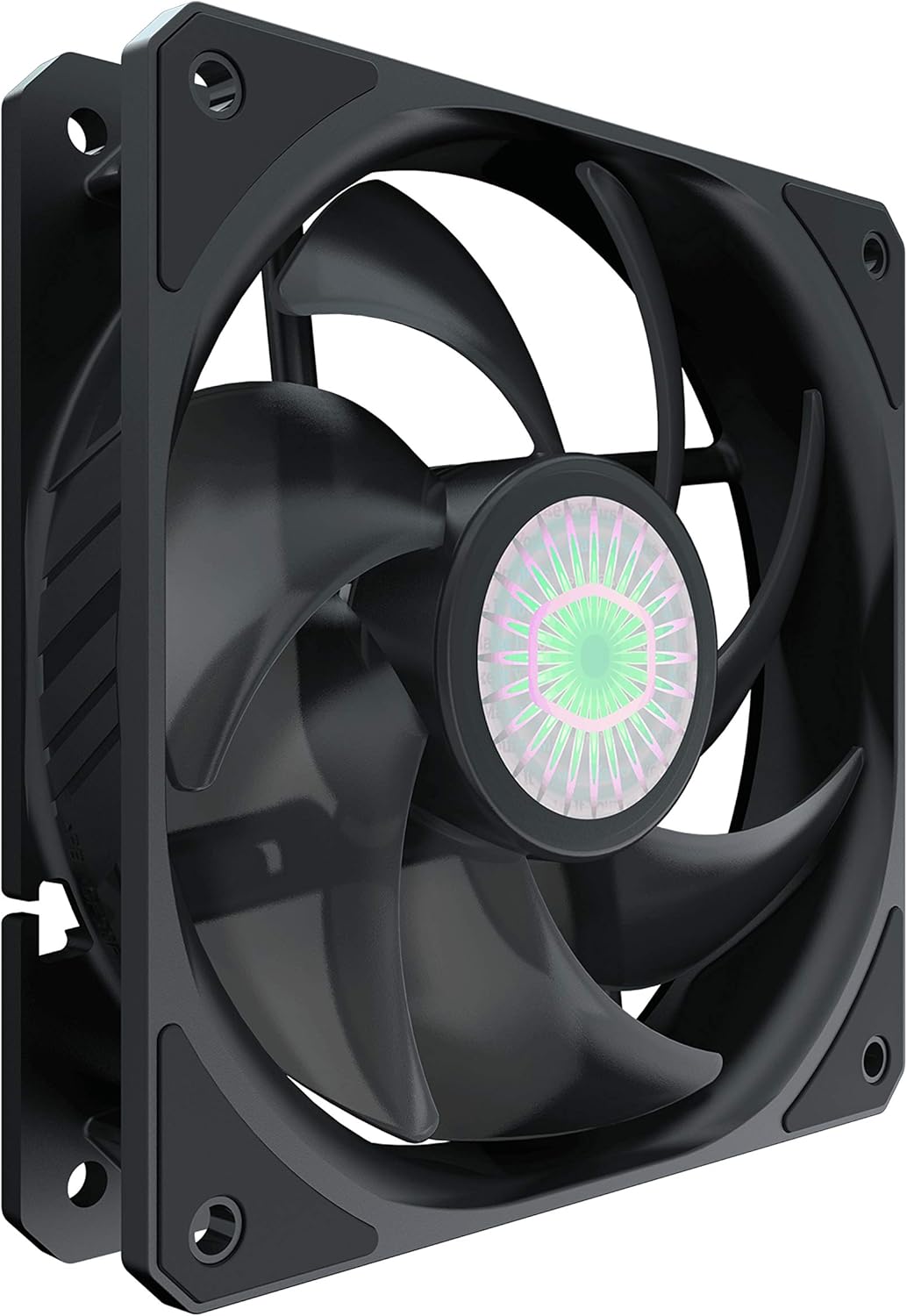
Obrázek: Úhlový view of the SickleFlow 120 fan, illustrating its frame and mounting points for installation.
- Připojte napájení: Locate the 4-pin PWM fan header on your motherboard. Connect the fan's 4-pin connector to this header. Ensure the connector is fully seated.
- Správa kabelů: Route the fan cable neatly to avoid interference with other components or airflow.
- Zapnout: Once the fan is securely mounted and connected, close your PC case, plug in the power, and turn on your computer. The fan should begin to spin.
Návod k obsluze
The Cooler Master SickleFlow 120 fan operates automatically once connected to a compatible 4-pin PWM fan header on your motherboard. The fan speed is controlled by your motherboard's BIOS/UEFI settings or through fan control software provided by your motherboard manufacturer or Cooler Master.
- PWM ovládání: The 4-pin PWM connector allows for precise control over the fan's rotational speed, enabling it to adjust based on system temperature for optimal cooling and noise levels.
- Směr proudění vzduchu: The fan typically has an arrow indicating the direction of airflow and blade rotation. Ensure it is set to either draw air into the case (intake) or push air out (exhaust) as needed for your system's cooling configuration.

Obrázek: Shora dolů view of the SickleFlow 120 fan, highlighting the blade design responsible for airflow.
Údržba
Pravidelná údržba pomáhá zajistit optimální výkon a dlouhou životnost vašeho ventilátoru:
- Čištění prachu: Periodically inspect the fan blades and frame for dust accumulation. Use compressed air or a soft brush to gently remove dust. Ensure the fan is powered off and unplugged before cleaning.
- Péče o ložiska: The SickleFlow 120 features a sealed rifle bearing designed to prevent dust and lubricating oil leakage, requiring no user maintenance or lubrication.
- Zkontrolujte překážky: Ensure no cables or other components are obstructing the fan blades, which can cause noise or damage.
Odstraňování problémů
If you encounter issues with your SickleFlow 120 fan, refer to the following common problems and solutions:
- Fan is not spinning:
- Check that the 4-pin PWM connector is securely plugged into the motherboard's fan header.
- Verify that the fan header on the motherboard is enabled in the BIOS/UEFI settings.
- Test the fan on a different fan header or with a fan controller if available, to rule out a faulty header.
- Fan is making excessive noise:
- Ensure the fan is securely mounted and not vibrating against the case or other components.
- Check for any cables or debris obstructing the fan blades.
- Adjust fan speed settings in your motherboard's BIOS/UEFI or software to a lower RPM if noise is a concern at high speeds.
- Špatný chladicí výkon:
- Verify the fan's airflow direction is appropriate for its location (e.g., intake for front, exhaust for rear).
- Clean any dust accumulation on the fan blades or surrounding components (e.g., heatsink fins, case filters).
- Ensure there is adequate space around the fan for unrestricted airflow.
Záruka a podpora
For detailed warranty information and technical support, please visit the official Cooler Master webweb. Najdete tam registraci produktu, nejčastější dotazy a kontaktní informace na zákaznický servis.
Oficiální produkt Cooler Master Webmísto: www.coolermaster.com


