1. Úvod
This manual provides detailed instructions for the setup, operation, and maintenance of your Explore Scientific WSX-1001 Professional WiFi 5-in-1 Weather Station. This advanced weather station is designed to provide accurate and detailed local weather data, including outdoor temperature, humidity, wind speed, wind direction, and rainfall. It features a vibrant color LCD display and WiFi connectivity for uploading data to online weather services like Weather Underground and Weathercloud.

Figure 1: Explore Scientific WSX-1001 Weather Station, showing the main display unit and the integrated 5-in-1 outdoor sensor array.
2. Obsah balení
Please ensure all components are present before proceeding with installation:
- Base Station (Display Unit)
- 5-in-1 Multi-Sensor Array (for outdoor measurements)
- Mounting Material (for sensor array)
- Power Supply (AC adapter)
- Uživatelská příručka (tento dokument)
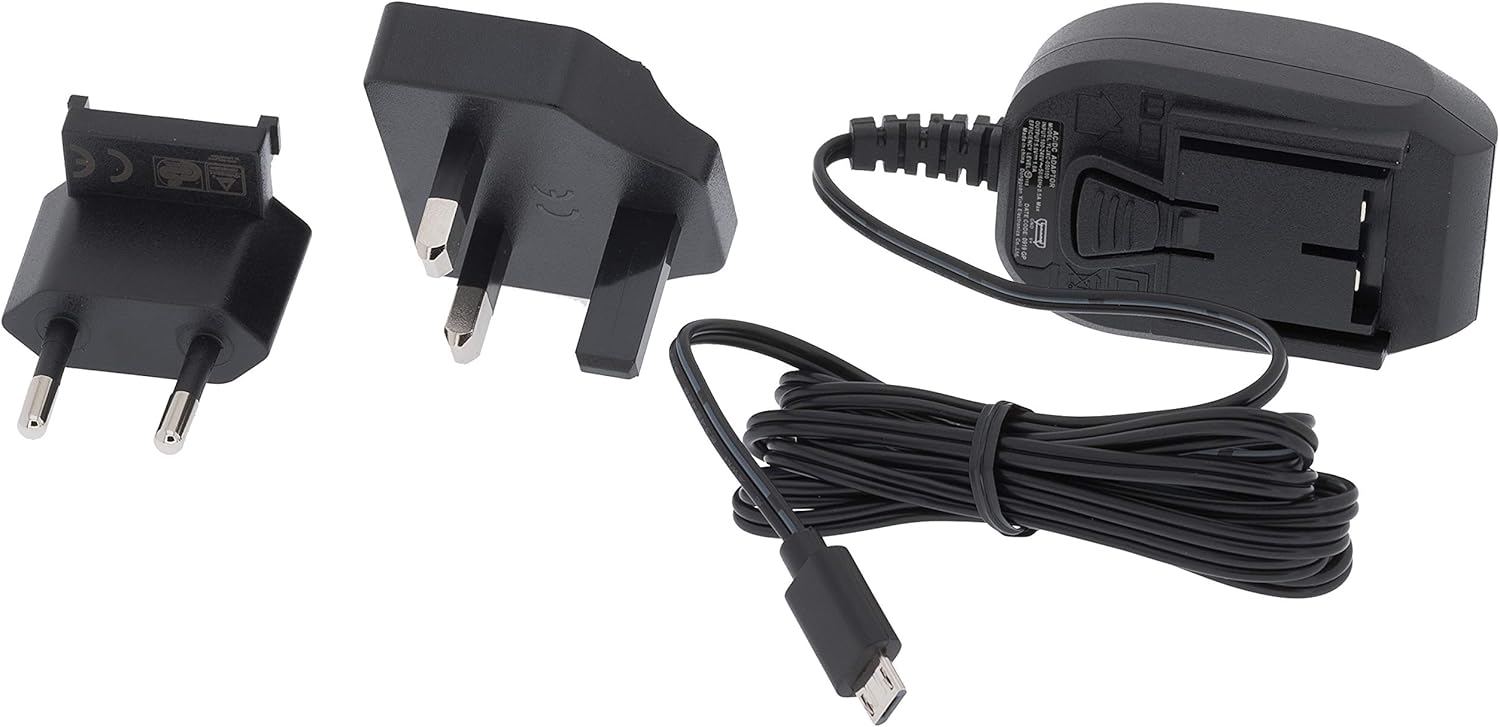
Figure 2: Included power supply and cable for the base station.
3. Bezpečnostní informace
Před použitím zařízení si prosím přečtěte a pochopte následující bezpečnostní opatření:
- Do not expose the base station to extreme temperatures, direct sunlight, or high humidity.
- Ensure the outdoor sensor array is mounted securely to prevent damage from wind or falling.
- Use only the specified power adapter for the base station.
- Uchovávejte baterie mimo dosah dětí. Použité baterie zlikvidujte zodpovědně.
- Do not attempt to repair or modify the device yourself. Contact customer support for assistance.
4. Nastavení
4.1. Installing the 5-in-1 Multi-Sensor Array
The 5-in-1 multi-sensor array measures wind speed, wind direction, rainfall, outdoor temperature, and humidity. For accurate readings, select an open location free from obstructions.
- Vyberte umístění: Select an elevated, open area, such as a rooftop or a pole in your yard, where wind, rain, and sunlight are not obstructed.
- Assemble the Sensor: Attach the wind cups, wind vane, and mounting pole to the sensor body as per the diagrams in the quick start guide.
- Nainstalujte baterie: Open the battery compartment on the sensor array and insert 3 AAA batteries (not included). Ensure correct polarity.
- Montáž senzoru: Use the provided mounting bracket and screws to securely attach the sensor array to a pole or flat surface. Ensure it is level for accurate rain measurements.

Figure 3: The 5-in-1 outdoor sensor array installed on a rooftop for optimal exposure.
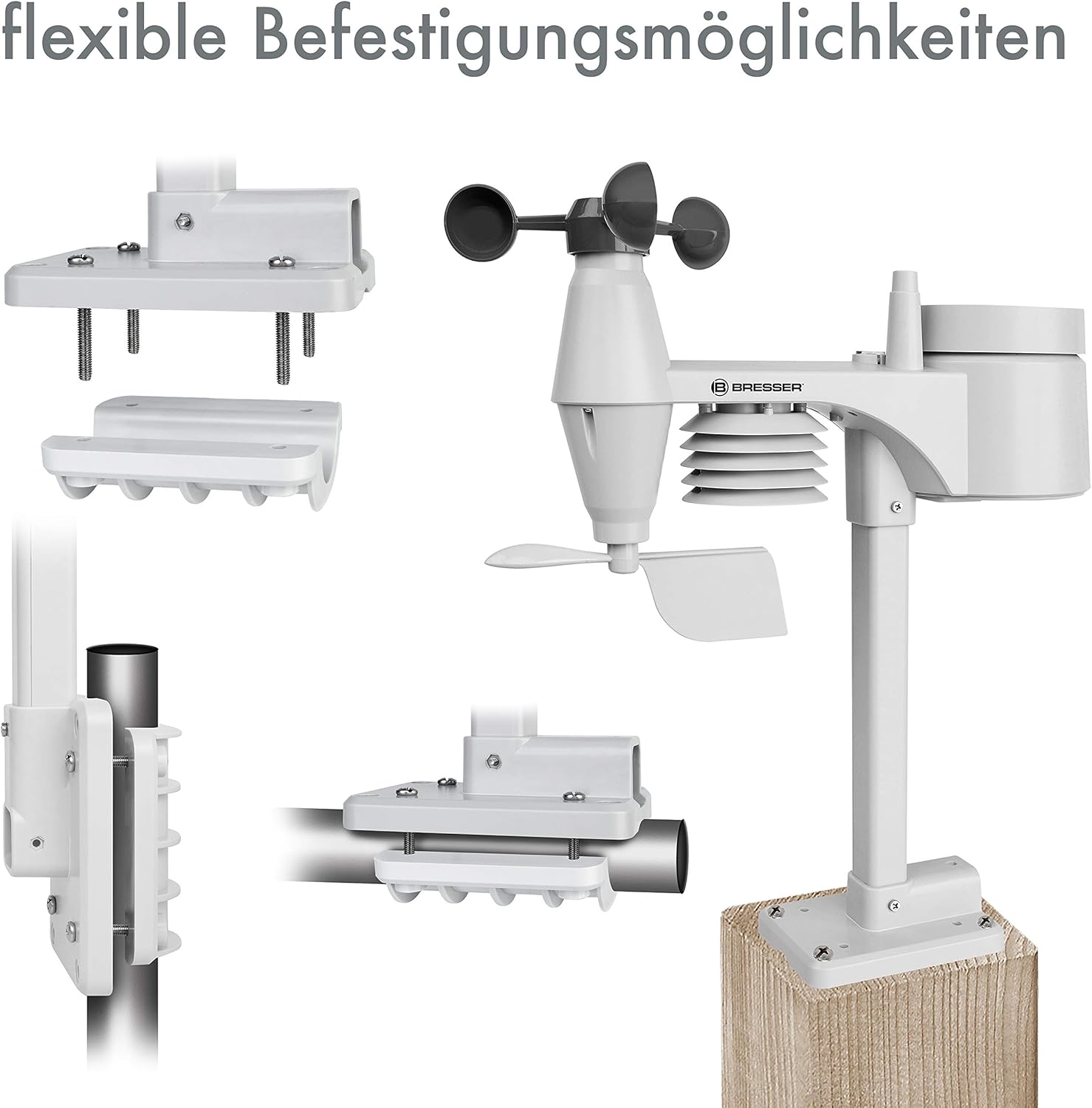
Obrázek 4: Přamples of flexible mounting options for the outdoor sensor array.
4.2. Nastavení základnové stanice
- Zapnutí: Connect the provided AC adapter to the base station and plug it into a power outlet. The display will light up.
- Optional Backup Batteries: Pro sílu outage backup, insert 3 AAA batteries into the battery compartment on the back of the base station.
- Připojení senzoru: The base station will automatically search for and connect to the 5-in-1 multi-sensor array. This may take a few minutes. Ensure the sensor is within range.
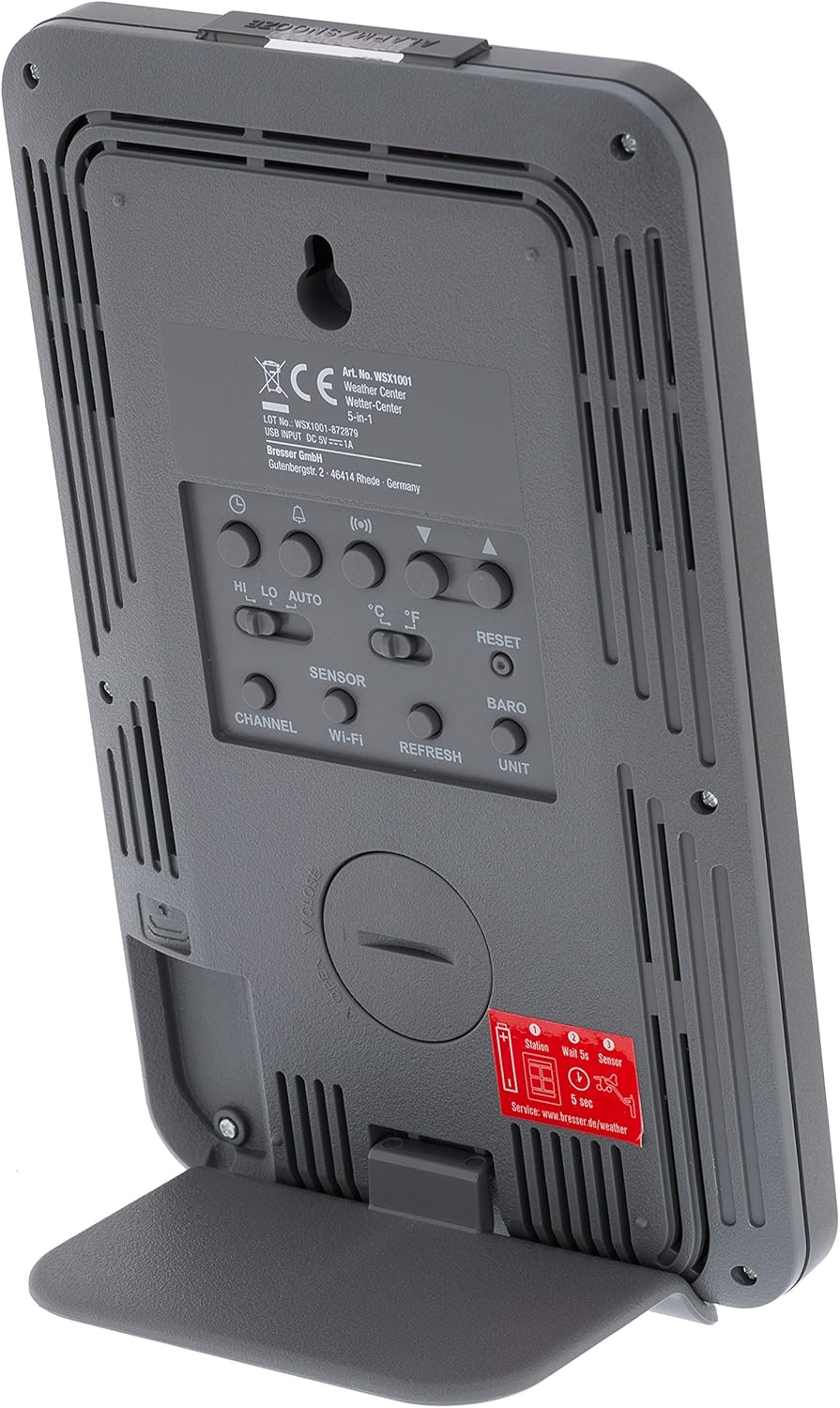
Obrázek 5: Zadní view of the base station, highlighting the battery compartment and control buttons.
4.3. WiFi Connection and Online Services
The WSX-1001 allows you to upload your weather data to online platforms like Weather Underground and Weathercloud.
- Režim nastavení přístupu: Refer to the detailed instructions in the quick start guide for entering WiFi setup mode on your base station.
- Připojit k síti: Use a smartphone or computer to connect to the weather station's temporary WiFi network and configure it to join your home WiFi network.
- Zaregistrujte se online: Create an account on Weather Underground (www.wunderground.com) or Weathercloud (www.weathercloud.net) and register your weather station. You will need your station ID and key.
- Nahrát data: Once configured, your weather station will automatically upload data to the chosen online service, allowing you to view your data remotely via their websites or mobile applications.
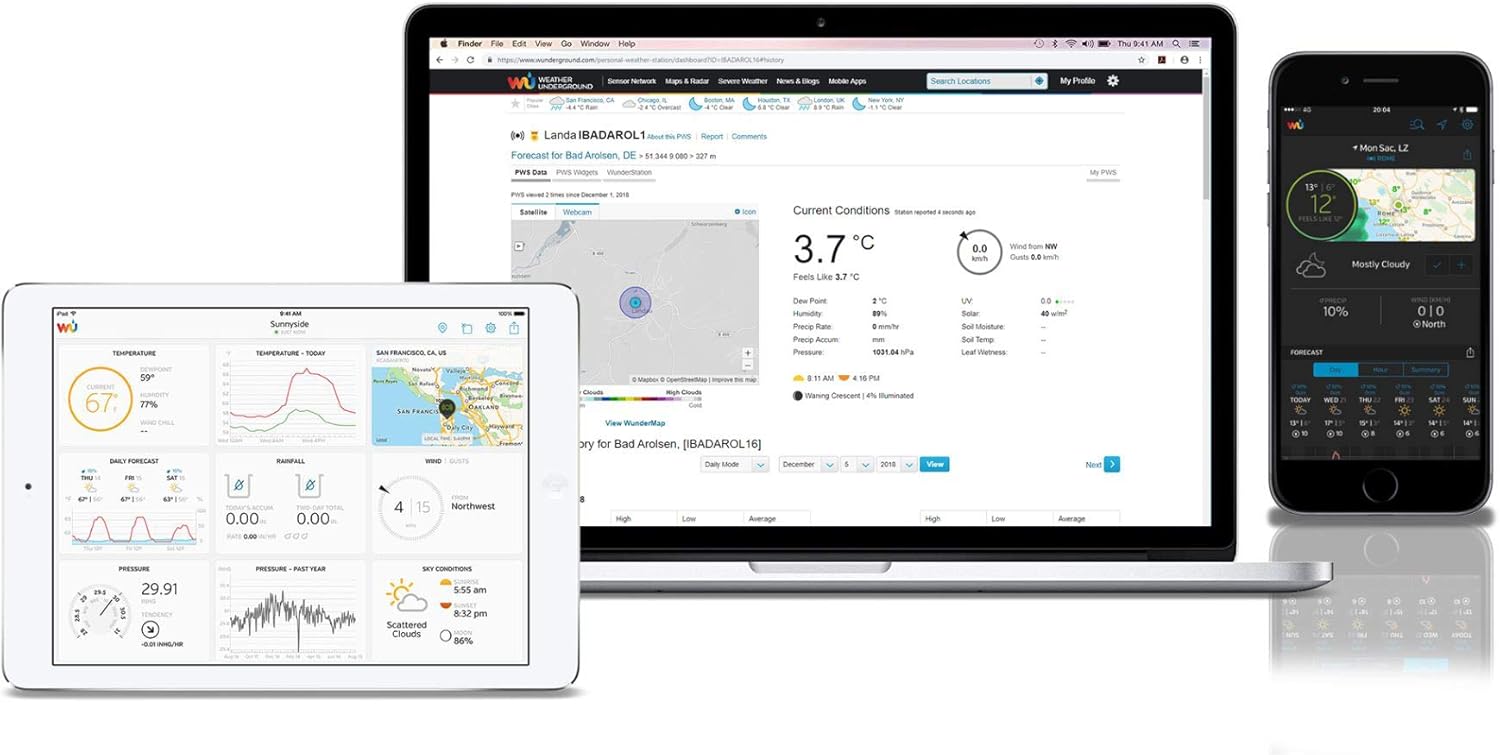
Obrázek 6: Přample of the Weather Underground interface on different devices, displaying weather data.
5. Obsluha meteorologické stanice
5.1. Zobrazit přesview
The color LCD display provides a comprehensive overview of current weather conditions. Key areas include:
- Venkovní čtení: Temperature, humidity, and signal strength from the 5-in-1 sensor.
- Vnitřní měření: Temperature and humidity measured by the base station.
- Barometrický tlak: Current atmospheric pressure with historical trend.
- Předpověď počasí: Graphical representation of upcoming weather conditions.
- Údaje o větru: Wind speed (average and gust), wind direction (compass rose).
- Srážky: Daily, weekly, monthly, and total rainfall measurements.
- Čas a datum: Synchronized via WiFi.

Obrázek 7: Detailní view of the color LCD display, showing outdoor/indoor temperature, humidity, pressure, wind, and rainfall data.
5.2. Data Interpretation and Features
- High/Low Records: The display shows daily high and low records for temperature and humidity.
- Budíky: Set customizable alarms for various weather parameters (e.g., high wind speed, low temperature).
- Kalibrace: The station supports calibration for certain measurements to fine-tune accuracy. Refer to the full manual for calibration procedures.
- Moon Phase & Sunrise/Sunset: Displays current moon phase and calculated sunrise/sunset times.
6. Údržba
6.1. Výměna baterie
The outdoor sensor array requires 3 AAA batteries. It is recommended to replace these annually to ensure continuous operation, especially before winter. The base station uses 3 AAA batteries for backup power, which should also be checked periodically.
6.2. Čištění senzoru
Periodically inspect the outdoor sensor array for dirt, debris, or insect nests that could affect accuracy. Gently clean the rain collector funnel, wind cups, and wind vane with a soft, damp cloth. Ensure the solar panel (if present) is clean for optimal charging.
7. Řešení problémů
- Bez displeje/napájení: Check the AC adapter connection to the base station and the power outlet. If using backup batteries, ensure they are correctly inserted and charged.
- No Outdoor Sensor Data: Ensure the outdoor sensor has fresh batteries and is within range of the base station. Try resetting both units.
- Nepřesná čtení: Verify the outdoor sensor is mounted correctly and free from obstructions. Calibrate sensors if necessary (refer to the full manual).
- Problémy s připojením k Wi-Fi: Ensure your home WiFi network is operational and the password is correct. Try restarting your router and the weather station.
- Data Not Uploading to Online Services: Check your internet connection. Verify your station ID and key are correctly entered in the weather station's settings and on the online service's webmísto.
8. Specifikace
| Funkce | Specifikace |
|---|---|
| Číslo modelu | WSX-1001 (WSX1001CM3LC2) |
| Značka | Prozkoumejte Scientific |
| Technologie připojení | Wi-Fi |
| Power Source (Base Station) | AC Adapter, 3 AAA Batteries (backup) |
| Power Source (Multi-Sensor) | 3 AAA baterie |
| Rozměry produktu | 16.8 x 14.3 x 2.4 cm (Base Station) |
| Hmotnost | 100 g (Base Station) |
| Speciální funkce | Poplach |
| Přesnost teploty | Méně než 1 °C |
| Doporučené použití | Domov |
9. Záruka a podpora
Informace o záruce a technickou podporu naleznete v záruční kartě dodané s vaším produktem nebo na oficiálních webových stránkách Explore Scientific. webwebu. Uschovejte si účtenku jako doklad o koupi.


