1. Úvod
This manual provides essential instructions for the safe installation, operation, and maintenance of your Legrand Arteor USB Charger Module, Model 573422. Please read this manual thoroughly before installation and retain it for future reference.
2. Bezpečnostní informace
VAROVÁNÍ: Electrical shock hazard. Installation must be performed by a qualified electrician in accordance with all local and national electrical codes. Disconnect power at the circuit breaker before installation or servicing.
- Nevystavujte zařízení vlhkosti nebo extrémním teplotám.
- Nepokoušejte se zařízení rozebírat nebo upravovat.
- V případě potřeby zajistěte řádné uzemnění.
- Use only with compatible USB devices.
3. Obsah balení
Před zahájením instalace ověřte, zda jsou všechny komponenty přítomny:
- 1x Legrand Arteor USB Charger Module (IS13252 Part 1 / IEC 60950,1)

Obrázek 1: Přední strana view of the Legrand Arteor USB Charger Module, showing two USB-A ports and a battery charging icon.
4. Nastavení a instalace
This USB charger module is designed for integration into a compatible Legrand Arteor mounting frame and plate. Professional installation is recommended.
- Odpojení napájení: Before beginning any electrical work, ensure the main power supply to the circuit is turned off at the circuit breaker. Verify with a voltage tester.
- Vložení modulu: Carefully insert the USB charger module into the designated slot within the Arteor mounting frame. Ensure it clicks securely into place.
- Připojení kabeláže: Connect the electrical wires (Live, Neutral, Earth) to the corresponding terminals on the rear of the module. Refer to the wiring diagram provided with your Arteor mounting frame or consult a qualified electrician. Ensure all connections are tight and secure.
- Montáž montážní desky: Once the module is wired and secured in the frame, attach the Arteor cover plate according to its specific instructions.
- Obnovení napájení: Obnovte napájení na jističi.

Obrázek 2: Strana view of the module, illustrating its compact design for integration into a wall plate.

Obrázek 3: Úhlové view showing the rear housing and terminal access for wiring.
5. Návod k obsluze
The Legrand Arteor USB Charger Module provides convenient power for charging compatible USB devices.
- Připojit zařízení: Plug a standard USB-A charging cable into one of the two USB ports on the module.
- Zahájit nabíjení: Connect the other end of the USB cable to your compatible device (e.g., smartphone, tablet, PC). The device should begin charging automatically.
- Indikace nabíjení: The module does not feature an explicit charging indicator light. Refer to your device's screen for charging status.
- Odpojit zařízení: Once charging is complete, safely disconnect your device and then the USB cable from the module.
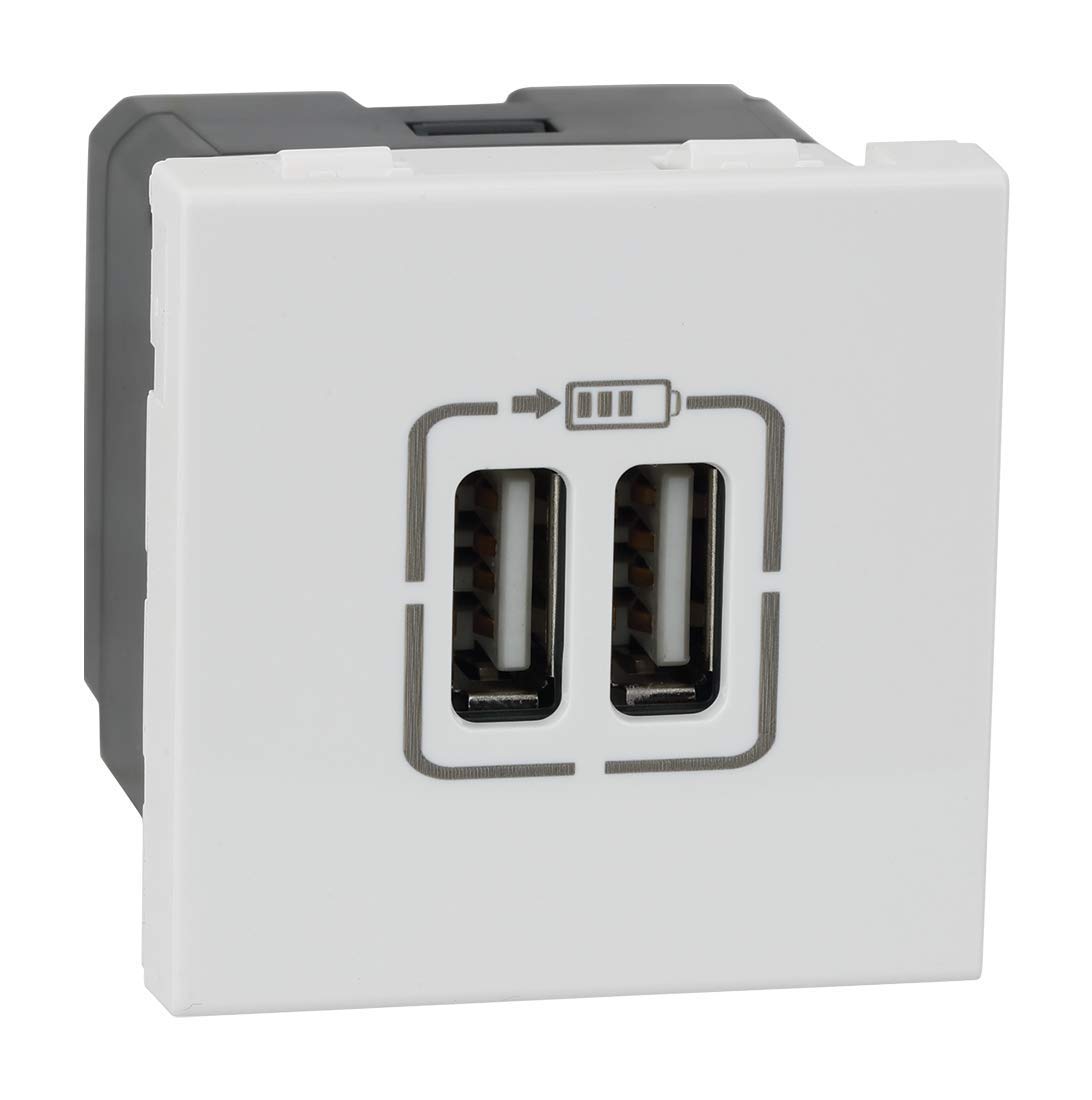
Obrázek 4: Zkosená přední strana view highlighting the two USB-A charging ports.
6. Údržba
- Čištění: Disconnect power before cleaning. Wipe the surface of the module with a soft, dry, or slightly damp hadříkem. Nepoužívejte abrazivní čisticí prostředky, rozpouštědla ani nadměrnou vlhkost.
- Inspekce: Periodically inspect the module and surrounding plate for any signs of damage, loose connections, or discoloration. If any issues are observed, disconnect power and consult a qualified electrician.
7. Řešení problémů
| Problém | Možná příčina | Řešení |
|---|---|---|
| Zařízení se nenabíjí. | Modul není napájen. Vadný USB kabel. Nekompatibilní zařízení. Porucha modulu. | Zkontrolujte jistič. Zkuste jiný kabel USB. Ensure device is USB-compatible. Poraďte se s kvalifikovaným elektrikářem. |
| Pomalé nabíjení. | High power demand from device. Vadný USB kabel. | Ensure device is not running power-intensive applications. Try a different, high-quality USB cable. |
8. Specifikace
- Číslo modelu: 573422
- Značka: Legrand
- Typ konektoru: USB-A
- Celkový počet portů USB: 2
- Vstupní objemtage: 5 Volts (from mains supply via internal conversion)
- Výstupní proud: 3 Amps (Total)
- Materiál: Polykarbonát
- Barva: Bílý
- Rozměry produktu: 4.5 x 4.5 x 4.2 cm
- Hmotnost položky: 80 g
- standardy: IS13252 (Part 1) / IEC 60950,1
9. Informace o záruce
This Legrand Arteor USB Charger Module comes with a 2-letá záruka provided by the manufacturer from the date of purchase. Please retain your proof of purchase for warranty claims. The warranty covers manufacturing defects under normal use conditions. It does not cover damage resulting from improper installation, misuse, accidents, or unauthorized modifications.
10. Zákaznická podpora
For technical assistance, warranty claims, or further information, please contact Legrand customer service. Refer to the Legrand official webaktuální kontaktní údaje naleznete na webu nebo na obalu produktu.
Oficiální Legrand Webmísto: www.legrand.co.in


