1. Úvod
This manual provides detailed instructions for the installation, operation, and maintenance of your Tonton 3MP Ultra HD Wireless Security Camera System with 8-Channel NVR Recorder. This system is designed for reliable surveillance, offering high-definition video recording and remote access capabilities.
The Tonton NVR supports up to 16 channels and is compatible with 4K, 8MP, 5MP, 4MP, 3MP, 2MP, and 1080P IP cameras. It features H.265 & H.264 compression technology, VGA & HDMI output (up to 4K), and supports various recording modes including full-time, scheduled, and motion detection. Remote viewing is available via a free app on smartphones, as well as software or web browsers on Mac and PC.
2. Obsah balení
Ověřte prosím, zda jsou ve vašem balení obsaženy všechny níže uvedené položky:
- 1 x Tonton 8-Channel NVR Recorder (1TB Hard Drive Pre-installed)
- 1 x myš USB
- 1 x Napájecí zdroj pro NVR
- 1 x Uživatelská příručka (tento dokument)
Note: Security cameras are sold separately or as part of a complete kit. This NVR is designed to work with Tonton wireless IP cameras.
3. Nastavení systému
3.1 Počáteční připojení NVR
- Připojte NVR: Plug the provided power supply into the NVR's DC12V port and then into a power outlet.
- Připojení displeje: Connect a monitor to the NVR using either the HDMI or VGA port.
- Připojení myši: Zapojte USB myš do jednoho z USB portů NVR.
- Network Connection (Optional for initial setup, required for remote viewing): Connect an Ethernet cable from the NVR's NET port to your router for internet access.

Figure 3.1: Rear panel of the NVR with connection ports.
3.2 Camera Pairing (Plug and Play)
The Tonton wireless security camera system is designed for true plug-and-play operation. Cameras automatically connect to the NVR's dedicated WiFi network.
- Zapnutí kamer: Connect each wireless camera to its respective power adapter and plug it into a power outlet.
- Automatické připojení: The cameras will automatically search for and connect to the NVR's internal WiFi network. Live video feeds should appear on your connected monitor within minutes.
- Funkce bezdrátového opakovače: Cameras can act as repeaters, extending the wireless range. They connect to the NVR's WiFi, not your home WiFi.

Figure 3.2: Wireless solution range and connectivity diagram.
3.3 Dálkové ovládání Viewnastavení
Na view your camera feeds remotely, you need to connect the NVR to the internet and configure the mobile application or PC software.
- NVR Internet Connection: Ensure the NVR is connected to your router via an Ethernet cable.
- Stáhnout aplikaci: Download the free Tonton security app from your smartphone's app store (iOS or Android).
- Přidat zařízení: Open the app, create an account, and follow the on-screen instructions to add your NVR. This typically involves scanning a QR code displayed on the NVR's monitor interface.
- PC/Mac Software: For desktop viewing, install the dedicated software from the Tonton support webmísto.
4. Návod k obsluze
4.1 Režimy nahrávání
The NVR comes with a pre-installed 1TB hard drive for automatic recording. You can configure the recording mode via the NVR's on-screen menu:
- Full-time Recording: Continuous recording 24/7.
- Schedule Time Recording: Nastavte si konkrétní časy pro nahrávání.
- Záznam detekce pohybu: Recording starts only when motion is detected.
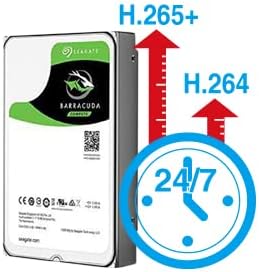
Figure 4.1: H.265+ compression for efficient storage.
4.2 Motion Detection and Email Alerts
The NVR supports motion detection and can send email alerts when motion is detected.
- Konfigurace detekce pohybu: Access the NVR's menu to define motion detection zones and sensitivity for each camera.
- Set Up Email Alerts: In the NVR's network settings, configure your email server details to enable email notifications. Any detected motion will trigger an email alert to your specified address.
4.3 Přehrávání a zálohování
Můžete znovuview zaznamenané footage directly from the NVR or remotely via the app/software.
- Místní přehrávání: Use the NVR's interface to search for recordings by time or event.
- Remote Playback: Access recorded videos through the mobile app or PC software.
- USB záloha: Connect a USB flash drive to the NVR's USB port to back up important video files.
5. Údržba
Pravidelná údržba zajistí optimální výkon a dlouhou životnost vašeho bezpečnostního systému.
- Čisté vybavení: Periodically wipe the NVR and camera lenses with a soft, dry cloth. Avoid abrasive cleaners.
- Aktualizace firmwaru: Check the Tonton official website for any available firmware updates for your NVR and cameras. Follow instructions carefully for updates.
- Správa pevných disků: The 1TB HDD will overwrite older footage when full. Regularly back up critical recordings.
- Kontrola napájení: Ensure all power adapters are securely connected and free from damage.
6. Řešení problémů
Tato část se zabývá běžnými problémy, se kterými se můžete setkat.
- Bez zobrazení videa:
- Check NVR power connection.
- Verify monitor connection (HDMI/VGA) and input source.
- Ensure cameras are powered on.
- Cameras Not Connecting:
- Ensure cameras are within range of the NVR's wireless signal.
- Check camera power.
- If using an extension antenna, ensure it is properly installed.

Figure 6.1: Wireless extension antenna setup.
- Vzdálený ViewNefunguje:
- Confirm NVR is connected to the internet via Ethernet.
- Zkontrolujte připojení k internetu na routeru.
- Ensure the app/software is updated and the NVR is correctly added.
- Bez nahrávání:
- Verify the 1TB hard drive is detected and functioning.
- Check recording schedule and motion detection settings.
If issues persist, please contact Tonton technical support.
7. Specifikace
| Značka | Tonton |
| Model | 8CH NVR Recorder (B082HC5GPC) |
| Technologie připojení | HDMI, USB, VGA, Wireless |
| Rozlišení záznamu videa | Supports up to 4K 8MP/5MP/4MP/3MP/2MP 1080p |
| Speciální funkce | Bezdrátový |
| Počet kanálů | 8 (NVR supports up to 16 channels) |
| Kapacita paměti | 1TB HDD (pre-installed) |
| Barva | Černý |
| Zdroj napájení | Elektrický kabel |
| Kompatibilní zařízení | Cameras, Desktop, Smartphones, Tablets |
| Technologie nízkého osvětlení | Noční vidění |
| Celkový počet portů USB | 2 |
| Video vstup | HDMI, USB, VGA |
| Výrobce | Tonton security |
| UPC | 740385275593 |
| ASIN | B082HC5GPC |
| Datum první dostupnosti | 8. prosince 2019 |
8. Záruka a podpora
Your Tonton Security Camera System comes with a 1-letá záruka od data nákupu.
For technical assistance, troubleshooting, or warranty claims, please contact Tonton Technical Support. Refer to the contact information provided on the Tonton official webwebu nebo v dokumentaci k nákupu.


