1. Úvod
This user manual provides detailed instructions for the setup, operation, and maintenance of your Explore Scientific RDC1004 Radio-Controlled Desk Clock. This compact and modern clock features an LED backlit display, alarm with snooze function, and displays indoor temperature and humidity. Please read this manual thoroughly before using the device to ensure proper functionality and longevity.
2. Bezpečnostní informace
- Nevystavujte zařízení extrémním teplotám, přímému slunečnímu záření nebo vysoké vlhkosti.
- Zabraňte pádu zařízení nebo jeho vystavení silným nárazům.
- Nepokoušejte se zařízení rozebírat ani opravovat sami. Veškerý servis svěřte kvalifikovanému personálu.
- Uchovávejte baterie mimo dosah dětí. Použité baterie zlikvidujte zodpovědně v souladu s místními předpisy.
- Zařízení čistěte měkkým, suchým hadříkem. Nepoužívejte abrazivní čisticí prostředky ani rozpouštědla.
3. Obsah balení
Zkontrolujte prosím obsah balení, abyste se ujistili, že jsou přítomny všechny položky:
- Explore Scientific RDC1004 Radio-Controlled Desk Clock
- 3 x AAA baterie
- Uživatelská příručka (tento dokument)
4. Konec produktuview
Familiarize yourself with the components and display of your RDC1004 clock.

Obrázek 4.1: Přední strana view of the Explore Scientific RDC1004 Radio-Controlled Desk Clock. The clock features a large, clear digital display showing the current time prominently. Below the time, smaller digits indicate the indoor temperature and humidity. An alarm icon and set alarm time are visible in the upper right corner. The base of the clock shows touch-sensitive buttons labeled "SET", "AL.SET", "UP", "DOWN", and "ON/OFF" for backlight control.
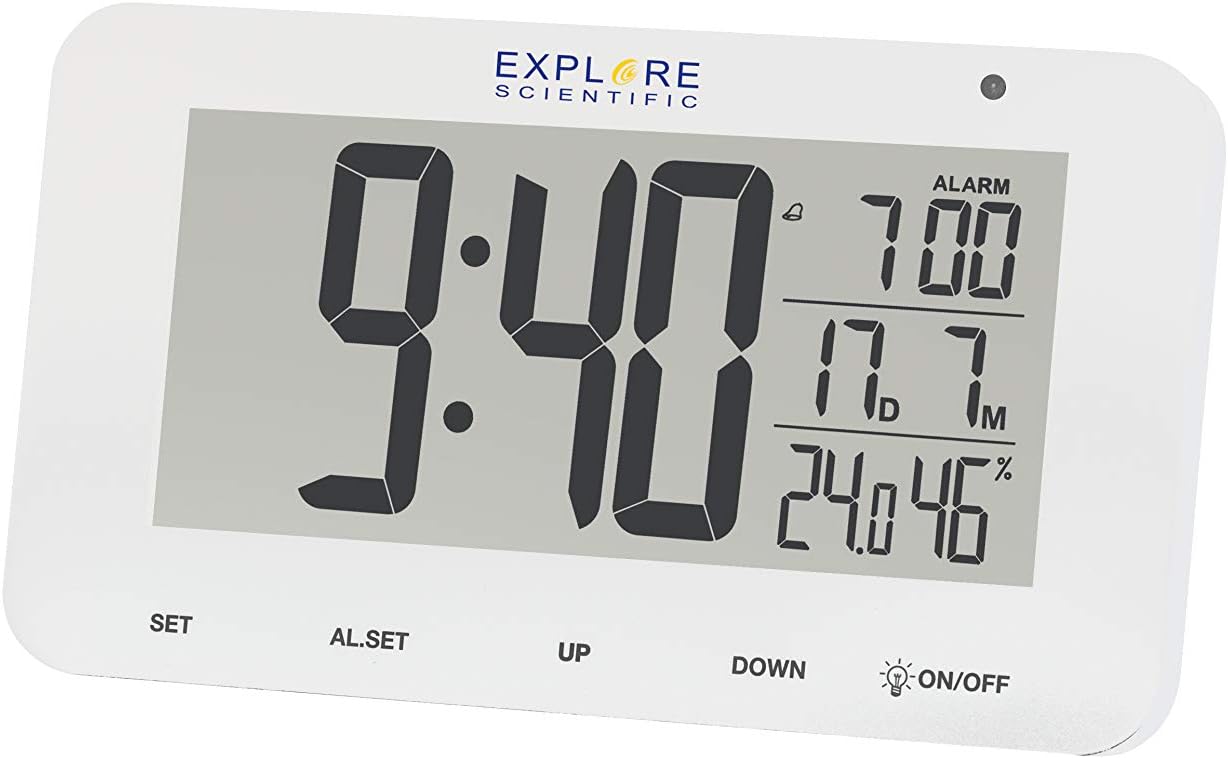
Obrázek 4.2: Detailní view of the RDC1004 clock's display. This image provides a closer look at the LCD screen, emphasizing the crisp white LED backlight. The main display shows "9:40" as the current time. To the right, the alarm is set for "7:00". Below that, the indoor temperature is "17.7°C" and humidity is "46%". The touch-sensitive controls are clearly visible at the bottom of the clock's face.
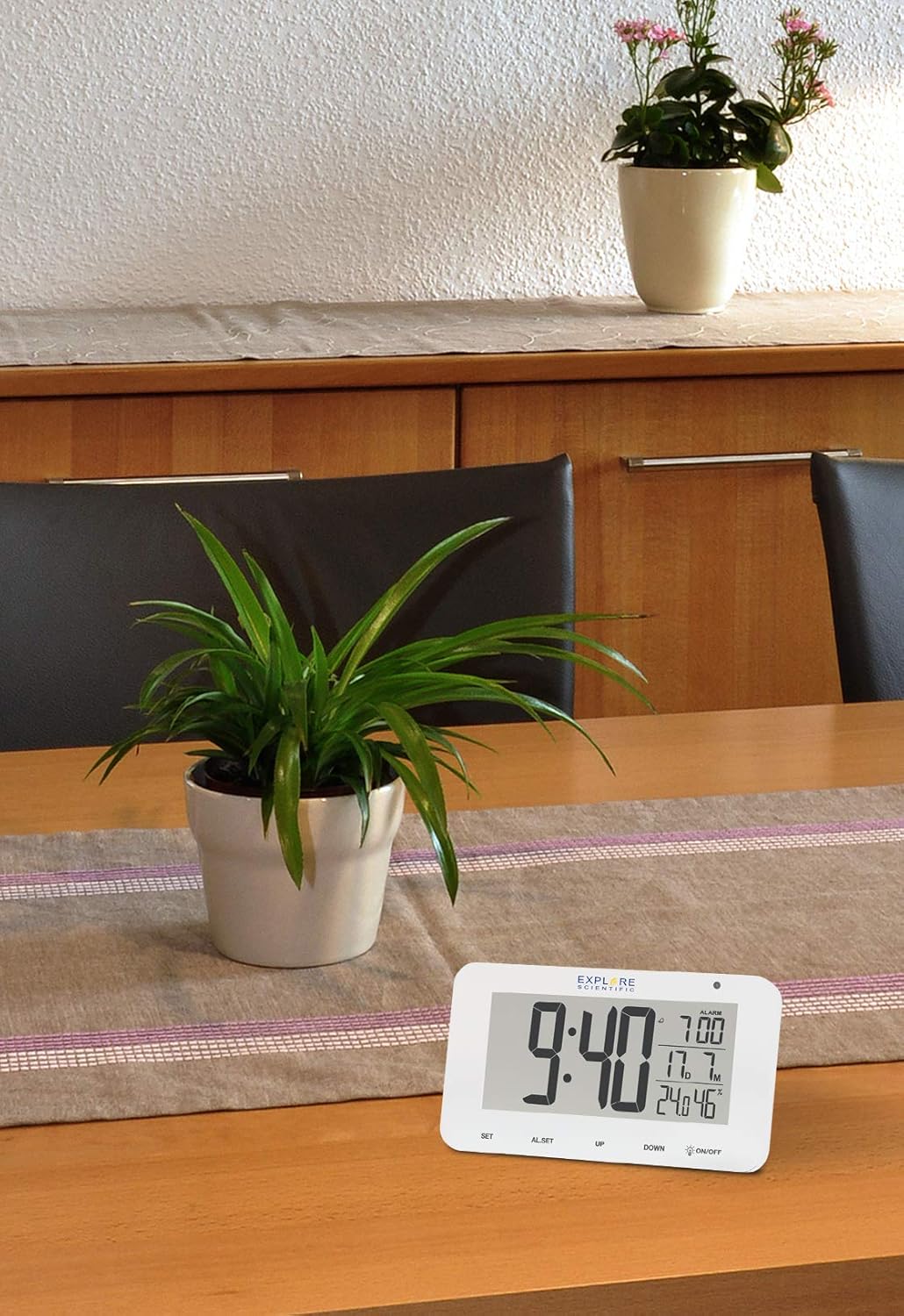
Figure 4.3: The RDC1004 clock in a typical home environment. The white clock is positioned on a light wooden table, demonstrating its compact size and modern aesthetic. A green potted plant is visible behind it, suggesting its suitability as a desk or bedside accessory. The display is clearly visible from a distance, indicating good readability.
4.1 Display Layout
- Zobrazení času: Large digits for hours and minutes.
- Čas alarmu: Smaller digits, typically in the upper right.
- Vnitřní teplota: Displays current indoor temperature in Celsius or Fahrenheit.
- Vnitřní vlhkost: Displays current indoor relative humidity percentage.
- Date/Month Display: Zobrazuje aktuální měsíc a datum.
- Radio Control Icon: Indicates successful synchronization with the radio time signal.
- Ikona alarmu: Indicates if the alarm is active.
4.2 Ovládací prvky
- Tlačítko SET: Used to enter time/date setting mode and confirm selections.
- AL.SET Button: Used to enter alarm setting mode.
- Tlačítko NAHORU: Used to increase values during setting or toggle display modes.
- Tlačítko DOLŮ: Used to decrease values during setting or toggle display modes.
- ON/OFF (Backlight) Button: Activates the white LED backlight and night light mode. This is a touch-sensitive control.
5. Nastavení
5.1 Instalace baterie
- Najděte přihrádku na baterie na zadní straně hodin.
- Otevřete kryt bateriového prostoru.
- Vložte 3 nové baterie AAA a dbejte na správnou polaritu (+ a -) vyznačenou uvnitř přihrádky.
- Bezpečně zavřete kryt bateriového prostoru.
Note: The clock will power on automatically once batteries are inserted.
5.2 Initial Setup and Radio-Controlled Time Synchronization
Upon initial power-on, the clock will automatically attempt to synchronize with the DCF (radio-controlled) time signal. This process may take several minutes to several hours, depending on your location and signal strength. During synchronization, the radio control icon will typically flash on the display.
- Place the clock near a window or in an open area for optimal signal reception.
- Avoid placing it near electronic devices that may cause interference (e.g., TVs, computers, microwaves).
- Once synchronized, the radio control icon will appear solid on the display, and the time will be automatically set and updated daily.
If the time does not synchronize automatically after several hours, you may need to manually set the time zone or initiate a manual search for the signal. Refer to the "Operating Instructions" section for manual settings.
6. Návod k obsluze
6.1 Ruční nastavení času a data
While the clock is radio-controlled, you can manually set the time and date if needed, or adjust the time zone.
- Stiskněte a podržte SOUBOR button for approximately 3 seconds to enter time setting mode. The digit to be set will flash.
- Použijte UP or DOLŮ buttons to adjust the flashing value (e.g., time zone, 12/24 hour format, hour, minute, year, month, date).
- Stiskněte tlačítko SOUBOR button again to confirm the current setting and move to the next setting item.
- Opakujte kroky 2 a 3, dokud nebudou nakonfigurována všechna požadovaná nastavení.
- The clock will automatically exit setting mode if no button is pressed for approximately 15 seconds.
6.2 Nastavení alarmu
- Stiskněte a podržte AL.SET button for approximately 3 seconds to enter alarm setting mode. The alarm hour will flash.
- Použijte UP or DOLŮ tlačítka pro nastavení hodiny budíku.
- Stiskněte AL.SET again to confirm the hour and move to the alarm minute setting.
- Použijte UP or DOLŮ tlačítka pro nastavení minuty budíku.
- Stiskněte AL.SET again to confirm and exit alarm setting mode.
6.3 Aktivace/deaktivace alarmu
Krátce stiskněte AL.SET button to toggle the alarm ON or OFF. An alarm icon will appear on the display when the alarm is active.
6.4 Funkce odložení
Když zazní budík, dotkněte se ON/OFF area (or any button, depending on model variation) on the top of the clock to activate the snooze function. The alarm will temporarily stop and sound again after approximately 5 minutes. To completely stop the alarm, press the UP tlačítko.
6.5 Backlight and Night Light
- Instant Backlight: Krátce se dotkněte ON/OFF area on the top of the clock to activate the bright white LED backlight. It will illuminate for a few seconds and then turn off automatically.
- Režim nočního osvětlení: Stiskněte a podržte ON/OFF area for approximately 3 seconds to activate a continuous, dim night light. Repeat this action to turn off the night light.
6.6 Výběr jednotky teploty
Krátce stiskněte DOLŮ button to switch between Celsius (°C) and Fahrenheit (°F) temperature display.
7. Údržba
- Čištění: Wipe the clock's surface with a soft, dry, lint-free cloth. Do not use liquid cleaners, aerosols, or abrasive materials.
- Výměna baterie: When the display dims or the clock stops functioning, replace all 3 AAA batteries with new ones. Ensure correct polarity.
- Skladování: Pokud hodiny skladujete delší dobu, vyjměte baterie, abyste zabránili vytečení.
8. Řešení problémů
| Problém | Možná příčina | Řešení |
|---|---|---|
| Clock display is blank or dim. | Slabé nebo vybité baterie. | Replace with new AAA batteries. Ensure correct polarity. |
| Čas je nesprávný nebo se nesynchronizuje. | Poor radio signal reception; incorrect time zone setting. | Move the clock to a location with better signal (e.g., near a window, away from electronics). Manually set the correct time zone. Initiate a manual signal search if available (refer to manual for specific steps if not covered in 6.1). |
| Alarm se nespustí. | Alarm is not activated; alarm volume too low (if adjustable). | Ensure the alarm icon is displayed. Check alarm time setting. |
| Dotykové ovládání nereaguje. | During radio signal search; temporary software glitch. | Wait for the radio signal search to complete (approx. 7 minutes). Remove and reinsert batteries to reset the device. |
| Údaje o teplotě/vlhkosti se zdají být nepřesné. | Device placed near heat/cold source; sensor obstruction. | Ensure the clock is placed in a stable environment, away from direct heat sources, vents, or direct sunlight. |
9. Specifikace
| Funkce | Detail |
|---|---|
| Číslo modelu | RDC1004GYE000 |
| Typ zobrazení | Digital LCD with White LED Backlight |
| Synchronizace času | Radio-controlled (DCF) |
| Funkce | Time, Date, Month, Alarm, Snooze, Indoor Temperature, Indoor Humidity, Night Mode |
| Jednotka teploty | Volitelné °C / °F |
| Zdroj napájení | 3 x AAA baterie (součástí balení) |
| Rozměry (D x Š x V) | 15.4 x 4.2 x 9.2 cm (přibližně 6.06 x 1.65 x 3.62 palce) |
| Hmotnost | 180 g (přibližně 0.4 libry) |
| Barva | Bílý |
10. Záruka a podpora
Explore Scientific products are designed for reliability and performance. For specific warranty terms and conditions, please refer to the warranty card included with your purchase or visit the official Explore Scientific website. If you encounter any issues not covered in this manual, or require further assistance, please contact Explore Scientific customer support.
Nejnovější informace a podporu naleznete na adrese: www.explorescientific.com


