Konec produktuview
The Akasa Cypher MX3 is an ultra-compact 2-liter computer case designed for Thin mini-ITX motherboards with DC onboard. It features a robust SGCC steel construction with an aluminum front panel, offering both durability and a sleek design. This case is ideal for building small form factor PCs, providing essential connectivity and efficient space utilization.

Obrázek 1: Přední strana view of the Akasa Cypher MX3 case, showcasing its compact design and front panel ports.
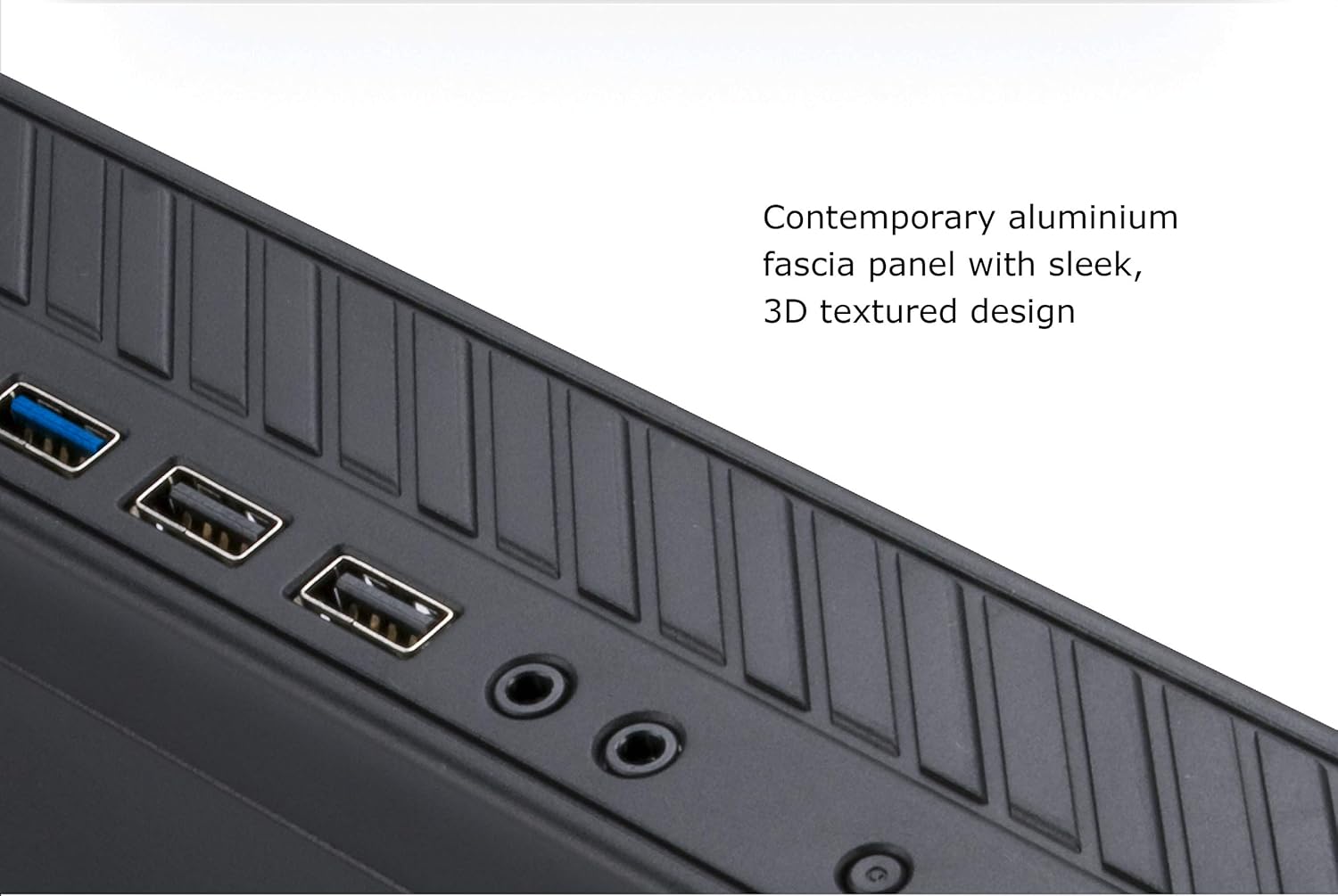
Figure 2: Close-up of the Akasa Cypher MX3's contemporary aluminum fascia panel with its 3D textured design.
Klíčové vlastnosti
- Ultra kompaktní design: Less than 2 liters in volume, ideal for space-constrained environments.
- Robustní konstrukce: Built with 0.8mm SGCC steel for durability, featuring an aluminum front panel.
- Připojení předního panelu: Includes 2 x USB 3.1 Gen 1 (USB 3.0) ports, 2 x USB 2.0 ports, and 2 x HD audio jacks for convenient access.
- Montáž VESA: Compatible with VESA mounts, allowing the case to be attached to the back of a monitor, saving desk space.
- Optimalizované proudění vzduchu: Features top and side vents to ensure maximum airflow and efficient cooling.
- Interní úložiště: Supports one 2.5-inch HDD/SSD.
- Power and Reset Controls: Front-mounted power and reset buttons with power and HDD activity LED indicators.

Figure 3: Diagram highlighting key features of the Cypher MX3, including its ultra-compact size, front USB ports, VESA mountability, and ventilation.

Obrázek 4: View of the Akasa Cypher MX3 case showing the top and side ventilation holes designed for maximum airflow.
Specifikace
| Atribut | Detail |
|---|---|
| Značka | Akasa |
| Model | A-ITX38U3-M1B |
| Materiál | SGCC steel 0.8mm (interior), Aluminium (panel) |
| Kompatibilita základní desky | Thin mini-ITX with DC onboard |
| Rozměry (ŠxHxV) | Rozměr 208 x 203 x 45 mm |
| Vnitřní zálivy | 1 (for 2.5" HDD/SSD) |
| Přední USB porty | 2 x USB 3.1 Gen 1 (USB 3.0), 2 x USB 2.0 |
| HD audio konektory | 2 |
| Přední ovládání | Power & Reset buttons |
| Ukazatele | Power LED, HDD activity LED |
| Chladicí systém | 40x40x10mm fan x 1 (optional) |
| Externí AC napájecí adaptér | AK-PD120-04M, AK-PD120-03M (not included with case) |

Figure 5: Technical drawing illustrating the precise dimensions of the Akasa Cypher MX3 case (208mm x 203mm x 45mm).
Nastavení a instalace
This section provides general guidance for setting up your Akasa Cypher MX3 case. Specific installation steps for internal components (motherboard, storage, etc.) should follow the instructions provided with those components.
1. Příprava případu
- Carefully unpack the Akasa Cypher MX3 case and its accessories.
- Umístěte pouzdro na stabilní, rovný povrch.
- Remove the top cover of the case to access the interior for component installation. Refer to the case's physical design for latch or screw locations.
2. Instalace základní desky
- Ensure your motherboard is a Thin mini-ITX type with DC onboard power input, compatible with the case's design.
- Zarovnejte základní desku s distančními výčnělky uvnitř skříně.
- Secure the motherboard using appropriate screws.
- Connect the front panel cables (Power SW, Reset SW, Power LED, HDD LED, USB 3.0, USB 2.0, HD Audio) from the case to the corresponding headers on your motherboard.
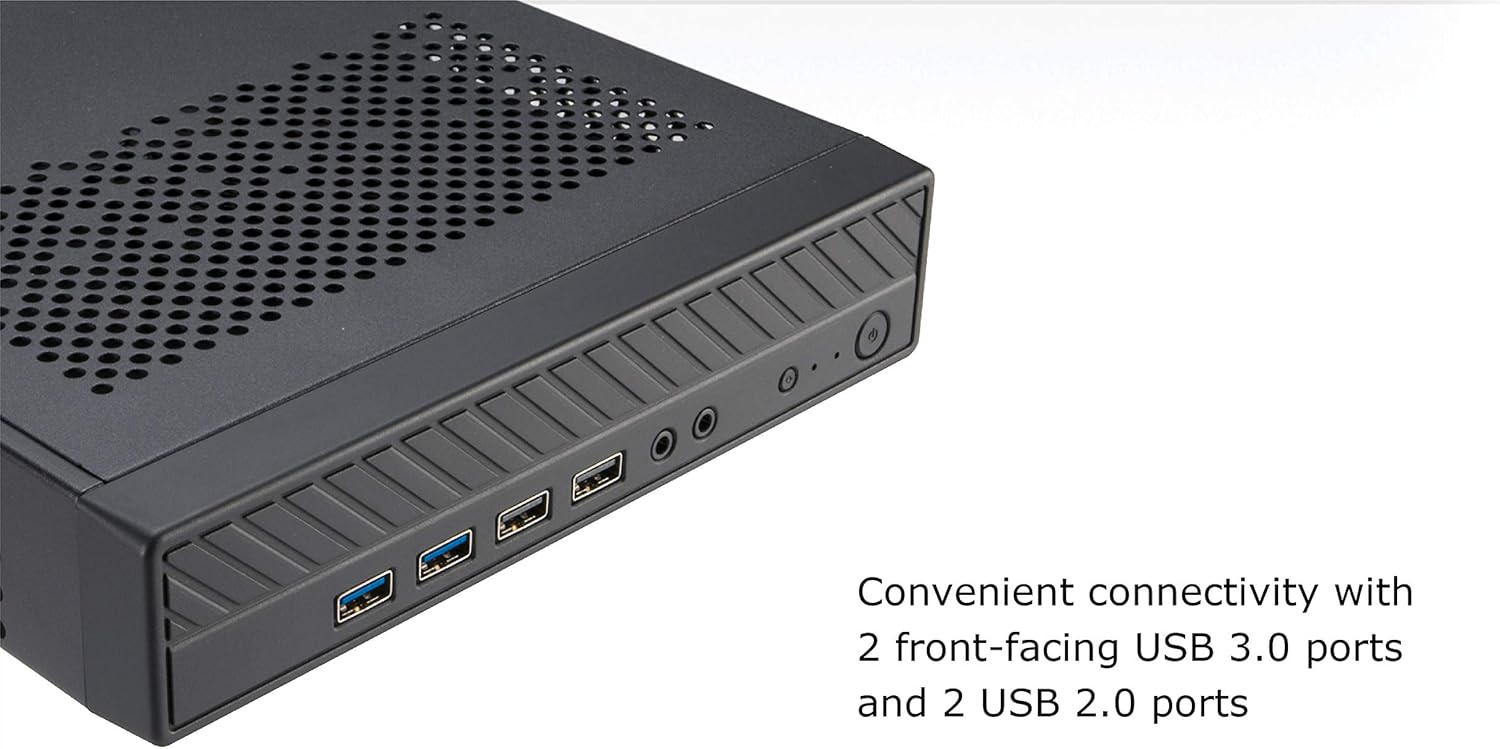
Figure 6: Detail of the Akasa Cypher MX3's front panel, showing the 2 x USB 3.0 ports, 2 x USB 2.0 ports, and audio jacks, which connect to the motherboard.
3. Instalace úložného zařízení
- Locate the internal bay for a 2.5-inch HDD/SSD.
- Mount your 2.5-inch storage device into the designated bay and secure it with screws.
- Connect the SATA data and power cables to the storage device and the motherboard.
4. Optional Fan Installation
- If desired, install a 40x40x10mm cooling fan in the designated mounting area (refer to case interior for specific location).
- Connect the fan's power cable to an available fan header on your motherboard.
5. Montáž VESA (volitelné)
The Akasa Cypher MX3 supports VESA mounting, allowing it to be attached to the back of a VESA-compatible monitor or wall mount.
- Identify the VESA mounting holes on the bottom of the case.
- Secure the case to a VESA mount bracket using appropriate screws (VESA mount and screws typically sold separately).
- Ensure the case is securely fastened before mounting the monitor.

Figure 7: Illustration demonstrating the Akasa Cypher MX3 case mounted to the back of a monitor using a VESA mount, saving desk space.

Obrázek 8: Úhlové view of the Akasa Cypher MX3, showing the four VESA mounting points on the bottom panel.
Provoz systému
Once all internal components are installed and the case is closed, connect the external power adapter (e.g., AK-PD120-04M or AK-PD120-03M, sold separately) to your motherboard's DC input and then to a power outlet.
- Zapnutí/vypnutí: Press the front-mounted power button to turn the system on or off. The power LED will illuminate when the system is on.
- Resetovat: Press the front-mounted reset button to restart the system.
- USB porty: Use the front USB 3.0 and USB 2.0 ports for connecting peripherals such as keyboards, mice, USB drives, and other compatible devices.
- Audio konektory: Connect headphones, microphones, or speakers to the front HD audio jacks.
- HDD Activity LED: The HDD activity LED will blink to indicate data read/write operations on your storage devices.
Údržba
Regular maintenance helps ensure optimal performance and longevity of your Akasa Cypher MX3 case and the components within.
- Odstranění prachu: Periodically clean the exterior of the case with a soft, dry cloth. For internal dust, use compressed air to gently clear dust from vents, fans (if installed), and components. Ensure the system is powered off and unplugged before cleaning internally.
- Větrání: Ensure that the top and side vents are not obstructed to maintain proper airflow. Avoid placing the case in enclosed spaces that restrict ventilation.
- Správa kabelů: While the case is compact, try to manage internal cables neatly to prevent interference with airflow and to simplify future maintenance.
Odstraňování problémů
If you encounter issues with your system housed in the Akasa Cypher MX3 case, consider the following common troubleshooting steps:
- Systém se nezapíná:
- Verify that the external AC power adapter is correctly connected to the motherboard's DC input and a working power outlet.
- Check that the front panel power button cable is securely connected to the motherboard's power header.
- Ensure all internal power connections (e.g., to motherboard, storage) are firm.
- Nefunkční USB porty:
- Confirm that the front panel USB cables are correctly connected to the corresponding USB headers on your motherboard.
- Vyzkoušejte s různými zařízeními USB, abyste vyloučili problémy specifické pro dané zařízení.
- No Audio from Front Jacks:
- Ensure the front panel HD audio cable is properly connected to the audio header on your motherboard.
- Zkontrolujte nastavení zvuku ve vašem operačním systému.
- Obavy z přehřívání:
- Ensure the case's top and side vents are clear of obstructions.
- If an optional fan is installed, verify it is functioning correctly.
- Clean any dust buildup from inside the case and components.
For issues beyond these basic steps, consult your motherboard's manual or contact Akasa support.
Záruka a podpora
Akasa products are designed for reliability and performance. For specific warranty information regarding your Akasa Cypher MX3 case, please refer to the warranty documentation included with your purchase or visit the official Akasa webmísto.
For technical support, product inquiries, or assistance with troubleshooting, please contact Akasa customer support through their official channels. Keep your product model number (A-ITX38U3-M1B) and purchase details readily available when seeking support.
Note: The external AC power adapter (e.g., AK-PD120-04M, AK-PD120-03M) is typically sold separately and is not covered under the case's warranty unless explicitly stated by the retailer or manufacturer.


