1. Úvod
This instruction manual provides detailed guidance for the assembly, operation, and maintenance of your Hemudu Universal Tabletop TV Stand, model HT03B-003. This stand is designed to securely support televisions ranging from 40 to 86 inches, with a maximum load capacity of 132 lbs (60 kg). It features 5-level height adjustment and a heavy-duty tempered glass base for stability and a sleek appearance.
2. Důležité bezpečnostní informace
- Před montáží a použitím si pečlivě přečtěte všechny pokyny.
- Ensure all components are present and undamaged before proceeding. Do not use if any parts are missing or defective.
- Nepřekračujte maximální nosnost 60 kg (132 liber).
- This stand is designed for tabletop use. Do not attempt to wall-mount the stand itself.
- Always ensure the TV is securely attached to the mounting brackets and the stand is placed on a stable, level surface.
- Keep children and pets away from the TV stand during assembly and ensure the TV is stable after installation.
- Používejte vhodné nástroje dle pokynů v montážním návodu.
3. Obsah balení
Ověřte, zda jsou všechny níže uvedené díly součástí balení. Pokud některé díly chybí nebo jsou poškozené, kontaktujte zákaznickou podporu.
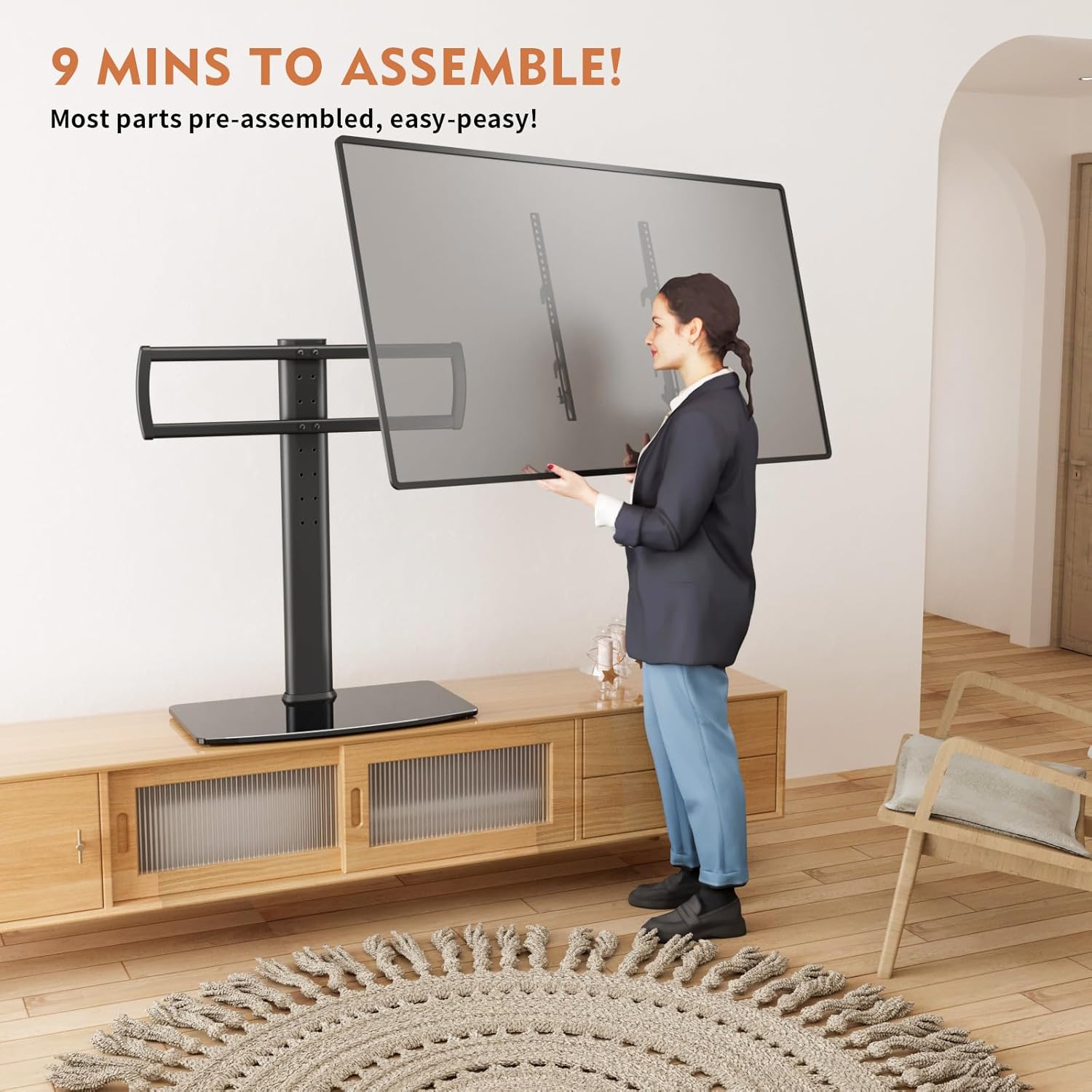
Image: All components of the TV stand, including the tempered glass base, central support column, TV mounting brackets, and various screws and tools, are laid out for inspection.
- Základna z tvrzeného skla
- Central Support Column
- TV Mounting Brackets (2 pieces)
- Cross Member for TV Mounting
- Hardware Kit (various screws, washers, spacers, Allen wrench)
- Návod k použití
4. Vlastnosti produktu
- Univerzální kompatibilita: Fits most 40 to 86 inch TVs with VESA patterns from 100x100mm to 600x400mm.
- Nastavitelná výška: 5 levels of height adjustment to optimize viewzkušenosti.
- Těžká konstrukce: Features a sturdy steel pole and a 10mm thick tempered glass base, supporting up to 132 lbs.
- Správa kabelů: Integrated cable pass-through port in the central column helps organize wires for a tidy setup.
- Elegantní design: Black tempered glass base provides a modern and elegant look.

Image: Illustration demonstrating the five adjustable height levels of the TV stand, ranging from a minimum of 27.9 inches to a maximum of 35.8 inches.

Image: Technical diagram detailing the stand's dimensions (13" depth, 22.8" width), VESA compatibility (100x100mm to 600x400mm), and maximum load capacity of 132 lbs for TVs between 40-86 inches.
5. Montážní návod
Follow these steps to assemble your Hemudu Universal Tabletop TV Stand. It is recommended to have a second person assist with lifting the TV.
- Step 1: Attach the Central Support Column to the Tempered Glass Base.
Align the central support column with the pre-drilled holes on the tempered glass base. Secure it using the provided screws and Allen wrench. Ensure it is tightened firmly for stability.

Obrázek: Detailní záběr view of the black tempered glass base with the central support column securely attached, showing the sleek design and stable connection.
- Step 2: Assemble the TV Mounting Brackets.
Attach the horizontal cross member to the central support column at your desired height using the provided bolts. The stand offers 5 height levels. Then, attach the vertical TV mounting brackets to the horizontal cross member.
- Step 3: Attach Mounting Brackets to Your TV.
Select the correct screws and spacers from the hardware kit that fit your TV's VESA mounting holes. Securely attach the vertical TV mounting brackets to the back of your television. Ensure the brackets are level and firmly attached.
- Step 4: Mount the TV onto the Stand.
With assistance, carefully lift your television and hook the attached mounting brackets onto the horizontal cross member of the stand. Ensure the TV is seated correctly and securely. Use the safety screws to lock the TV in place, preventing accidental dislodgement.
- Krok 5: Správa kabelů.
Route your TV cables through the integrated cable management clips on the central support column to maintain a neat and organized appearance.
Video: Official Hemudu video demonstrating the assembly process and features of the Universal TV Stand HT03B-003.
6. Návod k obsluze
- Nastavení výšky: The TV mounting brackets can be positioned at 5 different height levels along the central column. To adjust, remove the TV, reposition the brackets, and re-secure the TV.
- Umístění: Place the TV stand on a flat, stable surface. The tempered glass base provides ample stability for large TVs.
- Soundbar/Media Device Space: The design allows for additional space beneath the TV for soundbars or other media devices.

Image: The TV stand with a soundbar positioned on its base, illustrating the available space for additional media devices.
7. Údržba
- Regularly check all screws and bolts to ensure they remain tight.
- Clean the tempered glass base with a soft, damp cloth and a mild glass cleaner. Avoid abrasive cleaners.
- Kovové části otřete suchým nebo lehce navlhčeným hadříkem.amp hadříkem k odstranění prachu.
- Do not place heavy objects on the glass base beyond its intended use for media devices.
8. Řešení problémů
| Problém | Možná příčina | Řešení |
|---|---|---|
| Televizor se chvěje nebo je nestabilní. | Šrouby jsou uvolněné; stojan je na nerovném povrchu; hmotnost televizoru překračuje nosnost. | Tighten all screws. Move the stand to a level surface. Verify TV weight is within 132 lbs limit. |
| TV does not fit mounting brackets. | Incorrect VESA pattern; wrong screws/spacers used. | Check your TV's VESA pattern against the stand's compatibility (100x100mm to 600x400mm). Ensure correct screws and spacers are used. |
| Difficulty with height adjustment. | TV is still attached; bolts are too tight. | Remove the TV from the stand before attempting to adjust the height of the mounting brackets. Loosen bolts slightly if necessary. |
9. Specifikace
- Model: HT03B-003
- Značka: Hemudu
- Kompatibilní velikosti televizorů: 40 - 86 palce
- Maximální nosnost: 132 lb (60 kg)
- Kompatibilita VESA: 100x100mm až 600x400mm
- Nastavení výšky: 5 levels (Min: 27.9 inches, Max: 35.8 inches)
- Základní materiál: Tvrzené sklo 10 mm
- Materiál rámu: Legovaná ocel
- Rozměry produktu: 22.8 x 13 x 34.2 palce (D x Š x V)
- Hmotnost položky: 18.06 libry
10. Záruka a podpora
For warranty information, technical support, or to inquire about replacement parts, please contact Hemudu customer service. Refer to the contact details provided with your product packaging or visit the official Hemudu webmísto.
Uschovejte si prosím doklad o koupi pro případné reklamace.


