Konec produktuview
The HyperGear ChargePad is a 5W universal wireless charging pad designed for convenient and efficient charging of Qi-enabled devices. Its compact and lightweight design makes it suitable for various environments, from bedside tables to office desks. The ChargePad features a smart LED indicator to show charging status and incorporates advanced safety protections against short circuits and overcharging.

Image: HyperGear ChargePad in its packaging, alongside the black charging pad with a smartphone actively charging on it, displaying a battery icon.
Co je zahrnuto
The HyperGear ChargePad package includes the following components:
- HyperGear ChargePad (Black)
- Kabel micro USB 3 stop

Image: The HyperGear ChargePad and its accompanying 3ft Micro USB cable, laid out to show the included accessories.
Pokyny pro nastavení
- Připojte napájecí kabel: Insert the Micro USB end of the included 3ft Micro USB cable into the Micro USB port on the HyperGear ChargePad.
- Připojte ke zdroji napájení: Plug the USB-A end of the cable into a compatible USB wall adapter (not included) or a USB port on a computer. For optimal charging performance, a 5V/2A power adapter is recommended.
- Umístění: Place the ChargePad on a flat, stable surface, away from direct sunlight, heat sources, and liquids.

Image: An illustration demonstrating the connection of the HyperGear ChargePad to a wall adapter, with a smartphone placed on the pad for charging. Note: Wall adapter sold separately.
Návod k obsluze
- Zahájení nabíjení: Once the ChargePad is connected to a power source, place your Qi-enabled device (e.g., smartphone, AirPods case) directly onto the center of the charging pad.
- Indikátor nabíjení: The built-in LED power indicator on the ChargePad will illuminate to confirm that your device is charging. The specific behavior of the LED (e.g., solid light, blinking) indicates the charging status. Refer to the device's screen for exact battery percentage.
- Optimální umístění: Ensure your device is centered on the pad for efficient charging. Misalignment may result in slower charging or no charge.
- Kompatibilita pouzdra: The ChargePad is compatible with most phone cases up to 3mm thick. Thicker cases or cases containing metal or magnets may interfere with wireless charging and should be removed.
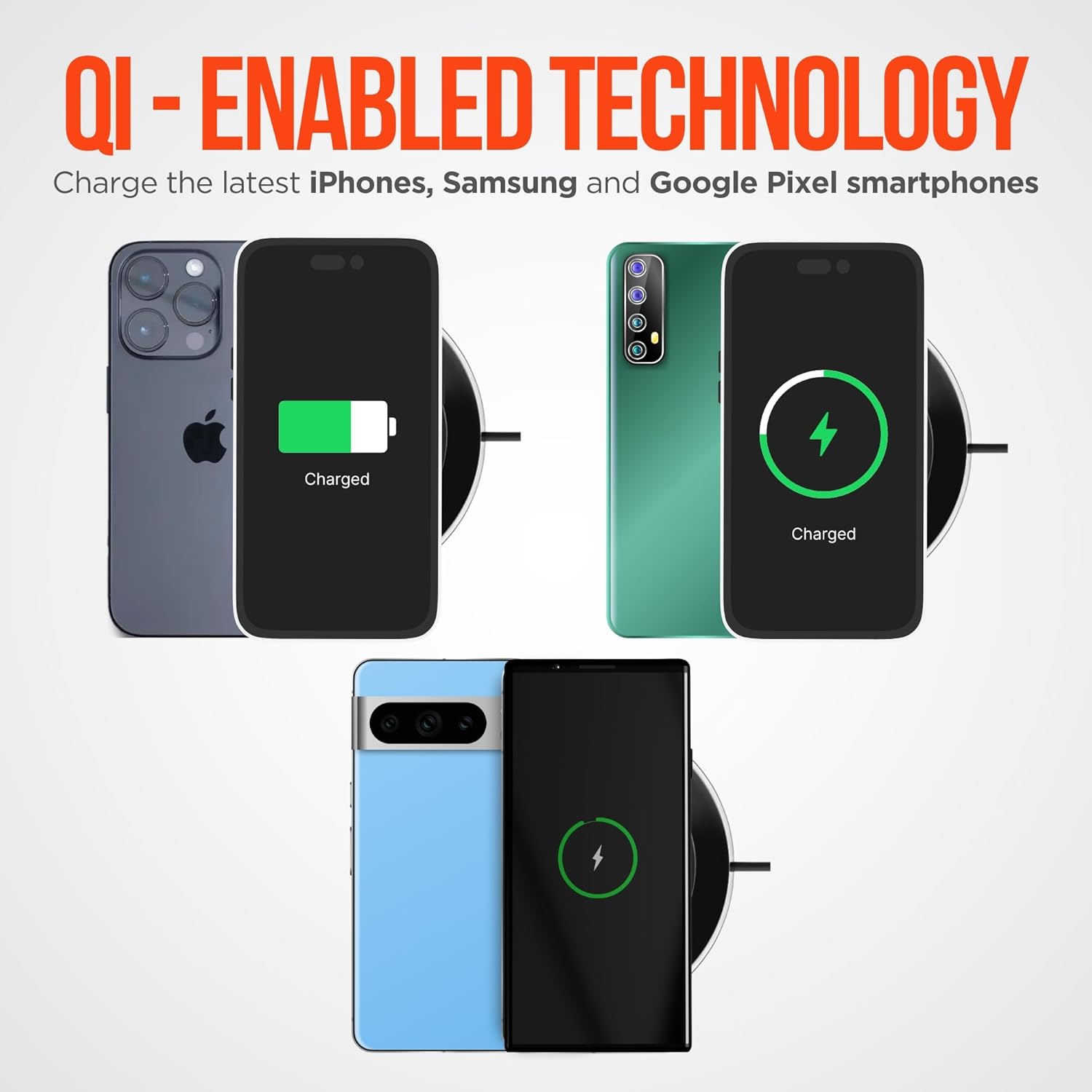
Image: Multiple smartphones, including iPhone, Samsung, and Google Pixel models, shown charging wirelessly on the HyperGear ChargePad, illustrating its Qi-enabled technology.

Image: A visual representation of the HyperGear 5W ChargePad's key features, such as quiet operation, plug-and-play setup, heat-efficient design, compatibility with Qi-enabled devices, and a travel-friendly design.
Údržba a bezpečnost
To ensure the longevity and safe operation of your HyperGear ChargePad, please follow these guidelines:
- Čištění: Disconnect the ChargePad from the power source before cleaning. Use a soft, dry cloth to wipe the surface. Do not use harsh chemicals or abrasive cleaners.
- Skladování: Store the ChargePad in a cool, dry place when not in use.
- Podmínky prostředí: Avoid exposing the ChargePad to extreme temperatures, humidity, or direct sunlight.
- Ochranné vlastnosti: The ChargePad is equipped with advanced protection against short circuits and overcharging. These features help safeguard your devices during charging.
- Tichý provoz: The design ensures quiet operation, making it suitable for use in bedrooms or quiet environments without producing whirring noises.

Image: The HyperGear ChargePad highlighting its protective features: overcharge protection, soft touch rubber grips for stability, short circuit protection, and an LED power indicator for status updates.
Odstraňování problémů
| Problém | Možná příčina | Řešení |
|---|---|---|
| Zařízení se nenabíjí. |
|
|
| Pomalé nabíjení. |
|
|
| LED indikátor nesvítí. |
|
|
Specifikace
| Funkce | Detail |
|---|---|
| Číslo modelu | 14264 |
| Rozměry produktu | 3.9 x 3.9 x 0.5 palce |
| Hmotnost | 1.5 unce |
| Vstupní objemtage | 5 voltů |
| Vstup Ampvymazat | 2 Amps |
| Výstupní výkon | 5W |
| Celkový počet portů USB | 1 (Micro USB for power input) |
| Barva | Černý |
| Speciální funkce | LED Charging Indicator, Qi Wireless Charging, Overcharge Protection, Short Circuit Protection, Quiet Operation |
| Kompatibilní zařízení | All Qi-enabled devices, including iPhone, Android smartphones, Apple Watch, and AirPods. |

Image: A graphic detailing the HyperGear ChargePad's input (5V/2A) and output (5V/1A) power specifications, alongside images of various devices like smartphones, AirPods, and smartwatches, indicating broad compatibility.
Záruka a podpora
For warranty information and customer support, please refer to the official HyperGear webnebo se obraťte přímo na jejich zákaznický servis. Konkrétní záruční podmínky se mohou lišit.
You can visit the HyperGear store on Amazon for more information: HyperGear Amazon Store
Důležité bezpečnostní informace
- Zařízení nerozebírejte, neupravujte ani neopravujte.
- Nevystavujte vodě ani nadměrné vlhkosti.
- Zabraňte pádu zařízení nebo jeho vystavení silným nárazům.
- Uchovávejte mimo dosah dětí.
- Používejte pouze s kompatibilními napájecími adaptéry a kabely.
- Tento produkt obsahuje chemikálie, o kterých je ve státě Kalifornie známo, že způsobují rakovinu a vrozené vady nebo jiná poškození reprodukce.


