Zavedení
This manual provides detailed instructions for the setup, operation, and maintenance of your LIGE BW0223 Smart Watch. Please read this guide thoroughly to ensure proper use and to maximize the features of your device. The LIGE BW0223 Smart Watch is designed to assist with fitness tracking, health monitoring, and smart notifications, compatible with both iOS and Android devices.
1. Nastavení
1.1 Nabíjení zařízení
Before initial use, fully charge your LIGE BW0223 Smart Watch. Connect the magnetic charging cable to the charging contacts on the back of the watch and plug the USB end into a standard USB power adapter (5V/1A recommended). The watch display will indicate charging status. A full charge typically takes approximately 2 hours.

The back of the LIGE Smart Watch features a magnetic charging interface and advanced optical sensors for continuous monitoring of heart rate, blood pressure, and blood oxygen levels.
1.2 Instalace a párování aplikace
- Stáhněte si doprovodnou aplikaci: Scan the QR code provided in the watch packaging or search for the designated companion app (e.g., 'FitPro' or 'LIGE Smart') in your smartphone's app store (App Store for iOS, Google Play Store for Android).
- Povolit Bluetooth: Ujistěte se, že je na vašem smartphonu povoleno Bluetooth.
- Otevřete aplikaci: Spusťte nainstalovanou aplikaci a postupujte podle pokynů na obrazovce k vytvoření účtu nebo přihlášení.
- Spárování hodinek: Within the app, navigate to the device management section (often labeled 'Device', 'My Device', or 'Add Device'). The app will search for available Bluetooth devices. Select 'BW0223' or 'LIGE Smart Watch' from the list to initiate pairing. Confirm the pairing request on both your phone and the watch if prompted.
1.3 Počáteční nastavení
After successful pairing, complete your personal profile within the app, including gender, age, height, and weight. This information helps improve the accuracy of fitness and health data. You can also set preferences for units of measurement (metric/imperial) and time format (12/24-hour).
2. Návod k obsluze
2.1 Zobrazení a navigace
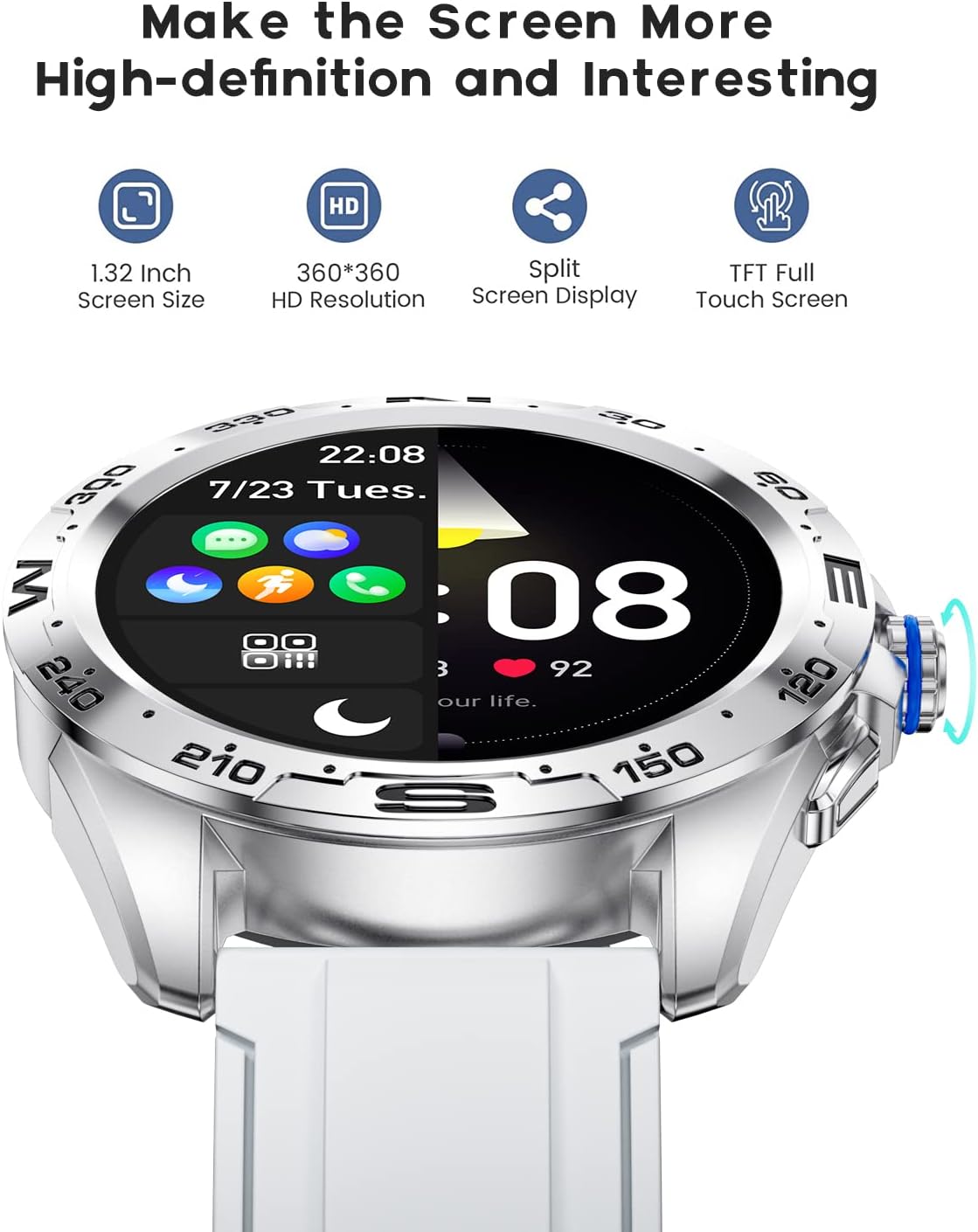
The LIGE BW0223 Smart Watch features a 1.28-inch full touch screen with 360x360 HD resolution. Navigate the watch interface using touch gestures:
- Přejetí nahoru/dolů: Procházení nabídek nebo oznámení.
- Přejetí doleva/doprava: Přístup k rychlým funkcím nebo různým datovým obrazovkám.
- Klepněte na: Vyberte položku nebo potvrďte akci.
- Stiskněte boční tlačítko: Návrat na domovskou obrazovku nebo zapnutí/vypnutí zařízení.

The LIGE Smart Watch features a 1.28-inch full touch screen with 360x360 HD resolution, offering clear visuals and responsive interaction. It supports a split-screen display for quick access to functions.
2.2 sportovních režimů
The watch supports 7 sports modes, including walking, running, cycling, and climbing. To access:
- Swipe on the watch face to find the 'Sports' or 'Workout' icon.
- Tap to select your desired activity.
- Tap 'Start' to begin tracking. The watch will record duration, steps, calories burned, and distance.
- To end a workout, swipe right or press the side button, then select 'End' or 'Pause'.
2.3 Monitorování zdraví
The LIGE BW0223 Smart Watch provides 24/7 heart rate tracking, blood pressure, and blood oxygen monitoring. These measurements are for reference only and should not be used for medical diagnosis.
- Srdeční frekvence: Swipe to the heart rate interface to view your current heart rate. The watch continuously monitors your heart rate throughout the day.
- Blood Pressure/Blood Oxygen: Swipe to the respective interfaces and tap to initiate a measurement. Ensure the watch is snug on your wrist for accurate readings.
- Monitorování spánku: Wear the watch to bed, and it will automatically track your sleep patterns, including deep sleep, light sleep, and wake-up times. View podrobné údaje o spánku v doprovodné aplikaci.
2.4 Hovory přes Bluetooth
After pairing your watch with the app and enabling the Bluetooth call function (usually a separate Bluetooth connection in your phone's settings, e.g., 'BW0223_CALL'), you can make and receive calls directly from your watch.
- Uskutečňování hovorů: Access the 'Dialer' or 'Contacts' function on your watch to dial a number or select a contact.
- Přijímání hovorů: Při příchozím hovoru hodinky zobrazí ID volajícího. Klepnutím na zelenou ikonu hovor přijmete, klepnutím na červenou ikonu hovor odmítnete.
- The watch features a built-in microphone and speaker for hands-free communication.

With the LIGE Smart Watch, you can make and receive Bluetooth calls directly from your wrist. It includes a built-in microphone and speaker for convenient communication.
2.5 Oznámení o zprávách
Enable message notifications through the companion app to receive alerts for SMS, calls, and various social media applications (e.g., Facebook, Twitter, WhatsApp, LinkedIn, InstagRAM) přímo na hodinkách.
- Ensure the app has necessary permissions to access notifications on your smartphone.
- Configure which apps send notifications to your watch within the companion app settings.
- Přejeďte prstem dolů po ciferníku na view nedávná oznámení.

The LIGE Smart Watch provides call and message reminders, displaying notifications from SMS, Facebook, Twitter, WhatsApp, LinkedIn, and Instagram přímo na zápěstí.
NIKDY Přizpůsobení
Personalize your watch by changing watch faces. Many options are available directly on the watch or through the companion app.
- Na sledování: Long-press the watch face, then swipe left or right to browse available faces. Tap to select.
- Přes aplikaci: Open the companion app, navigate to 'Dial Market' or 'Watch Faces' to explore and download additional designs.
Personalize your LIGE Smart Watch with a variety of customizable watch faces and a rich user interface. Choose from different styles to match your preference and occasion.
3. Údržba
3.1 Čištění hodinek
Regularly clean your watch to ensure optimal performance and hygiene. Use a soft, lint-free cloth to wipe the screen and watch body. For stubborn dirt, slightly dampen the cloth with water. Avoid using harsh chemicals, abrasive materials, or strong detergents.
3.2 Voděodolnost (IP68)
The LIGE BW0223 Smart Watch is IP68 waterproof, meaning it is resistant to dust and can withstand immersion in water up to 1.5 meters for 30 minutes. It is suitable for daily use, such as hand washing, rain, and splashes.
Důležitá omezení:
- Do not wear the watch in hot showers, saunas, or steam rooms, as steam and hot water can compromise the seals.
- Avoid diving or high-pressure water activities.
- Do not operate buttons or the touchscreen underwater.
- If the watch gets wet, dry it thoroughly before charging or operating.
3.3 Péče o baterii
Chcete -li prodloužit životnost baterie:
- Vyhněte se extrémním teplotám.
- Hodinky pravidelně nabíjejte, ale nenechávejte je delší dobu zcela vybité.
- Reduce screen brightness and disable unnecessary notifications or features if battery life is a concern.
4. Řešení problémů
4.1 Hodinky se nezapínají nebo nenabíjejí
- Ujistěte se, že je nabíjecí kabel bezpečně připojen k hodinkám i ke zdroji napájení.
- Verify the power adapter and USB port are functional.
- Očistěte nabíjecí kontakty na hodinkách a kabelu, abyste odstranili prach nebo nečistoty.
- Allow the watch to charge for at least 30 minutes before attempting to power it on.
4.2 Problémy s připojením Bluetooth
- Ujistěte se, že máte na smartphonu i hodinkách povoleno Bluetooth.
- Keep the watch within the Bluetooth range of your smartphone (typically 10 meters).
- Restartujte smartphone i hodinky.
- Zrušte párování hodinek z nastavení Bluetooth v telefonu a znovu je spárujte pomocí doprovodné aplikace.
- Ujistěte se, že doprovodná aplikace běží na pozadí a má potřebná oprávnění.
4.3 Notifications Not Working
- Verify the watch is successfully paired with the companion app.
- Check notification settings within the companion app to ensure desired apps are enabled.
- Ensure your smartphone's notification access is granted to the companion app (check phone settings: Apps & notifications > Special app access > Notification access).
- Vypněte režim „Nerušit“ na telefonu i hodinkách.
4.4 Nepřesné údaje o zdravotním stavu
- Ensure the watch is worn snugly on your wrist, about one finger's width from the wrist bone.
- Udržujte senzor čistý a bez potu nebo nečistot.
- Pro dosažení nejlepší přesnosti zůstaňte během měření v klidu.
- Remember that health data from smartwatches is for reference and not intended for medical use.
5. Specifikace
| Číslo modelu | BW0223 |
| Značka | LIGE |
| Velikost obrazovky | 1.28 palce |
| Vstup lidského rozhraní | Dotyková obrazovka |
| Technologie připojení | Bluetooth |
| Hodnocení odolnosti proti vodě | IP68 |
| Typ baterie | Lithium Polymer |
| Tvar | Kolo |
| Hmotnost položky | 7 unce |
6. Informace o záruce
The LIGE BW0223 Smart Watch comes with a standard limited warranty against manufacturing defects. The warranty period typically covers 12 months from the date of purchase. This warranty does not cover damage caused by misuse, accidents, unauthorized modifications, or failure to follow the instructions in this manual. Please retain your proof of purchase for warranty claims.
7. Zákaznická podpora
If you encounter any issues or have questions not covered in this manual, please contact LIGE customer support. Refer to the contact information provided with your product packaging or visit the official LIGE webmísto pro pomoc.


