1. Úvod
This manual provides instructions for the proper use and maintenance of your Amazfit Stratos 3 Smartwatch. Please read this manual carefully before using the device to ensure optimal performance and longevity.
The Amazfit Stratos 3 is a sports smartwatch designed for fitness tracking and daily use, featuring GPS, music storage, and various sports modes.
2. Co je v krabici
Ověřte, zda jsou v balení přítomny všechny položky:
- Amazfit Stratos 3 Smartwatch
- Nabíjecí kabel
- Návod k použití
3. Nastavení
3.1 Nabíjení zařízení
Before first use, fully charge the smartwatch. Connect the charging cable to the watch's charging port and a USB power source. A full charge typically takes approximately 3 hours.
3.2 První zapnutí a párování
To power on, press and hold the power button. Follow the on-screen instructions to select your preferred language (English is available). Download the Zepp app on your smartphone. Open the app and scan the QR code displayed on the watch to pair the devices. Ensure your phone's Bluetooth is enabled.
3.3 Aktualizace softwaru
After pairing, the watch may prompt for a software update. Connect the watch to a Wi-Fi network (password can be entered via the phone app) to download and install updates. Regular updates ensure optimal performance and access to new features.
4. Návod k obsluze
4.1 Zobrazení a navigace
The Amazfit Stratos 3 features a 1.34-inch transflective MIP display. This display technology offers enhanced readability in bright outdoor conditions. Navigation can be performed using the touchscreen or the four physical buttons located on the right side of the watch case. The physical buttons are particularly useful during activities or when wearing gloves.
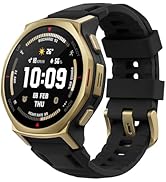
Image: The Amazfit Stratos 3 displaying its 1.34-inch full round transflective screen, showing various metrics like time, weather, and heart rate.
4.2 Funkce GPS
The watch supports three global positioning systems: GPS + Beidou, GPS + GLONASS, and GPS + Galileo. This multi-system support improves positioning speed and tracking accuracy for outdoor activities. GPS signal acquisition typically takes 5-10 seconds in open areas with regular use, or up to 60 seconds if the connection is less frequent or in cloudy conditions.

Image: The Amazfit Stratos 3 displaying a route map with GPS tracking data, showing total distance.
4.3 Ukládání a přehrávání hudby
The Stratos 3 allows you to store and play music directly from the device. Connect Bluetooth headphones to the watch to listen to music without needing your smartphone during workouts.
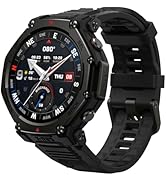
Image: The Amazfit Stratos 3 displaying a music playback interface with controls for playing, pausing, and skipping tracks.
4.4 Sports Modes and Analysis
The watch offers 19 sports modes for tracking various activities. It integrates official Firstbeat algorithms, providing professional data analysis to help improve exercise capacity and prevent overtraining injuries.

Image: A person exercising with the Amazfit Stratos 3, illustrating the Firstbeat Professional Sport Analysis feature.
4.5 Battery Life and Ultra Endurance Mode
The Stratos 3 offers an Ultra endurance mode that extends battery life up to 14 days. In this mode, essential functions such as 24-hour heart rate monitoring, notifications, and 19 sports modes remain active.

Image: A person performing a workout, highlighting the 14-day Ultra Endurance Mode of the Amazfit Stratos 3.
4.6 Voděodolnost
The watch is rated 5 ATM water-resistant, making it suitable for swimming and other water-based activities. Avoid using the watch in hot water or steam environments.

Image: A swimmer wearing the Amazfit Stratos 3, demonstrating its 5 ATM water resistance.
5. Údržba
5.1 Čištění hodinek
Pravidelně čistěte hodinky a řemínek měkkým hadříkemamp hadříkem. Nepoužívejte agresivní chemikálie ani abrazivní materiály. Před nabíjením se ujistěte, že jsou nabíjecí kontakty čisté a suché.
5.2 Skladování
When not in use for extended periods, store the watch in a cool, dry place. It is recommended to charge the battery to about 50% before long-term storage to preserve battery health.
5.3 Výměna popruhu
The watch strap is interchangeable and uses a quick-release mechanism. The strap width is 22mm. Ensure any replacement strap is compatible and securely attached.
6. Řešení problémů
6.1 Hodinky se nezapínají
- Ujistěte se, že jsou hodinky plně nabité. Připojte je k nabíječce alespoň na 30 minut.
- Perform a forced restart by pressing and holding the power button for approximately 10-15 seconds.
6.2 Problémy s párováním
- Ensure Bluetooth is enabled on your smartphone and the watch is discoverable.
- Restartujte hodinky i smartphone.
- Zkuste zrušit párování zařízení v nastavení Bluetooth v telefonu a znovu jej spárovat pomocí aplikace Zepp.
- Ujistěte se, že je aplikace Zepp aktualizována na nejnovější verzi.
6.3 GPS Inaccuracy
- Ujistěte se, že se nacházíte v otevřeném venkovním prostoru s volným view z nebe.
- Wait for the GPS signal to acquire fully before starting an activity.
- Check for any available software updates for the watch.
6.4 Rychlé vybíjení baterie
- Snižte jas obrazovky.
- Omezte počet aktivních oznámení.
- Use Ultra endurance mode when extended battery life is needed.
- Disable continuous heart rate monitoring if not required 24/7.
- Ensure no background apps are excessively consuming power.
7. Specifikace
| Název modelu | Stratos 3 (STRATOS3) |
| Číslo modelu | A1929 |
| Rozměry | 4.86 x 1.34 x 4.86 cm |
| Hmotnost | 260 gramů |
| Zobrazit | 1.34-inch MIP Transflective Display |
| Operační systém | Zepp OS |
| Kapacita paměti | 2300 MB |
| Konektivita | Bluetooth |
| GPS | Integrated GPS (GPS + Beidou, GPS + GLONASS, GPS + Galileo) |
| Voděodolnost | 5 ATM |
| Typ baterie | Lithium-polymerová baterie (vyžaduje 1 baterii, součástí balení) |
| Doba nabíjení | Přibližně 3 hodin |
| Materiál | Hliník |
| Kompatibilní zařízení | chytré telefony |
8. Záruka a podpora
Informace o záruce a technickou podporu získáte na oficiálních stránkách Amazfitu. website or contact their customer service. Details are typically provided in the warranty card included with your product or available online.
Uschovejte si účtenku jako doklad o koupi pro případ reklamace.


