1. Úvod
Thank you for choosing the CREATE NETBOT S15 Robot Vacuum Cleaner. This manual provides essential information for the safe operation, maintenance, and troubleshooting of your device. Please read it thoroughly before first use and retain it for future reference.
Konec produktuview

The image above displays the CREATE NETBOT S15 Robot Vacuum Cleaner, its dedicated remote control, and a smartphone screen showing the companion application interface. The robot is black with a textured top surface and a central green power button. The remote control features a digital display and various control buttons. The app shows a map of a cleaned area.
The NETBOT S15 is designed to simplify your cleaning routine, offering multiple cleaning modes and smart features for efficient floor maintenance.
2. Bezpečnostní pokyny
Pro zajištění bezpečného provozu a prevenci poškození dodržujte prosím následující bezpečnostní opatření:
- Před použitím spotřebiče si přečtěte všechny pokyny.
- Nedovolte dětem obsluhovat robotický vysavač. Dohlížejte na děti a domácí zvířata, když je robot v provozu.
- Ensure the charging base is placed against a wall on a hard, level surface, with adequate clear space around it.
- Udržujte vlasy, volné oblečení, prsty a všechny části těla v dostatečné vzdálenosti od otvorů a pohyblivých částí.
- Nevysávejte velké předměty, ostré předměty, kapaliny ani hořící/kouřící materiály.
- Nepoužívejte robota ve vlhkém prostředí ani na mokrém povrchu.
- Remove power cords, small objects, and fragile items from the floor before operation to prevent entanglement or damage.
- Use only the original charger and battery provided by the manufacturer.
- Do not modify or attempt to repair the robot vacuum yourself. Contact qualified service personnel for repairs.
3. Obsah balení
Ověřte, zda jsou v balení přítomny všechny komponenty:

The image shows the retail box for the CREATE NETBOT S15 Robot Vacuum Cleaner, indicating the product and its key features.
- VYTVOŘTE SI ROBOTICKÝ VYSAVAČ NETBOTA S15
- Nabíjecí základna
- Napájecí adaptér
- Dálkové ovládání
- Dustbin (600 ml capacity)
- Nádrž na vodu (objem 400 ml)
- Side Brushes (2 + 2 replacements)
- HEPA Filter (1 + 1 replacement)
- Cleaning Mop (1 + 1 replacement)
- Čisticí kartáč
- Magnetický proužek
- Uživatelská příručka
4. Nastavení
4.1 Umístění nabíjecí základny

The image shows the CREATE NETBOT S15 Robot Vacuum Cleaner correctly docked on its charging station, indicating proper placement for recharging.
- Umístěte nabíjecí základnu ke zdi v otevřeném prostoru.
- Ensure there is at least 1 meter (3 feet) of clear space on both sides of the charging base and 2 meters (6 feet) in front of it.
- Připojte napájecí adaptér k nabíjecí základně a zapojte jej do zásuvky ve zdi.
- Ensure the power indicator light on the charging base is illuminated.
4.2 Počáteční nabíjení

This image depicts the CREATE NETBOT S15 Robot Vacuum Cleaner positioned near its charging dock in a room, ready for or undergoing charging.
Před prvním použitím robotický vysavač plně nabijte. Umístěte robota na nabíjecí základnu a ujistěte se, že jsou nabíjecí kontakty zarovnány. Kontrolka na robotu bude ukazovat stav nabíjení. Úplné nabití obvykle trvá 4–5 hodin.
4.3 Instalace a připojení aplikace
The CREATE NETBOT S15 can be controlled via a smartphone application, compatible with Alexa and Google Home.
- Download the official CREATE app from your smartphone's app store.
- Zaregistrujte si účet a přihlaste se.
- Follow the in-app instructions to add your NETBOT S15 device. This typically involves putting the robot into pairing mode and connecting it to your home Wi-Fi network.
- Once connected, you can program cleaning schedules, select cleaning modes, and monitor the robot's status from your phone.
- For voice control, link the CREATE app with your Alexa or Google Home account through their respective applications.
5. Návod k obsluze
5.1 Režimy čištění
The NETBOT S15 offers four cleaning functions:
- Zametat: Uses side brushes to gather debris.
- Vakuum: Utilizes suction power to collect dust and dirt. Features up to 1500 Pa suction power with adjustable levels.
- MOP: Wipes floors with a damp cloth from the water tank.
- Umýt: Combines sweeping, vacuuming, and mopping for comprehensive cleaning.

This image illustrates the CREATE NETBOT S15 Robot Vacuum Cleaner actively cleaning under a sofa, demonstrating its ability to reach confined spaces. Two dogs are visible in the foreground, suggesting a pet-friendly environment.
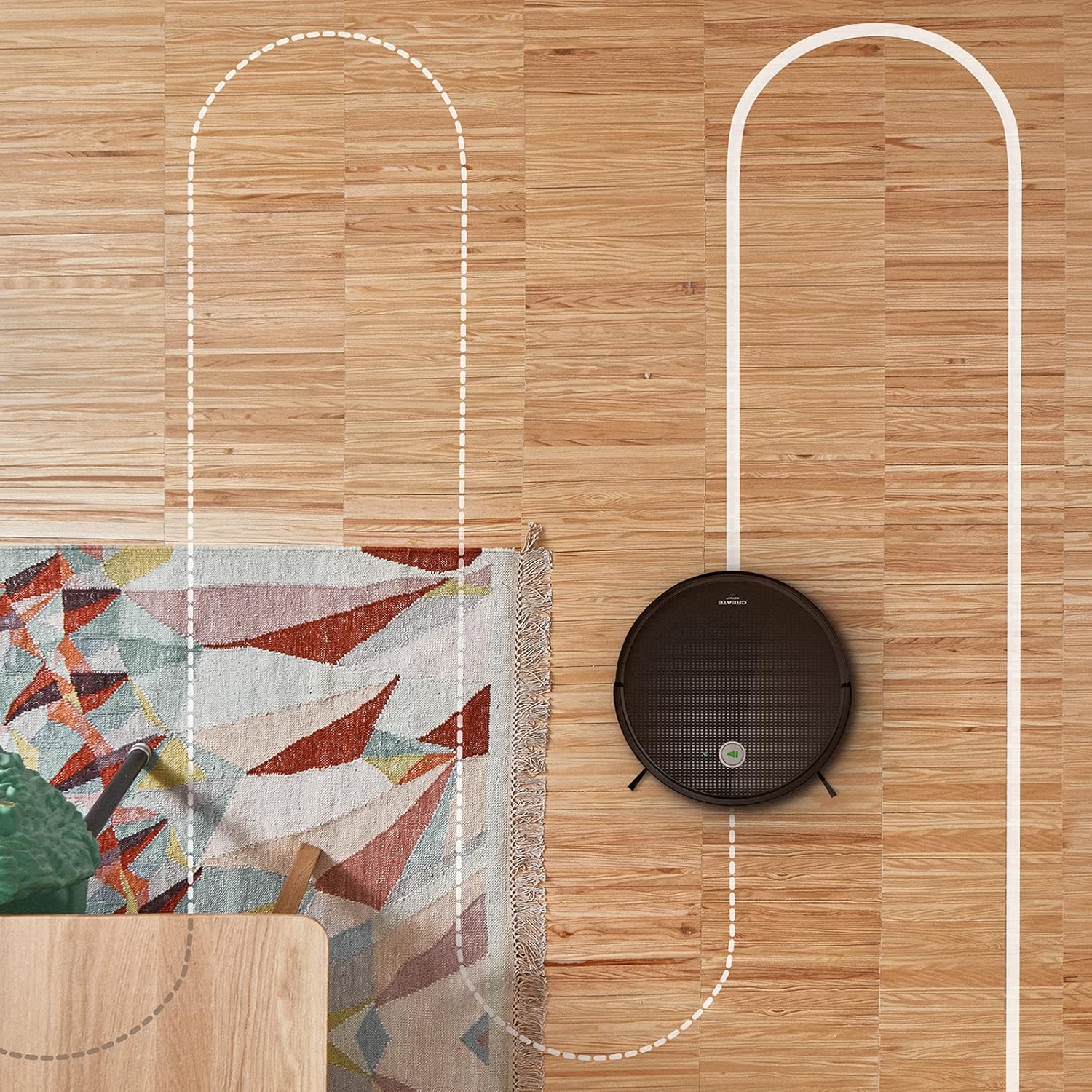
Anténa view shows the CREATE NETBOT S15 Robot Vacuum Cleaner moving across a wooden floor, with a dotted line indicating its systematic cleaning path, highlighting its gyroscopic navigation.
5.2 Používání dálkového ovladače
The included remote control allows for direct operation of the robot vacuum. Refer to the remote control diagram in your quick start guide for button functions. Common functions include:
- Spusťte / pozastavte čištění
- Zpět na nabíjecí základnu
- Directional Control (manual steering)
- Bodové čištění
- Čištění okrajů
- Nastavení plánu
5.3 Magnetic Strip Usage
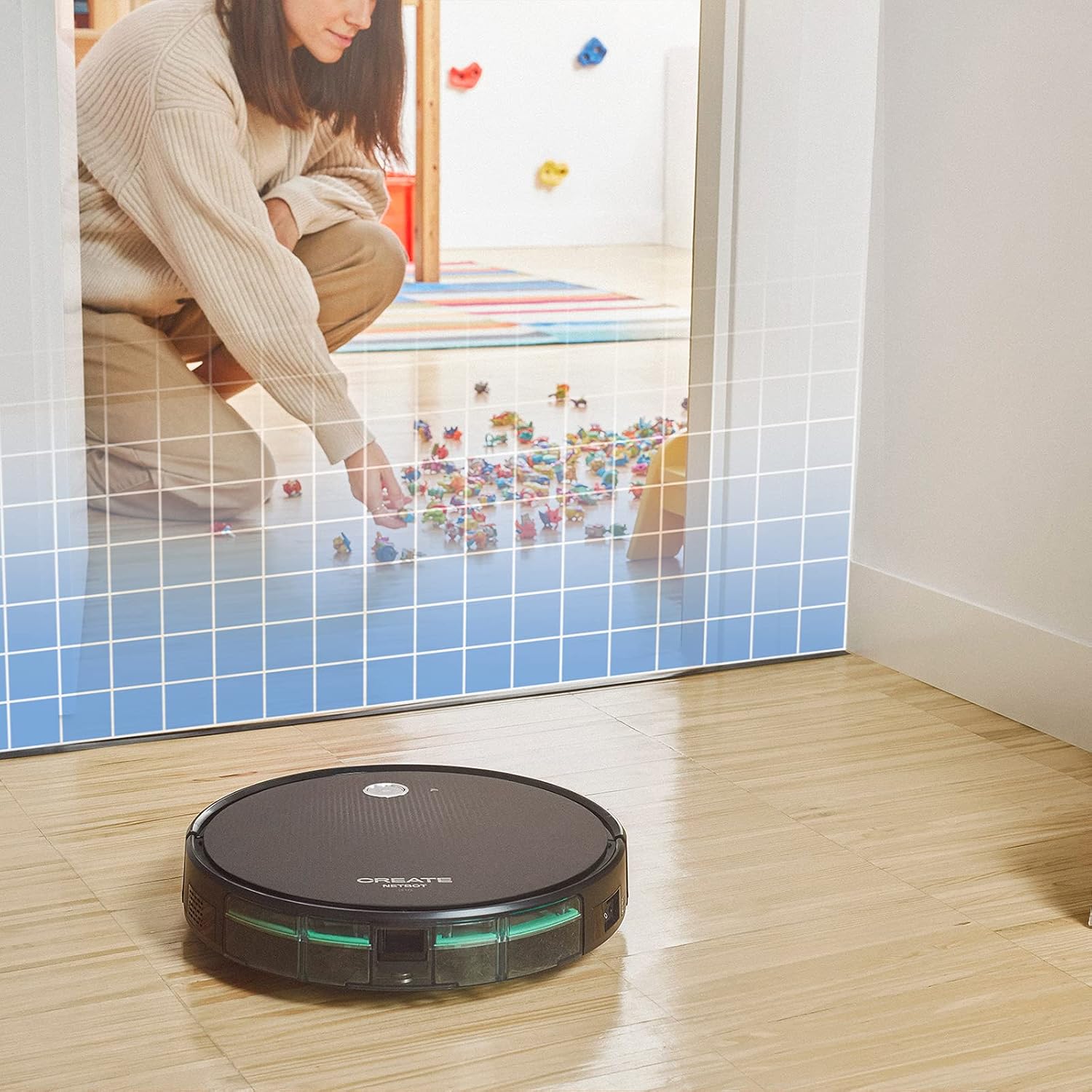
This illustration demonstrates the CREATE NETBOT S15 Robot Vacuum Cleaner approaching a virtual boundary, represented by a grid, which prevents it from entering a specific area, such as where toys are located.
Use the provided magnetic strip to create virtual boundaries that the robot will not cross. Place the strip on the floor to delimit areas where the robot should not enter, such as pet feeding zones or areas with delicate items.
5.4 Životnost baterie
The NETBOT S15 is equipped with a long-lasting LG Lithium battery, providing up to 120 minutes of cleaning autonomy on a single charge, depending on the selected power mode.
6. Údržba
Pravidelná údržba zajišťuje optimální výkon a prodlužuje životnost vašeho robotického vysavače.
6.1 Čištění odpadkové nádoby a nádrže na vodu
Empty the dustbin after each use. The 600 ml dustbin is easily removable. If using the mopping function, empty and rinse the 400 ml water tank after each use to prevent mold or odors.
6.2 Čištění štětců

Detailní záběr view of the CREATE NETBOT S15 Robot Vacuum Cleaner's side brush, showing its design for sweeping debris into the main suction path.
- Boční kartáče: Regularly check for hair or debris entanglement. Remove and clean as needed. Replace worn brushes with the provided spares.
- Hlavní kartáč: Sejměte kryt hlavního kartáče a vyjměte kartáč. Pomocí čisticího nástroje odstraňte zamotané vlasy a nečistoty.
6.3 Čištění/výměna filtru
The robot uses a double filter system: a sponge filter and a HEPA filter. Tap the filters to remove loose dirt. Do not wash HEPA filters with water. Replace filters every 3-6 months, or more frequently with heavy use, to maintain suction performance.
6.4 Čištění snímače
Wipe the cliff sensors (located on the bottom of the robot) and the bumper sensors (on the front) with a clean, dry cloth to ensure proper navigation and obstacle detection.
7. Řešení problémů
If you encounter issues with your NETBOT S15, refer to the following common problems and solutions:
| Problém | Možná příčina | Řešení |
|---|---|---|
| Robot se nespouští ani nereaguje. | Slabá baterie; Vypnutý vypínač; Robot zaseknutý. | Nabijte robota; Ujistěte se, že je vypínač zapnutý; Odstraňte všechny překážky. |
| Špatný čisticí výkon. | Full dustbin; Clogged brushes/filters; Worn brushes. | Empty dustbin; Clean brushes and filters; Replace brushes/filters. |
| Robot nemůže najít nabíjecí základnu. | Charging base obstructed; Robot too far from base; Base not powered. | Ensure clear space around base; Manually place robot closer; Check power connection to base. |
| Robot se často zasekává. | Cables/small objects on floor; Uneven surfaces; Dark colored carpets. | Clear floor of obstacles; Use magnetic strips for problem areas; Robot may struggle on very dark surfaces. |
| Problémy s připojením k Wi-Fi. | Nesprávné heslo k Wi-Fi; Router příliš daleko; Síť 5 GHz. | Verify password; Move robot closer to router; Ensure connection to a 2.4GHz Wi-Fi network. |
8. Specifikace
Key technical specifications for the CREATE NETBOT S15 Robot Vacuum Cleaner:
- Značka: VYTVOŘIT
- Číslo modelu: Netbot S15
- Barva: Black - Turquoise
- Rozměry (D x Š x V): 33 x 33 x 7.5 cm
- Hmotnost: 3 kg
- Moc: 25 wattů
- Sací výkon: Až 1500 Pa
- Hladina hluku: 62 dB
- Typ baterie: Lithium-iontová
- Životnost baterie: Až 120 minut
- Kapacita popelnice: 600 ml
- Kapacita vodní nádrže: 400 ml
- Filtrační systém: Double sponge Clean + HEPA filter
- Konektivita: Wi-Fi, App Control
- Kompatibilita hlasového asistenta: Domovská stránka Google, Alexa
- Speciální vlastnosti: Gyroscopic navigation, Magnetic strip boundary, 4 cleaning modes (sweep, vacuum, mop, wash)
9. Záruka a podpora
For warranty information, technical support, or service inquiries, please refer to the warranty card included with your product or visit the official CREATE webwebu. Uschovejte si účtenku jako doklad o koupi.


