1. Úvod
The Lenco CD-011 is a compact and practical portable CD player designed for on-the-go music enjoyment. It comes equipped with earphones and a micro-USB charging cable, making it an ideal companion for travel or daily commutes.
Featuring a clear LCD display and easily accessible buttons, the CD-011 offers straightforward operation, allowing you to enjoy your favorite music without complex settings. Its flexible power options include standard batteries or rechargeable batteries (not included), with a convenient battery charging function for maximum versatility.
To conserve energy, the Lenco CD-011 includes an intelligent power-saving function that automatically switches off the device if no music is played for more than 30 seconds, extending battery life for longer listening sessions.

Obrázek: Nahoře view of the Lenco CD-011 Portable CD Player in blue, showing the Lenco logo and playback controls.
2. Co je v krabici
Please check the package contents carefully. The following items should be included:
- Přenosný CD přehrávač Lenco CD-011
- Sluchátka
- Micro-USB nabíjecí kabel
- Uživatelská příručka

Image: Included in-ear headphones.
3. Nastavení
3.1 Napájení zařízení
The Lenco CD-011 can be powered by either standard AA batteries or rechargeable AA batteries (not included).
- Open the battery compartment cover on the underside of the CD player.
- Vložte 2 baterie typu AA a dbejte na správnou polaritu (+/-).
- Bezpečně zavřete kryt bateriového prostoru.
3.2 Charging Rechargeable Batteries
If using rechargeable AA batteries, you can charge them directly within the CD player using the supplied micro-USB cable.
- Ensure rechargeable batteries are inserted correctly.
- Connect the micro-USB cable to the charging port on the CD player.
- Connect the other end of the USB cable to a compatible USB power adapter (e.g., a smartphone charger) or a computer's USB port.
- The device will indicate charging status on the LCD.
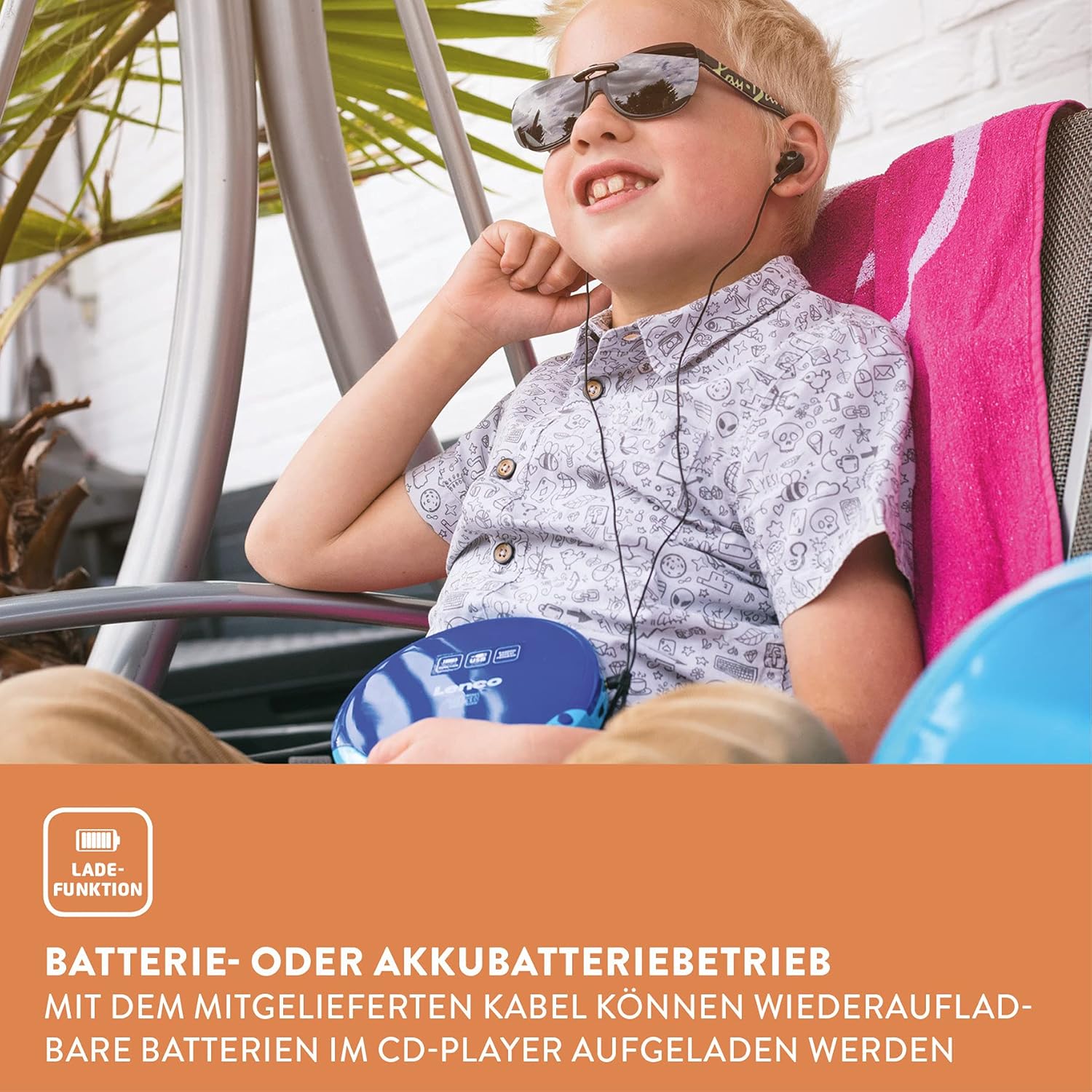
Image: The CD player supports battery operation for portability.
3.3 Připojení sluchátek
Plug the included earphones into the 3.5mm headphone jack on the side of the CD player.
4. Operating the CD Player
4.1 Inserting a CD
- Gently press the 'OPEN' button or slide the lid to open the CD compartment.
- Place a CD (CD, CD-R/RW, or MP3 CD) onto the spindle with the label side facing up.
- Gently press the CD down until it clicks into place.
- Close the CD compartment lid firmly until it clicks shut.

Image: Inserting a CD into the player.
4.2 Základní ovládací prvky přehrávání
The Lenco CD-011 features intuitive controls for managing your music playback:
- Play/Pause (►⏸): Press to start playback or pause the current track.
- Stop (■): Stisknutím zastavíte přehrávání.
- Skip Forward (►►): Press once to skip to the next track. Hold to fast-forward within a track.
- Skip Backward (◄◄): Press once to skip to the beginning of the current track. Press twice to skip to the previous track. Hold to fast-rewind within a track.
- Hlasitost (+/-): Adjust the listening volume using the dedicated volume buttons or dial.
- režim (M): Cycle through playback modes such as Repeat One, Repeat All, Random (Shuffle), and Program Play.

Image: Close-up of the control buttons and LCD display.
4.3 Using the AUX Output
You can connect the Lenco CD-011 to an external speaker or Hi-Fi system using an AUX cable (not included).
- Connect one end of a 3.5mm AUX cable to the AUX output port on the CD player.
- Connect the other end of the AUX cable to the AUX input of your external audio device.
- Ensure the external audio device is set to the correct input source.

Image: Connecting the CD player to an external speaker via AUX.
5. Údržba
5.1 Čištění zařízení
- Always disconnect the power cable before cleaning.
- Use a soft, dry cloth to wipe the exterior of the CD player.
- Nepoužívejte abrazivní čisticí prostředky, vosky ani rozpouštědla, protože by mohly poškodit povrchovou úpravu.
- For the lens, use a specialized CD lens cleaner if necessary. Avoid touching the lens directly.
5.2 Péče o disk
- Držte CD za okraje, abyste na hrací ploše nezůstaly otisky prstů.
- Keep CDs in their cases when not in use to prevent scratches and dust accumulation.
- Znečištěné CD čistěte měkkým hadříkem, který nepouští vlákna, a jemně je otírejte od středu ven.
6. Řešení problémů
If you encounter issues with your Lenco CD-011, please refer to the following common problems and solutions:
| Problém | Možná příčina | Řešení |
|---|---|---|
| Zařízení se nezapne. | Baterie jsou vybité nebo nesprávně vložené. | Replace batteries or ensure correct polarity. Charge rechargeable batteries. |
| Ze sluchátek není slyšet žádný zvuk. | Earphones not fully plugged in; volume too low; faulty earphones. | Ensure earphones are fully inserted. Increase volume. Test with another pair of earphones. |
| CD přeskakuje nebo se nepřehrává. | CD is dirty, scratched, or inserted incorrectly; lens is dirty. | Clean the CD. Ensure the CD is placed correctly. Clean the CD player's lens. |
| Display shows "NO DISC". | No CD inserted or CD not recognized. | Insert a CD. Ensure the CD is compatible (CD, CD-R/RW, MP3 CD). Try a different CD. |
| Životnost baterie je krátká. | Old batteries; frequent use of high volume; power-saving feature not active. | Use fresh batteries. Reduce volume. Ensure the automatic power-off feature is functioning. |
7. Specifikace
| Funkce | Detail |
|---|---|
| Značka | Lenco |
| Název modelu | CD-011 |
| Rozměry produktu | 13.7 x 14.8 x 2.4 cm |
| Hmotnost položky | 280 gramů |
| Jsou vyžadovány baterie | 2 AA (není součástí balení) |
| Podporovaný formát zvuku | MP3 |
| Technologie připojení | Pomocný, USB |
| Speciální funkce | Přenosný |
| Zahrnuté komponenty | Earphones, USB charging cable, User Manual |
| Barva | Modrý |
| First Available Date (Amazon.it) | 26. září 2019 |
8. Záruka a podpora
For warranty information, technical support, or further assistance with your Lenco CD-011, please refer to the official Lenco webwebu nebo se přímo obraťte na jejich zákaznický servis.
You can visit the official Lenco store on Amazon for more information and products: Lenco Store


