1. Úvod
The Prolink PRO700SFC series is a single-phase input/single-phase output Line-Interactive Uninterruptible Power Supply (UPS) system. It incorporates Prolink's Super-Fast Charging technology, enabling the battery to recharge to 90% capacity within 2-4 hours. This system is designed to provide stable backup power for home and small office applications, protecting connected equipment from power disturbances.
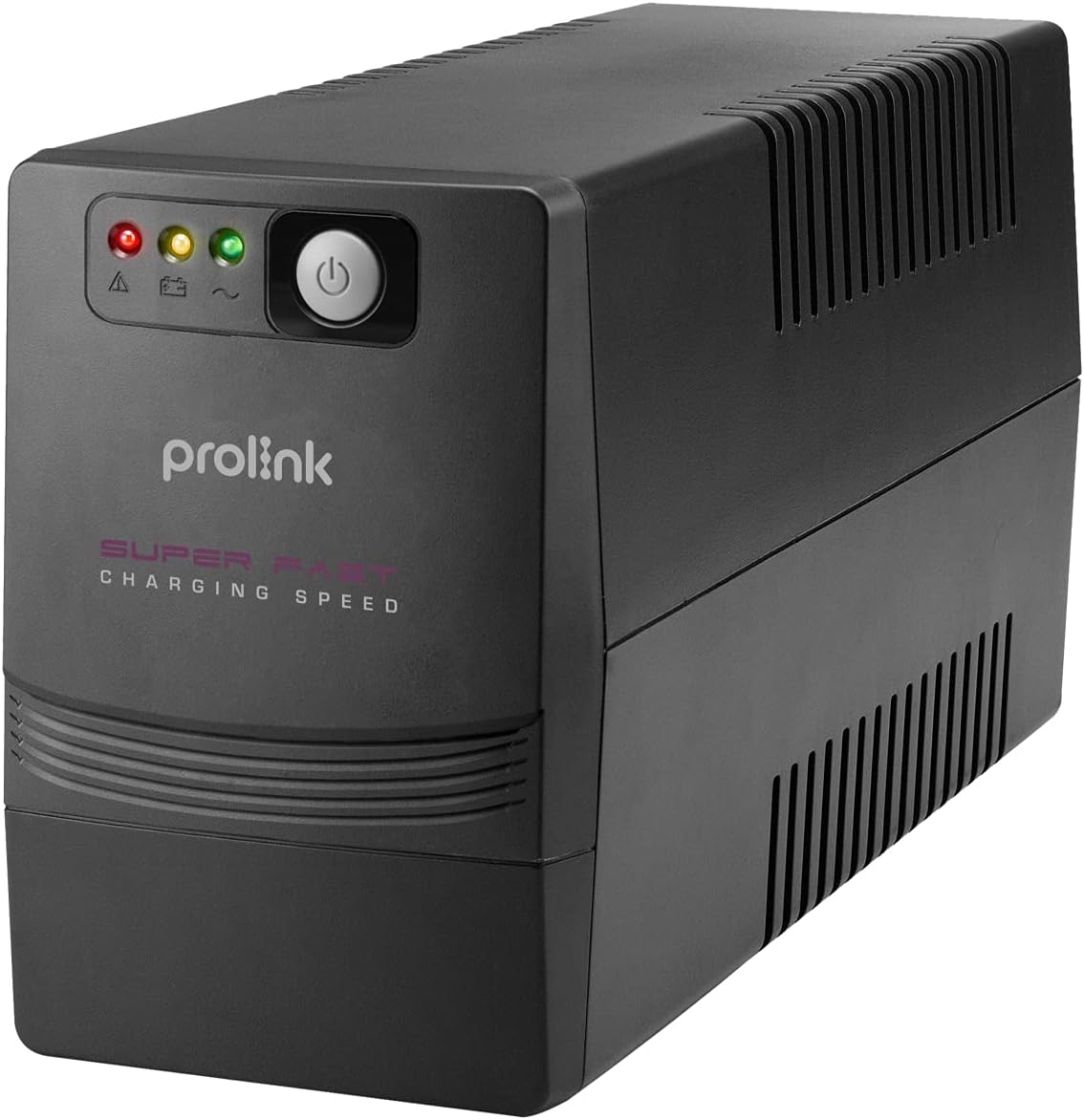
Obrázek 1: Přední strana view of the Prolink PRO700SFC 650VA UPS.
2. Klíčové vlastnosti
- Super rychlé nabíjení: The battery can be recharged to 90% of its capacity within 2-4 hours.
- Přepěťová ochrana: Provides protection for connected equipment from incoming spikes and surges, safeguarding your network.
- Advanced Early Warning: Alerts users to output overload, high temperature, or low battery conditions, allowing time to correct the situation or safely shut down systems.
- Ochrana proti přetížení: Initiates an alarm and automatic shutdown in case of overload, prolonging the UPS lifespan.
- Ochrana proti přehřátí: Shuts down the power supply if internal temperatures become unacceptably high.

Figure 2: Key features and benefits of the Prolink PRO700SFC UPS.
3. Konec produktuview
3.1 Přední panel
The front panel features LED indicators and a power switch for easy operation and status monitoring.
3.2 Zadní panel
The rear panel provides connections for power input, backup outlets, and communication ports.
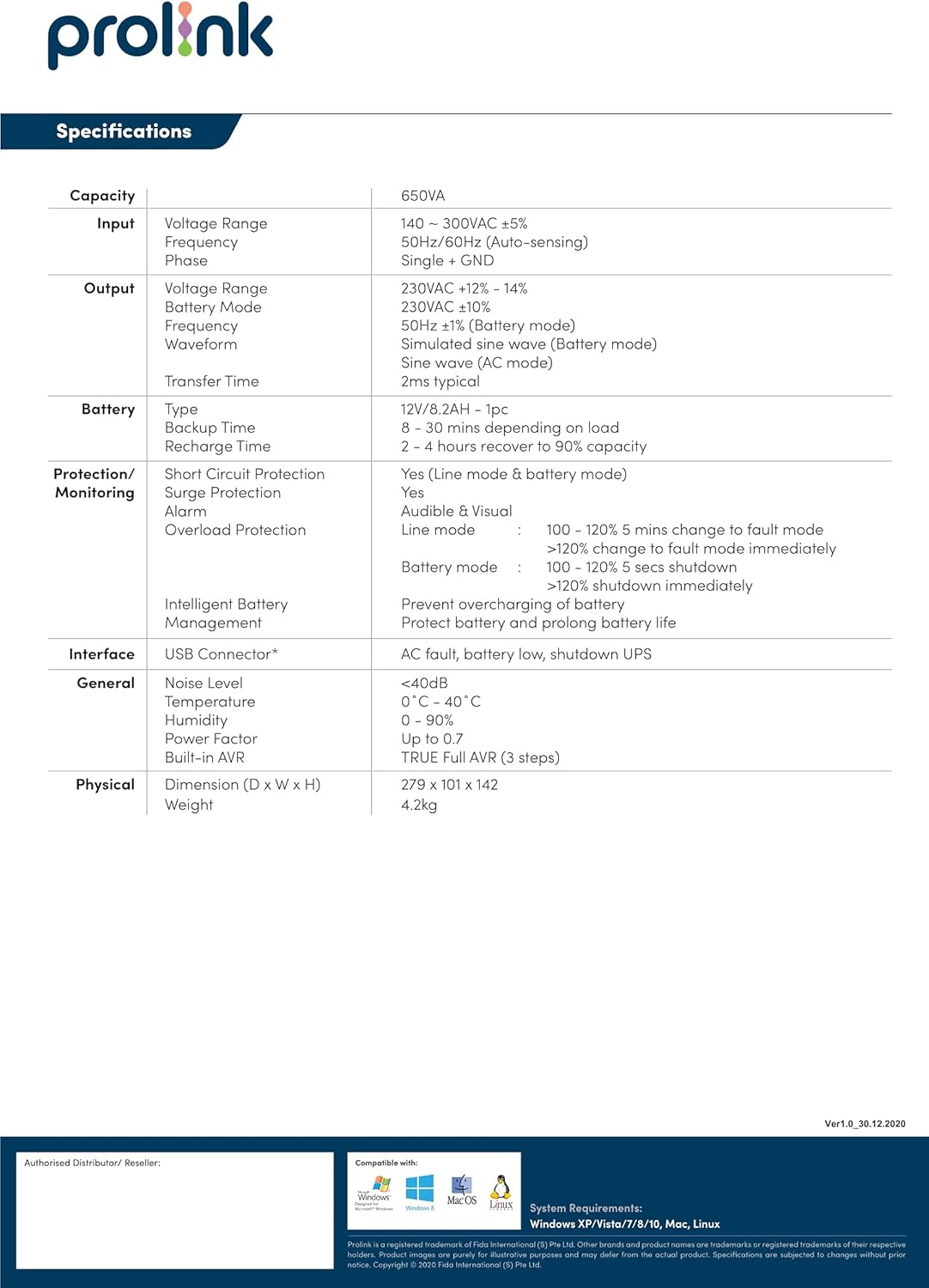
Figure 3: Front and Rear Panel Layout of the PRO700SFC(U) UPS.

Obrázek 4: Detailní view konektorů na zadním panelu.
4. Pokyny k nastavení
- Rozbalení: Opatrně vyjměte UPS z obalu. Zkontrolujte, zda při přepravě nedošlo k poškození.
- Umístění: Place the UPS in a well-ventilated area, away from direct sunlight, heat sources, and excessive moisture. Ensure sufficient clearance around the unit for proper airflow.
- Počáteční nabíjení: Before initial use, connect the UPS to a standard AC power outlet for at least 8 hours to ensure the battery is fully charged. The UPS will charge whether it is turned on or off.
- Spojovací zařízení: Plug your computer, modem, wireless router, and other critical network equipment into the backup outlets on the rear panel of the UPS. Do not connect surge protectors or power strips to the UPS outlets.
- Zapnutí: Press and hold the power button on the front panel until the UPS powers on. The LED indicators will illuminate to show the operational status.
5. Návod k obsluze
5.1 Zapnutí/vypnutí
- Zapnutí: Stiskněte a podržte tlačítko napájení po dobu přibližně 3 sekund.
- Vypnutí: Press and hold the power button for approximately 3 seconds until the unit shuts down.
5.2 LED indikátory
The front panel LEDs provide visual status of the UPS:
- Battery Mode LED: Green Flashing indicates the UPS is operating on battery power.
- AC Mode LED: Green Lighting indicates the UPS is operating on utility power.
5.3 Automatická Voltage Regulace (AVR)
The PRO700SFC features Automatic Voltage Regulation (AVR) to stabilize incoming utility power. If the input voltage fluctuates outside acceptable limits, the AVR function will automatically adjust the output voltage to a safe range without switching to battery power, thus preserving battery life.
5.4 Battery Mode Operation
Během výkonu outage nebo významný objemtage fluctuation beyond AVR capabilities, the UPS will automatically switch to battery power. An audible alarm will sound, and the Battery Mode LED will flash. This provides time to save your work and safely shut down connected equipment.
6. Údržba
- Péče o baterie: To maximize battery life, ensure the UPS is connected to AC power at all times. Periodically discharge the battery completely (e.g., once every 3-6 months) by unplugging the UPS from the wall and allowing it to run on battery until it shuts down, then fully recharge it.
- Čištění: Keep the UPS clean and free of dust. Use a dry cloth to wipe the exterior. Do not use liquid or aerosol cleaners. Ensure ventilation openings are not blocked.
- Skladování: If storing the UPS for an extended period, ensure the battery is fully charged. Recharge the battery every three months to prevent permanent damage.
7. Řešení problémů
| Problém | Možná příčina | Řešení |
|---|---|---|
| UPS se nezapne | Žádné střídavé napájení; Vybitá baterie; Porucha UPS | Check power cord connection; Allow UPS to charge for 8 hours; Contact support |
| Krátká doba zálohování | Battery not fully charged; Battery end-of-life; Overload | Charge battery fully; Replace battery; Reduce connected load |
| Continuous alarm in AC mode | Overload; Over temperature | Reduce connected load; Ensure proper ventilation |
| UPS switches to battery frequently | Unstable utility power; Input voltage mimo dosah | Check utility power quality; Ensure UPS is connected to a stable power source |
8. Specifikace
| Kategorie | Specifikace |
|---|---|
| Kapacita | 650 VA |
| Vstupní objemtage Dosah | 140 - 300VAC ±5% |
| Vstupní frekvence | 50Hz/60Hz (automatické snímání) |
| Výstupní objemtage Dosah | 230VAC +12% - 14% |
| Výstupní průběh | Simulated Sine Wave (Battery mode) |
| Doba přenosu | Typicky 2 ms |
| Typ baterie | 12V/7.2AH - 1pc |
| Doba zálohování baterie | 8 - 30 mins (depending on load) |
| Doba nabíjení baterie | 2 - 4 hours recover to 90% capacity |
| Protection/Monitoring | Short Circuit Protection, Surge Protection, Alarm, Overload Protection |
| Rozhraní | USB Connector* (for PRO700SFCU model) |
| Úroveň hluku | <40dB |
| Provozní teplota | 0°C - 40°C |
| Vlhkost | 0 - 90 % |
| Účiník | Až do 0.7 |
| Vestavěný AVR | TRUE Full AVR (3 kroky) |
| Rozměry (D x Š x V) | 279 x 101 x 142 mm |
| Hmotnost | 4.2 kg |
*Specifikace se mohou změnit bez předchozího upozornění.
9. Záruka a podpora
For warranty information, technical support, or service inquiries, please refer to the warranty card included with your product or visit the official Prolink webUschovejte si účtenku jako doklad o koupi pro případ reklamace.


