1. Úvod
Thank you for choosing the Jimwey 9-inch GPS Navigation System. This device is designed to provide reliable and accurate navigation for various vehicles, including cars, trucks, and lorries. With its large display and comprehensive features, it aims to make your journeys safer and more efficient.
This manual will guide you through the setup, operation, maintenance, and troubleshooting of your new navigation system. Please read it carefully before use to ensure optimal performance and longevity of the device.

Figure 1: Jimwey 9-inch GPS Navigation System
This image shows the Jimwey 9-inch GPS Navigation System from the front, mounted on a suction cup stand. The screen displays a detailed map with a highlighted route, current speed (Tempo: 55 km/h), and a height limit warning (11.7ft Height Limit), indicating its suitability for larger vehicles like trucks.
2. Obsah balení
Než budete pokračovat v instalaci, ujistěte se, že balení obsahuje všechny níže uvedené položky:
- Jimwey 9-inch GPS Navigation System
- Nabíjecí kabel do auta
- USB datový kabel
- Suction Cup Mount (Sucker)
- Dashboard Mount (Adhesive Pad)
- English/German User Manual
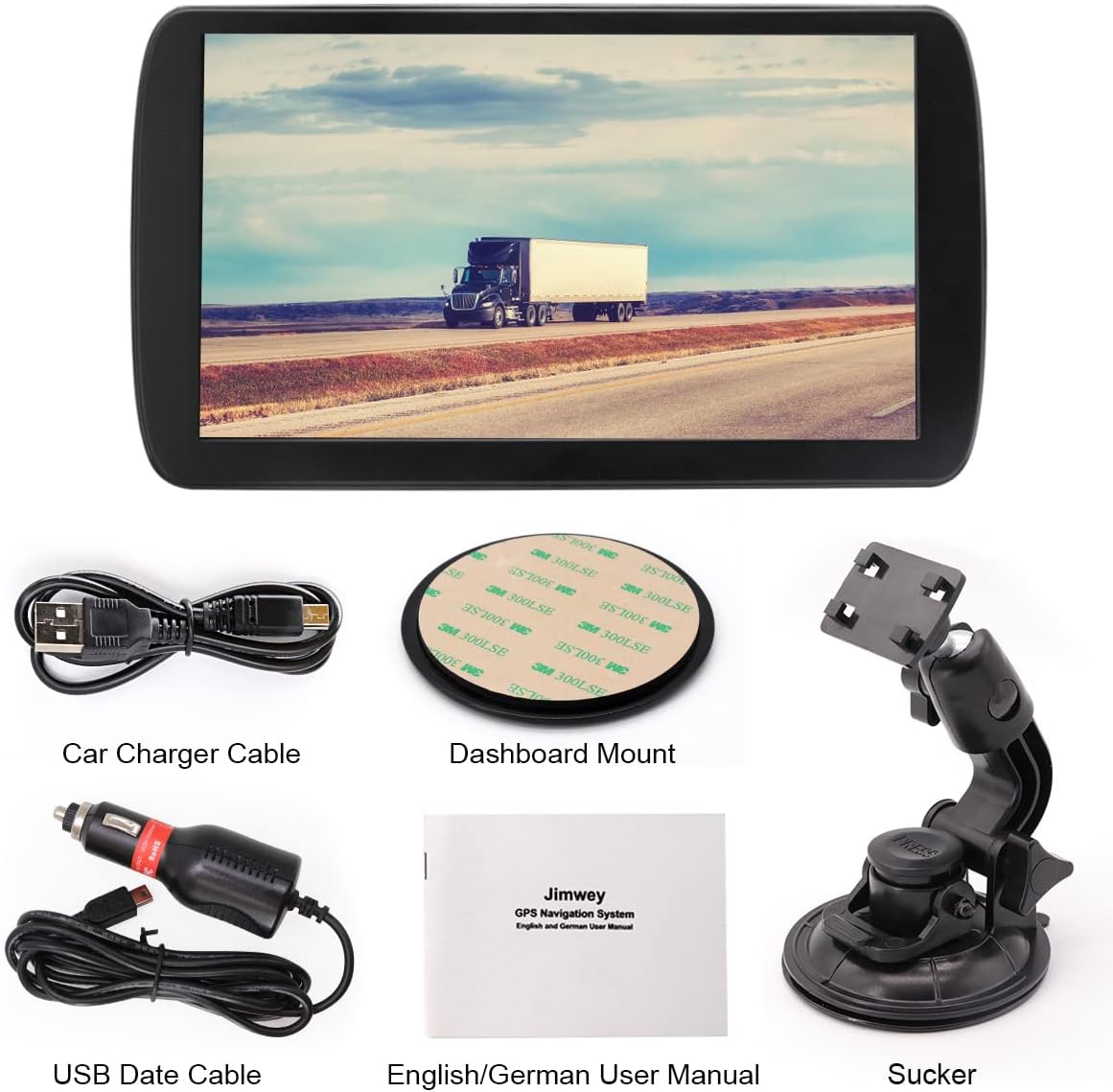
Obrázek 2: Obsah balení
This image displays all the components included in the Jimwey GPS Navigation System package: the main GPS unit, a car charger cable, a USB data cable, a dashboard mount adhesive pad, an English/German user manual, and a suction cup mount.
3. Nastavení a instalace
3.1 Zařízení je u konceview
Seznamte se s porty a tlačítky zařízení:
- Tlačítko ON/OFF: Zapne nebo vypne zařízení.
- Sluchátkový jack: Pro audio výstup do sluchátek.
- Slot na kartu TF: For inserting a TransFlash (microSD) memory card.
- USB rozhraní: Pro připojení k počítači nebo nabíjení.
- Obnovit otvor: To perform a hard reset (use a thin pin).

Figure 3: Device Ports and Dimensions
This diagram illustrates the physical layout of the Jimwey GPS device, highlighting key features such as the ON/OFF button, headphone jack, TF card slot, USB interface, and reset hole. It also provides approximate dimensions of the device (24cm width, 13.5cm height).
3.2 Možnosti montáže
The Jimwey GPS Navigation System offers two primary mounting options:
- Držák na čelní sklo: Attach the suction cup mount to a clean, smooth area on your windshield. Ensure it does not obstruct your view.
- Držák na palubní desku: Use the adhesive pad to secure the mount base to a flat, clean surface on your dashboard. This provides a more permanent installation.
Once the mount is secured, attach the GPS unit to the mount and adjust the viewing angle for optimal visibility without obstructing your driving view.

Obrázek 4: Možnosti montáže
This image demonstrates two ways to mount the Jimwey GPS: on the windshield using the suction cup mount, and on the dashboard using an adhesive pad. Both setups show the device positioned for clear visibility from the driver's seat.
3.3 Zapnutí a počáteční nastavení
- Connect the device to your vehicle's power outlet using the provided car charger cable.
- Stiskněte a podržte ON/OFF tlačítko pro zapnutí zařízení.
- Upon first use, the system may prompt you to select your language, time zone, and other basic settings. Follow the on-screen instructions.
- Ujistěte se, že zařízení je čisté view of the sky to acquire a GPS signal. This may take a few minutes for the initial fix.
4. Operating the Navigation System
4.1 Hlavní vlastnosti
The Jimwey GPS Navigation System comes equipped with a variety of features to enhance your navigation experience:
- 12 Satellite Positioning: Ensures accurate and reliable location tracking.
- Hlasové vysílání: Provides clear, turn-by-turn voice directions.
- POI & ZIP Search: Easily find Points of Interest (POIs) or search by postal code.
- Smart Route Planning: Calculates optimal routes based on various criteria.
- Maps & Free Updates: Comes with pre-loaded maps and supports free updates.
- FM vysílač: Transmit audio from the GPS to your car's FM radio.
- Speed Warnings: Alerts you to speed limits and exceeding them.
- 2D/3D mapa View režim: Switch between two-dimensional and three-dimensional map displays.
- Přehrávání hudby: Přehrát zvuk fileuložených v zařízení nebo na vložené TF kartě.

Figure 5: Multifunction Sat Nav Features
This image displays a grid of nine icons, each representing a key feature of the Jimwey Sat Nav: 12 Satellite Positioning, Voice Broadcast, POI & ZIP Search, Smart Route Planning, Maps & Free Updates, FM Transmitter, Speed Warnings, 2D/3D Map View Mode, and Music Play.
4.2 Zadání cíle
- From the main menu, tap "Navigation" or "Destination".
- Choose your preferred method of input: Address, POI, Coordinates, or History.
- Enter the required information using the on-screen keyboard.
- Confirm the destination. The system will calculate the route.
- Tap "Go" or "Start Navigation" to begin your journey.
4.3 Vehicle Modes and Restrictions
The Jimwey GPS supports various vehicle types, allowing for customized routing based on vehicle dimensions and weight. This is particularly useful for trucks and lorries to avoid restricted roads.
- Režim auta: Standard routing for passenger vehicles.
- Lorry/Truck Mode: Accounts for height, weight, length, and width restrictions, avoiding low bridges, weight-restricted roads, and narrow streets.
- Další režimy: Includes options for Taxi, Pedestrian, Bicycle, Bus, and Emergency vehicles, each with specific routing considerations.
To change the vehicle mode, navigate to "Settings" > "Vehicle Type" and select the appropriate option. Ensure you input accurate vehicle dimensions if using Lorry/Truck mode.

Figure 6: Supported Vehicle Types
This image is a collage showing various modes of transport supported by the GPS, including Car, Taxi, Lorry, Pedestrian, Bicycle, Bus, and Emergency vehicles, indicating the device's versatility in route planning.
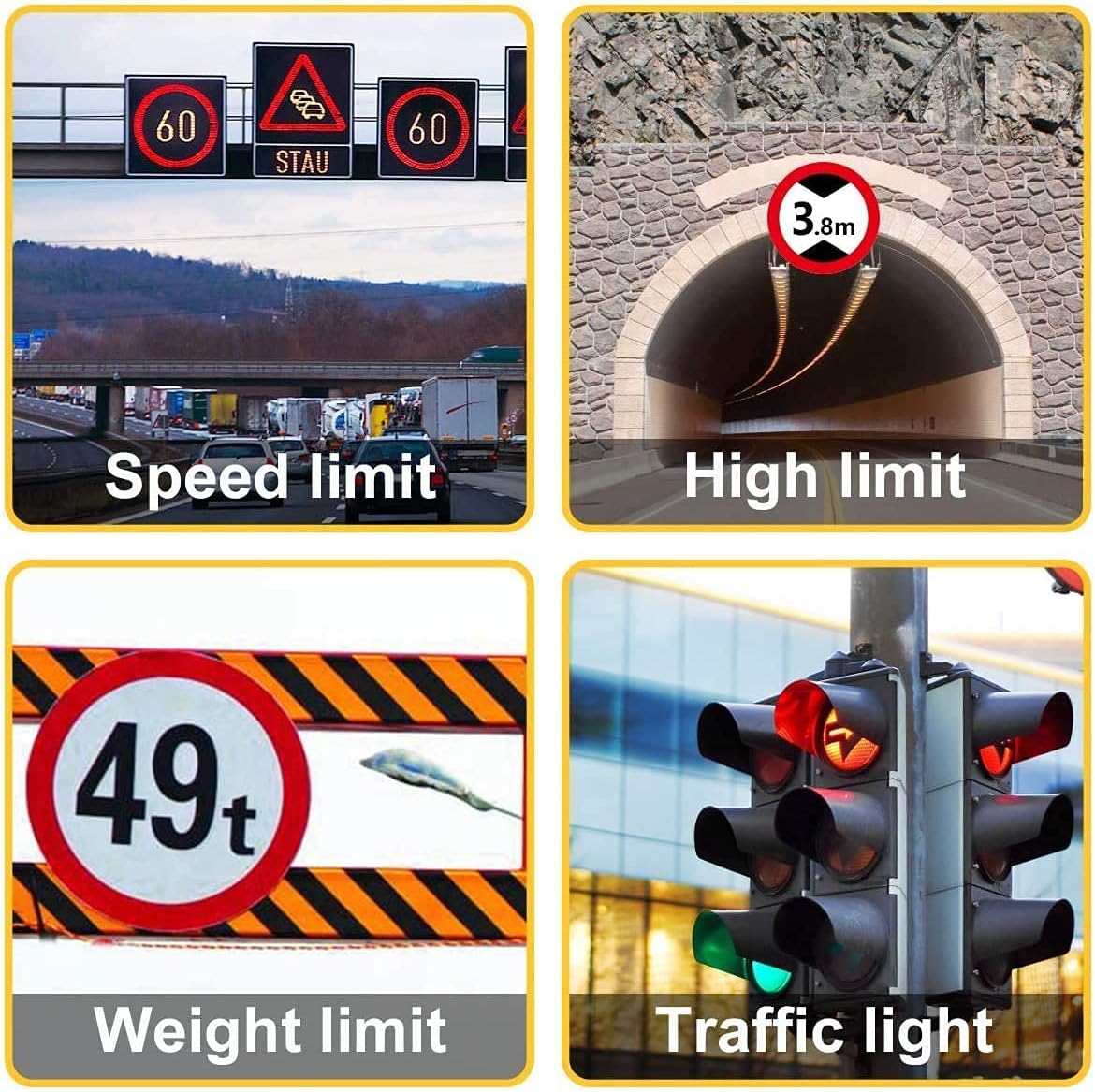
Figure 7: Road Restriction Awareness
This image displays four common road signs that the GPS system can account for: speed limit, high limit (e.g., tunnel clearance), weight limit, and traffic light information, crucial for safe navigation, especially for larger vehicles.
5. Údržba
5.1 Čištění zařízení
Pro zachování jasnosti obrazovky a vzhledu zařízení:
- K otření obrazovky a těla použijte měkký hadřík, který nepouští vlákna.
- Na odolné šmouhy lehce otřeteamphadřík vodou nebo čističem obrazovek.
- Avoid using abrasive cleaners, alcohol, or solvents, as these can damage the screen or casing.
5.2 Aktualizace map
To ensure you always have the most current map data, regularly check for updates. The Jimwey GPS Navigation System supports free map updates. Refer to the included user manual or the manufacturer's website for detailed instructions on how to download and install map updates.
Typically, map updates involve connecting the device to a computer via the USB data cable and using specific software provided by Jimwey.
6. Řešení problémů
| Problém | Možná příčina | Řešení |
|---|---|---|
| Zařízení se nezapne. | Low battery; faulty charger; device frozen. | Charge the device for at least 30 minutes. Check charger connection. Perform a reset using the reset hole. |
| Žádný signál GPS. | Zabráněno view of sky; device indoors; first-time fix. | Přejděte na otevřené místo s volným view oblohy. Počkejte několik minut na zachycení signálu. |
| Dotykový displej nereaguje. | Software glitch; screen dirty. | Clean the screen. Perform a soft reset (power cycle) or a hard reset. |
| Incorrect route calculation. | Outdated maps; incorrect vehicle settings. | Update maps to the latest version. Verify vehicle type and dimensions in settings. |
| Žádný audio výstup. | Volume too low; FM transmitter interference; speaker issue. | Increase volume. Check FM transmitter settings and frequency. Ensure no headphones are plugged in. |
If the problem persists after trying these solutions, please contact Jimwey customer support.
7. Specifikace
| Funkce | Detail |
|---|---|
| Značka | Jimwey |
| Název modelu | Jimwey GPS Navi |
| Velikost obrazovky | 9 palce |
| Rezoluce | 800 x 480 |
| Operační systém | Wince 6.0 |
| Kapacita paměti | 16 GB |
| Režim zvukového výstupu | FM vysílač |
| Typ montáže | Držák na čelní sklo nebo palubní desku |
| Modelový rok | 2023 |
| Typ dotykové obrazovky | Kapacitní |

Figure 8: Key Hardware Components
This image highlights three core components of the Jimwey GPS: its 9-inch touchscreen, the MediaTek2531 CPU, and the 2100mAh battery, emphasizing the device's internal specifications.
8. Záruka a podpora
Jimwey products are designed for reliability and performance. For information regarding warranty coverage, please refer to the warranty card included in your product package or visit the official Jimwey webmísto.
For technical support, troubleshooting assistance beyond this manual, or inquiries about parts and accessories, please contact Jimwey customer service through their official channels. Keep your purchase receipt and product model information handy when contacting support.


