Zavedení
Welcome to the world of CaDA PiccasBot C83006W! This innovative building kit allows you to construct your own programmable robot that can draw, code, and play. Designed to inspire creativity and introduce basic programming concepts, the PiccasBot offers an engaging experience for builders aged 8 and above.
To ensure a safe and enjoyable experience, please read this instruction manual thoroughly before assembly and operation. Keep this manual for future reference.

Image: The CaDA PiccasBot C83006W product box, illustrating the robot's design and key functionalities like building, drawing, coding, and playing.
Bezpečnostní informace
VAROVÁNÍ: NEBEZPEČÍ UDUŠENÍ – Malé části. Není vhodné pro děti do 3 let.
- Recommended age for assembly and use is 8 years and older. Adult supervision is recommended for younger users.
- Uchovávejte veškerý obalový materiál mimo dosah dětí, abyste zabránili udušení.
- Do not put parts in your mouth.
- Výrobek ani jeho součásti neupravujte.
- Ensure the product is used on a stable, flat surface during operation.
- Refer to the safety instructions printed on the product packaging for additional details.
Co je zahrnuto
Your CaDA PiccasBot C83006W package contains the following items:
- Sada stavebních kostek CaDA (461 dílků)
- Easy-to-understand, illustrated building instructions
- 1x dobíjecí baterie
- 1x LED Light Module
- Kabel nabíjení 1x USB
- 2x Eco-friendly Color Pens
No glue or additional tools are required for assembly. This is a snap-together building kit.
Nastavení
1. Montáž
Follow the detailed, illustrated building instructions provided in the box to assemble your PiccasBot. Take your time and ensure all connections are secure.
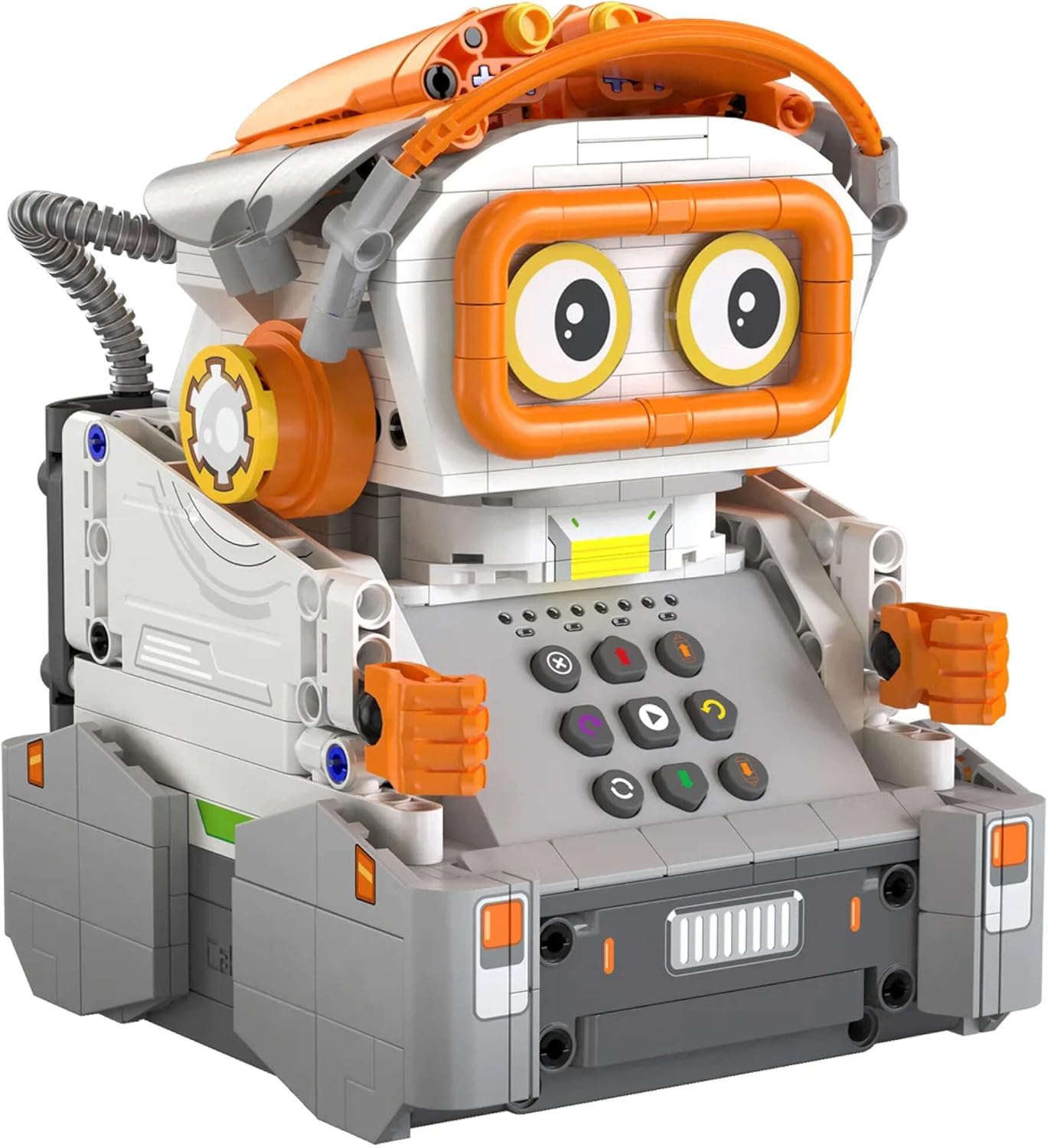
Obrázek: Přední strana view of the fully assembled CaDA PiccasBot C83006W, showcasing its design and control panel.
2. Počáteční nabití baterie
- Locate the rechargeable battery and the USB charging cable.
- Connect the battery to the PiccasBot's charging port (refer to the building instructions for exact location).
- Zapojte nabíjecí kabel USB do standardního napájecího adaptéru USB (není součástí balení) nebo do portu USB počítače.
- Allow the battery to charge fully before first use. The charging indicator (if present) will change color or turn off when charging is complete.
3. Instalace aplikace
The CaDA PiccasBot C83006W is controlled via a dedicated mobile application. Follow these steps to install the app:
- Scan the QR code on the product packaging or visit the official webmísto (např. www.double-eagle-group.com) to download the app.
- Ensure your smart device meets the minimum operating system requirements: iOS 10.0 or above, or Android 5.0 or above.
- Nainstalujte si aplikaci na svůj smartphone nebo tablet.
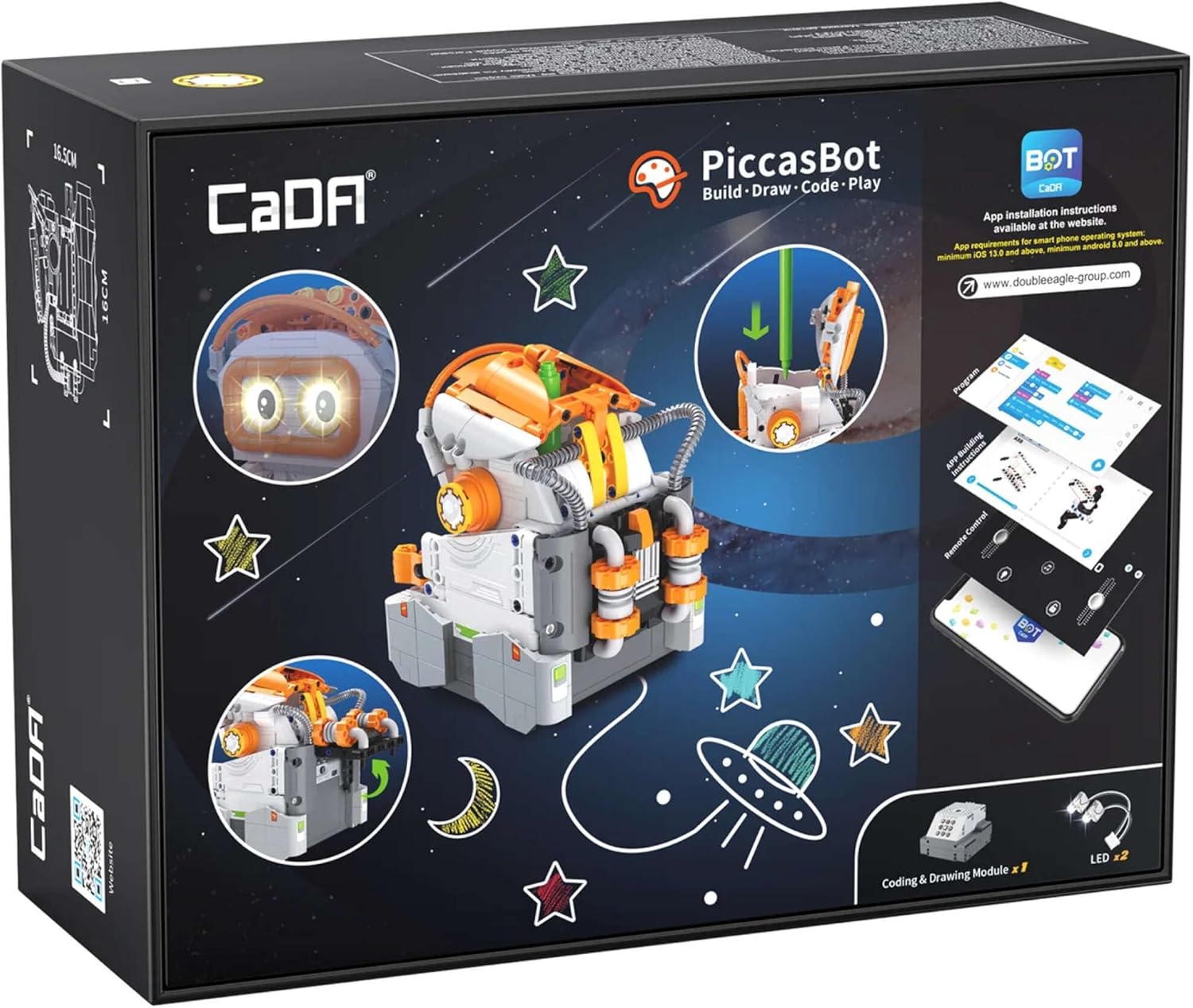
Image: The back of the CaDA PiccasBot C83006W product box, detailing app installation instructions, system requirements, and the coding & drawing module.
Operating Your PiccasBot
1. Zapnutí/vypnutí
Locate the power button on your PiccasBot (refer to the building instructions). Press and hold to turn the robot on or off.
2. Připojení k aplikaci
- Ensure your PiccasBot is powered on and its battery is charged.
- Povolte Bluetooth na svém chytrém zařízení.
- Open the CaDA PiccasBot app. The app will guide you through the pairing process. Select your PiccasBot from the list of available devices.
3. Drawing Function
- Insert one of the provided color pens into the designated holder on the PiccasBot. Ensure it is securely fastened and positioned correctly for drawing.
- In the app, navigate to the drawing interface. You can select pre-programmed designs or create your own.
- Place the PiccasBot on a flat, clean sheet of paper.
- Initiate the drawing process through the app. The robot will move and draw according to the selected pattern.
4. Coding Function
The app features a block-based coding interface. Drag and drop command blocks to create sequences of movements, actions, and drawing patterns for your PiccasBot. Experiment with different commands to understand how they control the robot's behavior.
5. Dálkové ovládání
Use the app's remote control interface to manually steer your PiccasBot, control its movements, and activate its LED light.
Údržba
Čištění
To clean your PiccasBot, gently wipe its surfaces with a dry, soft cloth. Do not use water, solvents, or abrasive cleaners, as these can damage the electronic components and plastic parts.
Skladování
When not in use, store your PiccasBot in a cool, dry place, away from direct sunlight and extreme temperatures. Ensure the robot is powered off before storing.
Péče o baterie
To prolong battery life, avoid completely draining the battery frequently. Recharge the battery when the robot indicates low power or performance decreases. If storing for an extended period, charge the battery to approximately 50% every few months.
Odstraňování problémů
- PiccasBot does not turn on:
- Ensure the battery is fully charged. Check that the power button is pressed correctly.
- Nelze se připojit k aplikaci:
- Verify that Bluetooth is enabled on your smart device and the PiccasBot is powered on. Close and reopen the app. Restart your smart device and the PiccasBot. Ensure the app is updated to the latest version.
- Drawing is inconsistent or not working:
- Check that the color pen is correctly inserted and has sufficient ink. Ensure the paper surface is flat and smooth. Clean any debris from the robot's wheels or drawing mechanism.
- Robot moves erratically:
- Check for any loose connections in the assembled parts. Ensure the wheels are free from obstructions. Recharge the battery.
Specifikace produktu
| Číslo modelu | C83006W |
| Značka | CaDA |
| Počet dílů | 461 |
| Rozměry ve složeném stavu (D x Š x V) | 13.6 x 11.7 x 16.5 cm |
| Materiál | Plast |
| Doporučený věk | 8+ let |
| Zdroj napájení | Rechargeable Battery (USB charged) |
| Konektivita | Bluetooth (pro ovládání aplikací) |
| Rozměry balení (D x Š x V) | 31 x 24 x 12 cm |
| Hmotnost balení | 2 kg |
Záruka a podpora
For warranty information, please refer to the documentation included with your purchase or contact your retailer. If you encounter any issues or have questions regarding your CaDA PiccasBot C83006W that are not covered in this manual, please visit the official CaDA webnebo se obraťte na jejich zákaznickou podporu s žádostí o pomoc.


