1. Úvod
This manual provides detailed instructions for the setup, operation, and maintenance of your WiMiUS P21 Full HD 1080P LED Projector. Please read this manual thoroughly before using the projector to ensure proper function and longevity of the device.

Obrázek: Přední strana view of the WiMiUS P21 Projector, showing the lens and control panel.
2. Obsah balení
Ověřte, zda jsou všechny níže uvedené položky součástí balení. Pokud některé položky chybí nebo jsou poškozené, kontaktujte zákaznickou podporu.
- WiMiUS P21 Projector
- Dálkové ovládání
- Napájecí kabel
- HDMI kabel
- VGA kabel
- AV kabel
- Krytka objektivu
- Uživatelská příručka (tento dokument)

Image: The WiMiUS P21 Projector displayed with its remote control, power cable, HDMI cable, VGA cable, AV cable, and user manual.
3. Vlastnosti produktu
The WiMiUS P21 Projector offers advanced features for an enhanced viewzkušenosti:
- Vysoký jas a kontrast: 6500 Lumens brightness and an 8000:1 contrast ratio for clear and vivid images.
- Nativní rozlišení 1080P: Delivers a native resolution of 1920x1080 pixels, supporting 1080P at 60Hz and 4K input for detailed visuals.
- Flexibilní velikost projekce: Adjustable projection size from 50 to 300 inches with a projection distance of 1.5 to 6.5 meters.
- Funkce digitálního zoomu: Allows image size reduction from 100% to 75% via remote control without moving the projector.
- Integrovaný zvuk: Dual built-in 5W stereo speakers provide clear sound.
- Rozsáhlá konektivita: Equipped with 2 HDMI ports, 2 USB ports, 1 VGA port, and 1 AV port for connecting various devices.
- Dlouhé Lamp Život: LED diodaamp designed for up to 100,000 hours of operation.

Image: Visual comparison illustrating the difference between 6500 lumens with 8000:1 contrast and lower specifications, highlighting improved clarity and color saturation.
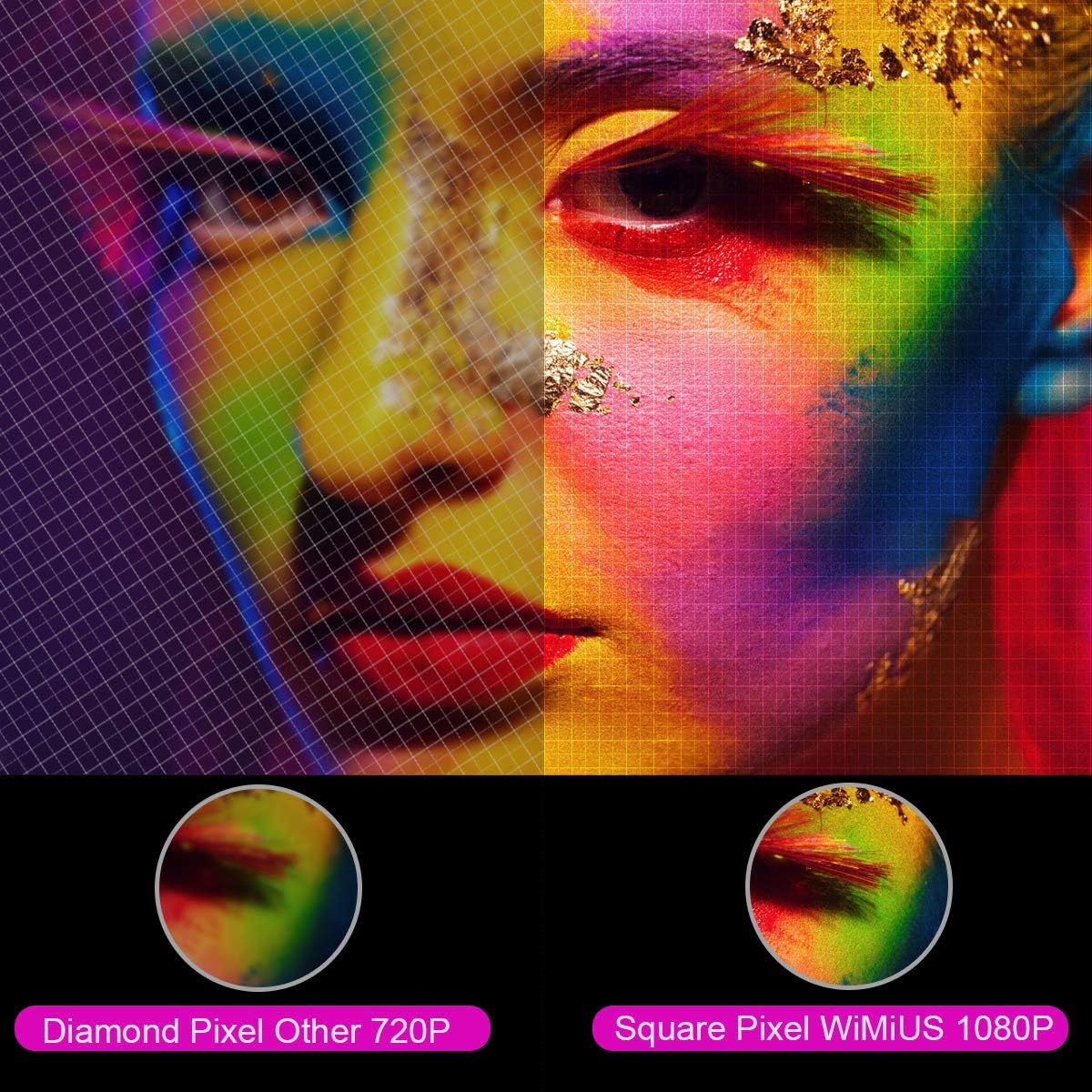
Obrázek: Zvětšený view comparing the pixel structure of a 720P projector (diamond pixel) versus the WiMiUS 1080P projector (square pixel), demonstrating higher resolution.

Image: Diagram showing the projector with sound waves emanating from it, indicating the presence of built-in dual 5W speakers.
4. Nastavení
4.1 Umístění
Place the projector on a stable, flat surface or mount it to a ceiling. Ensure there is adequate ventilation around the unit. The optimum projection distance is approximately 3 meters (9.8 feet) for a balanced image size and clarity.

Image: A diagram illustrating various projection sizes (50-300 inches) and corresponding projection distances (1.5m to 6.5m), with an optimal distance of 3m highlighted.
4.2 Připojení napájení
- Připojte napájecí kabel k napájecímu vstupu projektoru.
- Zapojte druhý konec napájecího kabelu do elektrické zásuvky.
- Stisknutím tlačítka napájení na projektoru nebo dálkovém ovladači zapněte zařízení.
4.3 Připojení externích zařízení
The P21 projector supports multiple input sources. Refer to the diagram below for port locations.

Image: A detailed diagram highlighting the various connection ports on the projector, including HDMI (x2), USB (x2), AV, Audio Out, Y/Pb/Pr, and PC-RGB (VGA).
- HDMI: Connect devices like laptops, Blu-ray players, gaming consoles (PS3, PS4, Xbox), Chromecast, or Fire TV Stick using an HDMI cable.
- USB: Vložte USB disk pro přehrávání médií files přímo.
- VGA (PC-RGB): Connect to a computer using a VGA cable.
- AV: Pro připojení starších zařízení použijte dodaný AV kabel.
- Audio výstup: Connect external speakers or headphones if desired.
Note: If connecting a device and experiencing no sound, ensure that Dolby Digital output is turned off on the connected device, as the projector may not support it directly.
5. Návod k obsluze
5.1 Zapnutí/vypnutí
Stisknutím tlačítka napájení na projektoru nebo na dálkovém ovladači zapnete nebo vypnete zařízení.
5.2 Výběr zdroje
Use the "Source" button on the remote control or projector panel to select the desired input source (HDMI1, HDMI2, USB1, USB2, VGA, AV).
5.3 Zaostření a korekce lichoběžníkového zkreslení
- Soustředit: Otáčejte ostřícím kroužkem v blízkosti objektivu, dokud nebude obraz jasný.
- Korekce lichoběžníkového zkreslení: Adjust the keystone ring or use the menu settings for vertical ±15° keystone correction to correct distorted images.
5.4 Funkce zoom
The digital zoom function allows you to adjust the image size without moving the projector. Use the zoom controls on the remote control to reduce the image size from 100% down to 75%.

Image: A visual representation of the zoom function, showing a projected image shrinking from 100% to 75% on a screen, controlled by the projector.
5.5 Nastavení nabídky
Press the "Menu" button on the remote to access settings for picture mode, sound mode, aspect ratio (4:3/16:9), and other advanced options.
6. Údržba
6.1 Čištění objektivu
Use a soft, lint-free cloth specifically designed for optical lenses to gently clean the projector lens. Avoid using abrasive cleaners or excessive force.
6.2 Čištění vzduchového filtru
Regularly check and clean the air filter to prevent dust buildup, which can affect performance and lamp life. Refer to the projector's exterior for the air filter location and cleaning instructions.
6.3 lamp Život
LED lamp in your WiMiUS P21 projector has an estimated lifespan of up to 100,000 hours. No user replacement is typically required during the product's operational life. If the lamp stops working, please contact customer support.
7. Řešení problémů
| Problém | Možná příčina | Řešení |
|---|---|---|
| Není zobrazen žádný obrázek | Napájecí kabel odpojen, nesprávný vstupní zdroj, nasazená krytka objektivu. | Zkontrolujte připojení napájení, vyberte správný vstupní zdroj a sejměte krytku objektivu. |
| Obraz je rozmazaný | Focus not adjusted, projector too close/far from screen. | Adjust the focus ring, ensure optimal projection distance. |
| Obraz je zkreslený (lichoběžníkový tvar) | Projektor není kolmý k promítací ploše. | Upravte korekci lichoběžníkového zkreslení. |
| No sound from projector | Volume too low, incorrect audio settings, Dolby Digital enabled on source device. | Increase volume, check audio settings, turn off Dolby Digital on the connected device. |
| Dálkové ovládání nefunguje | Batteries depleted, obstruction between remote and projector. | Replace batteries, ensure clear line of sight to IR receiver. |
8. Specifikace
| Funkce | Detail |
|---|---|
| Značka | WiMiUS |
| Model | P21 |
| Jas | 6500 XNUMX lumenů |
| Kontrastní poměr | 8000:1 |
| Nativní rozlišení | 1920 x 1080 (Full HD) |
| Podpora maximálního rozlišení | 4K Ultra HD |
| Technologie displeje | LED |
| LED diodaamp Život | 100,000 hodiny |
| Velikost projekce | 50-300 palců |
| Projekční vzdálenost | 1.5 - 6.5 metrů |
| Funkce zvětšení | 100% - 75% (Reduced) |
| Poměr stran | 4:3 / 16:9 |
| Korekce lichoběžníkového zkreslení | Svisle ± 15 ° |
| Reproduktory | Dual built-in stereo (2 x 5W) |
| Konektivita | 2x HDMI, 2x USB, 1x VGA, 1x AV, Audio Out |
| Úroveň hluku | 30 decibelů |
| Spotřeba energie | 140 wattů |
| Rozměry produktu | 32 x 24 x 11 cm |
| Hmotnost | 2.5 kg |
9. Záruka a podpora
The WiMiUS P21 HD Projector comes with a lifetime warranty. If the LED lamp stops functioning or any other issues arise with the projector, please contact WiMiUS customer support for assistance or replacement. A repair center is available in the USA for service needs.
For further support, please refer to the official WiMiUS webnebo kontaktujte jejich oddělení zákaznických služeb.


