1. Úvod
This manual provides detailed instructions for the ipega PG-9162 Mini Wireless Game Controller. This controller is designed for use with the Nintendo Switch console, offering both wireless and wired connectivity options. It features a compact design, six-axis gyroscope, dual motor vibration, and a TURBO function to enhance your gaming experience.

Obrázek 1.1: Přední strana view of the ipega PG-9162 Mini Wireless Game Controller.
2. Vlastnosti produktu
- Kompatibilita: Designed for the Nintendo Switch host, supporting both wireless and wired connections to the Switch dock.
- Ergonomický design: Small and exquisite handle for comfortable grip during extended gaming sessions.
- Šestiosý gyroskop: Built-in six-axis gyro chip for precise motion control and fine-tuning assistance in games.
- Vibrace duálního motoru: Integrated dual motors provide immersive feedback based on in-game actions.
- Funkce TURBO: Supports continuous TURBO function for rapid button presses.
- Dlouhá výdrž baterie: Built-in 380mAh battery capacity provides over 8 hours of continuous play.

Obrázek 2.1: Konecview of key features including vibration, gyroscope, and TURBO function.
3. Obsah balení
- ipega PG-9162 Mini Wireless Game Controller
- Nabíjecí kabel USB (typu C)
- Uživatelská příručka

Image 3.1: Retail packaging of the ipega PG-9162 controller.
4. Konec produktuview
The ipega PG-9162 controller features standard gamepad buttons and joysticks, designed for intuitive control. Familiarize yourself with the layout:

Obrázek 4.1: Nahoře view of the controller highlighting its button layout.
- Levá analogová páčka: Pro ovládání pohybu a kamery.
- D-Pad: Směrový vstup.
- Tlačítko Domů: Returns to the Switch home menu.
- Tlačítko pro snímek obrazovky: Pořizuje snímky obrazovky.
- Pravá analogová páčka: For camera control or specific in-game actions.
- Akční tlačítka (A, B, X, Y): Pro akce ve hře.
- Shoulder Buttons (L, R) & Triggers (ZL, ZR): Pro různé herní funkce.
- Plus (+) & Minus (-) Buttons: For menu navigation and options.
- LED indikátory: Zobrazení stavu připojení a úrovně nabití baterie.
5. Nastavení a připojení
5.1 Wireless Connection to Nintendo Switch
- Ujistěte se, že je vaše konzole Nintendo Switch zapnutá a aktualizovaná na nejnovější systémový software.
- V nabídce HOME vyberte „Ovladače“ > „Změnit úchop/pořadí“.
- On the ipega PG-9162 controller, press and hold the Tlačítko Domů a Y tlačítko simultaneously for a few seconds until the LED indicators start flashing rapidly. This indicates pairing mode.
- The Switch console will detect the controller. Once detected, the LED indicators on the controller will become solid, indicating a successful connection.
- You can now use the controller wirelessly with your Nintendo Switch.
5.2 Wired Connection to Nintendo Switch Dock
- Place your Nintendo Switch console into its dock.
- Connect one end of the USB charging cable to the ipega PG-9162 controller and the other end to an available USB port on the Nintendo Switch dock.
- The controller will automatically connect to the Switch console via the wired connection.
- Ensure that "Pro Controller Wired Communication" is enabled in the Switch System Settings (System Settings > Controllers and Sensors > Pro Controller Wired Communication).
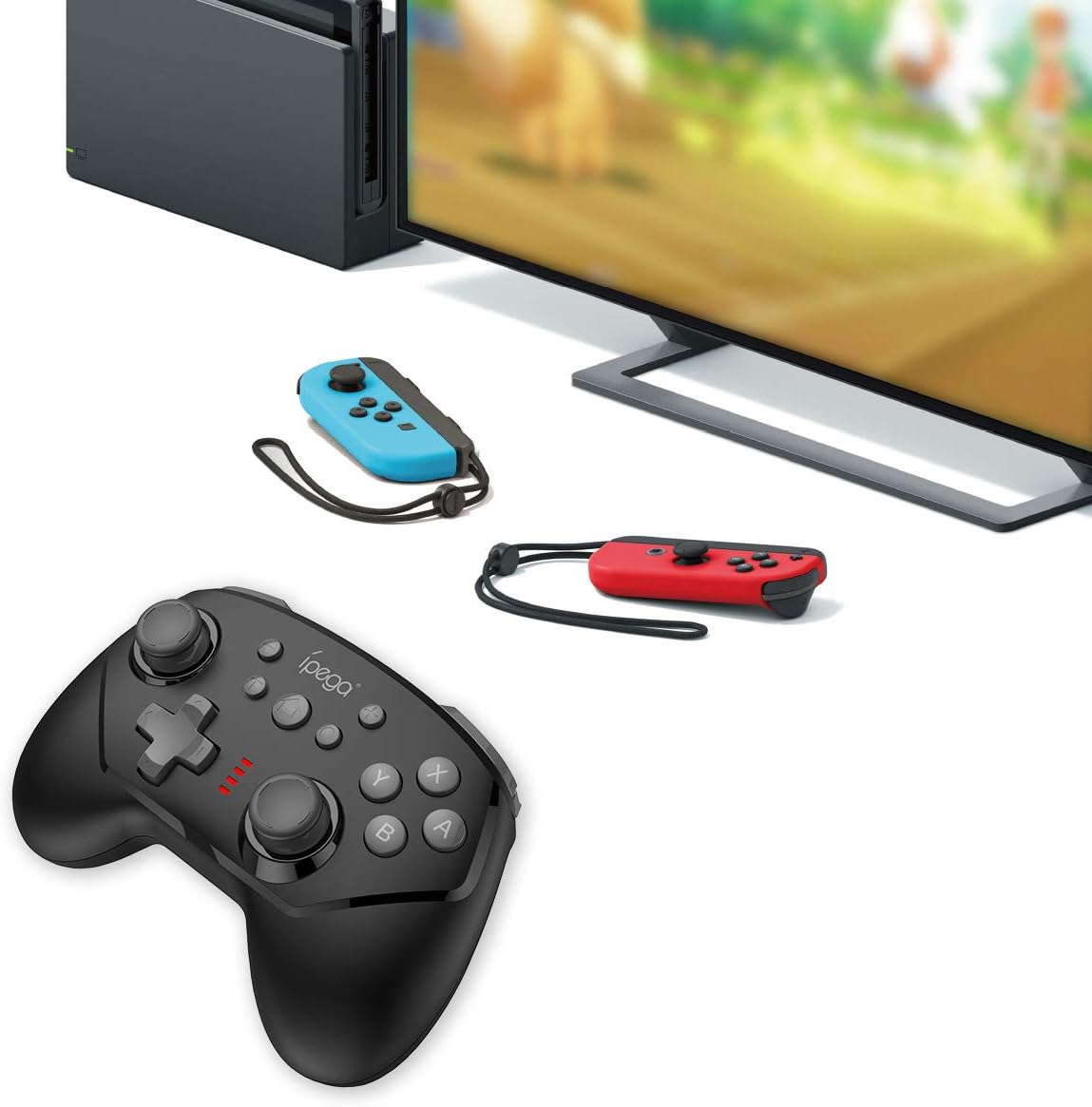
Image 5.1: The controller connected to a Nintendo Switch dock, demonstrating wired play.
6. Návod k obsluze
6.1 Funkce TURBO
The TURBO function allows for rapid, continuous pressing of a button without repeatedly pressing it manually.
- To Set TURBO: Press and hold the desired action button (e.g., A, B, X, Y, L, R, ZL, ZR), then press the Tlačítko TURBO once. The button will now continuously register presses as long as you hold it down.
- To Clear TURBO: Repeat the process: press and hold the button with TURBO enabled, then press the Tlačítko TURBO again. The TURBO function for that specific button will be deactivated.
6.2 Six-axis Gyroscope
The built-in six-axis gyroscope provides motion control capabilities, allowing for precise aiming and in-game interactions by tilting and moving the controller.
- Ensure the game you are playing supports gyroscope controls.
- Calibrate the gyroscope if you experience drift or inaccurate motion sensing. Refer to your Nintendo Switch system settings for calibration options.

Image 6.1: Illustration of the six-axis gyroscope in action, enhancing aiming precision.
6.3 Funkce vibrací
The dual motor vibration provides tactile feedback, immersing you further into the game by reacting to in-game events like collisions, explosions, or character actions.
- Vibration intensity is typically controlled by the game itself.
- If vibration is not working, check the in-game settings or Nintendo Switch system settings to ensure it is enabled.

Image 6.2: Visual representation of the built-in dual motor vibration feature.
7. Nabíjení regulátoru
The ipega PG-9162 controller has a built-in rechargeable battery. When the battery is low, the LED indicators will flash slowly.
- Connect the provided USB charging cable to the Type-C port on the controller.
- Connect the other end of the USB cable to a USB power source (e.g., Nintendo Switch dock, computer USB port, or a USB wall adapter).
- The LED indicators will show charging status. Once fully charged, the indicators will typically turn off or show a solid light.
- A full charge provides over 8 hours of gameplay.
8. Údržba
- Uchovávejte regulátor v suchu a mimo dosah vlhkosti.
- Nevystavujte regulátor extrémním teplotám.
- Ovladač čistěte měkkým, suchým hadříkem. Nepoužívejte agresivní chemikálie ani abrazivní čisticí prostředky.
- Pokud regulátor nepoužíváte, uložte ho na bezpečném místě, abyste předešli jeho poškození.
9. Řešení problémů
9.1 Řídicí jednotka se nepřipojuje
- Ujistěte se, že je regulátor dostatečně nabitý.
- Verify the Nintendo Switch console is updated to the latest system software.
- Opakujte proces párování (kapitola 5.1).
- If using wired connection, ensure "Pro Controller Wired Communication" is enabled in Switch settings.
- Try restarting both the controller and the Nintendo Switch console.
9.2 Vstupní zpoždění nebo přerušení
- Ujistěte se, že v blízkosti není žádné silné elektromagnetické rušení.
- Move closer to the Nintendo Switch console.
- Disconnect other wireless devices that might be causing interference.
9.3 Tlačítka nereagují
- Zkontrolujte, zda je ovladač správně připojen.
- Test the buttons in the Switch's controller test menu (System Settings > Controllers and Sensors > Test Input Devices).
- Očistěte okolí tlačítek, abyste se ujistili, že je neblokují žádné nečistoty.
10. Specifikace
| Značka | ipega |
| Číslo modelu | PG-9162 |
| Konektivita | Wireless (Bluetooth), Wired (USB) |
| Kapacita baterie | 380 XNUMX mAh |
| Životnost baterie | >8 hours (approx.) |
| Speciální funkce | Six-axis Gyroscope, Dual Motor Vibration, TURBO Function |
| Kompatibilita | Nintendo Switch |
| Rozměry | 17.53 x 13.72 x 6.6 cm (přibližně) |
| Hmotnost | 295 g (cca) |
11. Záruka a podpora
This product comes with a standard manufacturer's warranty. For specific warranty terms, please refer to the documentation included with your purchase or contact the retailer. For technical support or further assistance, please visit the official ipega webnebo kontaktujte jejich oddělení zákaznických služeb.
Výrobce: ipega
Datum první dostupnosti: 2. srpna 2019