1. Úvod
This manual provides essential information for setting up, operating, maintaining, and troubleshooting your ASUS TUF FX505DT Gaming Laptop. Please read this guide thoroughly to ensure optimal performance and longevity of your device.
The ASUS TUF Gaming FX505DT is a robust gaming laptop featuring a 15.6-inch 120Hz Full HD display, powered by an AMD Ryzen 5 R5-3550H processor and NVIDIA GeForce GTX 1650 graphics. It is designed for demanding applications and gaming, incorporating durable construction and efficient cooling.
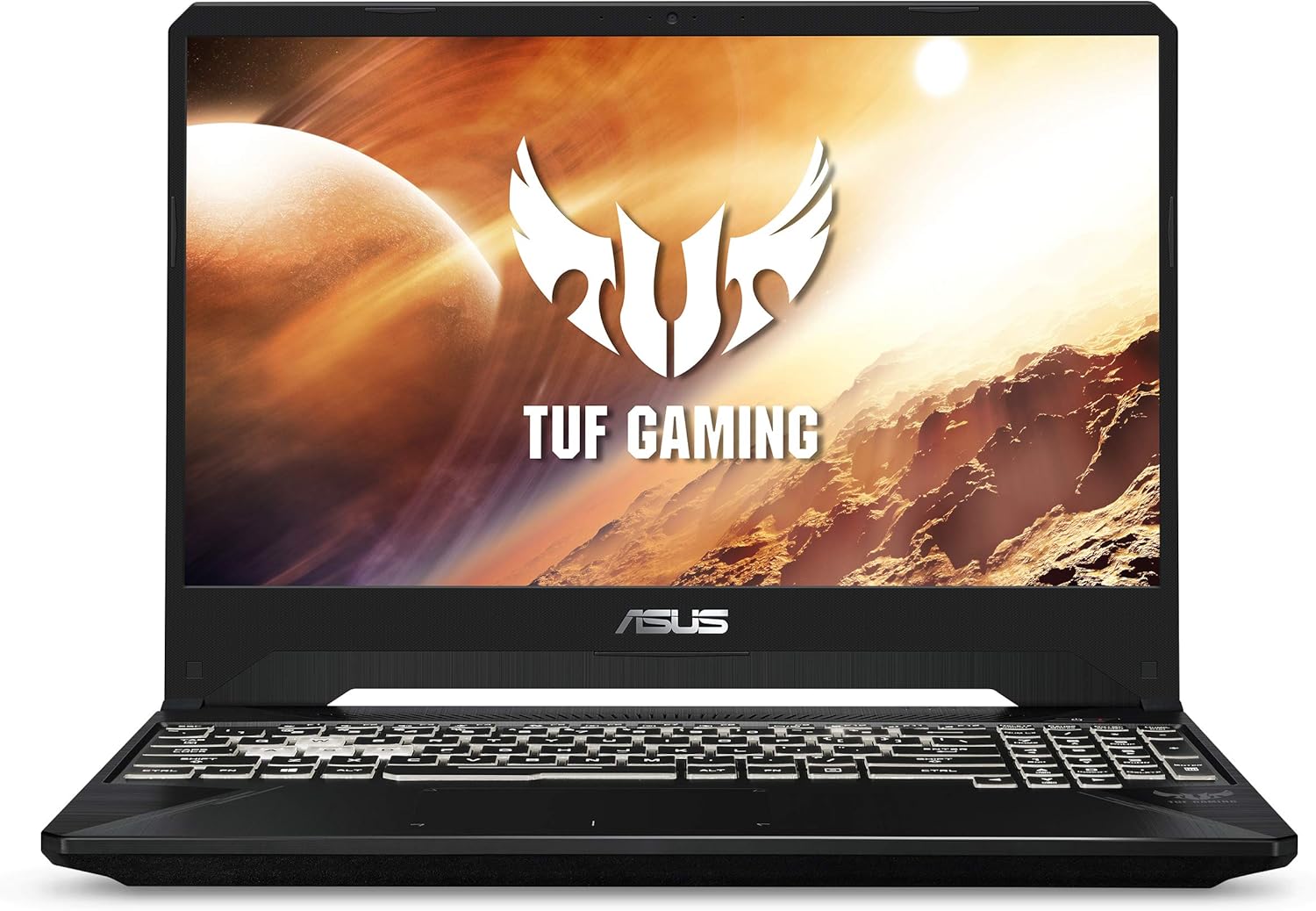
Přední view of the ASUS TUF FX505DT Gaming Laptop, showcasinjeho displej a klávesnici.
2. Co je v krabici
Ověřte, zda jsou v balení přítomny všechny položky:
- ASUS TUF FX505DT Gaming Laptop
- Napájecí adaptér a kabel
- Uživatelská příručka (tento dokument)
- Záruční list
3. Počáteční nastavení
3.1. Připojení napájecího adaptéru
Before first use, connect the power adapter to the laptop and a power outlet. This ensures the battery charges and provides stable power for initial setup.
- Plug the AC adapter into the power connector on the left side of the laptop.
- Připojte napájecí kabel k napájecímu adaptéru.
- Zapojte napájecí kabel do zásuvky ve zdi.
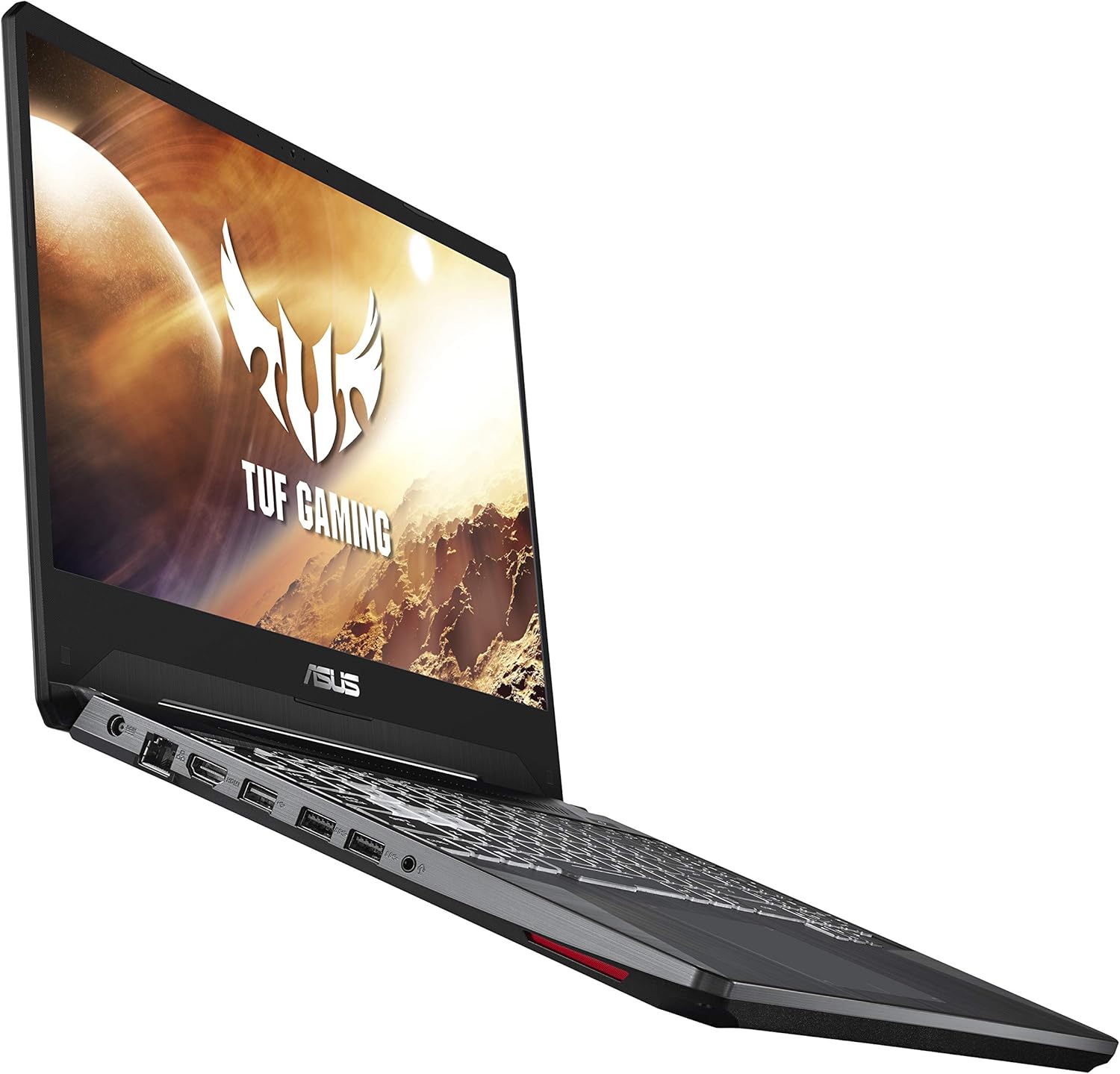
Strana view of the ASUS TUF FX505DT, illustrating the placement of various ports, including the power input.
3.2. První zapnutí a nastavení systému Windows
Press the power button located on the top-right of the keyboard. Follow the on-screen instructions to complete the Windows 10 Home setup process. This includes selecting your region, language, and setting up user accounts.
3.3. Připojení periferií
Utilize the available USB ports (1x USB 2.0, 2x USB 3.0) to connect external devices such as a mouse, keyboard, or external storage. The laptop also features an HDMI port for connecting to external displays.
4. Ovládání notebooku
4.1. Funkce klávesnice
The ASUS TUF FX505DT features a Hyperstrike Keyboard with RGB backlighting, designed for durability with a 20-million keystroke lifespan. You can customize the RGB lighting effects through the pre-installed ASUS Armoury Crate software.

The Hyperstrike Keyboard with customizable RGB backlighting, offering enhanced visibility and personalization.
The keyboard is also built to MIL-STD-810G military standard for durability, ensuring resilience against everyday wear and tear.

Close-up of the durable keyboard, highlighting its MIL-STD-810G military standard certification for robustness.
4.2. Displej
Experience smooth visuals on the 15.6-inch Full HD (1920x1080) IPS-type display with a 120Hz refresh rate, ideal for fast-paced gaming and multimedia consumption.
4.3. Chladicí systém
The laptop incorporates a dual-fan cooling system with anti-dust technology to maintain optimal temperatures during intensive use and prolong component lifespan.
4.4. Bezdrátové připojení
Connect to networks using Gigabit Wave 2 Wi-Fi 5 (802.11AC) for high-speed wireless internet access. Bluetooth connectivity is also available for pairing wireless peripherals.
5. Údržba a péče
5.1. Čištění
- Obrazovka: Lehce používejte měkký hadřík, který nepouští vlákna dampOpláchněte vodou nebo čističem obrazovek. Vyhněte se agresivním chemikáliím.
- Podvozek: Otřete měkkým, suchým hadříkem. Na odolnou špínu použijte lehceamp tkanina.
- Klávesnice: K odstranění prachu a nečistot z prostor mezi klávesami použijte stlačený vzduch.
5.2. Větrání
Ensure the laptop's ventilation openings are not obstructed to prevent overheating. Avoid placing the laptop on soft surfaces like beds or carpets during operation.
5.3. Péče o baterie
To maximize battery lifespan, avoid frequently discharging the battery completely. It is recommended to keep the laptop plugged in when possible, especially during gaming or resource-intensive tasks.
5.4. Aktualizace softwaru
Regularly update your Windows operating system, graphics drivers, and ASUS utilities (e.g., Armoury Crate) to ensure optimal performance, security, and compatibility.
6. Řešení problémů
Tato část se zabývá běžnými problémy, se kterými se můžete setkat. V případě složitějších problémů se obraťte na podporu ASUS. webnebo kontaktujte zákaznický servis.
6.1. Notebook se nezapíná
- Ujistěte se, že je napájecí adaptér bezpečně připojen k notebooku i k funkční zásuvce.
- Ověřte funkčnost elektrické zásuvky zapojením jiného zařízení.
- Pokud je baterie zcela vybitá, nechte ji nabíjet alespoň 30 minut, než se ji pokusíte zapnout.
6.2. Problémy se zobrazením
- Žádný obraz na obrazovce: Ensure the laptop is powered on. If an external monitor is connected, try disconnecting it or pressing Fn + F8 (nebo příslušnou funkční klávesu pro zobrazení) pro přepínání režimů zobrazení.
- Blikající nebo zkreslený obraz: Update your graphics drivers. Check for physical damage to the screen or cable connections if using an external monitor.
6.3. Problémy s výkonem
- Pomalý výkon: Zavřete nepotřebné aplikace. Zkontrolujte Správce úloh, zda procesy nespotřebovávají mnoho CPU nebo RAM. Zajistěte dostatek volného místa na disku SSD.
- Přehřívání: Ensure ventilation vents are clear. Consider using a cooling pad. Update drivers and BIOS.
- Gaming performance: Ensure the laptop is plugged in and set to a high-performance power plan. Update NVIDIA graphics drivers.
7. Technické specifikace
Below are the key technical specifications for the ASUS TUF FX505DT Gaming Laptop (Model: FX505DT-AH51):

Visual representation highlighting the 8GB DDR4 RAM and 256GB SSD storage components.
| Funkce | Specifikace |
|---|---|
| Název modelu | TUF FX505DT-AH51 |
| Procesor | AMD Ryzen 5 R5-3550H (Quad-core, 3.7 GHz Max Boost) |
| Grafika | NVIDIA GeForce GTX 1650 (4GB GDDR5 Dedicated) |
| Zobrazit | 15.6-inch Full HD (1920x1080) IPS-Type, 120Hz |
| BERAN | 8GB DDR4 (2666 MHz) |
| Skladování | 256GB NVMe PCIe SSD |
| Operační systém | Windows 10 Home (64bitový) |
| Bezdrátové připojení | Gigabit Wave 2 Wi-Fi 5 (802.11AC), Bluetooth |
| Porty | 1x USB 2.0, 2x USB 3.0, 1x HDMI, 1x Ethernet (RJ-45), 1x Audio Combo Jack |
| Klávesnice | RGB Backlit Hyperstrike Keyboard (20-million keystroke durability) |
| Rozměry (DxŠxV) | 14.1 x 10.1 x 1 palce |
| Hmotnost | 4.8 libry |
| Baterie | Je vyžadována 1 lithiová kovová baterie |
8. Záruka a podpora
8.1. Informace o záruce
Your ASUS TUF FX505DT Gaming Laptop comes with a standard manufacturer's warranty. Please refer to the included Warranty Card for specific terms, conditions, and duration of your warranty coverage. Keep your proof of purchase for warranty claims.
8.2. Zákaznická podpora
Pro technickou pomoc, stažení ovladačů nebo další podporu navštivte oficiální stránky podpory ASUS. website. You can also find contact information for ASUS customer service in your region on their webna webu nebo v záruční dokumentaci.


