Zavedení
Welcome to the user manual for your Picun Elite P80S Wireless Headset. This guide provides detailed instructions for setup, operation, maintenance, and troubleshooting to ensure you get the most out of your device. Please read this manual thoroughly before using the headset.
Obsah balení
- Picun Elite P80S Headset
- Detachable AUX Microphone
- USB nabíjecí kabel
- AUX Cable for Wired Transmission

Image: Picun Elite P80S Wireless Headset with detachable microphone, showcasing its design and included microphone.
Konec produktuview
Headset Components and Controls
The Picun Elite P80S headset features an ergonomic design with easy-to-access media buttons for various functions. These include controls for music playback, call management, vibration mode, LED light display, and volume adjustments.

Image: The Picun Elite P80S Wireless Headset shown in its folded configuration, highlighting its portable design.

Image: The Picun Elite P80S Wireless Headset displayed on a stand, providing a clear view of its over-ear design, earcups, and adjustable headband.
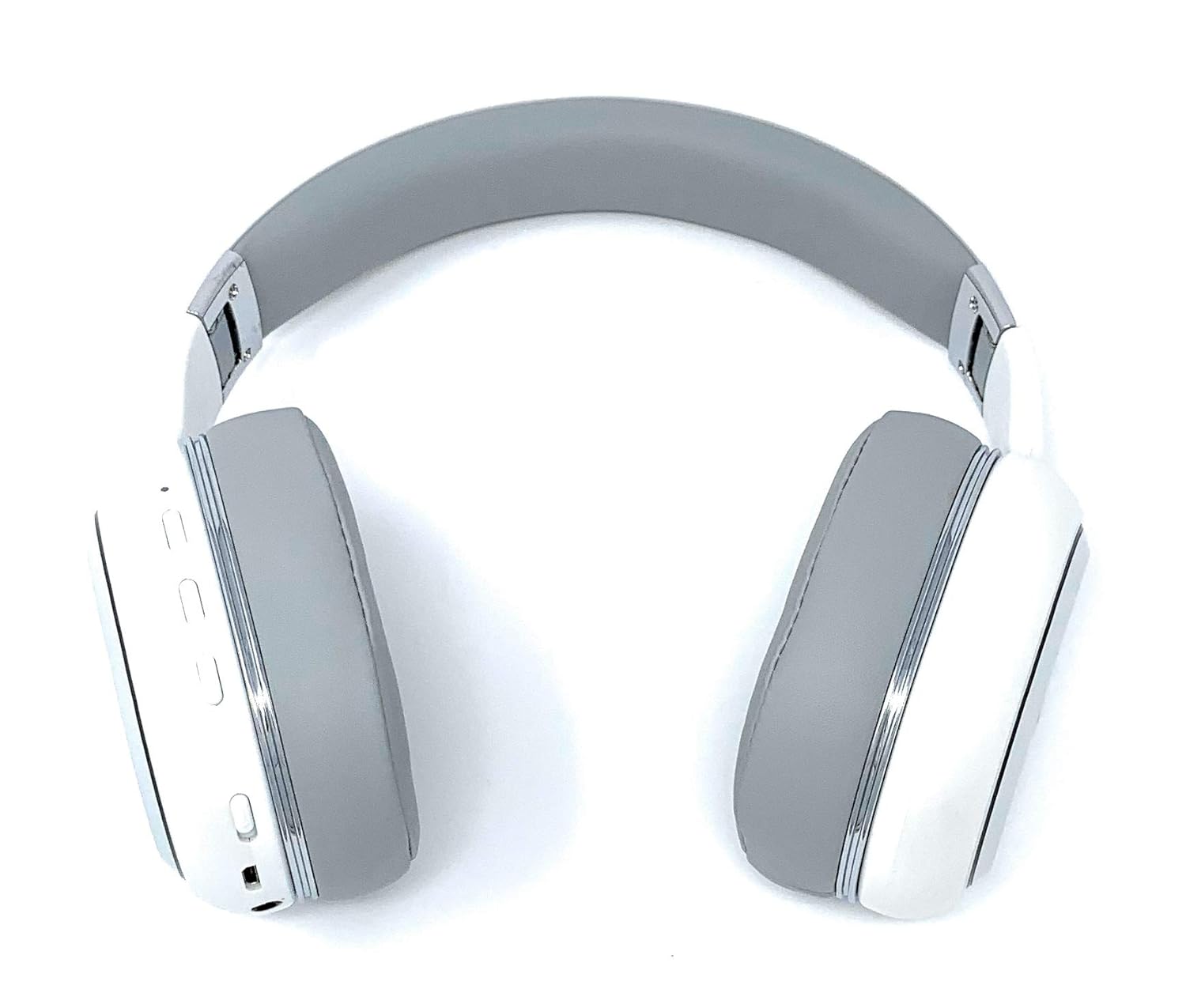
Image: A rear perspective of the Picun Elite P80S Wireless Headset, illustrating the placement of control buttons on the earcup.

Image: A detailed close-up of the right earcup hinge and the 'R' indicator on the Picun Elite P80S Wireless Headset, showing construction details.
Nastavení
Nabíjení náhlavní soupravy
Before initial use, fully charge the headset. Use the provided USB charging cable with any compatible USB adapter or device.
- Připojte nabíjecí kabel USB k nabíjecímu portu sluchátek s mikrofonem.
- Připojte druhý konec kabelu USB ke zdroji napájení.
- A full charge provides approximately 40 hours of game time or 60 hours of music/media playback in wireless mode.
Párování pomocí Bluetooth
To connect your headset wirelessly:
- Zkontrolujte, zda je náhlavní souprava vypnutá.
- Stiskněte a podržte tlačítko napájení, dokud LED indikátor nezačne blikat, což signalizuje režim párování.
- Na svém zařízení (chytrý telefon, tablet, počítač) povolte Bluetooth a vyhledejte dostupná zařízení.
- Select "Picun P80S" from the list of found devices.
- Once connected, the LED indicator will show a steady light or flash slowly.
Drátové připojení
For a wired connection, use the provided AUX cable:
- Connect one end of the AUX cable to the headset's AUX port.
- Druhý konec připojte k 3.5mm audio konektoru na vašem audio zařízení.
- The headset can be used indefinitely in wired mode, regardless of battery charge.
Připevnění mikrofonu
The headset includes a detachable microphone for clear communication:
- Locate the microphone port on the headset.
- Gently insert the detachable microphone into the port until it clicks into place.
- The microphone is designed to reduce ambient noise for high-definition vocals.
Návod k obsluze
Zapnutí/vypnutí
- Zapnutí: Stiskněte a podržte tlačítko napájení na několik sekund, dokud se nerozsvítí indikátor LED.
- Vypnout: Press and hold the power button for a few seconds until the LED indicator turns off.
Přehrávání hudby
- Přehrát/pozastavit: Stiskněte jednou tlačítko Přehrát/Pozastavit.
- Další skladba: Press and hold the 'Volume Up' button.
- Předchozí skladba: Press and hold the 'Volume Down' button.
Správa hovorů
- Přijmout/ukončit hovor: Stiskněte jednou multifunkční tlačítko.
- Odmítnout hovor: Stiskněte a podržte multifunkční tlačítko po dobu 2 sekund.
Dual Shock/Vibration Mode
This mode enhances audio with deep bass and vibrations, ideal for music, movies, and gaming.
- Aktivovat/deaktivovat: Use the dedicated 'Vibration/Dual Shock Mode On-Off toggle switch' on the headset.
LED světelný displej
The headset features an LED light display.
- Zapnout/Vypnout: Use the dedicated 'LED Light Display On-Off button' on the headset.
Ovládání hlasitosti
- Zvýšení hlasitosti: Press the 'Volume Up' button.
- Snížit hlasitost: Press the 'Volume Down' button.
Údržba
Čištění
- Otřete headset měkkým suchým hadříkem.
- Nepoužívejte abrazivní čisticí prostředky nebo rozpouštědla.
- Udržujte nabíjecí port a audio konektory čisté od prachu a nečistot.
Skladování
- Sluchátka skladujte na chladném a suchém místě mimo dosah přímého slunečního záření a extrémních teplot.
- When not in use for extended periods, ensure the headset is fully charged before storing.
Odstraňování problémů
Žádná síla
- Ujistěte se, že je náhlavní souprava plně nabitá.
- Ověřte, zda nabíjecí kabel a zdroj napájení fungují správně.
Žádný zvuk
- Zkontrolujte úroveň hlasitosti na sluchátkách i na připojeném zařízení.
- If using Bluetooth, ensure the headset is properly paired and connected.
- If using a wired connection, ensure the AUX cable is securely plugged into both the headset and the audio source.
- Vyzkoušejte s jiným zdrojem zvuku nebo zařízením.
Problémy s párováním Bluetooth
- Ujistěte se, že sluchátka jsou v režimu párování (LED bliká).
- Vypněte a zapněte Bluetooth na vašem zařízení.
- Vymažte předchozí připojení Bluetooth na zařízení a zkuste spárování znovu.
- Ensure the headset is within the effective range of your Bluetooth device.
Specifikace
| Funkce | Popis |
|---|---|
| Název modelu | Elite P80S |
| Technologie připojení | Bluetooth |
| Technologie bezdrátové komunikace | Bluetooth |
| Zahrnuté komponenty | Headset, Detachable AUX Microphone, USB Charging Cable, AUX Cable for Wired Transmission |
| Věkové rozmezí (popis) | Dospělý |
| Materiál | Umělá kůže |
| Typ ovládání | Ovládání hlasitosti, Dálkové ovládání |
| Funkce kabelu | Odnímatelné |
| Hmotnost položky | 820 g (0.82 kilogramu) |
| Počet položek | 1 |
| Speciální funkce | Potlačení hluku |
| Výrobce | Picun |
| Hardwarová platforma | Herní konzole |
| Formát mikrofonu | Built-In, Detachable AUX Microphone |
| Jsou vyžadovány baterie | Ne (vnitřní dobíjecí baterie) |
| Form Factor | Přes ucho |
| Barva | Bílý |
| Kontrola hluku | Aktivní potlačení hluku |
| Jack pro sluchátka | Zásuvka 3.5 mm |
Informace o záruce
The Picun Elite P80S Wireless Headset is covered by a manufacturer's warranty. For specific details regarding warranty terms, duration, and claims process, please refer to the warranty policy provided at the time of purchase or contact Picun customer support.
Zákaznická podpora
If you encounter any issues not covered in this manual or require further assistance, please contact Picun customer support through their official website or the contact information provided with your product packaging. Please have your product model (P80S) and purchase details ready when contacting support.


