Zavedení
Thank you for choosing the GameMax H605 Micro ATX Gaming Tower Case. This manual provides essential information for the proper installation, operation, and maintenance of your new PC case. Please read this manual thoroughly before beginning assembly to ensure optimal performance and safety.
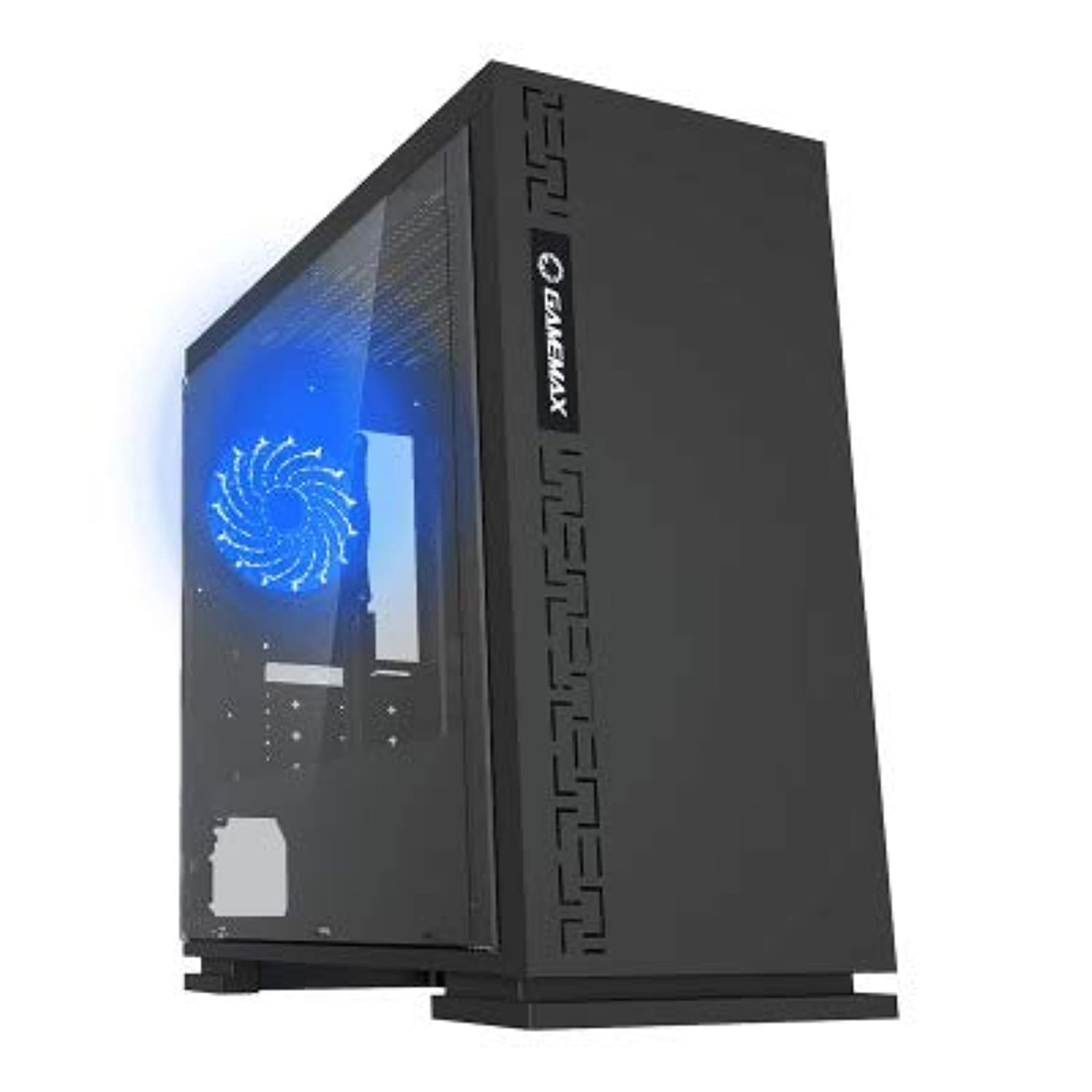
Obrázek 1: Přední strana view of the GameMax H605 Micro ATX Gaming Tower Case, showcasing its sleek design and front panel.
The GameMax H605 is designed for Micro ATX motherboards and features a compact yet efficient layout for gaming components. It includes one pre-installed LED fan at the rear for immediate cooling. The case is constructed from steel and plastic, offering a balance of durability and aesthetics.
Bezpečnostní informace
Během instalace a provozu dodržujte následující bezpečnostní pokyny:
- Před instalací nebo demontáží jakýchkoli součástí vždy odpojte napájecí kabel ze zásuvky.
- Noste antistatický náramek, abyste zabránili poškození citlivých součástí elektrostatickým výbojem (ESD).
- Handle components carefully to avoid physical damage.
- Chraňte pouzdro před tekutinami a nadměrnou vlhkostí.
- Zajistěte dostatečné větrání kolem skříně, abyste zabránili přehřátí.
Obsah balení
Verify that all the following items are present in your GameMax H605 package:
- GameMax H605 Micro ATX Gaming Tower Case
- Accessory box (screws, standoffs, cable ties)
- Uživatelská příručka (tento dokument)
If any items are missing or damaged, please contact your retailer or GameMax support.
Nastavení
1. Příprava případu
- Umístěte pouzdro na rovný a stabilní povrch.
- Odstraňte boční panely odšroubováním šroubů s křídlovou hlavou na zadní straně skříně a posunutím panelů dozadu.

Obrázek 2: Interiér view of the GameMax H605 case with the side panel removed, showing the motherboard tray and drive bays.
2. Instalace základní desky
- Nainstalujte kryt I/O do zadního otvoru skříně.
- Align your Micro ATX motherboard with the standoffs inside the case. Ensure the standoffs match the screw holes on your motherboard.
- Zajistěte základní desku dodanými šrouby.
3. Instalace úložného disku
- For 3.5-inch HDDs, slide the drive into the designated drive cage bays and secure with screws if necessary.
- For 2.5-inch SSDs, mount them onto the dedicated SSD brackets or trays and secure with screws.
4. Instalace napájecího zdroje
- Position the power supply unit (PSU) in the bottom rear compartment of the case.
- Secure the PSU to the case using the screws provided with your power supply.
5. Instalace grafické karty a rozšiřující karty
- Odstraňte potřebné kryty rozšiřujících slotů ze zadní strany skříně.
- Vložte grafickou kartu nebo jiné rozšiřující karty do příslušných slotů PCIe na základní desce.
- Karty zajistěte šrouby.

Obrázek 3: Zadní view of the GameMax H605 case, showing expansion slots and I/O shield opening.
6. Správa kabelů
Pro vedení kabelů využijte výřezy pro vedení kabelů a úchyty za přihrádkou základní desky. Zlepší se tím proudění vzduchu a estetika.
Provozní
Once all components are installed and connected, replace the side panels and connect your peripherals (monitor, keyboard, mouse) to the motherboard's I/O ports. Connect the power cable to the PSU and a wall outlet. Press the power button on the front panel to start your system.

Obrázek 4: Horní přední strana view of the GameMax H605 case, highlighting the front panel I/O ports and power button.
Údržba
Regular maintenance helps ensure the longevity and optimal performance of your PC case and components:
- Čištění prachu: Periodically clean dust from the case interior, fans, and filters using compressed air or a soft brush. Ensure the system is powered off and unplugged before cleaning.
- Kontrola kabeláže: Occasionally check cable routing to ensure no cables are obstructing airflow or fan operation.
- Kontrola ventilátoru: Verify that all fans are spinning freely and are free from obstructions.
Odstraňování problémů
Pokud narazíte na problémy s sestavením počítače, zvažte následující běžné kroky pro řešení potíží:
- Bez napájení: Ensure all power cables (24-pin ATX, 8-pin CPU, GPU power) are securely connected. Check if the PSU switch is in the 'ON' position.
- Bez displeje: Verify that the monitor cable is connected to the graphics card (not the motherboard I/O) and that the monitor is powered on and set to the correct input.
- Přehřívání: Check fan connections and ensure they are spinning. Clean any dust buildup. Verify proper airflow within the case.
- Uvolněná připojení: Re-seat RAM modules, graphics card, and all power/data cables to ensure they are firmly in place.
Specifikace
| Funkce | Detail |
|---|---|
| Značka | GameMax |
| Číslo modelu položky | H605 BLK |
| Výrobce | GameMax |
| Série | H605 BLK |
| Barva | Černý |
| Hardwarová platforma | Windows 7 |
| Baterie jsou součástí dodávky | Žádný |
| Hmotnost položky | 7.53 gramů |
| Kompatibilita základní desky | Micro ATX |
| Typ pouzdra | Střední věž |
| Doporučená použití pro produkt | Hraní |
| Materiál | Solid Plastic Alloy |
| Způsob chlazení | Water (Implies compatibility for water cooling solutions) |
| Název modelu | H605 BLK |
| Velikost ventilátoru | 120 milimetru |
| Celkový počet portů USB | 1 |
| Datum první dostupnosti | 9. července 2019 |
Záruka a podpora
GameMax products are designed for reliability and performance. For warranty information, please refer to the warranty card included with your purchase or visit the official GameMax website. If you require technical assistance or have questions regarding your GameMax H605 case, please contact GameMax customer support through their official channels.
Uschovejte si prosím doklad o koupi pro uplatnění záruky.


