Zavedení
This manual provides detailed instructions for the safe and effective operation of your Donner DJ Par Light. Please read this manual thoroughly before use and retain it for future reference. This device is designed to produce various lighting effects for events, parties, and stage představení.
Bezpečnostní informace
- Zajistěte napájení objtage odpovídá požadavkům zařízení.
- Do not expose the device to rain or moisture to prevent electric shock or fire.
- Před čištěním nebo servisem vždy odpojte přístroj od napájení.
- Vyhněte se přímému vystavení očí světelnému zdroji, mohlo by dojít k poškození očí.
- Zajistěte správné větrání, aby nedošlo k přehřátí. Neblokujte ventilační otvory.
- S přístrojem zacházejte opatrně. Zabraňte jeho pádu nebo silným nárazům.
- Uchovávejte mimo dosah dětí.
Obsah balení
Při vybalení ověřte, zda jsou všechny položky přítomny:
- Donner DJ Par Light (1 unit)
- Dálkové ovládání (1 jednotka)
- Montážní konzola (1 kus)
- Napájecí kabel (1 kus)
- Uživatelská příručka (tento dokument)
Vlastnosti produktu
- 18 RGB LEDs: Features 18 x 3W RGB LED lights (6 Red, 6 Green, 6 Blue) for a wide range of color effects.
- Vícerežimový provoz: Includes Static Color, Color Changing, Color Fade, Auto, Sound-activated, Master-slave, and DMX modes.
- Dálkové ovládání: Easy control via the included IR remote.
- Kompatibilní s DMX512: For professional lighting control.
- Vestavěný chladicí ventilátor: Ensures stable operation and extends lifespan.
- Adjustable Dual Brackets: Allows for flexible mounting on trusses, walls, or standing on the floor.
Nastavení
- Rozbalení: Carefully remove the light and all accessories from the packaging.
- Instalace držáku: Attach the dual brackets to the sides of the light using the provided screws and knobs. Ensure they are securely fastened.
- Montáž:
- Podlahový stojan: Position the light on a flat, stable surface using the brackets as a stand. Adjust the angle as desired.
- Hanging/Truss Mount: Použijte vhodný třamps (not included) to secure the light to a truss or ceiling. Always use a safety cable (not included) when hanging the unit.
- Připojení napájení: Připojte napájecí kabel k napájecímu vstupu světla a poté do vhodné elektrické zásuvky.

Provozní režimy
The Donner DJ Par Light offers multiple operating modes, selectable via the remote control or the control panel on the back of the unit.

- Statický barevný režim: Displays a single, constant color. Use the remote's color buttons (Red, Green, Blue) or the control panel to select specific colors or mix RGB values.
- Color Changing (Jump) Mode: The light rapidly switches between different colors. The speed of the color change can be adjusted.
- Color Fade (Gradual) Mode: The light smoothly transitions from one color to another. The transition speed can be adjusted.
- Automatický režim: The light cycles through various pre-programmed lighting effects automatically.
- Zvukově aktivovaný režim: The light reacts to ambient sound or music, changing colors and patterns in sync with the beat. Ensure the built-in microphone is not obstructed.
- Režim Master-Slave: Connect multiple lights using DMX cables. One unit acts as the master, controlling all connected slave units, ensuring synchronized lighting effects.
- DMX režim: For advanced control using a DMX512 controller. This mode allows precise control over individual light parameters such as color intensity, strobe, and mode selection.
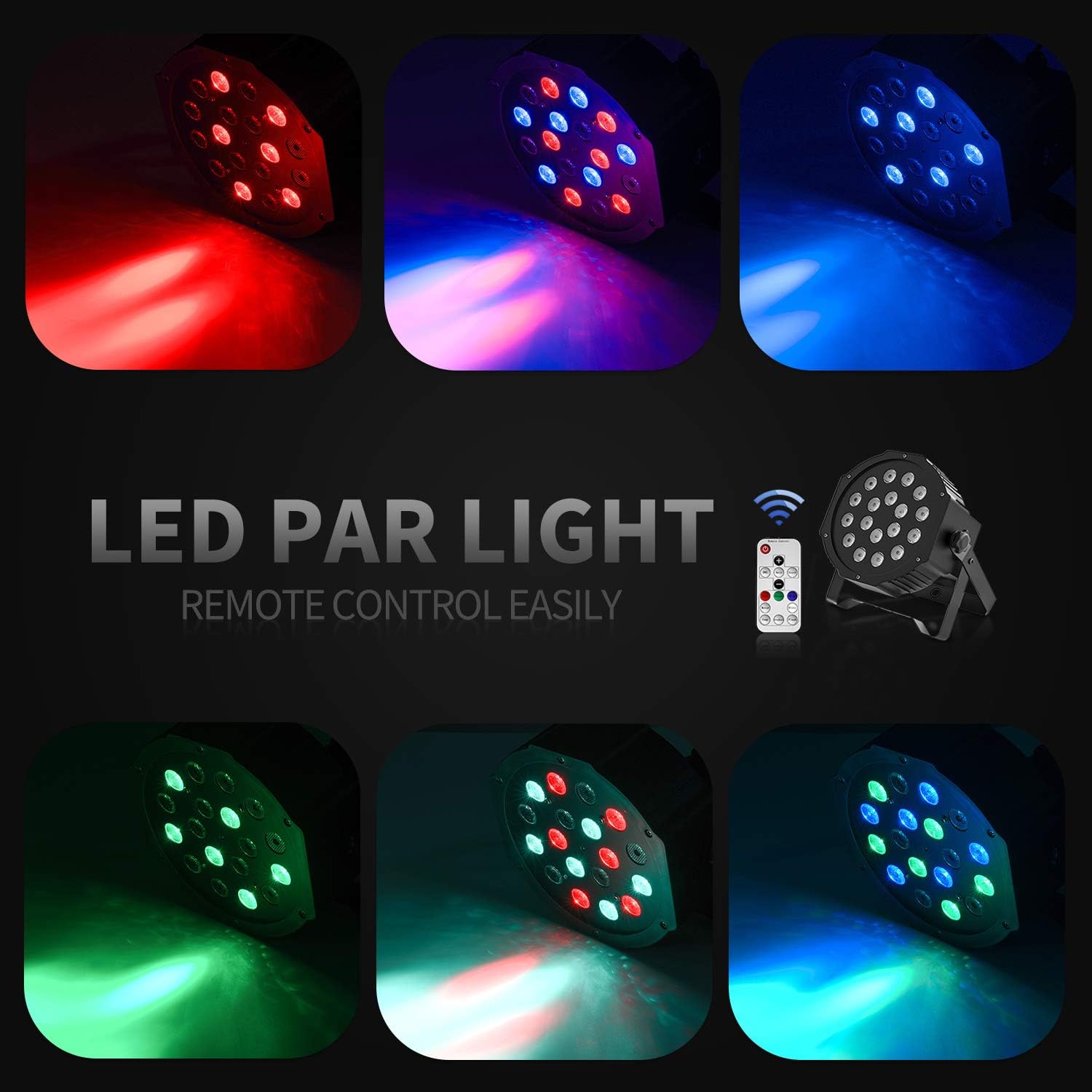
Provoz dálkového ovládání
The included IR remote control provides convenient access to the light's functions:
- V POHOTOVOSTNÍM REŽIMU: Press to power on or put the device in standby mode.
- DMX: Activates DMX mode. Use '+' and '-' to adjust the DMX address.
- Auto: Activates Auto mode.
- Zvuk: Activates Sound-Activated mode.
- Červená/zelená/modrá: Selects static red, green, or blue color.
- Bílý: Selects static white color.
- Skok: Activates Color Changing (Jump) mode.
- Postupný: Activates Color Fade (Gradual) mode.
- Blikat: Activates Strobe mode.
- +/- tlačítka: Adjust speed in Jump/Gradual/Flash modes, or DMX address in DMX mode.
DMX ovládání
The Donner DJ Par Light supports DMX512 protocol for professional control. Connect a DMX controller to the DMX IN port using a 3-pin XLR cable. For multiple units, daisy-chain them by connecting the DMX OUT of one unit to the DMX IN of the next.
DMX Channel Functions (Example for 7-channel mode):
| Kanál | Funkce | Rozsah hodnot | Popis |
|---|---|---|---|
| 1 | Mistr Dimmer | 0-255 | Overall brightness (0=off, 255=max) |
| 2 | Intenzita červené | 0-255 | Red LED brightness (0=off, 255=max) |
| 3 | Intenzita zelené | 0-255 | Green LED brightness (0=off, 255=max) |
| 4 | Modrá intenzita | 0-255 | Blue LED brightness (0=off, 255=max) |
| 5 | Stroboskop | 0-255 | Strobe speed (0=off, 255=fastest) |
| 6 | Výběr režimu | 0-255 | Selects various internal programs (Auto, Sound, Jump, Gradual) |
| 7 | Rychlost programu | 0-255 | Adjusts speed of selected program (0=slow, 255=fast) |
Údržba
- Čištění: Regularly clean the lens and housing with a soft, lint-free cloth. Do not use abrasive cleaners.
- Skladování: Pokud zařízení nepoužíváte, skladujte ho v suchém a bezprašném prostředí.
- Inspekce: Periodically check the power cable and DMX connections for any signs of damage.
Odstraňování problémů
| Problém | Možná příčina | Řešení |
|---|---|---|
| Světlo se nerozsvítí. | No power, faulty cable, device in standby. | Check power connection. Ensure outlet is functional. Press ON/STANDBY button on remote or control panel. |
| Dálkové ovládání nefunguje. | Low battery, remote not aimed correctly, IR sensor blocked. | Replace remote battery. Point remote directly at the IR sensor on the front of the light. Ensure no obstructions. |
| Light not responding in DMX mode. | Incorrect DMX address, faulty DMX cable, incorrect DMX mode selected. | Verify DMX address matches controller. Check DMX cable connections. Ensure DMX mode is active on the light. |
| Režim aktivovaný zvukem nefunguje. | Microphone obstructed, sound level too low. | Ensure the microphone on the back panel is clear. Increase music volume or move the light closer to the sound source. |
Specifikace
| Model: | Remote Control/DMX |
| Světelný zdroj: | 18 x 3W RGB LEDs (6 Red, 6 Green, 6 Blue) |
| Zdroj napájení: | Elektrický kabel |
| Režimy ovládání: | Static Color, Color Changing, Color Fade, Auto, Sound-activated, Master-slave, DMX512 |
| Materiál: | Plast |
| Rozměry produktu: | 7.48 cm D x 5.12 cm Š x 7.48 cm V |
| Hmotnost položky: | 1.45 libry |
Záruka a podpora
Donner provides a 12-month warranty for this product, covering manufacturing defects from the date of purchase. For warranty claims, technical support, or service inquiries, please contact Donner customer service through the retailer where the product was purchased or visit the official Donner webstránky pro kontaktní informace.


