1. Úvod
Thank you for choosing UMIDIGI Ubeats Wireless Bluetooth Headphones. These headphones are designed for an active lifestyle, offering high-quality audio, comfort, and durability. Featuring Bluetooth 5.0 connectivity, CVC 6.0 noise reduction, and IPX5 water resistance, the UMIDIGI Ubeats provide a reliable and enjoyable listening experience.
Video: UMIDIGI Ubeats Wireless Bluetooth Headphones OverviewToto video poskytuje obecný přehledview of the UMIDIGI Ubeats headphones, showcasing their design and key features.
2. Co je v krabici
The UMIDIGI Ubeats package includes the following items:
- 1 x UMIDIGI Wireless Bluetooth Headphones
- 1 x USB kabel
- 1 x Uživatelská příručka
- 3 x Earbuds (S, M, L sizes)

Image: Package contents of UMIDIGI Ubeats headphones. This image displays all items included in the product box: the UMIDIGI Ubeats headphones, a USB charging cable, the user manual, and three pairs of silicone ear tips in different sizes.
3. Konec produktuview a funkce
The UMIDIGI Ubeats headphones are engineered for superior audio and user convenience. Key features include:
- Bluetooth 5.0 & QCC3003 Chipset: Ensures faster speed, more stable connection, and enhanced power efficiency.
- CVC 6.0 Broadband Noise Reduction: Effectively minimizes ambient noise for an immersive audio experience.
- IPX5 Sweat Resistant: Designed to withstand dripping sweat, making them ideal for active lifestyles and outdoor sports.
- Uživatelsky přívětivý design: Features magnetic earbuds to prevent tangles and a comfortable silicone neckband for all-day wear.
- 10mm dynamické ovladače: Delivers excellent sound quality with deep, clear bass and crisp mids and highs.

Image: UMIDIGI Ubeats Wireless Bluetooth Headphones. This image shows the headphones laid out on a desk, highlighting their sleek design and neckband style.

Image: Soft silicone neckband of UMIDIGI Ubeats. A close-up view emphasizing the comfortable and flexible silicone material of the neckband.

Image: Magnetic earbuds of UMIDIGI Ubeats. This image illustrates the magnetic feature of the earbuds, allowing them to snap together for secure storage and tangle prevention.
Video: UMIDIGI Neckband in-Ear Headphones. This video highlights the comfortable neckband design and in-ear fit of the UMIDIGI Ubeats headphones.
4. Nastavení
4.1 Nabíjení sluchátek
Before first use, fully charge your UMIDIGI Ubeats headphones. Connect the included USB cable to the Micro-USB charging port on the neckband and plug the other end into a compatible USB power source. A full charge takes approximately 1.5 hours, providing up to 12 hours of playtime and 300 hours of standby time.
4.2 Zapnutí/vypnutí
- Zapnutí: Stiskněte a podržte tlačítko napájení, dokud se nerozsvítí indikátor LED.
- Vypnutí: Stiskněte a podržte tlačítko napájení, dokud kontrolka LED nezhasne.
4.3 Párování Bluetooth
- Ujistěte se, že jsou sluchátka vypnutá.
- Press and hold the power button for approximately 5-7 seconds until the LED indicator flashes white, indicating pairing mode.
- Na svém zařízení (chytrém telefonu, tabletu atd.) povolte Bluetooth a vyhledejte dostupná zařízení.
- Select "UMIDIGI Ubeats" from the list of devices.
- Po připojení se LED indikátor rozsvítí trvale bíle.
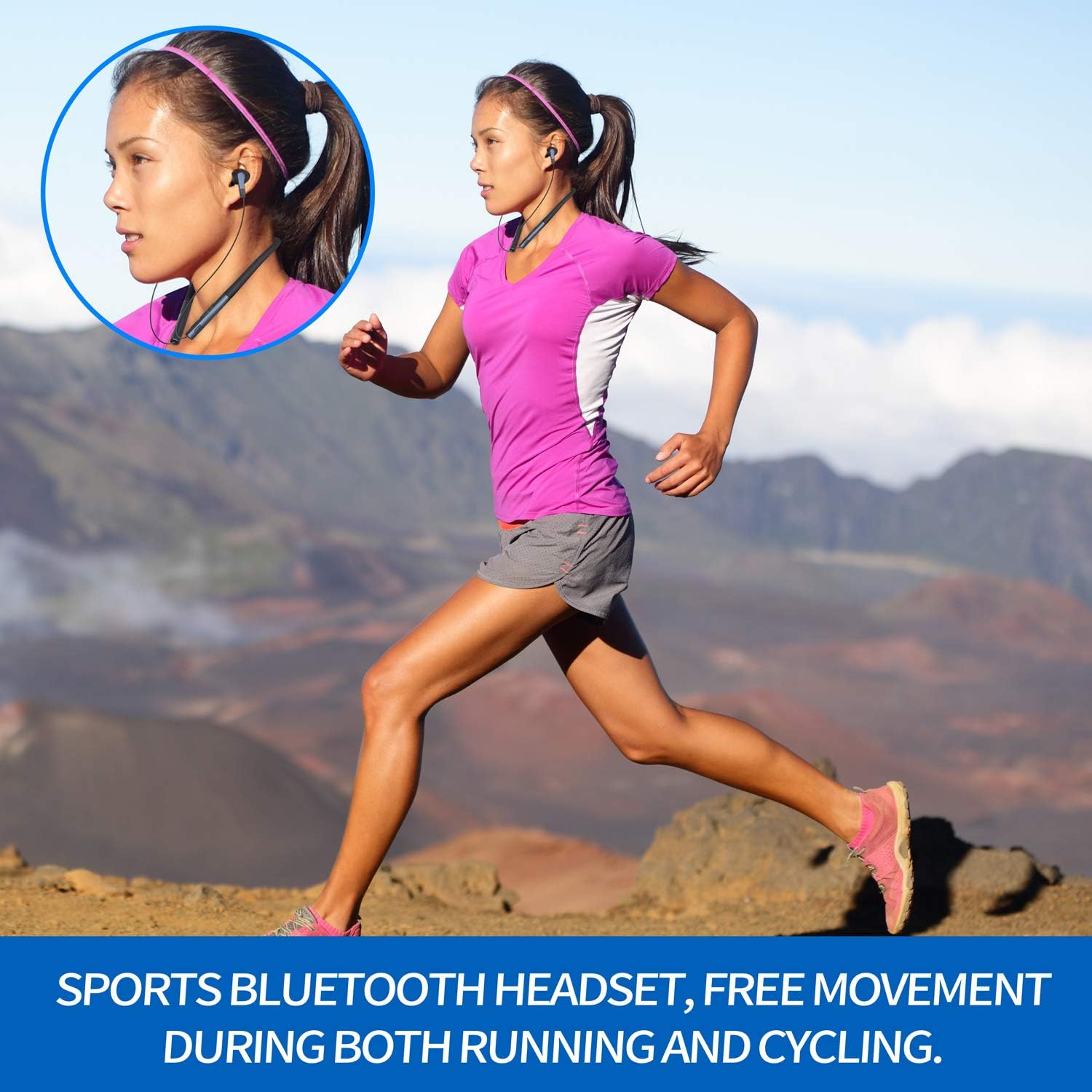
Image: Control buttons on UMIDIGI Ubeats. A detailed view of the power, volume, and track control buttons located on the neckband.
5. Návod k obsluze
5.1 Přehrávání hudby
- Přehrát/pozastavit: Stiskněte jednou multifunkční tlačítko.
- Další skladba: Stiskněte a podržte tlačítko hlasitosti „+“.
- Předchozí skladba: Stiskněte a podržte tlačítko hlasitosti „-“.
- Zvýšit hlasitost: Krátce stiskněte tlačítko hlasitosti „+“.
- Snížit hlasitost: Krátce stiskněte tlačítko hlasitosti „-“.
5.2 Správa hovorů
- Přijmout/ukončit hovor: Stiskněte jednou multifunkční tlačítko.
- Odmítnout hovor: Stiskněte a podržte multifunkční tlačítko po dobu 2 sekund.
- Znovu vytočit poslední číslo: Dvakrát stiskněte multifunkční tlačítko.
5.3 Hlasový asistent
Triple-press the multi-function button to activate your device's voice assistant (e.g., Siri, Google Assistant).
6. Údržba
To ensure the longevity and optimal performance of your UMIDIGI Ubeats headphones, follow these maintenance guidelines:
- Čištění: Otřete sluchátka měkkým, damp tkanina. Vyhněte se používání agresivních chemikálií nebo abrazivních materiálů.
- Voděodolnost: The headphones are IPX5 rated, meaning they are resistant to splashing water and sweat. Do not submerge them in water or expose them to heavy rain. Ensure the Micro-USB port cover is securely closed when not charging.
- Skladování: Store the headphones in a cool, dry place away from direct sunlight and extreme temperatures. The magnetic earbuds help keep the cables tangle-free during storage.
Image: UMIDIGI Ubeats in use during sports. This image shows a person running while wearing the UMIDIGI Ubeats headphones, emphasizing their sweat-resistant design and secure fit for active use.
Video: UMIDIGI Ubeats Durability Test. This video demonstrates the durability and flexibility of the UMIDIGI Ubeats headphones, showcasing their robust construction.
7. Řešení problémů
If you encounter any issues with your UMIDIGI Ubeats headphones, please refer to the following common solutions:
- Nelze zapnout: Ujistěte se, že jsou sluchátka plně nabitá.
- Nelze spárovat: Make sure the headphones are in pairing mode (flashing white LED). Ensure Bluetooth is enabled on your device and it's within the 10-meter wireless range. Try restarting both the headphones and your device.
- Žádný zvuk/nízká hlasitost: Zkontrolujte úroveň hlasitosti na sluchátkách i na připojeném zařízení. Ujistěte se, že jsou sluchátka správně spárována.
- Špatná kvalita hovoru: Ensure the MEMS Silicon Microphone is not obstructed. Move closer to your connected device to improve signal strength.
- Přerušované připojení: Ensure there are no obstacles between the headphones and your device. Stay within the 10-meter wireless range.
8. Specifikace
| Název modelu | UMIDIGI Ubeats |
| Technologie připojení | Bluetooth |
| Technologie bezdrátové komunikace | Bluetooth 5.0 |
| Čipová sada | Qualcomm QCC3003 |
| Umístění uší | V uchu |
| Form Factor | In Ear (Neckband) |
| Materiál | Silikon |
| Úroveň odolnosti proti vodě | IPX5 (odolnost proti potu) |
| Redukce šumu | CVC 6.0 Broadband Noise Reduction |
| Mikrofon | MEMS Silicon Microphone |
| Životnost baterie | 12 hodin přehrávání |
| Pohotovostní doba | 300 hodiny |
| Doba nabíjení | 1.5 hodiny |
| Nabíjecí port | Micro-USB |
| Hmotnost položky | 5 unce |
| Rozměry produktu | 7.87 x 6.93 x 1.42 palce |
| Speciální funkce | Magnetic Earbuds, Support to Connect with 2 Devices |
9. Záruka a podpora
UMIDIGI Ubeats headphones come with a 1-year lifelong service warranty. For any questions, technical support, or warranty claims, please contact UMIDIGI Support. You can typically find contact information on the official UMIDIGI webwebu nebo prostřednictvím vaší nákupní platformy.
UMIDIGI Support offers 24-hour quick reply service to assist you with any inquiries regarding your UMIDIGI Ubeats Headphones.


