Zavedení
This manual provides essential instructions for the safe and efficient operation of your Hama TH50 Thermo/Hygrometer. This device is designed to accurately measure and display indoor temperature and humidity levels. Please read this manual thoroughly before using the device and keep it for future reference.
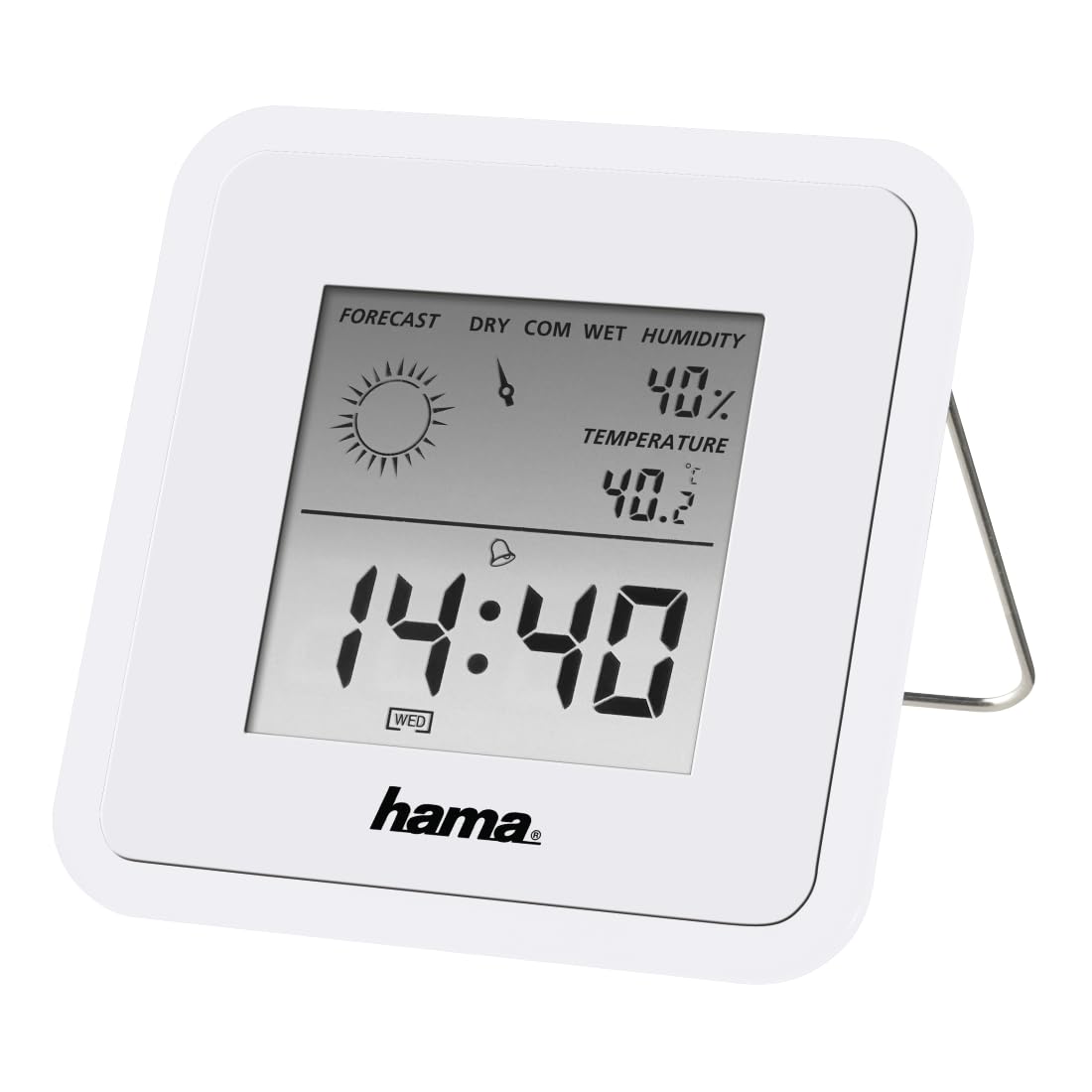
Image: The Hama TH50 Thermo/Hygrometer, a compact white device displaying digital temperature and humidity readings.
Bezpečnostní pokyny
- Nevystavujte zařízení extrémním teplotám, přímému slunečnímu záření nebo vysoké vlhkosti.
- Zabraňte pádu zařízení nebo jeho vystavení silným nárazům.
- Neotevírejte zařízení casinnebo se jej nepokoušejte opravit sami. Veškerý servis svěřte kvalifikovanému personálu.
- Udržujte zařízení mimo dosah dětí.
- Zlikvidujte baterie v souladu s místními předpisy.
Obsah balení
Zkontrolujte prosím, zda jsou všechny položky přítomny a v dobrém stavu:
- Hama TH50 Thermo/Hygrometer
- 1 Lithium Metal Battery (pre-installed or separate)
- Tento návod k použití
Nastavení
1. Instalace baterie
The Hama TH50 requires one Lithium Metal battery for operation. If the battery is not pre-installed, follow these steps:
- Vyhledejte kryt přihrádky na baterie na zadní straně zařízení.
- Otevřete kryt bateriového prostoru.
- Vložte lithium-kovovou baterii a dbejte na správnou polaritu (+/-) vyznačenou uvnitř přihrádky.
- Bezpečně zavřete kryt bateriového prostoru.
2. Umístění
The Hama TH50 is designed for tabletop mounting. For accurate readings, place the device in a central location within the room, away from direct heat sources, air conditioning vents, or open windows that could affect temperature and humidity measurements.

Image: The Hama TH50 Thermo/Hygrometer displayed on a small table in a modern living room setting, demonstrating typical placement.
Obsluha zařízení
Zobrazení informací
Once the battery is installed, the device will automatically power on and begin displaying the current temperature and humidity. The display typically shows:
- Teplota: Measured in degrees Celsius (°C). The accuracy is ±1°C.
- Vlhkost: Measured as a percentage (%).
- Čas: The current time may also be displayed, depending on the model's features.
There are no user-adjustable settings or buttons on this model for changing units or modes. The device operates automatically.
Údržba
Čištění
To clean the device, use a soft, dry, lint-free cloth. Do not use abrasive cleaners, solvents, or chemical agents, as these can damage the display or casing. Avoid getting moisture into the device.
Výměna baterie
When the display becomes dim or the readings appear inaccurate, it may be time to replace the battery. Follow the battery installation steps outlined in the "Setup" section to replace the Lithium Metal battery. Ensure proper disposal of the old battery.
Odstraňování problémů
| Problém | Možná příčina | Řešení |
|---|---|---|
| Zařízení se nezapne / Displej je prázdný. | Battery is not installed or is depleted. Incorrect battery polarity. | Check battery installation and polarity. Replace with a new Lithium Metal battery if necessary. |
| Nepřesné údaje o teplotě/vlhkosti. | Device placed near heat sources, vents, or in direct sunlight. Battery low. | Relocate the device to a more central and stable environment. Replace the battery. |
| Displej je tmavý | Nízká kapacita baterie. | Vyměňte lithium-kovovou baterii. |
Specifikace
- Číslo modelu: 00186371
- Značka: Hama
- Rozměry produktu: 10.5 x 8.6 x 3.2 cm
- Hmotnost položky: 66 gramů
- Barva: Bílý
- Typ montáže: Stolní deska
- Přesnost čtení teploty: ±1 °C
- Baterie: 1 lithiová kovová baterie (součástí balení)
Záruka a podpora
Hama provides a limited warranty for this product. For detailed warranty information, technical support, or service inquiries, please refer to the official Hama webnebo kontaktujte jejich zákaznický servis. Uschovejte si účtenku jako doklad o koupi.
Poznámka: Specifikace a vzhled produktu se mohou změnit bez předchozího upozornění.


