Zavedení
The PELONIS 3-speed oscillating Tower fan with timer and remote provides maximum comfort in a minimum space. With a tall, narrow profile, this fan is ideal for smaller rooms or areas with limited floor space. It features three speeds, multiple modes, and a timer for automatic shutoff. A convenient remote control allows for easy operation from a distance.
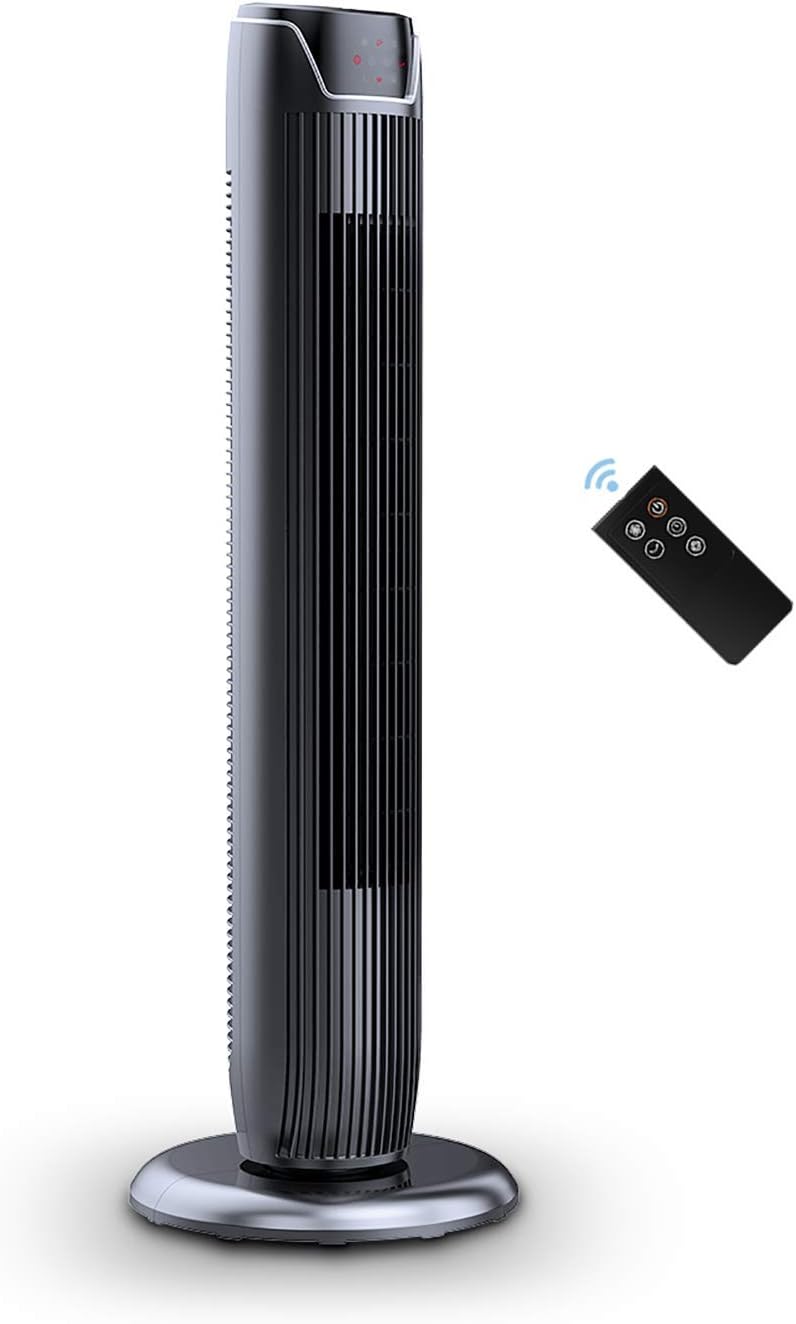
Figure 1: PELONIS FZ10-19JR Quiet Oscillating Tower Fan and Remote Control.
Bezpečnostní informace
Always read and follow all safety instructions before using this appliance to prevent injury or damage. Keep this manual for future reference.
- Ochrana proti přehřátí: The motor has built-in overheat protection for peace of mind, automatically shutting off the fan if it overheats.
- Bezpečnost dětí: The compact design on the fan grid ensures the safety of children by preventing finger penetration.
- Návrh 65 Varování: Tento produkt může obsahovat chemikálie, o nichž je ve státě Kalifornie známo, že způsobují rakovinu a vrozené vady nebo jiné poškození reprodukce.
- Ujistěte se, že ventilátor je umístěn na stabilním, rovném povrchu, aby se zabránilo jeho převrácení.
- Nevkládejte prsty ani cizí předměty do mřížky ventilátoru.
- Před čištěním nebo prováděním jakékoli údržby odpojte ventilátor ze zásuvky.
Obsah balení
Po otevření balení ověřte, zda jsou všechny součásti přítomny:
- PELONIS FZ10-19JR Tower Fan Unit
- Dálkové ovládání
- Base Parts (multiple pieces for assembly)
- Uživatelská příručka (PDF k dispozici online)
Nastavení
The PELONIS FZ10-19JR Tower Fan requires minimal assembly. Follow these steps to set up your fan:
- Sestavte základnu: The base comes in multiple pieces. Snap the base pieces together securely.
- Attach Fan Unit to Base: Carefully align the fan unit with the assembled base. Ensure the power cord is routed through the designated opening in the base.
- Zajistěte základnu: Locate the screw underneath the base and tighten it to firmly attach the fan unit to the base.
- Umístění: Sestavený ventilátor umístěte na stabilní, rovný povrch.
- Připojení napájení: Plug the fan into a standard 120V/60HZ power outlet.
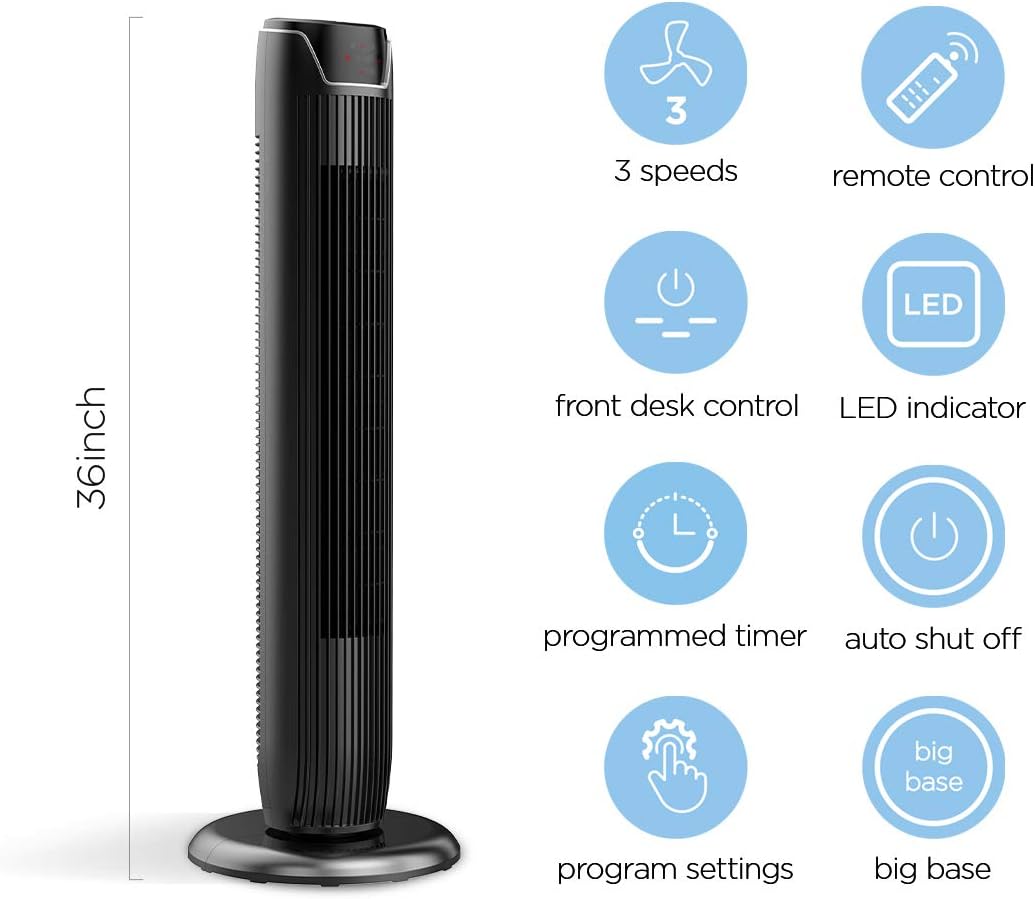
Figure 2: The 36-inch height of the tower fan, highlighting its compact design and various features.

Figure 3: Key features of the PELONIS tower fan, including silent operation, wide-angle airflow, timer, and auto shut-off.
Video 1: Overview of the 36-inch PELONIS FZ10-19JR Oscillating Tower Fan, demonstrating its compact size and features.
Návod k obsluze
Your PELONIS tower fan can be operated using the multi-functional control panel on top of the unit or the included remote control.
Ovládací panel a dálkové ovládání
Both the control panel and the remote offer identical functions for convenience. The control panel is located on the top of the fan for easy access without bending.

Figure 4: Close-up of the overhead control panel, highlighting the tight fence design for safety and the internal gale wheel for air volume.
- Tlačítko napájení (ZAP/VYP): Zapíná nebo vypíná ventilátor.
- Tlačítko režimu: Cycles through different wind modes (Normal, Natural, Sleep).
- Tlačítko rychlosti: Upravuje rychlost ventilátoru (nízká, střední, vysoká).
- Oscillation Button (Osc): Activates or deactivates the 60° wide-angle oscillation function.
- Tlačítko časovače: Sets the automatic shutoff timer (up to 7 hours).
Režimy ventilátoru
- Normální vítr: Provides a constant airflow.
- Přirozený vítr: Simulates natural breezes with alternating strong and weak airflows.
- Režim spánku: Operates at a low noise level (as low as 48 dB) for undisturbed sleep. The LED display auto-off after 30 seconds to minimize light disturbance.
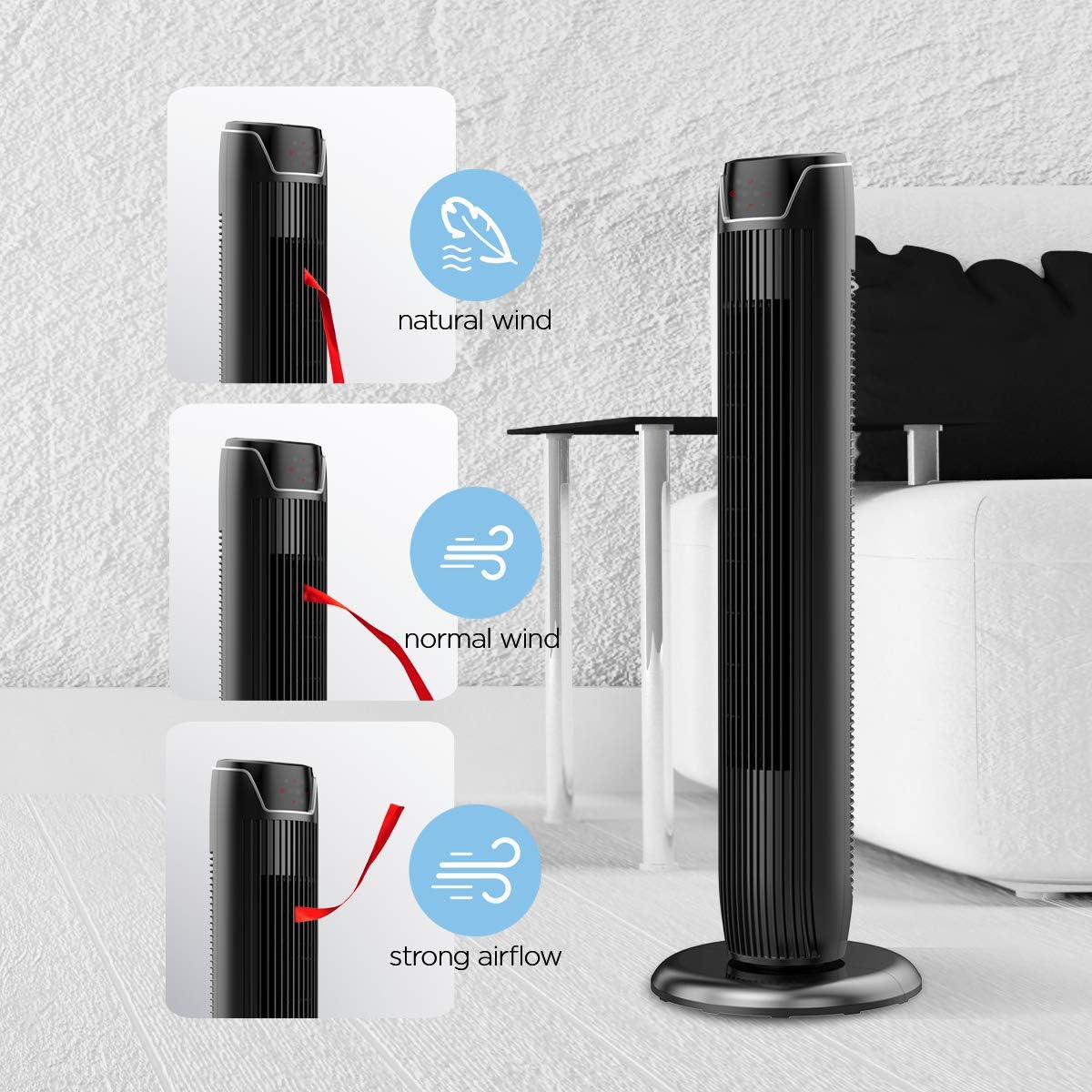
Figure 5: Visual representation of the fan's different wind modes: Natural Wind, Normal Wind, and Strong Airflow.

Figure 6: The fan's quiet operation in sleep mode, ideal for bedrooms and nurseries.
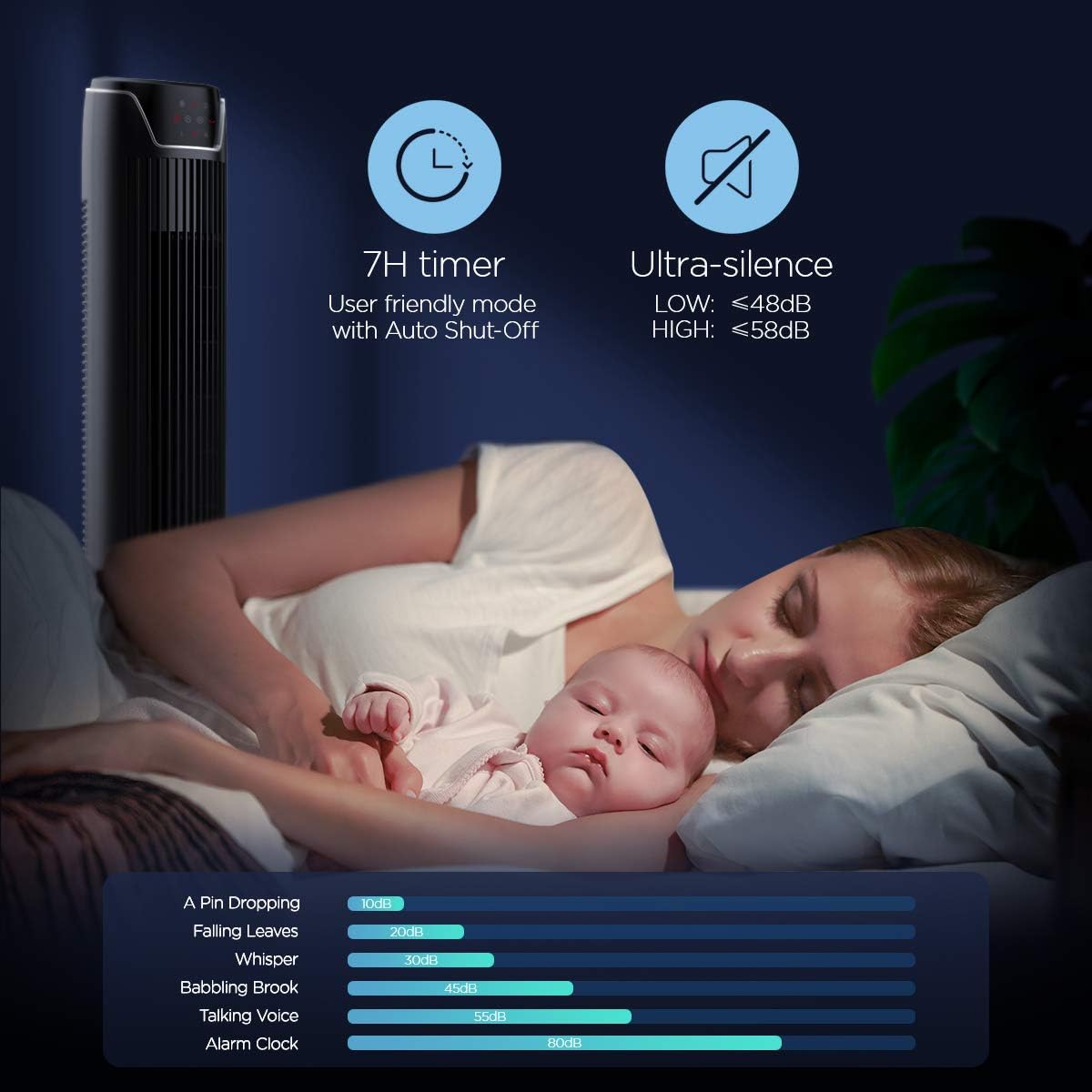
Figure 7: Illustration of the fan's ultra-silence feature (below 48dB on low speed), perfect for quiet environments.
Úložiště dálkového ovládání
The fan features a built-in cubby at the back for convenient storage of the remote control, ensuring it is always within reach and not easily misplaced.
Video 2: Demonstration of the remote control storage slot on the back of the Pelonis Tower Fan.
Údržba
Pravidelné čištění pomáhá udržovat výkon ventilátoru a prodlužuje jeho životnost.
- Čištění exteriéru: Použijte měkký, damp hadříkem otírejte vnější povrchy ventilátoru. Nepoužívejte abrazivní čisticí prostředky ani rozpouštědla.
- Čištění mřížky: Use a vacuum cleaner with a brush attachment to remove dust from the fan grilles. For deeper cleaning, a compressed air can may be used to dislodge dust from hard-to-reach areas.
- Vnitřní čištění: The fan is not designed for easy disassembly for internal cleaning. Regular external cleaning and compressed air use are recommended to minimize dust accumulation inside.
- Před opětovným zapojením ventilátoru se ujistěte, že je zcela suchý.
Odstraňování problémů
If you encounter issues with your PELONIS tower fan, try the following troubleshooting steps:
- Ventilátor se nezapíná:
- Ujistěte se, že je napájecí kabel bezpečně zapojený do funkční elektrické zásuvky.
- Zkontrolujte, zda je zásuvka funkční, zapojením jiného zařízení.
- Verify the fan's power button is pressed.
- Fan Not Oscillating:
- Stiskněte tlačítko oscilace na ovládacím panelu nebo dálkovém ovladači.
- Ensure there are no obstructions preventing the fan from rotating.
- Slabé proudění vzduchu:
- Zvyšte nastavení otáček ventilátoru.
- Clean the fan grilles to remove any dust or debris that may be obstructing airflow.
- Neobvyklý hluk:
- Ujistěte se, že ventilátor je umístěn na stabilním a rovném povrchu.
- Check for any loose parts or foreign objects within the fan grilles.
- If the noise is a creaking sound during oscillation, ensure the base is not overtightened. Loosen it slightly if necessary.
- Dálkové ovládání nefunguje:
- Ensure the remote control's batteries are correctly installed and not depleted.
- Point the remote directly at the fan's control panel.
- Ujistěte se, že mezi dálkovým ovladačem a ventilátorem nejsou žádné překážky.
Specifikace
| Funkce | Detail |
|---|---|
| Značka | PELONIS |
| Název modelu | FZ10-19JR |
| Barva | Lesklá černá |
| Design elektrického ventilátoru | podlaha Fan |
| Zdroj napájení | Elektrický kabel |
| Styl | Moderní |
| Rozměry produktu | 11.8"H x 11.8"Š x 36.14"V |
| Typ pokoje | Ložnice |
| Speciální funkce | Oscilující |
| Doporučená použití | Office, Air Circulation, Bedroom, Living Room, Home |
| Úroveň hluku | 48 dB |
| Typ dokončení | Lesklý |
| svtage | 120 voltů |
| Zahrnuté komponenty | Vzdálený |
| Vnitřní/venkovní použití | Krytý |
| Specifikace splněna | ETL |
| Kontrolní metoda | Vzdálený |
| Materiál čepele | Plast |
| Počet úrovní výkonu | 3 |
| Výrobce | Pelonis |
| UPC | 750545105431 |
| Hmotnost položky | 9.13 libry |
Záruka a podpora
PELONIS nabízí 1letá záruka výrobce with the purchase of this product, demonstrating confidence in its quality.
For detailed information, refer to the official User Manual (PDF) available online:
Stáhnout uživatelskou příručku (PDF)
For further assistance or inquiries, please visit the official PELONIS Store on Amazon: PELONIS Store


