Zavedení
Thank you for choosing the Coredy R750 Robot Vacuum Cleaner. This manual provides essential information for the safe operation, maintenance, and troubleshooting of your device. Please read it thoroughly before use and keep it for future reference.

Figure 1: Coredy R750 Robot Vacuum Cleaner, showing the main unit, a smartphone displaying the control app, and the detachable mopping water tank with a cloth.
Obsah balení
Ujistěte se, že v balení jsou přítomny všechny položky:
- 1x R750 Robotic Vacuum Cleaner
- 1x Water Tank (with included mop cloth)
- 2x boční kartáče
- 1x HEPA filtr
- 1x Dálkové ovládání
- 1x nabíjecí dok
- 1x napájecí adaptér
- 1x Cleaning Tool
Nastavení
1. Vybalení a umístění
Remove all packaging materials and protective films from the robot and its accessories. Place the charging dock against a wall on a hard, level surface, ensuring there are no obstacles within 3 feet (1 meter) to the front and 1.5 feet (0.5 meters) to the sides.
2. Nabíjení robota
Connect the AC power adapter to the charging dock and plug it into a wall outlet. Place the R750 onto the charging dock, ensuring the charging pins align. The indicator light on the robot will show charging status. Fully charge the robot before first use (approximately 5-6 hours).

Figure 2: The Coredy R750 robot vacuum automatically returning to its charging dock when power is low or after completing a cleaning cycle.
3. Instalace bočních kartáčů
Připevněte boční kartáče k odpovídajícím sloupkům na spodní straně robota, dokud nezacvaknou na své místo.
4. Připojení aplikace (volitelné)
Download the Coredy app from your smartphone's app store. Follow the in-app instructions to connect your R750 to your home Wi-Fi network. This enables advanced control and scheduling features.
Návod k obsluze
1. Spuštění/pozastavení čištění
Press the power button on the robot or use the remote control/app to start a cleaning cycle. Press again to pause.
2. Režimy čištění
The R750 offers various cleaning modes:
- Automatický režim: Robot inteligentně naviguje a uklízí váš domov.
- Bodové čištění: Zaměřuje se na konkrétní znečištěnou oblast.
- Čištění hran: Čistí podél stěn a hran nábytku.
- Režim mopování: Attaches the water tank for wet cleaning.

Figure 3: The Coredy R750 robot vacuum in mopping mode, illustrating the intelligent mopping system with adjustable water levels (Low, Medium, High) and corresponding runtimes (150, 120, 90 minutes).

Figure 4: Illustration of the Coredy R750's 3-Point Cleaning System, featuring 2200 Pa suction, 3-level suction adjustment, and bilateral side brushes for comprehensive cleaning.
3. Boost-Intellect Technology
The R750 automatically increases suction power when it detects carpet, ensuring a deeper clean. Suction returns to normal on hard surfaces.

Figure 5: The Coredy R750 robot vacuum demonstrating Boost-Intellect Technology, automatically increasing suction when moving from a hard floor to a carpeted area.
4. Virtual Boundary (Sold Separately)
Use virtual boundary strips to create off-limit areas for the robot, preventing it from entering specific rooms or disturbing delicate items.

Figure 6: The Coredy R750 robot vacuum adhering to a virtual boundary, which prevents it from entering designated areas. Boundary strips are sold separately.
5. Voice and App Control
Control your R750 using voice commands via Amazon Alexa or Google Assistant, or manage it remotely through the Coredy smartphone app. The app allows for real-time monitoring, scheduling, and mode customization.
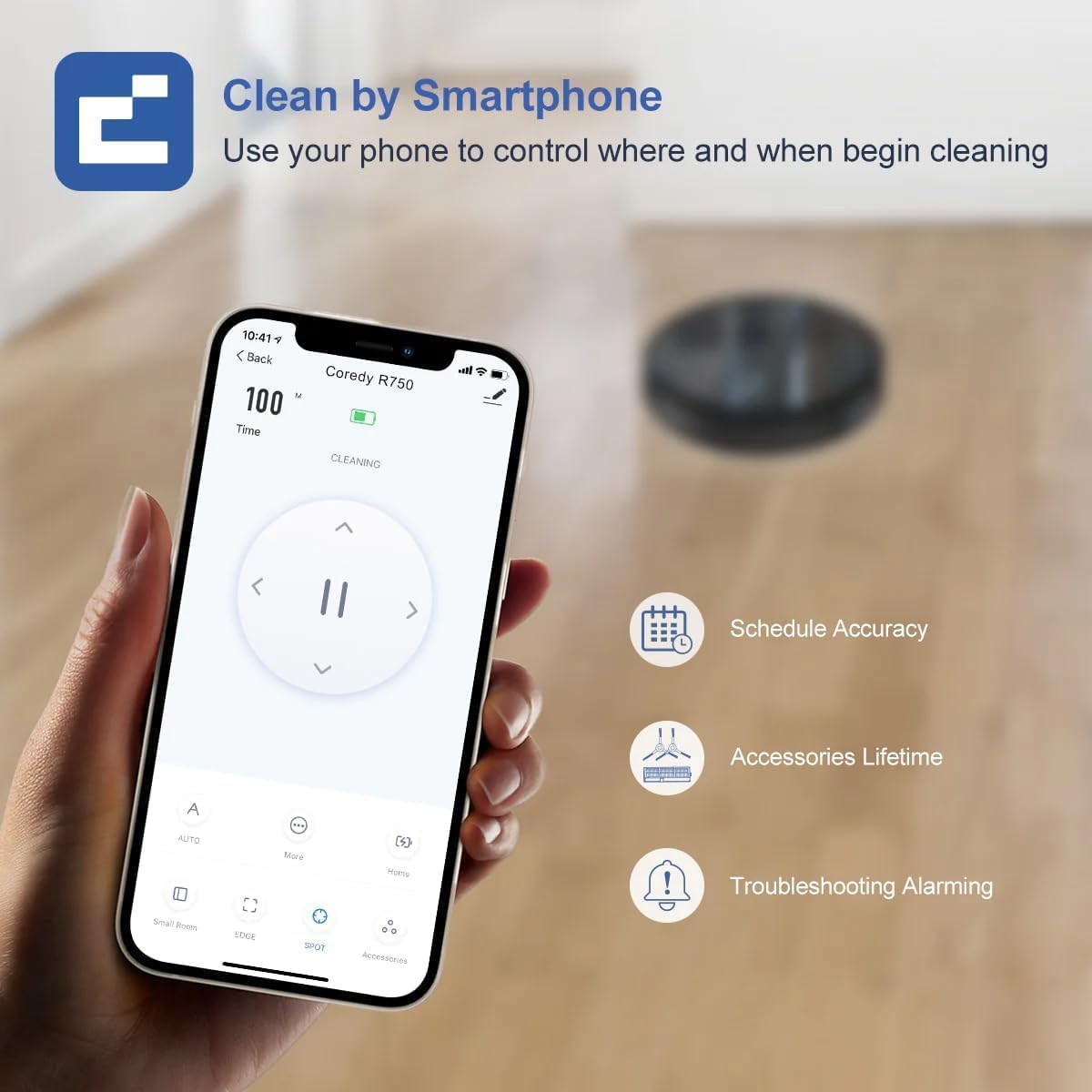
Figure 7: A smartphone screen showing the Coredy R750 control app interface, which allows users to start/stop cleaning, set schedules, and monitor the robot's status.

Figure 8: The Coredy R750 robot vacuum being controlled via voice command through a smart speaker, demonstrating compatibility with Amazon Alexa and Google Assistant for hands-free operation.
Údržba
Regular maintenance ensures optimal performance of your Coredy R750.
1. Vyprázdnění nádoby na prach
Empty the 500ml dust bin after each cleaning cycle or when full. Press the release button to remove the bin, open it, and discard debris.

Figure 9: The Coredy R750 robot vacuum, highlighting its 500ml dust bin capacity, which allows for extended cleaning sessions up to 120 minutes before needing to be emptied.
2. Čištění hlavního kartáče a bočních kartáčů
Regularly remove hair and debris from the main brush and side brushes using the provided cleaning tool. This prevents tangles and maintains cleaning efficiency.
3. Čištění HEPA filtru
Poklepejte na HEPA filtr, abyste odstranili prach. HEPA filtr nemyjte vodou. Vyměňujte filtr každé 2–3 měsíců, v závislosti na používání.
4. Maintaining the Water Tank (for Mopping)
After mopping, empty any remaining water from the tank and clean the mop cloth. The mop cloth can be hand-washed or machine-washed.
Odstraňování problémů
If your Coredy R750 encounters an issue, refer to the following common solutions:
- Robot se nenabíjí: Ujistěte se, že je nabíjecí dok zapnutý a že nabíjecí kontakty robota jsou čisté a správně zarovnané s dokovací stanicí.
- Robot se často zasekává: Clear obstacles from the cleaning path. Ensure virtual boundary strips are correctly placed if used. The robot features comprehensive protection technology to navigate around obstacles and avoid falls.
- Špatný čisticí výkon: Empty the dust bin, clean the main brush, side brushes, and HEPA filter. Check if the suction mode is set appropriately for the floor type.
- Vytírání není účinné: Ensure the water tank is filled and the mop cloth is properly attached. Check the water flow setting in the app (Low, Medium, High).
- Problémy s připojením aplikace: Ujistěte se, že je vaše Wi-Fi síť stabilní a robot je v dosahu. V případě potřeby restartujte robota a router.
Pro podrobnější informace o řešení problémů se prosím obraťte na oficiální Průvodce řešením problémů (PDF).
Specifikace
| Značka | Coredy |
| Název modelu | Coredy R750 Robotic Vacuum Cleaner |
| Speciální funkce | 2200pa Strong Suction Power, Virtual Boundary Capability, Wi-Fi Compatible, Works with Alexa |
| Barva | R750 |
| Rozměry produktu | 12.8 cm D x 12.7 cm Š x 2.72 cm V |
| Typ filtru | Ultra High Efficiency Filters |
| Životnost baterie | 120 minut |
| svtage | 240 voltů |
| Kapacita (nádoba na prach) | 500 mililitrů |
| Zdroj napájení | Napájení z baterie |
| Kontrolní metoda | App, Remote Control, Voice |
| Kompatibilní zařízení | Smartphones, Amazon Alexa, Google Assistant |
| Hmotnost položky | 10.06 libry |
| Výrobce | Coredy |
| Číslo modelu položky | R750 |
| Jsou vyžadovány baterie | 1 lithium-iontové baterie (součástí balení) |

Figure 10: Detailed dimensions of the Coredy R750 robot vacuum cleaner, showing its diameter of 12.8 inches and height of 2.72 inches.
Záruka a podpora
The Coredy R750 Robot Vacuum Cleaner comes with a 1letá záruka výrobce.
For product support, technical assistance, or warranty claims, please visit the official Coredy webwebu nebo se podívejte na kontaktní informace uvedené na obalu produktu.
Další zdroje: