1. Konec produktuview
This manual provides detailed instructions for the operation and maintenance of your Calvas Air Conditioner Remote Control. This remote is designed to be compatible with various Mitsubishi air conditioner models, ensuring convenient control over your cooling and heating settings.
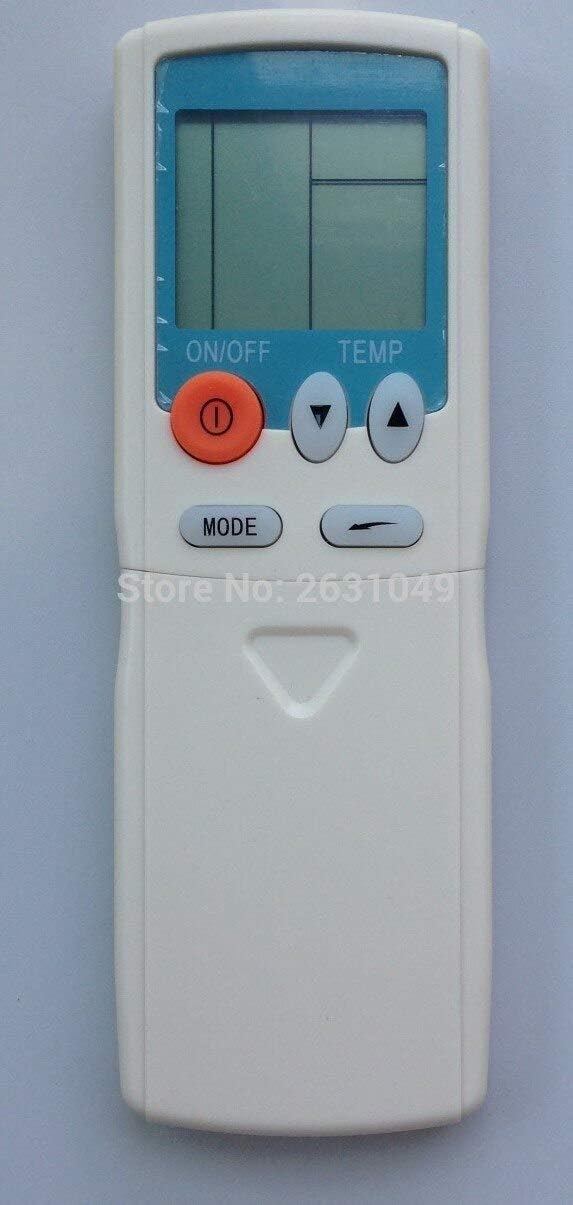
Obrázek 1: Přední strana view of the Calvas Air Conditioner Remote Control. It features a clear LCD display at the top, an orange ON/OFF button, two triangular temperature adjustment buttons (up and down), and a MODE button below them. The remote is white with a light blue accent around the display.
2. Nastavení
2.1 Instalace baterie
To begin using your remote control, you must first install the batteries. This remote requires standard batteries (typically AAA, though the product specifications mention Lithium, please verify the battery type indicated in the battery compartment).
- Najděte přihrádku na baterie na zadní straně dálkového ovladače.
- Posuňte kryt přihrádky na baterie dolů nebo ve směru šipky, abyste jej otevřeli.
- Insert the batteries, ensuring the positive (+) and negative (-) terminals align correctly with the markings inside the compartment. Incorrect insertion can prevent the remote from functioning.
- Nasaďte kryt přihrádky na baterie tak, že jej zasunete zpět na místo, dokud bezpečně nezacvakne.
After battery installation, the LCD display on the remote should illuminate, indicating it is ready for use.
3. Návod k obsluze
Familiarize yourself with the buttons on your remote control to effectively manage your air conditioner's functions.

Obrázek 2: Detailní view of the remote control with the lower panel extended, revealing additional function buttons. These include buttons for fan speed, timer settings, and possibly a reset clock function.
3.1 Základní funkce
- Tlačítko ON/OFF (●): Press this orange button to turn the air conditioner unit on or off.
- Tlačítka pro nastavení teploty (▲ TEMP ▼): Use the up (▲) and down (▼) triangular buttons to increase or decrease the desired temperature setting.
- Tlačítko MODE: Press this button to cycle through the available operating modes, such as Cool, Heat, Fan, Dry, and Auto. The current mode will be displayed on the LCD screen.
3.2 Advanced Functions (Under Sliding Cover)
Some models of this remote control feature a sliding cover at the bottom that reveals additional function buttons. Slide the cover down to access these controls.
- Tlačítka rychlosti ventilátoru: Typically represented by fan icons, these buttons allow you to adjust the fan speed (e.g., Low, Medium, High, Auto).
- Timer Buttons (HR., MIN.): Used to set the ON/OFF timer for the air conditioner. Refer to your air conditioner's main manual for specific timer programming instructions.
- Tlačítko CLEAR: May be used to clear certain settings or timer programs.
- RESET CLOCK Button: Used to reset the internal clock of the remote, if applicable.
- Indikátor BATERIE: Some remotes may have a low battery indicator or a button to check battery status.
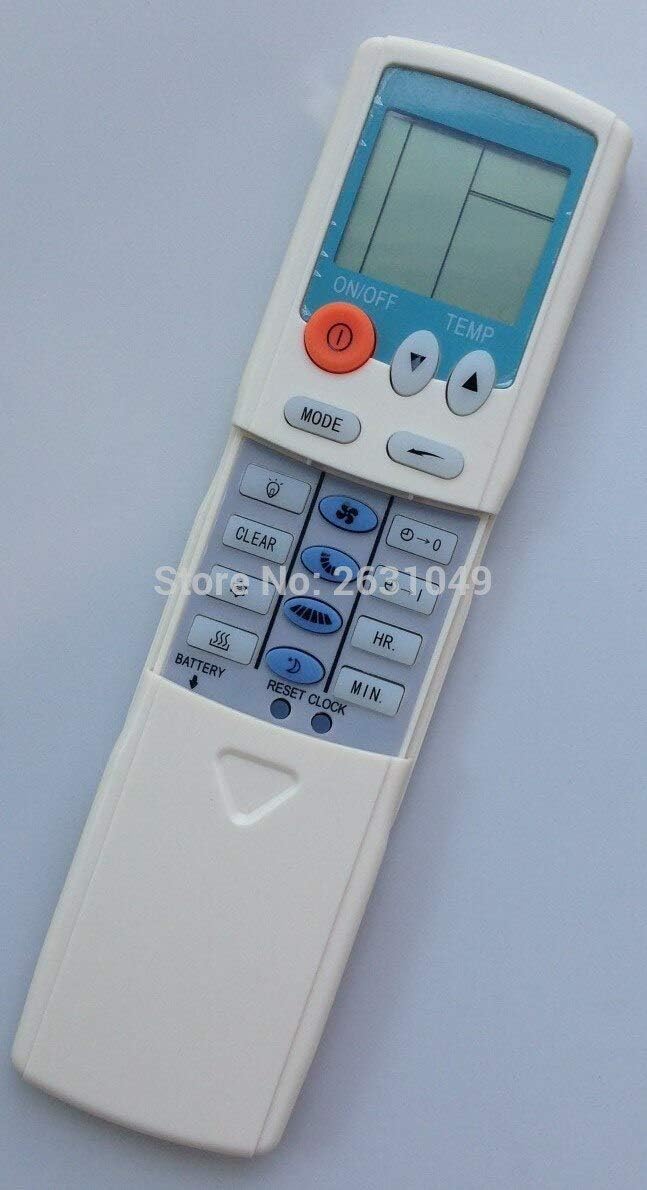
Obrázek 3: Strana view of the remote control, providing a clearer perspective of the button arrangement and the sliding cover mechanism.
4. Údržba
4.1 Čištění dálkového ovladače
To ensure the longevity and proper functioning of your remote control, keep it clean and free from dust and debris.
- Wipe the surface of the remote with a soft, dry cloth.
- Na odolné nečistoty lehce dampOtřete hadřík vodou nebo jemným, neabrazivním čisticím prostředkem. Nestříkejte čisticí prostředek přímo na dálkový ovladač.
- Nepoužívejte agresivní chemikálie, rozpouštědla nebo abrazivní čisticí prostředky, protože by mohly poškodit povrchovou úpravu nebo vnitřní součásti dálkového ovladače.
4.2 Výměna baterie
Replace batteries when the display becomes dim or the remote's range decreases. Always replace all batteries at the same time with new ones of the same type.
- Postupujte podle kroků pro instalaci baterie uvedených v části 2.1.
- Použité baterie zlikvidujte zodpovědně v souladu s místními předpisy.
5. Řešení problémů
If you experience issues with your remote control, try the following troubleshooting steps before seeking further assistance.
| Problém | Možná příčina | Řešení |
|---|---|---|
| Remote not responding / Air conditioner not reacting. |
|
|
| Displej je tmavý nebo prázdný. |
|
|
| Remote functions intermittently. |
|
|
6. Specifikace
| Funkce | Detail |
|---|---|
| Značka | plešatá místa |
| Kompatibilita modelu | HYPFCR-38W, HYPFCR-30, HYPFCR-37W, HYPFCR-47, HYPFCR-48W |
| Bezdrátová komunikace | Infračervený (IR) |
| Frekvence | 433 MHz |
| Kanál | 1 |
| Kompatibilní zařízení | Klimatizace |
| Materiál | Ostatní |
| Typ baterie | Lithium (Please verify actual battery type in compartment, typically AAA/AA for remotes) |


