Zavedení
Vimtag Wifi 1080p UHD 2MP Security Camera is designed to provide comprehensive surveillance for your home or business. Featuring 1080p Ultra HD resolution, a 2MP lens, and Wi-Fi connectivity, this camera offers clear and smooth streaming. Key functionalities include an inbuilt LED floodlight for enhanced night vision, motion detection with siren alerts, two-way audio communication, and compatibility with mobile devices and Amazon Alexa. Its robust design is suitable for outdoor use, ensuring reliable performance in various environments.
Obsah balení
Před zahájením instalace se prosím ujistěte, že balení obsahuje všechny komponenty:
- Vimtag Wifi 1080p UHD 2MP Security Camera
- Montážní konzola
- Napájecí adaptér
- Montážní šrouby a hmoždinky
- Uživatelská příručka (tento dokument)

Image: Contents of the Vimtag Security Camera package, showing the camera, mounting hardware, power adapter, and documentation.
Konec produktuview
Seznamte se s různými komponentami a porty vašeho Vimutag bezpečnostní kamera.

Image: Detailed diagram illustrating the various parts of the Vimtag camera, including the antenna, LED floodlight, reset button, LAN port, power cable, sensor, camera lens, and microphone.
- Camera Antenna: For Wi-Fi signal reception.
- LED Flood Light: Provides illumination for full-color night vision and acts as a deterrent.
- Resetovací tlačítko: Používá se pro obnovení továrního nastavení nebo restartování zařízení.
- LAN port: For wired network connection (optional).
- Napájecí kabel: Připojuje se k napájecímu adaptéru.
- Senzor: Detekuje okolní světlo pro automatické přepínání mezi denním a nočním režimem.
- Objektiv fotoaparátu: Zachytí video footage.
- MIC: Built-in microphone for audio input and two-way communication.
Průvodce nastavením
1. Počáteční nastavení a instalace aplikace
- Stáhněte si Vimtag Aplikace: Hledat "Vimtag" in your mobile device's app store (iOS or Android) and download the official application.
- Vytvořit účet: Otevřete Vimutag app and follow the on-screen instructions to register a new user account.
- Zapnutí fotoaparátu: Connect the power adapter to the camera's power cable and plug it into an electrical outlet. Wait for the camera to initialize (typically indicated by an LED status light).
- Přidat zařízení: Ve Vimutag app, select the option to "Add Device" or scan the QR code located on the camera or its packaging.
- Připojení k Wi-Fi: Follow the app's prompts to connect the camera to your home Wi-Fi network. Ensure the camera is within range of your Wi-Fi router for optimal signal strength. For best performance, consider the camera's proximity to the router.
2. Fyzická instalace
Vimtag camera comes with a universal mounting bracket for flexible installation on ceilings or walls.
- Vyberte umístění: Vyberte vhodné venkovní místo, které poskytuje požadované viewing angle and is within Wi-Fi range. Ensure the power cable can reach an outlet.
- Montáž: Use the provided mounting screws and wall plugs to securely attach the mounting bracket to the chosen surface.
- Připojit kameru: Securely attach the camera to the mounting bracket. Adjust the camera's angle to cover the desired area.

Obrázek: Vimtag security camera mounted on its wall bracket, ready for outdoor surveillance.

Image: Two Vimtag cameras illustrating their connectivity options, including power and optional LAN connections.
Návod k obsluze
Žít View a monitorování
Once connected, you can monitor your camera feed anytime via the Vimtag mobile app or PC client. The F3.6mm 2MP lens with smart H.264 video encoding ensures smooth 1080P Ultra HD streaming even with lower internet speeds.
Obousměrný zvuk
Utilize the built-in microphone and speaker for two-way communication. This allows you to listen to the environment around the camera and speak through the camera from your mobile device.
Motion Detection and Siren
The camera features an inbuilt motion detection sensor that can trigger an alarm siren and activate the LED floodlight. This provides an immediate deterrent and illuminates the area for clear recording.

Obrázek: Vimtag camera demonstrating its LED floodlight and siren functionality, deterring an intruder.
Night Vision with LED Floodlight
The unique inbuilt LED floodlight provides clear night vision up to 32 feet. When motion is detected, the floodlight can automatically switch on, providing full-color video display even in complete darkness, unlike traditional infrared night vision which typically provides black and white images.
Storage Options: SD Card and Cloud Recording
- Úložiště SD karty: The camera supports an SD card (up to 128 GB). Vimtag's unique compressed video technology allows the camera to save up to 75% more video on an SD card compared to other cameras.
- Cloudové nahrávání: A cloud function is available to securely store all videos in real-time. One month of free cloud storage is typically included.
Podpora Alexa
Vimtag camera supports Amazon Alexa Echo Show. You can control the camera with voice commands such as "Alexa, show live view," "turn left," or "turn right."
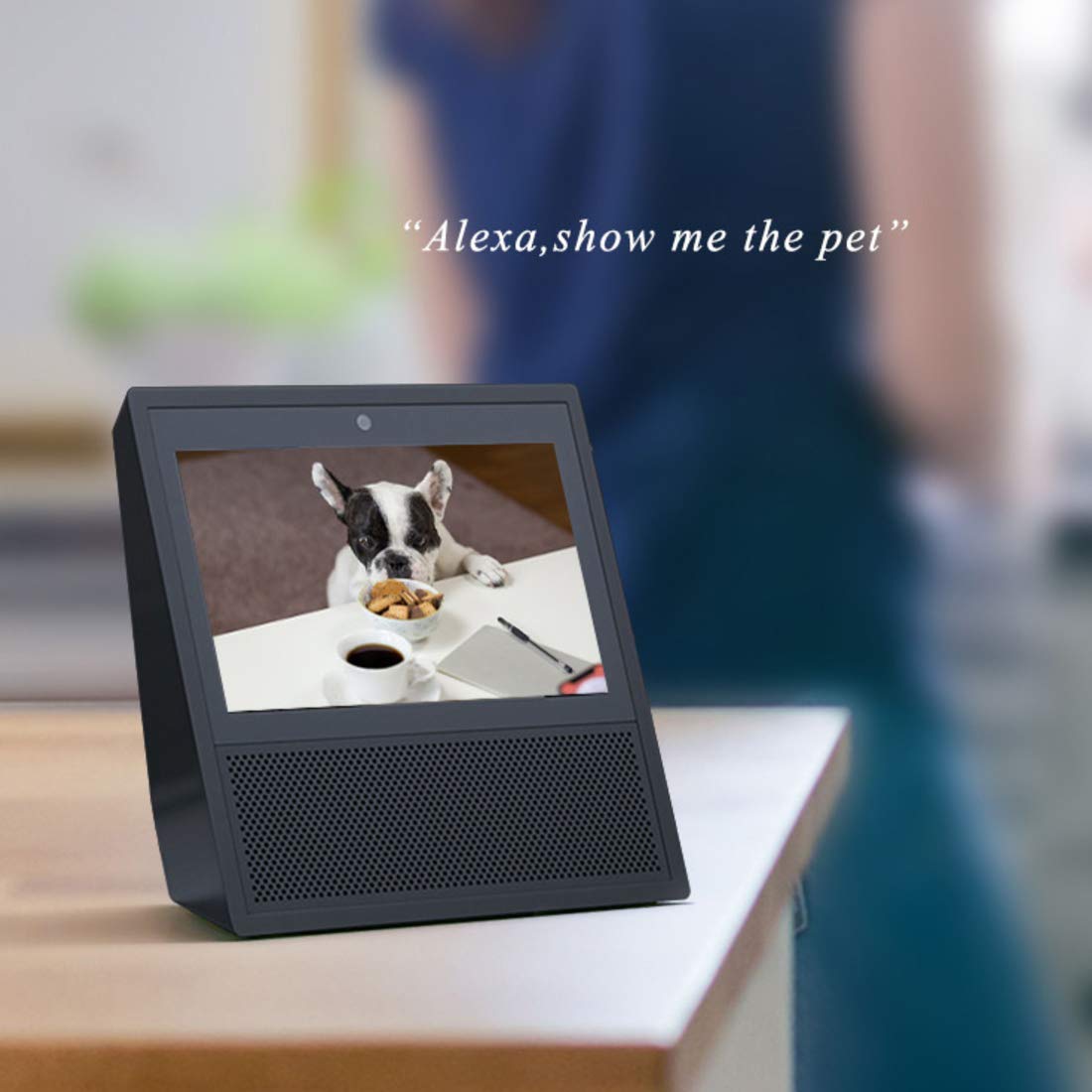
Image: An Amazon Echo Show device displaying a live video feed from the Vimtag camera, demonstrating Alexa integration.
Přístup pro více uživatelů
Multiple users can access the camera feed simultaneously. All user access is protected by a password.
Údržba
- Čištění: Pravidelně otírejte objektiv a tělo fotoaparátu měkkým, suchým hadříkem, abyste odstranili prach a nečistoty. Nepoužívejte agresivní chemikálie ani abrazivní materiály.
- Správa SD karet: Periodically check the SD card status through the app. While Vimtag's compression technology maximizes storage, regular review and backup of important footage se doporučuje.
- Aktualizace firmwaru: Keep your camera's firmware updated through the Vimtag app to ensure optimal performance, security, and access to new features.
- Cyklus napájení: If the camera experiences connectivity issues or unusual behavior, try power cycling it by unplugging and re-plugging the power adapter.
Odstraňování problémů
| Problém | Možná příčina / řešení |
|---|---|
| Fotoaparát se často odpojuje od Wi-Fi. |
|
| Motion detection is too sensitive (false alarms). |
|
| Cannot access recorded footage from SD card via app. |
|
| App settings for motion detection times are not working correctly. |
|
| Poor image quality or night vision. |
|
Specifikace
| Funkce | Detail |
|---|---|
| Číslo modelu | B4 2MP Outdoor IP Camera |
| Rozměry produktu | 15 x 8 x 6 cm |
| Hmotnost položky | 400 g |
| Rezoluce | 1080p Ultra HD (2MP) |
| Technologie připojení | Wi-Fi |
| Speciální funkce | HD Resolution, Night Vision (with LED Floodlight), Motion Detection, Two-Way Audio |
| Vnitřní/venkovní použití | Venkovní |
| Zdroj napájení | Elektrický kabel |
| Kompatibilní zařízení | Tablet, iOS, Android, Amazon Alexa Echo Show |
| Max SD Card Storage | 128 GB |
Záruka a podpora
Informace o záruce
This Vimtag produkt je dodáván s a 2 rok záruka od data nákupu. Uschovejte si prosím doklad o koupi pro případ reklamace. Záruka se vztahuje na výrobní vady a poruchy za běžných podmínek používání.
Zákaznická podpora
For any technical assistance, troubleshooting, or warranty inquiries, please contact Vimtag customer care:
- Linka bezpečí: +91-97114 11021
- Provozní doba: Monday - Saturday, 10:30 AM - 6:30 PM (IST)
You can also visit the official Vimtag store on Amazon for more information and resources: Vimtag Obchod


