Zavedení
This manual provides instructions for the setup, operation, and maintenance of your Targus U660 USB Optical Mouse. The Targus U660 is designed for smooth and precise cursor control, featuring a 1000 DPI optical sensor and a comfortable ambidextrous design.
Obsah balení
- Targus U660 USB Optical Mouse
- Uživatelská příručka (tento dokument)
Konec produktuview
The Targus U660 USB Optical Mouse features a standard three-button layout with a scroll wheel, designed for ease of use and compatibility with various operating systems.

Obrázek 1: Shora dolů view of the Targus U660 USB Optical Mouse, showing the left and right click buttons, and the scroll wheel in the center. The Targus logo is visible on the palm rest.

Obrázek 2: Přední view of the Targus U660 USB Optical Mouse, highlighting the USB cable connection point and the scroll wheel.
Nastavení
- Připojte myš: Locate an available USB port on your computer (desktop, laptop, or compatible device). Insert the USB connector of the Targus U660 mouse into the USB port.
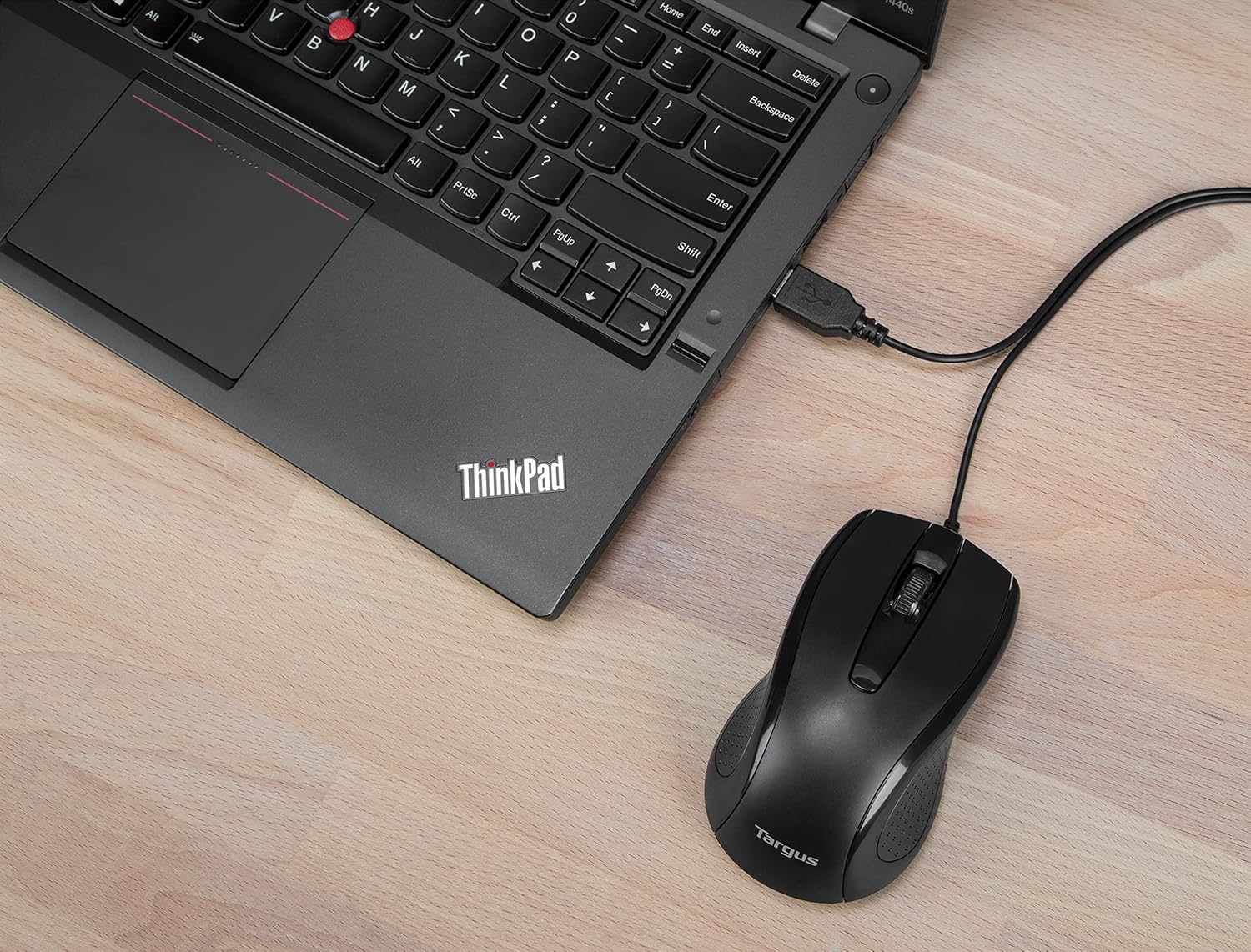
Obrázek 3: The Targus U660 USB Optical Mouse connected to a laptop via its USB cable.
- Instalace ovladače: The Targus U660 is a plug-and-play device. Your operating system (Windows or macOS) will automatically detect and install the necessary drivers. No manual driver installation is typically required.
- Připraven k použití: Po instalaci ovladačů je myš připravena k okamžitému použití.
Návod k obsluze
The Targus U660 USB Optical Mouse operates like a standard computer mouse.
- Levé kliknutí: Press the left button to select items, open applications, or activate functions.
- Klikněte pravým tlačítkem myši: Stisknutím pravého tlačítka otevřete kontextové nabídky nebo zobrazíte další možnosti.
- Rolovací kolečko: Otáčením kolečka nahoru nebo dolů můžete procházet dokumenty a web pages. The scroll wheel can also be pressed as a middle button for specific functions depending on the application.
- Hnutí: Move the mouse across a flat surface to control the cursor on your screen. The 1000 DPI optical sensor provides precise tracking.
Údržba
Správná údržba zajistí dlouhou životnost a optimální výkon vaší myši.
- Čištění: Use a soft, dry cloth to clean the exterior of the mouse. For stubborn dirt, a slightly damp cloth can be used, ensuring no moisture enters the device. Avoid harsh chemicals or abrasive cleaners.
- Optický senzor: Udržujte optický senzor na spodní straně myši čistý a bez prachu nebo nečistot, abyste zajistili přesné sledování.

Obrázek 4: The underside of the Targus U660 USB Optical Mouse, displaying the optical sensor window and product information.
- Skladování: Pokud myš nepoužíváte, skladujte ji v čistém a suchém prostředí mimo dosah extrémních teplot.
Odstraňování problémů
| Problém | Možná příčina | Řešení |
|---|---|---|
| Myš neodpovídá |
|
|
| Nesprávný pohyb kurzoru |
|
|
| Tlačítka nebo rolovací kolečko nefungují |
|
|
Specifikace
- Název modelu: U660
- Číslo dílu: AMU660AP
- Konektivita: USB (kabelové)
- Technologie senzoru: Optický
- DPI: 1000 DPI
- Počet tlačítek: 3 (vlevo, vpravo, kliknutí kolečkem)
- Orientace rukou: Obouruký
- Délka kabelu: 4.9 stopy (1.5 m)
- Hmotnost: Přibližně 84 g
- Kompatibilní operační systémy: Windows, macOS
- Kompatibilní zařízení: Přenosný počítač, osobní počítač
Záruka a podpora
For warranty information and technical support, please refer to the official Targus website or contact Targus customer service. Keep your purchase receipt for warranty claims.
Targus Official Webmísto: www.targus.com


