1. Úvod
Děkuji za nákupasing the Karlsson Alarm Clock KA5805GD. This digital alarm clock features a unique hexagonal design, displaying time, date, and temperature. It is designed for indoor use and can be placed on a tabletop or mounted on a wall. This manual provides essential information for setting up, operating, and maintaining your alarm clock.
2. Konec produktuview
The Karlsson KA5805GD is a stylish and functional digital alarm clock. Its hexagonal modules display various information clearly. The clock is designed to react to touch and sound for activation, conserving battery life.
Klíčové vlastnosti:
- Six 4-Faceted Hexagonal Design
- Digital Display for Time, Date, and Temperature
- Touch and Sound Activation
- Versatile Placement: Tabletop or Wall-Mountable
- Gold Color Finish

Obrázek 2.1: Přední view of the Karlsson KA5805GD alarm clock. The display shows the current time (15:41), day (MON), date (01 JAN), and temperature (27.5°C).
3. Nastavení
3.1. Napájení zařízení
- Najděte přihrádku na baterie na zadní straně budíku.
- Otevřete kryt bateriového prostoru.
- Vložte požadované baterie (nejsou součástí balení) a dbejte na správnou polaritu (+/-).
- Close the battery compartment cover securely. The clock should power on and display default settings.
Poznámka: The clock operates on battery power. Ensure fresh batteries are used for optimal performance.

Obrázek 3.1: Zadní view of the alarm clock, highlighting the battery compartment and control buttons (MODE, UP, DOWN, ALARM) for setup and operation.
3.2. Umístění
The Karlsson KA5805GD can be placed on any flat surface or mounted on a wall. For wall mounting, use appropriate hardware (not included) with the integrated keyhole slots on the back of the clock.
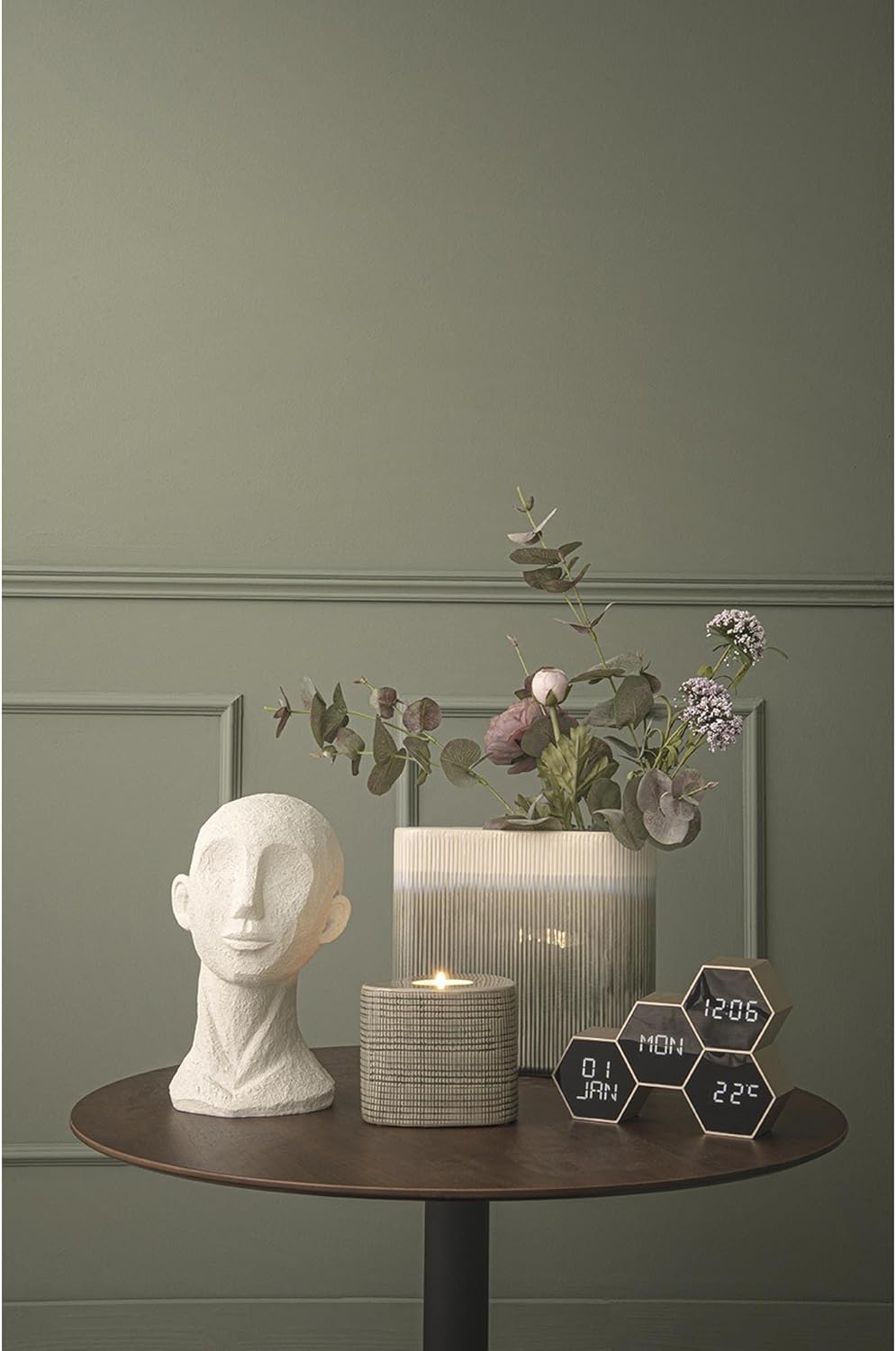
Obrázek 3.2: The alarm clock positioned on a tabletop, demonstrating its suitability for home office or living spaces.
4. Návod k obsluze
The clock features several control buttons on the back: MODE, UP, DOLŮa POPLACH. Specific functions may vary slightly based on the exact firmware version, but the general operation is as follows:
4.1. Nastavení času a data
- Stiskněte tlačítko MODE button repeatedly until the time setting mode is activated (e.g., hours flashing).
- Použijte UP a DOLŮ tlačítka pro nastavení hodin.
- Stiskněte MODE znovu pro přechod na minuty a poté upravte pomocí UP/DOLŮ.
- Pokračujte v stisknutí MODE procházet nastavení roku, měsíce a dne a upravovat každé z nich pomocí UP/DOLŮ.
- Jakmile jsou všechna nastavení dokončena, stiskněte MODE to exit the setting mode, or wait for a few seconds for it to automatically save and exit.
4.2. Nastavení alarmu
- Stiskněte tlačítko POPLACH button to enter alarm setting mode. The alarm time will likely flash.
- Použijte UP a DOLŮ tlačítky nastavte požadovanou hodinu buzení.
- Stiskněte POPLACH znovu pro přechod na minuty a poté upravte pomocí UP/DOLŮ.
- Stiskněte POPLACH once more to confirm and activate the alarm. An alarm icon may appear on the display.
- Chcete-li alarm deaktivovat, stiskněte tlačítko POPLACH znovu stiskněte tlačítko, dokud ikona budíku nezmizí.
4.3. Zobrazení teploty
The clock automatically displays the ambient temperature. No manual setting is typically required for this feature.
4.4. Touch and Sound Activation
The display is designed to activate upon touch or sound, conserving battery power when not actively viewed. A gentle tap on the clock or a moderate sound nearby should illuminate the display.
5. Údržba
- Čištění: Hodiny otřete měkkým, suchým hadříkem. Nepoužívejte abrazivní čisticí prostředky ani rozpouštědla, protože by mohly poškodit povrchovou úpravu.
- Výměna baterie: Vyměňte baterie, když displej ztmavne nebo funkce začnou být nepravidelné. Vždy vyměňte všechny baterie najednou za nové stejného typu.
- Skladování: Pokud hodiny skladujete delší dobu, vyjměte baterie, abyste zabránili vytečení.
6. Řešení problémů
| Problém | Možná příčina | Řešení |
|---|---|---|
| Displej je prázdný nebo tmavý. | Slabé nebo vybité baterie. | Vyměňte všechny baterie za nové. |
| Clock not responding to touch/sound. | Batteries are low; sensor obstruction. | Replace batteries. Ensure no objects are covering the clock's sensors. |
| Nesprávný čas/datum. | Not set correctly; battery interruption. | Znovu nastavte čas a datum podle pokynů v části 4.1. |
| Alarm se nespustí. | Alarm not activated; incorrect time set. | Ensure the alarm is activated and the alarm time is set correctly (Section 4.2). |
7. Specifikace
| Číslo modelu | PTG-KA5805GD |
| Značka | Karlsson |
| Barva | Zlato |
| Typ zobrazení | Digitální |
| Speciální funkce | Temperature Display, Touch/Sound Activation |
| Rozměry produktu | 17.5 cm (L) x 4.5 cm (D) x 12 cm (H) / 7.56"W x 5.63"H |
| Zdroj napájení | Napájeno bateriemi (baterie nejsou součástí balení) |
| Materiál | Plast (akrylonitril-butadien-styren) |
| Typ montáže | Tabletop, Wall-Mountable |
| Hmotnost položky | 0.19 kilogramů (6.7 uncí) |
| Vnitřní/venkovní použití | Krytý |
8. Záruka a podpora
For information regarding warranty coverage and customer support, please refer to the documentation provided at the time of purchase or visit the official Karlsson webUschovejte si doklad o koupi pro případné reklamace.
For further assistance, you may contact Karlsson customer service through their official channels.


